Wrist Assistant
NylonDiamond
On Home Assistant 2026.11 or newer? Open it in the Marketplace
- Installs
- 452 sharing analytics
- GitHub stars
- 30
- Connection
- Works locally
- Upkeep
- Updated in the last 6 months
- Version
- v3.0.0,
- Category
- Presence and location, Phones and companion apps
- Kind
- Marketplace integration
- Needs
- Needs the Marketplace (HACS on 2026.10 and older)
- Domain
wrist_assistant- Issues
- Report an issue
Independent directory, made by the developer of Vulpo. Not affiliated with Home Assistant or the Open Home Foundation.
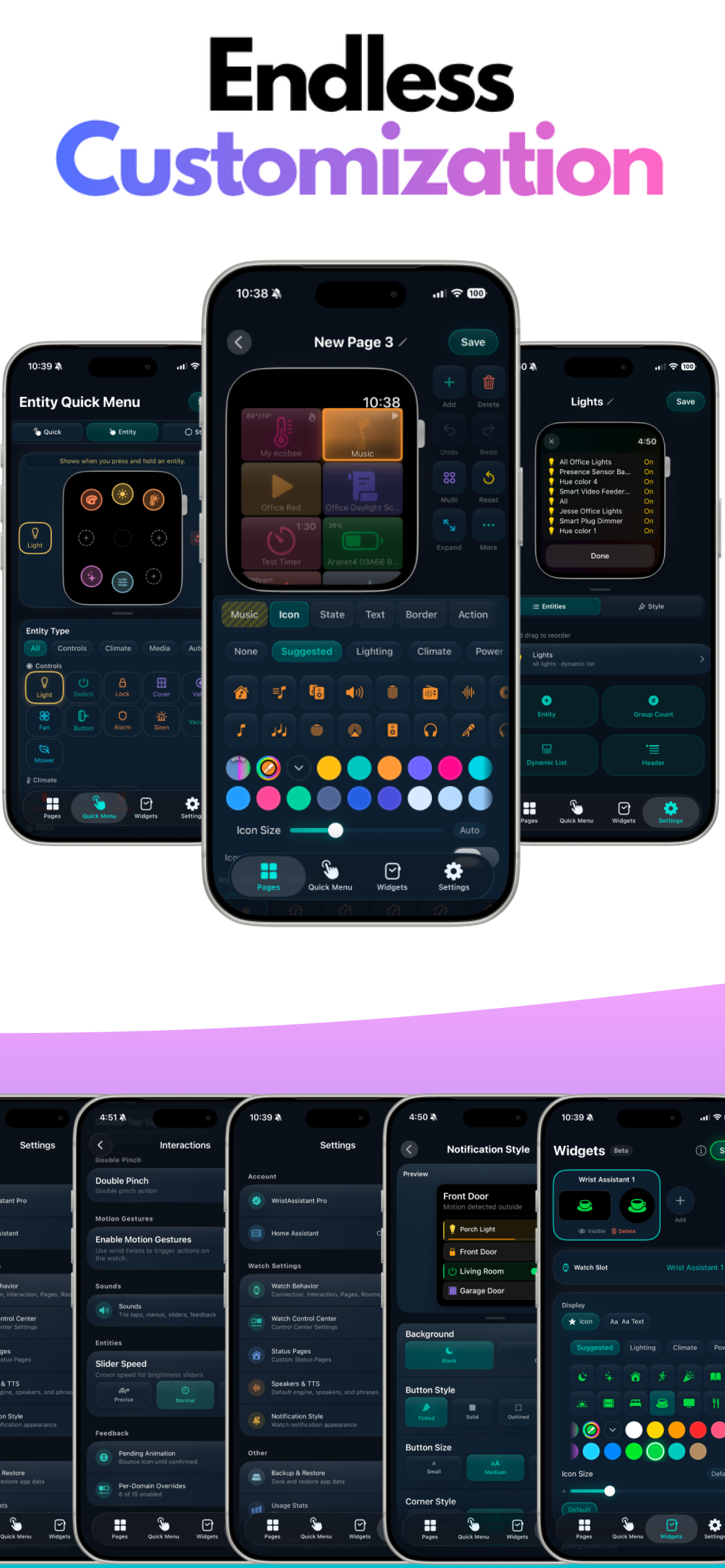
Screenshots From the README of NylonDiamond/homeassistant-wrist-assistant.
About
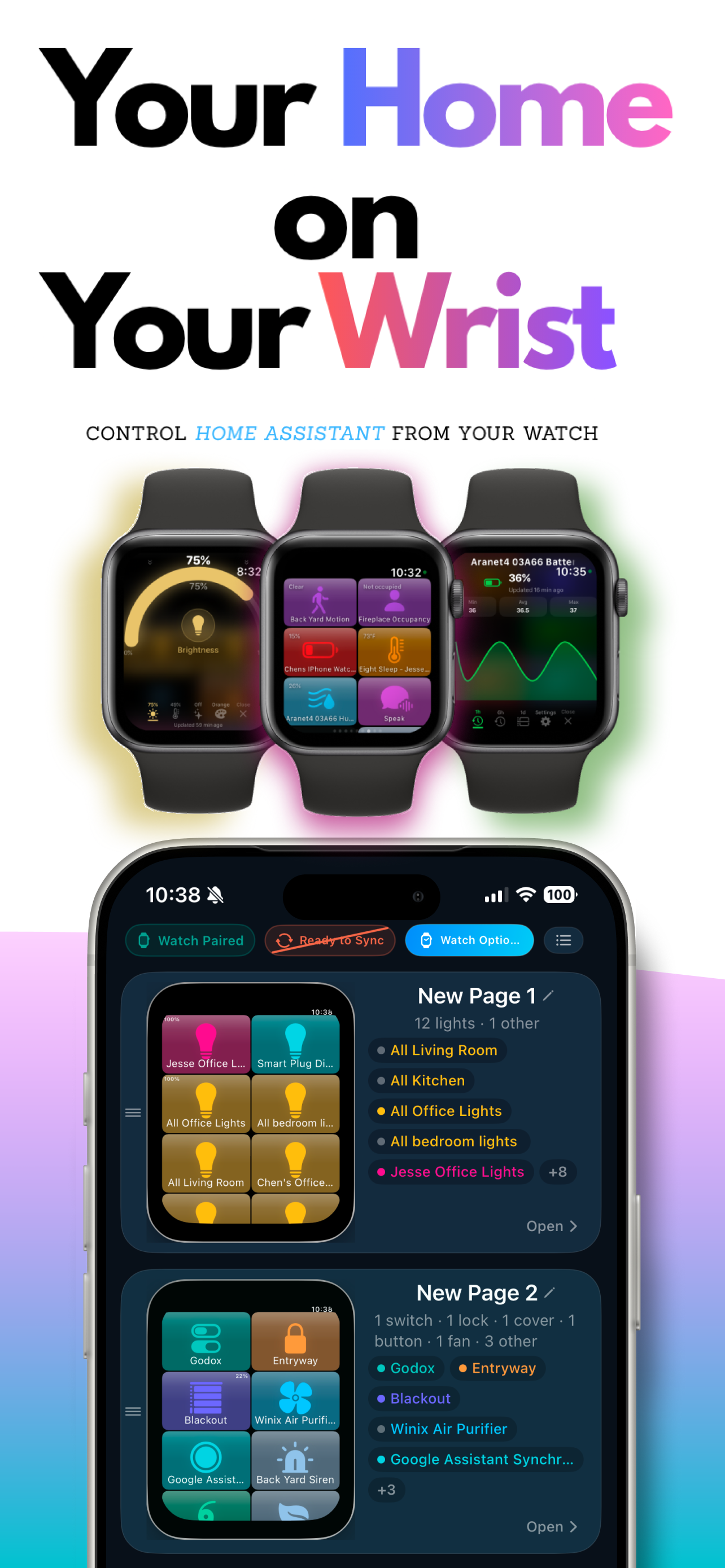
Wrist Assistant is an integration that connects an Apple Watch to Home Assistant through the Wrist Assistant watch app. It adds a Wrist Assistant panel to the Home Assistant sidebar, where the watch's complications, widgets, pages, settings and menus are built. A watch pairs through the iPhone app or with a code shown on the watch, and more than one watch can be used in the same home. The watch stays in sync with Home Assistant over a delta protocol, and the app supports many entity types plus camera previews and live streams. It also sends native Apple push notifications with inline entity action buttons, and it ships a script blueprint for notification automations. The integration works locally, is added in the UI, and provides binary sensor, sensor and text platforms plus a diagnostics download.
Automatic summary of the README and code of NylonDiamond/homeassistant-wrist-assistant. Something wrong, or are you the maintainer and want your own text here? Get in touch
Supports
Works locally Talks to your devices on your own network. No vendor cloud in between.
From the Marketplace Installed through the Marketplace, formerly HACS.
Actively maintained Its author released or pushed a change in the last six months.
Provides
- Sensors
Setting it up
Install it from the Marketplace and restart Home Assistant, then add it under Settings, Devices and services.
Entities
- Binary sensorsNotifications ready
Troubleshooting
- DiagnosticsDownloads a diagnostics file to attach to a bug report.
From the README
Official Home Assistant integration for the Wrist Assistant Apple Watch app.
Wrist Assistant connects your Apple Watch to Home Assistant with fast setup, real-time sync, native watch notifications, and tons of other features.
- Pairs your watch with Home Assistant, through the iPhone app or with a code shown on the watch
- Adds the Wrist Assistant panel to the Home Assistant sidebar, where you build the watch's complications, widgets, pages, settings and menus
- Keeps your watch and Home Assistant in real-time sync with a delta protocol so the watch stays fast and responsive on cellular, Wi-Fi, or iPhone-relay
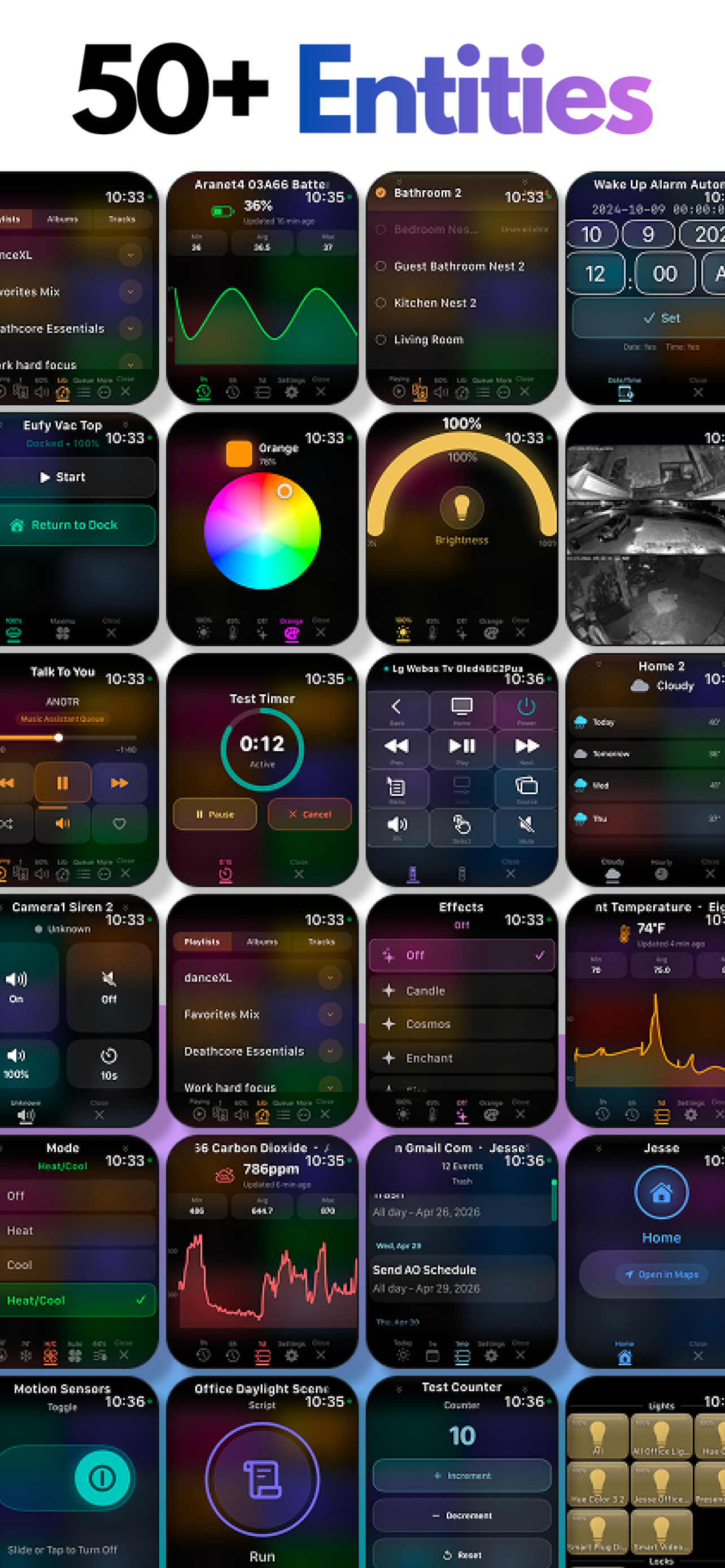
- Supports 50+ Home Assistant entity types in the app, including lights, switches, locks, covers, valves, climate, fans, scenes, scripts, media players, vacuums, lawn mowers, water heaters,…
- Shows watch-optimized camera previews, live streams, and batched multi-camera views
- Native Apple push notifications with up to 4 inline entity action buttons (lights, covers, fans, climate, locks, scenes, scripts, and more)
- Home Assistant Remote entity control with native watch button and crown mapping
- Music Assistant integration: player, queue, and provider-aware metadata
- Status pages optimized for Siri, Shortcuts, watch tiles, and Quick Actions
- Ships a bundled Watch Notification script blueprint for no-YAML notification automations
- Supports more than one watch in the same home

Shows in Vulpo
Chart card, Apple Watch.Information
- Installs
- 452 sharing analytics
- GitHub stars
- 30
- Connection
- Works locally
- Upkeep
- Updated in the last 6 months
- Version
- v3.0.0,
- Category
- Presence and location, Phones and companion apps
- Kind
- Marketplace integration
- Needs
- Needs the Marketplace (HACS on 2026.10 and older)
- Domain
wrist_assistant- Issues
- Report an issue