

Climate Scheduler
kneave
On Home Assistant 2026.11 or newer? Open it in the Marketplace
- Installs
- 830 sharing analytics
- GitHub stars
- 151
- Connection
- Works locally
- Upkeep
- Updated in the last 6 months
- Version
- v1.15.1,
- Category
- Climate
- Kind
- Marketplace integration
- Needs
- Needs the Marketplace (HACS on 2026.10 and older)
- Domain
climate_scheduler- Issues
- Report an issue
Independent directory, made by the developer of Vulpo. Not affiliated with Home Assistant or the Open Home Foundation.
Screenshots From the README of kneave/climate-scheduler.
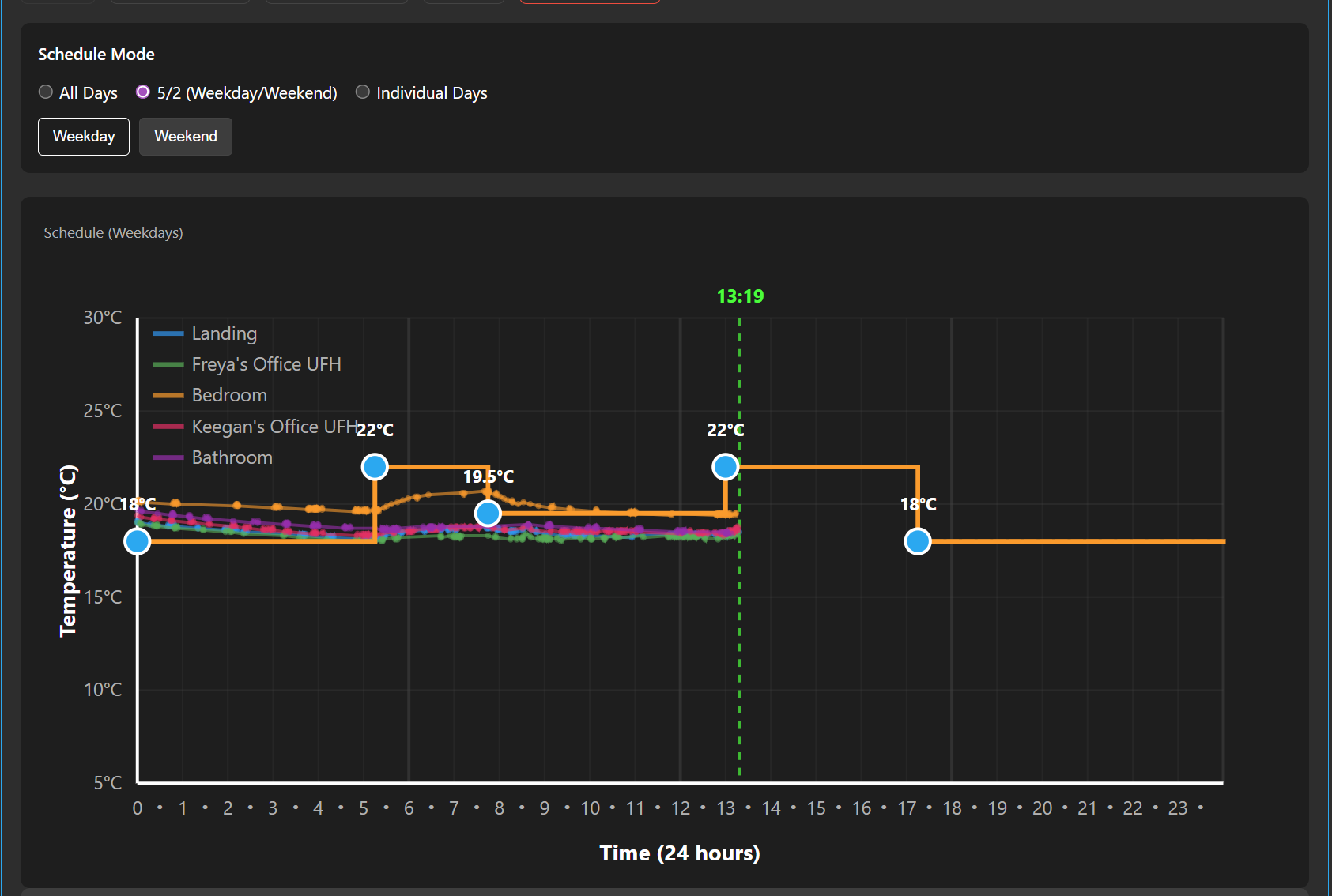
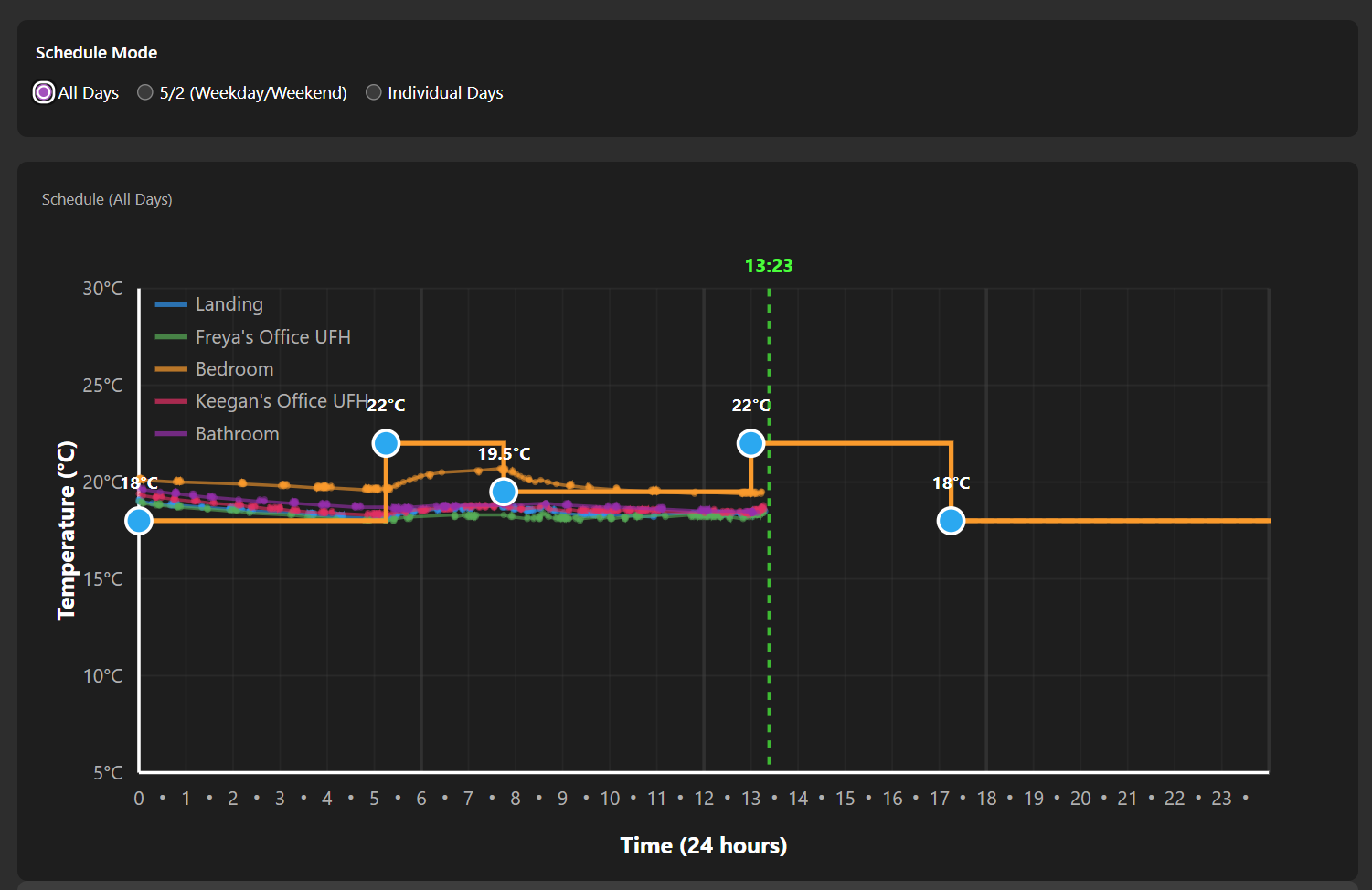
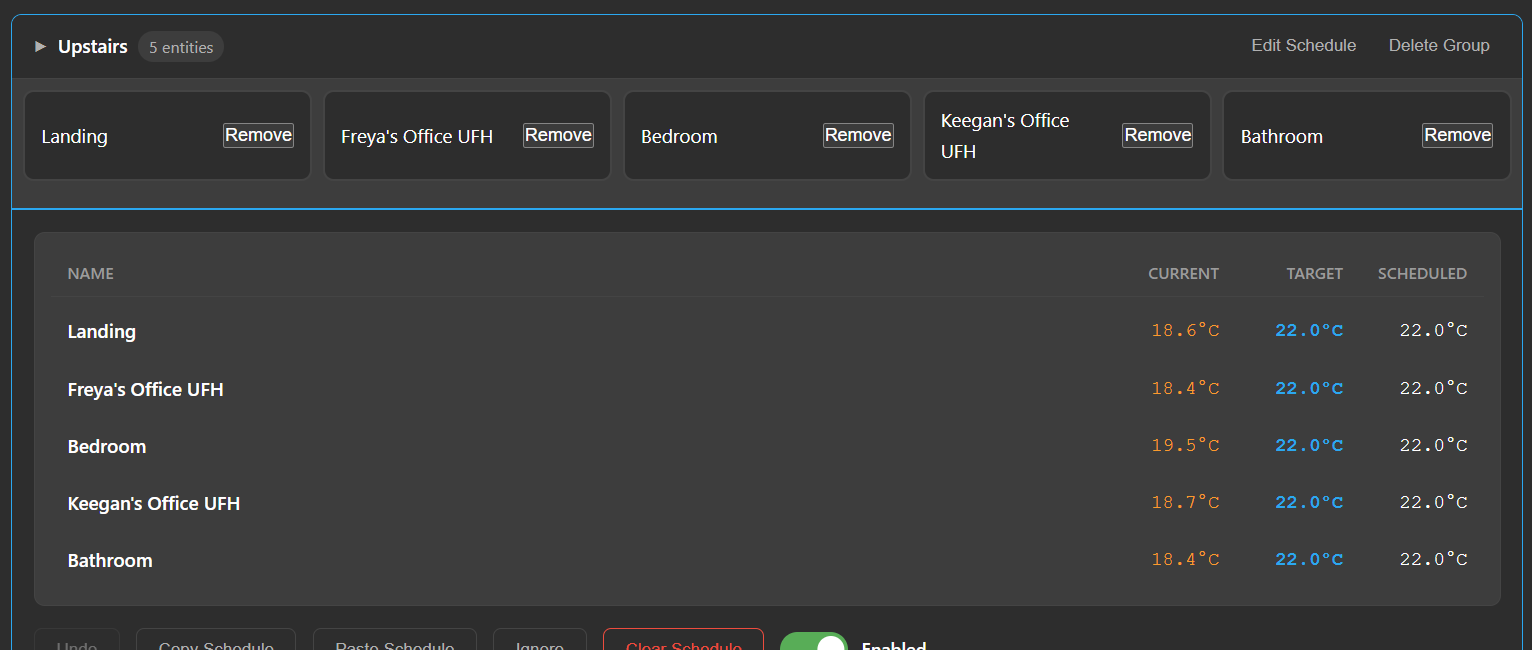
About
Climate Scheduler is an integration that sets temperature schedules for thermostats and other climate entities using a graph editor. Schedules can cover a 24-hour day, weekday and weekend, or a full seven days, with changes set at 15-minute intervals. Each schedule node can also carry HVAC mode, fan mode, swing mode and preset, or leave the temperature unchanged while altering those other controls. Thermostats can be placed in groups that share one schedule, and several schedule profiles such as winter or summer can be kept and switched with automations. It adds climate, sensor and switch entities, plus actions for editing schedules, managing groups and settings, and syncing thermostats, and it fires events when a node activates. It works locally, is set up in the UI, and includes a dashboard card with a graph that overlays the measured room temperature.
Automatic summary of the README and code of kneave/climate-scheduler. Something wrong, or are you the maintainer and want your own text here? Get in touch
Supports
Works locally Talks to your devices on your own network. No vendor cloud in between.
From the Marketplace Installed through the Marketplace, formerly HACS.
Actively maintained Its author released or pushed a change in the last six months.
Provides
- Climate
- Switches
- Sensors
Setting it up
Install it from the Marketplace and restart Home Assistant, then add it under Settings, Devices and services.
Actions
- Set climate scheduleConfigure temperature schedule for a schedule target
- Get climate scheduleRetrieve the current schedule for a schedule target
- Clear climate scheduleClear the schedule for a schedule target
- Enable climate scheduleEnable the schedule for a schedule target
- Disable climate scheduleDisable the schedule for a schedule target
- Create thermostat groupCreate a new group to share schedules between multiple thermostats
- Delete thermostat groupDelete a thermostat group
- Add thermostat to groupAdd a climate entity to a group
- Remove thermostat from groupRemove a climate entity from a group
- Get all groupsRetrieve all thermostat groups
- Set group scheduleSet schedule for all thermostats in a group
- Sync all thermostatsForce synchronization of all enabled thermostats with their schedules
- Enable group scheduleEnable automatic scheduling for all thermostats in a group
- Disable group scheduleDisable automatic scheduling for all thermostats in a group
- Get settingsRetrieve global integration settings (min/max temp, default schedule, etc.)
- Save settingsSave global integration settings
- Reload integration (Dev)Reload the Climate Scheduler integration (development only)
- Reregister cardAutomatically registers the Climate Scheduler card in Lovelace resources. Removes any existing registrations and creates a fresh entry.
- Recreate all sensorsDelete and recreate all derivative sensors
- Cleanup malformed sensorsScan for unexpected derivative sensors and optionally remove them
From the README
A custom Home Assistant integration that provides intelligent 24-hour, weekday/weekend, and 7-day scheduling for climate entities (thermostats, HVAC systems, and heaters) with an intuitive touch-friendly graph interface.
- 📱 User Friendly Interface - Touch-friendly graph editor works seamlessly on tablets and desktop browsers.
- ⏰ 15-Minute Precision - Schedule temperature changes at 15-minute intervals throughout the day
- 📊 Visual Graph Editor - Interactive SVG graph with draggable nodes, segment dragging, and copy/paste controls for fast schedule reuse
- 📈 Temperature History Overlay - Actual room temperature for the current day is drawn as a secondary line so you can compare target vs. measured
- 🏠 Multi-Entity & Group Support - Manage and sync schedules for individual climate entities and pre-defined groups
- 🔄 Immediate Apply - Saving a schedule forces the coordinator to rerun so the active period changes without waiting for the next cycle
- 💾 Persistent Storage - Schedules are stored in.storage/climate_scheduler_data and survive Home Assistant restarts
- ⚙️ Advanced Climate Controls - Set HVAC mode, fan mode, swing mode, preset, and enabled state per schedule node
- 🌡️ Unit Awareness - Automatically uses your Home Assistant temperature unit (°C or °F)
- 🎯 Fine-Grained Control - Toggle schedules on/off without losing configuration and clear them when you want a fresh start

Shows in Vulpo
Quick Toggle card, Climate card, Chart card, Apple Watch, Control Center, Climate Live Activity.Information
- Installs
- 830 sharing analytics
- GitHub stars
- 151
- Connection
- Works locally
- Upkeep
- Updated in the last 6 months
- Version
- v1.15.1,
- Category
- Climate
- Kind
- Marketplace integration
- Needs
- Needs the Marketplace (HACS on 2026.10 and older)
- Domain
climate_scheduler- Issues
- Report an issue










