

Versatile Thermostat
jmcollin78
On Home Assistant 2026.11 or newer? Open it in the Marketplace
- Installs
- 3.8k sharing analytics
- GitHub stars
- 1.2k
- Connection
- Works locally
- Upkeep
- Updated in the last 6 months
- Version
- 10.6.2,
- Category
- Climate, Thermostats and heating
- Kind
- Marketplace integration
- Needs
- Needs the Marketplace (HACS on 2026.10 and older)
- Domain
versatile_thermostat- Issues
- Report an issue
Independent directory, made by the developer of Vulpo. Not affiliated with Home Assistant or the Open Home Foundation.
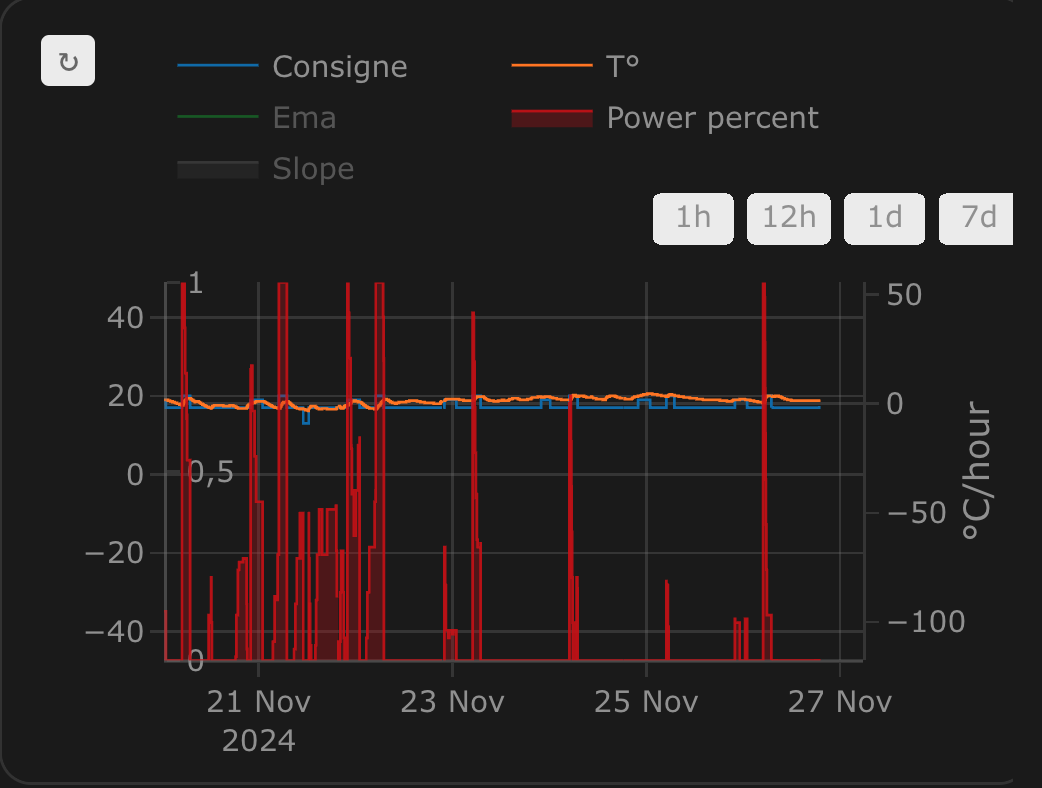
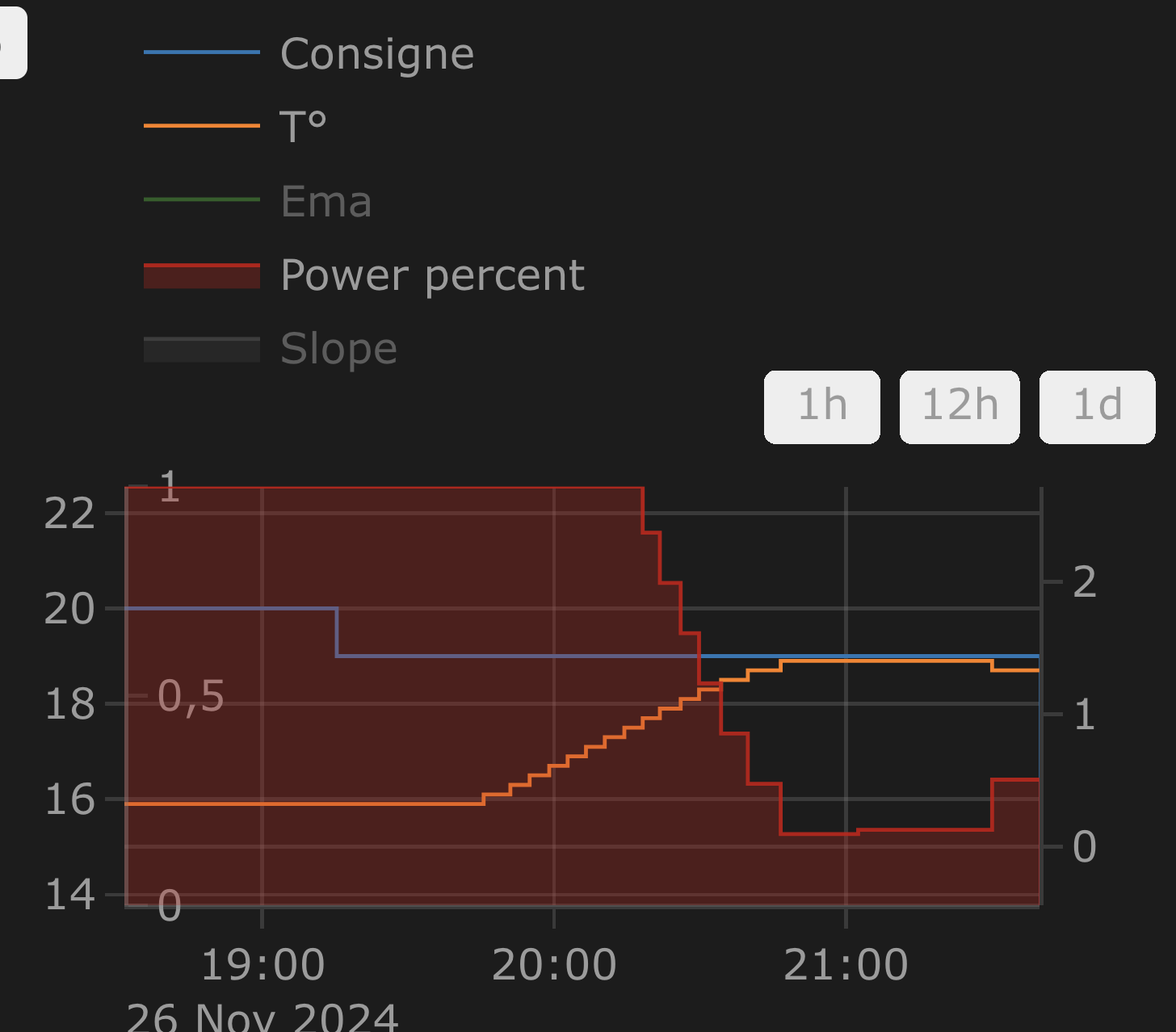
Screenshots From the README of jmcollin78/versatile_thermostat.
About
Versatile Thermostat is a configurable virtual thermostat that turns heating and cooling equipment into a managed climate entity. It handles presets, window opening, motion, presence and power overload within the thermostat, so separate scripts are not needed for those events. It supports a TPI algorithm with optional automatic learning, self-regulation of the target temperature, and valve control with opening limits. A central configuration and a central boiler control let several thermostats share settings and switch one boiler on when any of them needs heat. Each thermostat can also be locked with an optional pincode, and actions exist for Sleep mode, TPI parameters and log download. It runs locally, is set up in the UI, and adds climate, sensor, number, select, switch and binary sensor entities.
Automatic summary of the README and code of jmcollin78/versatile_thermostat. Something wrong, or are you the maintainer and want your own text here? Get in touch
Supports
Works locally Talks to your devices on your own network. No vendor cloud in between.
From the Marketplace Installed through the Marketplace, formerly HACS.
Actively maintained Its author released or pushed a change in the last six months.
Provides
- Climate
- Switches
- Sensors
Setting it up
Install it from the Marketplace and restart Home Assistant, then add it under Settings, Devices and services.
Type of Versatile Thermostat
- Thermostat typeOnly one central configuration type is possible
Lock management
- Use central lock configurationCheck to use the central lock configuration. Uncheck to use a specific lock configuration for this VTherm
- Optional pincode (4 digits)
- Lock will prevent commands from Users
- Lock will prevent commands from Automations & integrations (i.e scheduler)
- Auto-relock delayDelay in seconds before automatically re-locking after an unlock. Set to 0 to disable auto-relock. Default is 30 seconds.
Add new Versatile Thermostat
- Name
- Thermostat type
- Room temperatureRoom temperature sensor entity id
- Last seen room temperature datetimeLast seen room temperature sensor entity id. Should be datetime sensor
- Outdoor temperature sensor entity idOutdoor temperature sensor entity id. Not used if central configuration is selected
- Cycle duration (minutes)Minimum duration of one heating/cooling cycle in minutes to avoid too frequent switching
- Minimum temperature allowedMinimum temperature allowed for the thermostat
- Maximum temperature allowedMaximum temperature allowed for the thermostat
- Temperature stepTemperature step for setting the target temperature
- Device power
- Power unit (for device power)Device power consumption unit
- Enable the control by central entity (requires central config). Check to enable the control of the VTherm with the select central_mode entities.
- Use additional central main configuration. Check to use the central main configuration (outdoor temperature, min, max, step, ...).
- Used by central boiler. Check if this VTherm should have control on the central boiler
Features
- Use window detection
- Use motion detection
- Use power management
- Use presence detection
- Use a central boiler. Check to add a control to your central boiler. You will have to configure the VTherm which will have a control of the central boiler after selecting this checkbox to take effect. If one VTherm requires heating, the boiler will be turned on. If no VTherm requires heating, the boiler will be turned off. Commands for turning on/off the central boiler are given in the related configuration page
- Use the auto start and stop feature
- Use heating failure detection
Linked entities
- The device(s) to be controlledThe device(s) to be controlled - 1 is required
- Switch keep-alive interval in secondsOptional heater switch state refresh interval. Leave empty if not required.
- Algorithm
- AC modeUse the Air Conditioning (AC) mode
- Synchronize device internal temperatureCheck to synchronize the internal temperature of the underlying device (fill the new menu item 'Synchronize device temperature' to configure it)
- Self-regulationAuto adjustment of the target temperature
- Regulation thresholdThe threshold in ° (or % for valve) under which the temperature change will not be sent
- Regulation minimum periodDuration in minutes between two regulation update
- Opening threshold degreeValve opening value under which the valve should be considered as closed (and then 'max_closing_degree' will apply)
- Min opening degreesOpening degree minimum value for each underlying device when previous threshold is exceeded, comma separated. Default to 0. Example: 20, 25, 30
- Max opening degreesOpening degree maximum value. The valve will never open more than this value
- Max closing degreeClosing degree maximum value. The valve will never be closed above this value. Set it to 100 to fully close the valve
- Use internal temperature of the underlyingUse the eventual internal temperature sensor of the underlying to speedup the self-regulation (not needed in most cases)
- Inverse switch commandFor switch with pilot wire and diode you may need to inverse the command
- Auto fan modeAutomatically activate fan when huge heating/cooling is necessary
TPI
- coef_intCoefficient to use for internal temperature delta
- coef_extCoefficient to use for external temperature delta
- Low TPI thresholdThreshold in ° under which the TPI algorithm will be on. 0 means no threshold
- High TPI thresholdThreshold in ° above which the TPI algorithm will be off. 0 means no threshold
- Use central TPI configurationCheck to use the central TPI configuration. Uncheck to use a specific TPI configuration for this VTherm
- Minimum activation delayDelay in seconds under which the equipment will not be activated
- Minimum deactivation delayDelay in seconds under which the equipment will be kept active
- Enable Auto TPI LearningTPI learning session are started manually, read the doc first.
Presets
- Use central presets configuration
Window management
- Window sensor entity idLeave empty if no window sensor should be used and to use the automatic detection
- Window sensor 'on' delay (seconds)The delay in seconds before sensor 'on' detection is taken into account
- Window sensor 'off' delay (seconds)The delay in seconds before sensor 'off' detection is taken into account. Leave it empty to use the same value as window on delay
- Temperature decrease threshold for automatic window open detection (in °/hours)Recommended value: between 3 and 10. Leave empty if automatic window open detection is not used
- Temperature increase threshold for end of automatic detection (in °/hours)Recommended value: 0. Leave empty if automatic window open detection is not used
- Maximum duration of automatic window open detection (in min)Recommended value: 60 (one hour). Leave empty if automatic window open detection is not used
- Use central window configurationSelect to use the central window configuration. Deselect to use a specific window configuration for this VTherm
- ActionAction to perform if window is deteted as open
After setup
- Thermostat typeOnly one central configuration type is possible
- Use central lock configurationCheck to use the central lock configuration. Uncheck to use a specific lock configuration for this VTherm
- Optional pincode (4 digits)
- Lock will prevent commands from Users
- Lock will prevent commands from Automations & integrations (i.e scheduler)
- Auto-relock delayDelay in seconds before automatically re-locking after an unlock. Set to 0 to disable auto-relock. Default is 30 seconds.
- Name
- Thermostat type
- Room temperatureRoom temperature sensor entity id
- Last seen room temperature datetimeLast seen room temperature sensor entity id. Should be datetime sensor
- Outdoor temperature sensor entity idOutdoor temperature sensor entity id. Not used if central configuration is selected
- Cycle duration (minutes)Minimum duration of one heating/cooling cycle in minutes to avoid too frequent switching
- Minimum temperature allowedMinimum temperature allowed for the thermostat
- Maximum temperature allowedMaximum temperature allowed for the thermostat
- Temperature stepTemperature step for setting the target temperature
- Device power
- Enable the control by central entity (requires central config). Check to enable the control of the VTherm with the select central_mode entities.
- Use additional central main configuration. Check to use the central main configuration (outdoor temperature, min, max, step, ...).
- Used by central boiler. Check if this VTherm should have control on the central boiler
- Use window detection
- Use motion detection
- Use power management
- Use presence detection
- Use a central boiler. Check to add a control to your central boiler. You will have to configure the VTherm which will have a control of the central boiler after selecting this checkbox to take effect. If one VTherm requires heating, the boiler will be turned on. If no VTherm requires heating, the boiler will be turned off. Commands for turning on/off the central boiler are given in the related configuration page
- Use the auto start and stop feature
- Use heating failure detection
- The device(s) to be controlledThe device(s) to be controlled - 1 is required
- Switch keep-alive interval in secondsOptional heater switch state refresh interval. Leave empty if not required.
- Algorithm
- AC modeUse the Air Conditioning (AC) mode
- Synchronize device temperatureCheck to synchronize the internal temperature of the underlying device (fill the new menu item 'Synchronize device temperature' to configure it)
- Self-regulationAuto adjustment of the target temperature
- Regulation thresholdThe threshold in ° (or % for valve) under which the temperature change will not be sent
- Regulation minimum periodDuration in minutes between two regulation update
- Opening threshold degreeValve opening value under which the valve should be considered as closed (and then 'max_closing_degree' will apply)
- Min opening degreesOpening degree minimum value for each underlying device when previous threshold is exceeded, comma separated. Default to 0. Example: 20, 25, 30
- Max opening degreesOpening degree maximum value. The valve will never open more than this value
- Max closing degreeClosing degree maximum value. The valve will never be closed above this value. Set it to 100 to fully close the valve
- Use internal temperature of the underlyingUse the eventual internal temperature sensor of the underlying to speedup the self-regulation (not needed in most cases)
- Inverse switch commandFor switch with pilot wire and diode you may need to inverse the command
- Auto fan modeAutomatically activate fan when huge heating/cooling is necessary
- coef_intCoefficient to use for internal temperature delta
- coef_extCoefficient to use for external temperature delta
- Low TPI thresholdThreshold in ° under which the TPI algorithm will be on. 0 means no threshold
- High TPI thresholdThreshold in ° above which the TPI algorithm will be off. 0 means no threshold
- Use central TPI configurationCheck to use the central TPI configuration. Uncheck to use a specific TPI configuration for this VTherm
- Minimum activation delayDelay in seconds under which the equipment will not be activated
- Minimum deactivation delayDelay in seconds under which the equipment will be kept active
- Enable Auto TPI LearningTPI learning session are started manually, read the doc first.
- Use central presets configuration
- Window sensor entity idLeave empty if no window sensor should be used and to use the automatic detection
- Window sensor 'on' delay (seconds)The delay in seconds before sensor 'on' detection is taken into account
- Window sensor 'off' delay (seconds)The delay in seconds before sensor 'off' detection is taken into account. Leave it empty to use the same value as window on delay
- Temperature decrease threshold for automatic window open detection (in °/hours)Recommended value: between 3 and 10. Leave empty if automatic window open detection is not used
- Temperature increase threshold for end of automatic detection (in °/hours)Recommended value: 0. Leave empty if automatic window open detection is not used
- Maximum duration of automatic window open detection (in min)Recommended value: 60 (one hour). Leave empty if automatic window open detection is not used
- Use central window configurationCheck to use the central window configuration. Uncheck to use a specific window configuration for this VTherm
- ActionAction to do if window is deteted as open
Texts from the code of jmcollin78/versatile_thermostat.
Entities
- Binary sensorsSafety state, Heating failure state, Overpowering state, Window state, Motion state, Presence state, Window bypass, Central boiler
- NumbersFrost, Eco, Comfort, Boost, Frost ac, Eco ac, Comfort ac, Boost ac, Frost away, Eco away, Comfort away, Boost away, and 3 more
- SelectsAuto start/stop stop mode
- SensorsEnergy, Mean power cycle, Power percent, Auto TPI Learning State, Valve open percent, On time, Off time, Last temperature date, Last external temperature date, Temperature slope, Regulated temperature, EMA temperature, and 2 more
Actions
- Set HVAC Mode to SleepSets a VTherm to seasonal sleep. It is shown as off and, for over_climate with direct valve regulation and over_valve, sends a raw 100% valve-opening request. The physical opening remains subject to configured valve control and number entity limits.
- Set Auto TPI modeEnable or disable the Auto TPI learning modeFields: Auto TPI mode, Reset learning data
- Reset Auto TPI CapacitiesReset the learned maximum heating and cooling capacities to 1.0 °C/h. Learned coefficients are NOT reset.
- Auto Tpi Calibrate CapacityCalibrate the heating/cooling capacity (in °C/hour) using linear regression on the entity's history data. Learned coefficients are NOT updated.Fields: History from date, History to date, HVAC Mode, Save to Config, Minimum Power Threshold
- Set TPI parametersChange the TPI parametersFields: Minimal Activation delay, Minimal Deactivation delay, Low TPI threshold, High TPI threshold
- LockLocks the thermostat, preventing any changes to its configuration from UI or automations.Fields: Lock code
- UnlockUnlocks the thermostat, allowing changes to its configuration.Fields: Lock code
- Download logsCollect and download filtered logs for a VTherm entity.Fields: Log level, Period start, Period end
From the README
Versatile Thermostat is a highly configurable virtual thermostat that transforms any heating equipment (radiators, air conditioners, heat pumps, etc.) into an intelligent and adaptive system. It allows you to consolidate and centrally control multiple different heating systems, while automatically optimizing your energy consumption. Thanks to its advanced algorithms (TPI, auto-TPI) and learning capabilities, the thermostat adapts to your home 🏠 and your habits, providing you with optimal comfort and significant reduction in your heating bills 💰. This thermostat integration aims to greatly simplify your heating management automations.

Shows in Vulpo
Quick Toggle card, Climate card, Select card, Chart card, Apple Watch, Control Center, Climate Live Activity.Information
- Installs
- 3.8k sharing analytics
- GitHub stars
- 1.2k
- Connection
- Works locally
- Upkeep
- Updated in the last 6 months
- Version
- 10.6.2,
- Category
- Climate, Thermostats and heating
- Kind
- Marketplace integration
- Needs
- Needs the Marketplace (HACS on 2026.10 and older)
- Domain
versatile_thermostat- Issues
- Report an issue










