
Imou Life Official
On Home Assistant 2026.11 or newer? Open it in the Marketplace
- Installs
- Not shown: shared domain imou_life
- GitHub stars
- 64
- Connection
- Uses the vendor's cloud
- Upkeep
- Updated in the last 6 months
- Version
- v1.4.4,
- Category
- Security and safety, Cameras
- Kind
- Marketplace integration
- Brand
- Imou
- Needs
- Needs the Marketplace (HACS on 2026.10 and older)
- Domain
imou_life- Issues
- Report an issue
Independent directory, made by the developer of Vulpo. Not affiliated with Home Assistant or the Open Home Foundation.
Screenshots From the README of Imou-OpenPlatform/Imou-Home-Assistant.
About
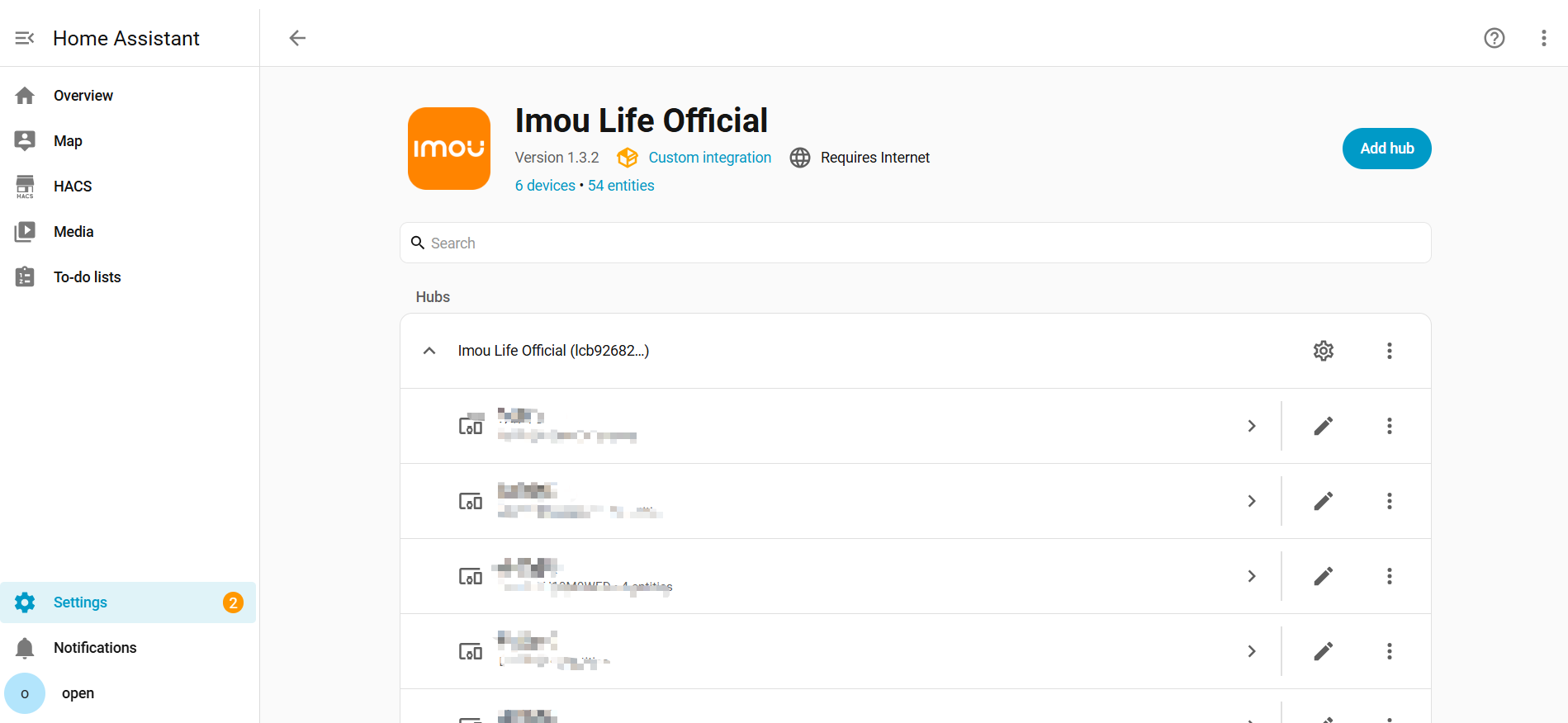
Imou Life Official connects Home Assistant to Imou cameras and smart devices through the Imou Open Platform cloud. It adds live camera video, PTZ direction buttons, a siren, lights, switches such as privacy mode and human detection, and sensors for status and storage. Alarm push can send cloud messages to a webhook, fire Home Assistant events, and trigger notifications to chosen notify services, with an optional alarm picture. Options also cover status polling and its interval, video resolution, recording a clip to a folder on alarm, and picking which devices to poll. Devices can be bound by serial number from the options, and repair notices appear when event push fails or monthly API calls run out. Setup runs in the UI with an App ID, an App secret and a server region.
Automatic summary of the README and code of Imou-OpenPlatform/Imou-Home-Assistant. Something wrong, or are you the maintainer and want your own text here? Get in touch
Supports
Uses the vendor's cloud Needs an internet connection and an account with the vendor.
From the Marketplace Installed through the Marketplace, formerly HACS.
Actively maintained Its author released or pushed a change in the last six months.
Provides
- Lights
- Cameras
- Alarms
- Switches
- Sensors
Setting it up
Install it from the Marketplace and restart Home Assistant, then add it under Settings, Devices and services.
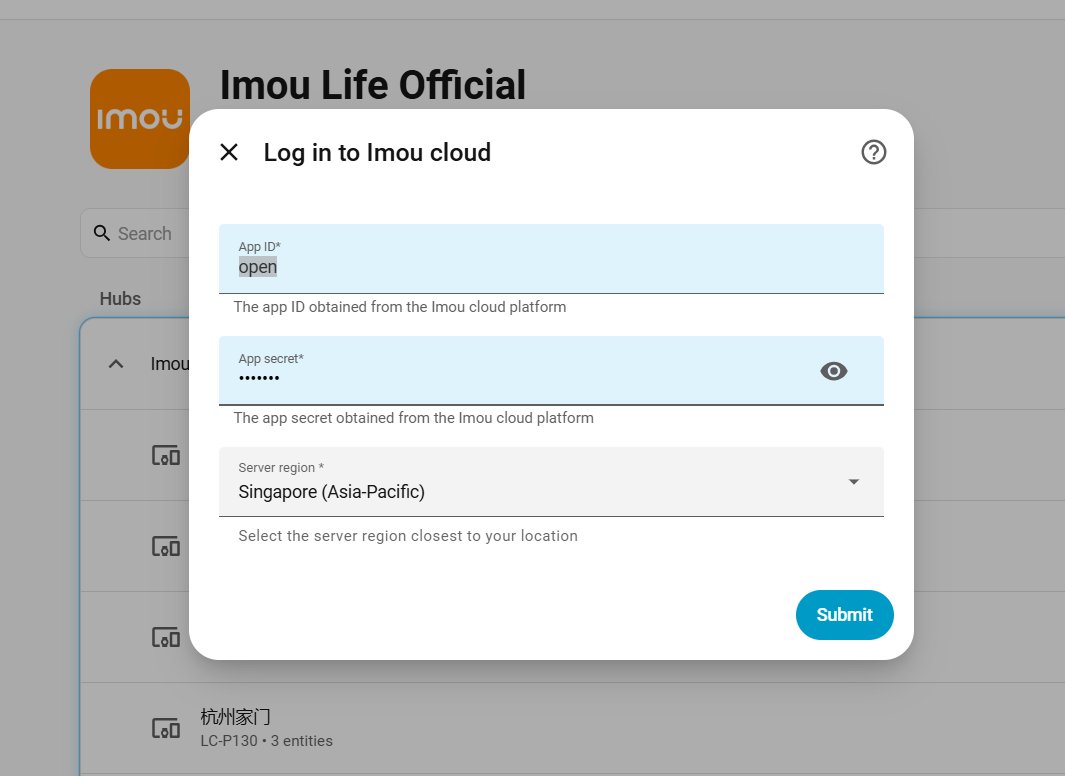
Log in to Imou cloud
- Server regionSelect the server region closest to your location
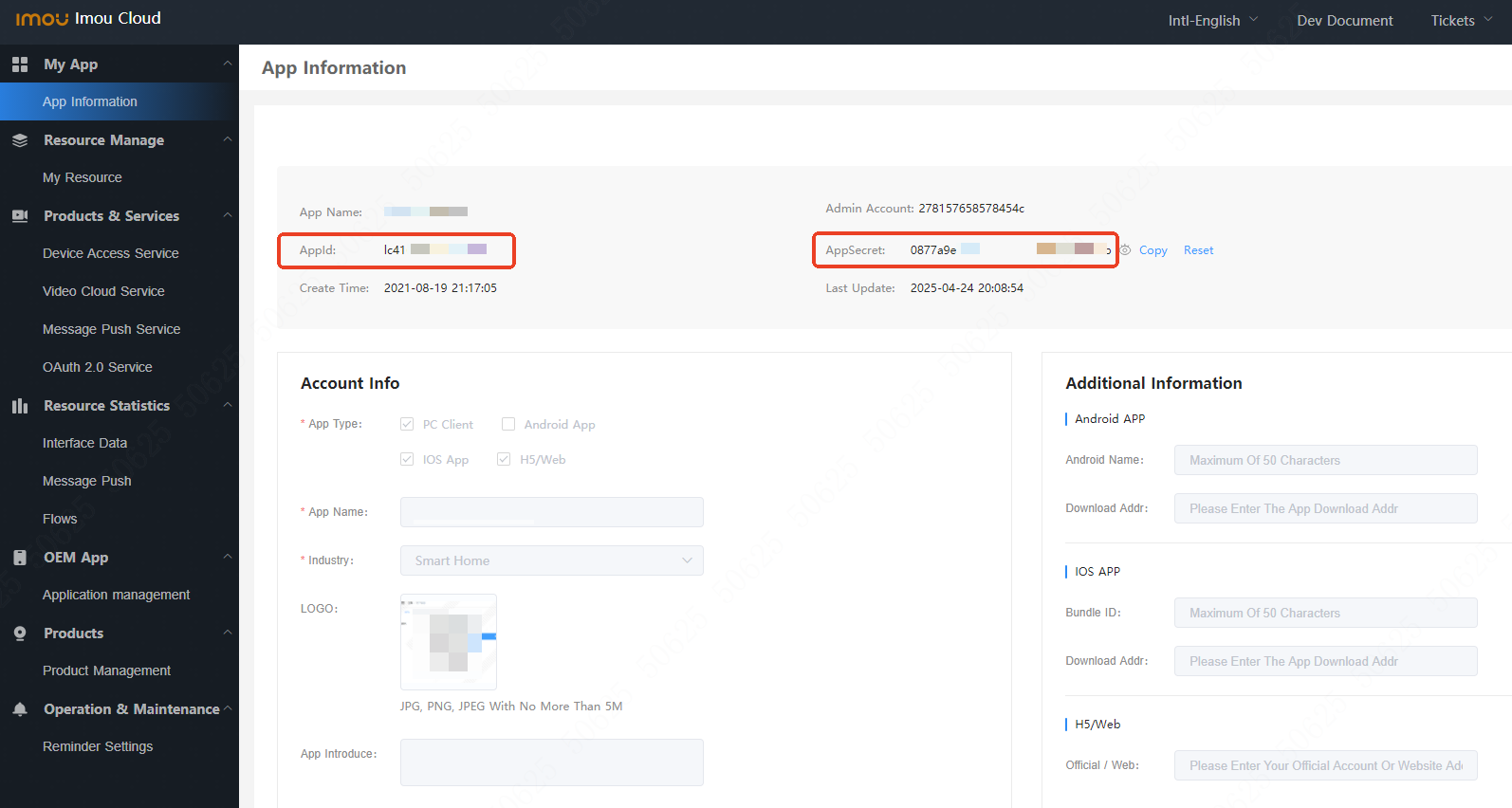
- App IDThe app ID obtained from the Imou cloud platform
- App secretThe app secret obtained from the Imou cloud platform
Bind a new device
- Device serial numberSerial number (SN) printed on the device or shown in the Imou Life app
- Binding codeOptional. Leave empty if the device does not require a binding code
Select devices
- Devices
Re-authenticate Imou Life
- App secret
After setup
- Enable status pollingTurn off to skip periodic cloud refreshes. Entity states may become outdated. Setup and reload still fetch the device list once. When event push is on and subscribe types include IoT device messages, thing-model device *properties* are not refreshed on this interval (setup and reload still take one snapshot). Online status, PaaS abilities, and service-backed entities still poll.
- Polling interval (seconds)Default 300s (5 minutes), range 30–900s. Ignored when polling is off.
- Sleep control retry wait (seconds)When device status is Sleep and a control fails, Home Assistant waits this long before sending the same command once more. Default 5s, range 5–60s.
- Snapshot wait time (seconds)The camera has to take the snapshot and upload it before Imou can serve it. This is how long Home Assistant waits before fetching. Raise it if snapshots come back stale or empty. Default 3s.
- Video resolutionHD = high definition, SD = standard. Used for the Live camera entity.
- PTZ rotation duration (ms)How far one press of a PTZ direction button moves, as movement time. Default 500ms.
- Enable event pushImou cloud POSTs alarms to this Home Assistant webhook. Alarms also sync to the Imou Life app.
- Callback URLRequired when event push is on. Must be reachable from the internet; if the suggested address is not, change only the hostname and port.
- Subscribe toWhich cloud messages Home Assistant should receive.
- Notification targetsRegistered notify services on this Home Assistant. One message per alarm. Turn off Notify on alarm on a device page to skip that device. To put the alarm picture in these messages, see Alarm pictures.
- Show the picture in alarm notificationsNeeds Home Assistant's external URL (Settings → System → Network) for phones off the LAN. Pictures are saved unauthenticated under /local/imou_life/thumbs/ for about 24 hours. Passwords stay on this Home Assistant and are used only to decrypt.
- Default device passwordFallback for devices that do not have their own password below.
- Clear default device passwordDeletes the stored default. Per-device passwords are unchanged.
- Remove stored passwordsChecked serials are deleted.
- Save folderExample: /media/imou. Leave empty to skip. Folder must be in allowlist_external_dirs.
- Clip duration (seconds)Post-alarm clip length. Default 60s, range 15–180s. Uses live-stream quota.
- Devices
- Device serial numberSerial number (SN) printed on the device or shown in the Imou Life app
- Binding codeOptional. Leave empty if the device does not require a binding code
Texts from the code of Imou-OpenPlatform/Imou-Home-Assistant.
Entities
- AlarmsArming
- Binary sensorsStatus, Motion
- ButtonsPTZ up, PTZ down, PTZ left, PTZ right, Restart device, Mute, Start siren, Stop siren
- CamerasLive
- EventsDoorbell
- ImagesAlarm picture
- LightsWhite light, Light
- NumbersCountdown timer (min), Max power (W)
- SelectsVolume, Night vision mode, Go to collection point
- SensorsStatus, Storage used, Switch cycles today, Energy consumption, Usage duration
- SirensSiren
- SwitchesAbnormal sound alarm, PIR detection, Audio recording, Privacy mode, Flip image, Human detection, Indicator light, Record on alarm, Notify on alarm, Alarm-linked siren, Alarm-linked white light, Picture change, and 5 more
Actions
- Control PTZControl PTZ rotationFields: Duration
Troubleshooting
- DiagnosticsDownloads a diagnostics file to attach to a bug report.
- Repair noticesNotices it can show in Settings, Repairs:Imou event push has no callback URL, Imou event push registration failed, Imou Open Platform monthly calls used up
From the README
Guides / 文档: Configure reference / 配置项参考
- Integration & account
- Bind devices to your open-platform account from Configure → Bind a new device (device serial + binding code); setup no longer aborts when the account has no devices yet (bind now or finish with an…
- Device selection at setup and in Configure → Choose devices to poll (poll only chosen devices)
- Configure menu: Polling and cameras, Alarm push and notifications, Alarm pictures, Record on alarm, Choose devices to poll, and Bind a new device; each section saves independently and hands you back…
- Login aligned with Home Assistant Core: server region dropdown (Europe / North America / Singapore)
- UI available in English, Simplified Chinese, German, French, and Italian (follows Home Assistant language)
- Built on pyimouapi 1.4.4 for Open Platform API access
- Event push & automations
- Optional webhook callback for real-time messages from Imou cloud (requires public HA URL or manual callback URL)
- Configure → Alarm push and notifications — callback URL (suggested URL; replace hostname and port if it is not public), message types, and phone notify.
- Home Assistant events: imou_life_event (all accepted pushes), imou_life_alarm (alarm-type only)
- Optional alarm notifications: pick Companion App or other notify targets under Configure → Alarm push and notifications. Silence one device with Notify on alarm on its device page (default on).…

Shows in Vulpo
Light card, Quick Toggle card, Alarm Panel card, Camera card, Apple Watch, Control Center.Information
- Installs
- Not shown: shared domain imou_life
- GitHub stars
- 64
- Connection
- Uses the vendor's cloud
- Upkeep
- Updated in the last 6 months
- Version
- v1.4.4,
- Category
- Security and safety, Cameras
- Kind
- Marketplace integration
- Brand
- Imou
- Needs
- Needs the Marketplace (HACS on 2026.10 and older)
- Domain
imou_life- Issues
- Report an issue