

Kronoterm
Favio25
On Home Assistant 2026.11 or newer? Open it in the Marketplace
- Installs
- 55 sharing analytics
- GitHub stars
- 19
- Connection
- Works locally
- Upkeep
- Updated in the last 6 months
- Version
- v1.7.3,
- Category
- Climate
- Kind
- Marketplace integration
- Needs
- Needs the Marketplace (HACS on 2026.10 and older)
- Domain
kronoterm- Issues
- Report an issue
Independent directory, made by the developer of Vulpo. Not affiliated with Home Assistant or the Open Home Foundation.
Screenshots From the README of Favio25/Kronoterm-homeassistant.
About
Kronoterm is an integration for monitoring and controlling Kronoterm heat pump systems from Home Assistant. It connects through the Kronoterm cloud with mobile app credentials, or locally over Modbus TCP through an RS485-to-Ethernet adapter, or over a direct Modbus RTU serial link. It adds climate controls for hot water, heating loops, reservoir and pool, plus sensors, binary sensors, switches, numbers, selects and a button to reimport energy statistics. The switches cover items such as heat pump on and off, holiday mode, and the reserve source. The controller type, TT3000 or TT4000, is detected automatically, and the update interval can be changed in the options. Energy data works with the Home Assistant energy dashboard, and a redacted diagnostics file can be downloaded for bug reports. Setup is done in the UI.
Automatic summary of the README and code of Favio25/Kronoterm-homeassistant. Something wrong, or are you the maintainer and want your own text here? Get in touch
Supports
Works locally Talks to your devices on your own network. No vendor cloud in between.
From the Marketplace Installed through the Marketplace, formerly HACS.
Actively maintained Its author released or pushed a change in the last six months.
Provides
- Climate
- Switches
- Sensors
Setting it up
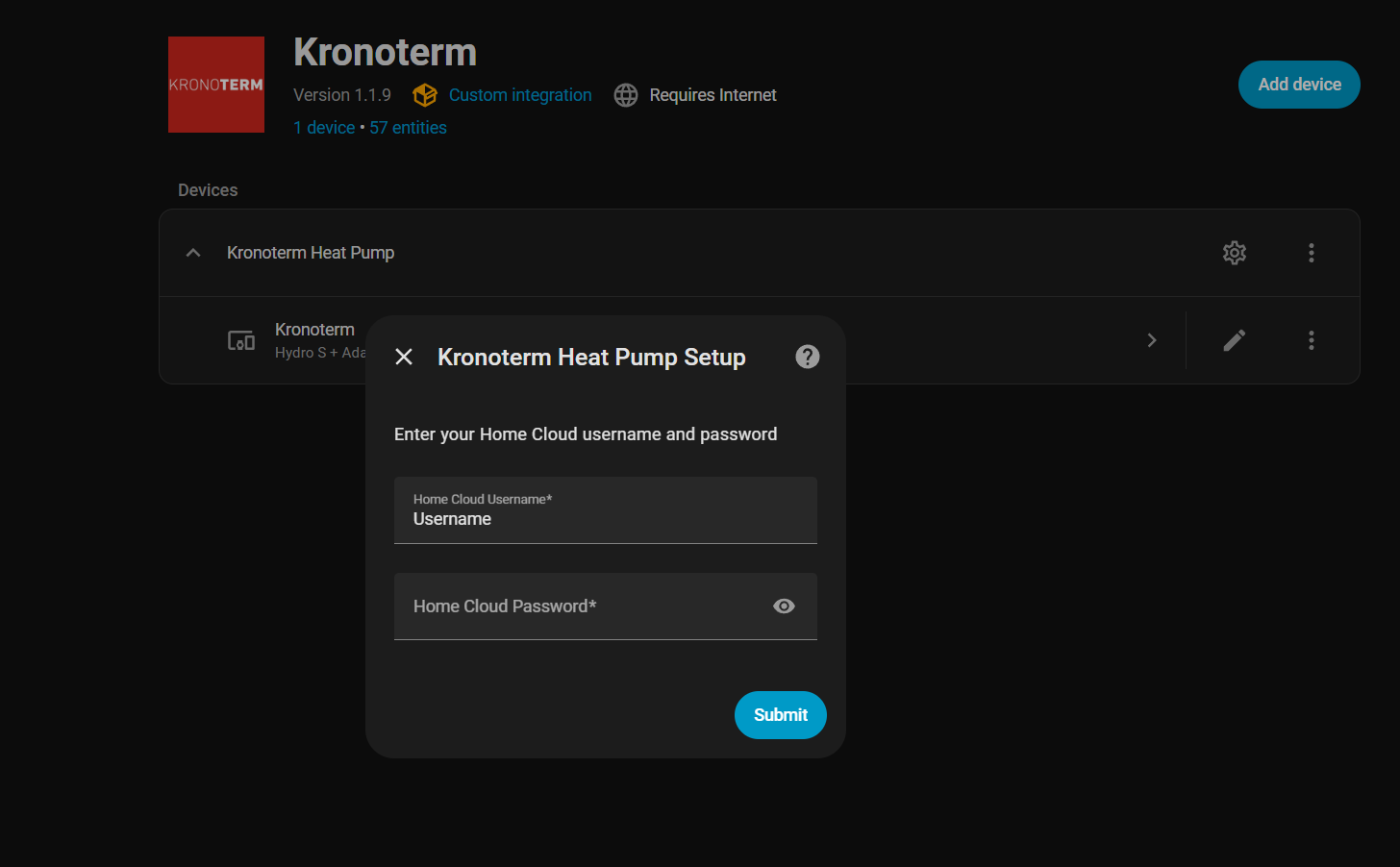
Install it from the Marketplace and restart Home Assistant, then add it under Settings, Devices and services.
Connection Type
- Connection Type
Also asked when changing the connection.
Cloud API Configuration
- Username
- Password
- Heat Pump TypeSelect Heat Pump Type
Also asked when changing the connection.
Modbus Transport
- Transport
Modbus TCP Configuration
- IP AddressIP address of your Kronoterm heat pump on local network
- PortModbus TCP port (default: 502)
- Modbus Unit IDModbus slave address (default: 20)
- TimeoutConnection timeout in seconds
Modbus RTU Configuration
- Serial Port
- Baud Rate
- Data Bits
- Parity
- Stop Bits
- Timeout
- Modbus Unit ID
Reconnect Kronoterm Cloud
- Username
- Password
After setup
- Username
- PasswordLeave blank to keep the current Cloud password.
- Scan interval (seconds)
- Thermal energy multiplierChoose auto to detect using SCOP, or force 0.1 or 1.0. Changing this can affect recorded energy statistics.
Texts from the code of Favio25/Kronoterm-homeassistant.
Entities
- Binary sensorsMain Circulation Pump, Circulation Loop 1, Circulation Loop 2, Circulation Loop 3, Circulation Loop 4, Circulation Pump, DHW Circulation Pump, Circulation DHW, Defrost Status, Reserve Source Status, Alternative Source Status, and 6 more
- ButtonsReimport Energy Statistics, Acknowledge alarm
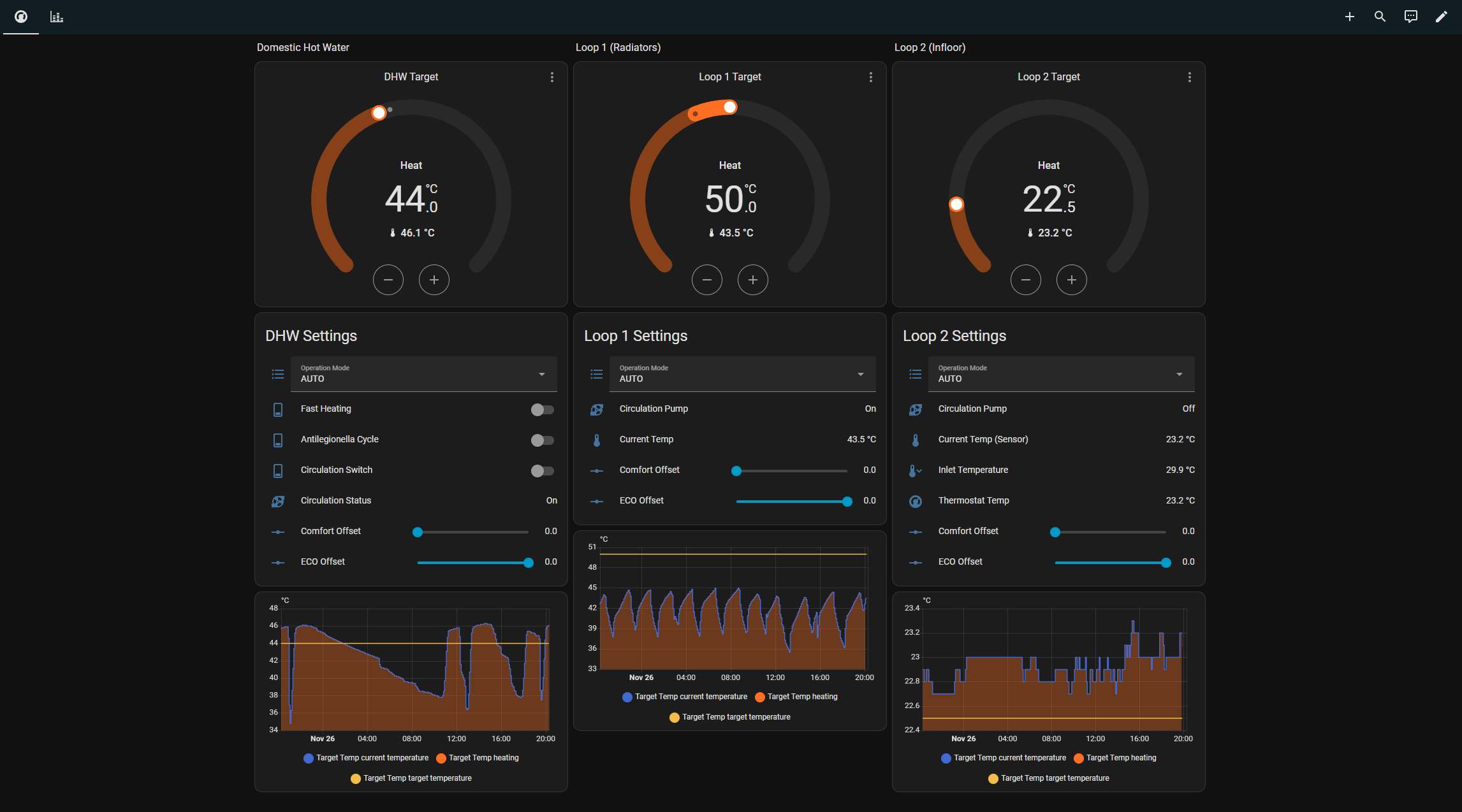
- ClimateDHW Thermostat, Loop 1 Thermostat, Loop 2 Thermostat, Loop 3 Thermostat, Loop 4 Thermostat, Reservoir Thermostat, Pool Thermostat
- NumbersLoop 1 Eco Offset, Loop 1 Comfort Offset, Loop 2 Eco Offset, Loop 2 Comfort Offset, Loop 3 Eco Offset, Loop 3 Comfort Offset, Loop 4 Eco Offset, Loop 4 Comfort Offset, DHW Eco Offset, DHW Comfort Offset, Heat Pump Eco Offset, and 5 more
- SelectsLoop 1 Operation Mode, Loop 2 Operation Mode, Loop 3 Operation Mode, Loop 4 Operation Mode, DHW Operation Mode, Operational Mode, System Regime
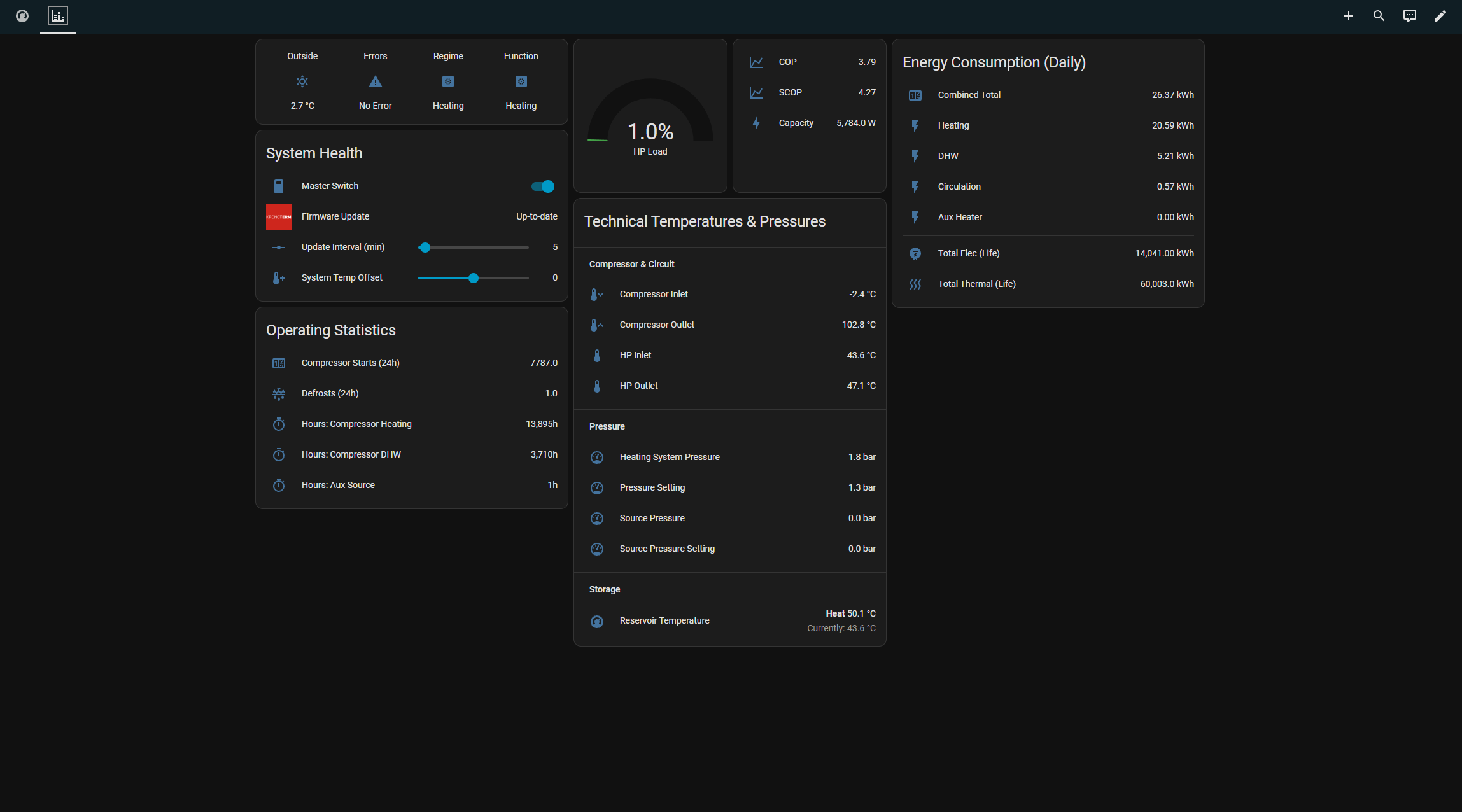
- SensorsDHW Current Temperature, DHW Target Temperature, DHW Boiler Temperature, External Source Temperature, Inlet Air Temperature, Compressor Status, Error Status, Warning Status, Additional Source Status, Reserve Source Status, Pool Temperature, and 153 more
- SwitchesHeat Pump ON/OFF, DHW Circulation, Fast Water Heating, Antilegionella, Luxury Shower, Reserve Source, Holiday Mode, Loop 1 Use JSON Temp Source, Enable Reservoir Climate Entity, Reserve Source (Backup Heater), Additional Source Control
Troubleshooting
- DiagnosticsDownloads a diagnostics file to attach to a bug report.
From the README
A comprehensive Home Assistant integration for Kronoterm heat pumps, supporting both Cloud API and local Modbus TCP connections.
- Cloud API: Internet-based connection using Kronoterm mobile app credentials
- Modbus TCP: Local network connection via RS485-to-Ethernet adapter
- Modbus RTU: Direct serial connection via RS485 (USB or GPIO)
- Seamless switching: Reconfigure between modes without losing entity history

Shows in Vulpo
Quick Toggle card, Climate card, Button card, Select card, Apple Watch, Control Center, Climate Live Activity.Information
- Installs
- 55 sharing analytics
- GitHub stars
- 19
- Connection
- Works locally
- Upkeep
- Updated in the last 6 months
- Version
- v1.7.3,
- Category
- Climate
- Kind
- Marketplace integration
- Needs
- Needs the Marketplace (HACS on 2026.10 and older)
- Domain
kronoterm- Issues
- Report an issue










