Schedule State
aneeshd
On Home Assistant 2026.11 or newer? Open it in the Marketplace
- Installs
- 64 sharing analytics
- GitHub stars
- 52
- Connection
- Works locally
- Upkeep
- No update in 6 to 18 months
- Version
- 0.20.4,
- Category
- Helpers, Store a value
- Kind
- Marketplace integration
- Needs
- Needs the Marketplace (HACS on 2026.10 and older)
- Domain
schedule_state- Issues
- Report an issue
Independent directory, made by the developer of Vulpo. Not affiliated with Home Assistant or the Open Home Foundation.
About
Schedule State is a Home Assistant integration that creates sensors whose value follows a defined daily schedule. It handles only the timing side of automations, so the sensor state can trigger standard automations or serve as a condition in them. Each sensor has a default state, and layered events with start and end times switch it to other state names. Start and end times can be shifted by an offset in minutes, events can wrap past midnight, and a new event that overlaps an older one resizes the older one. Events can also depend on conditions, which allows separate schedules for weekends or holidays, and each state can carry its own icon. It runs locally and is configured in YAML.
Automatic summary of the README of aneeshd/schedule_state. Something wrong, or are you the maintainer and want your own text here? Get in touch
Supports
Works locally Talks to your devices on your own network. No vendor cloud in between.
From the Marketplace Installed through the Marketplace, formerly HACS.
Provides
- Sensors
Setting it up
Install it from the Marketplace and restart Home Assistant. It is then set up in configuration.yaml.
From the README
A custom component for Home Assistant that simplifies the creation of schedule-based automations.
It takes a very different approach from other projects of this type, because it only provides scheduling functionality. It does not try to replace the powerful automations framework that Home Assistant provides.

Shows in Vulpo
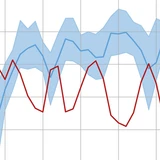
Chart card, Apple Watch.Information
- Installs
- 64 sharing analytics
- GitHub stars
- 52
- Connection
- Works locally
- Upkeep
- No update in 6 to 18 months
- Version
- 0.20.4,
- Category
- Helpers, Store a value
- Kind
- Marketplace integration
- Needs
- Needs the Marketplace (HACS on 2026.10 and older)
- Domain
schedule_state- Issues
- Report an issue