Screenshots From the README of teh-hippo/ha-govee-led-ble.
About
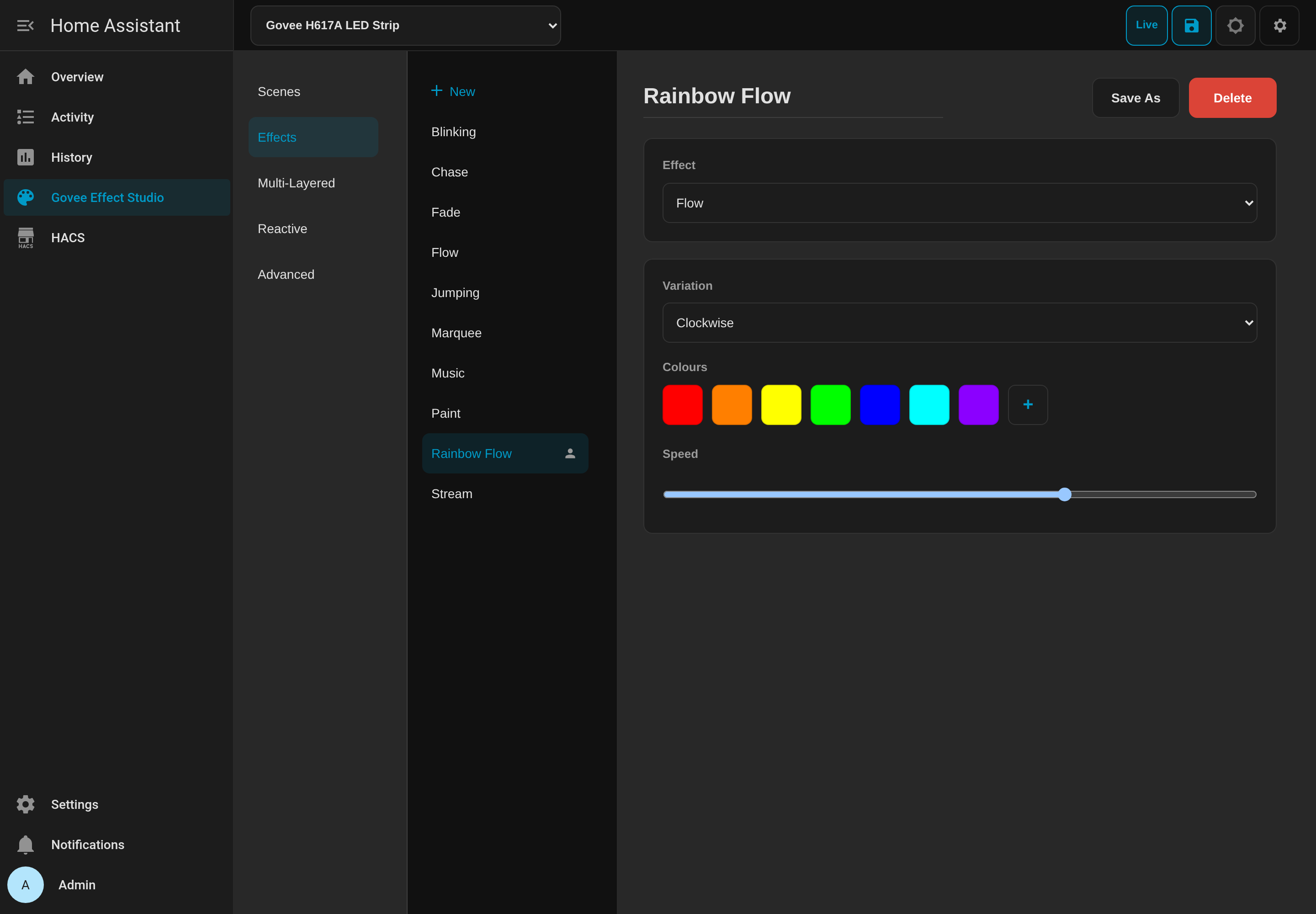
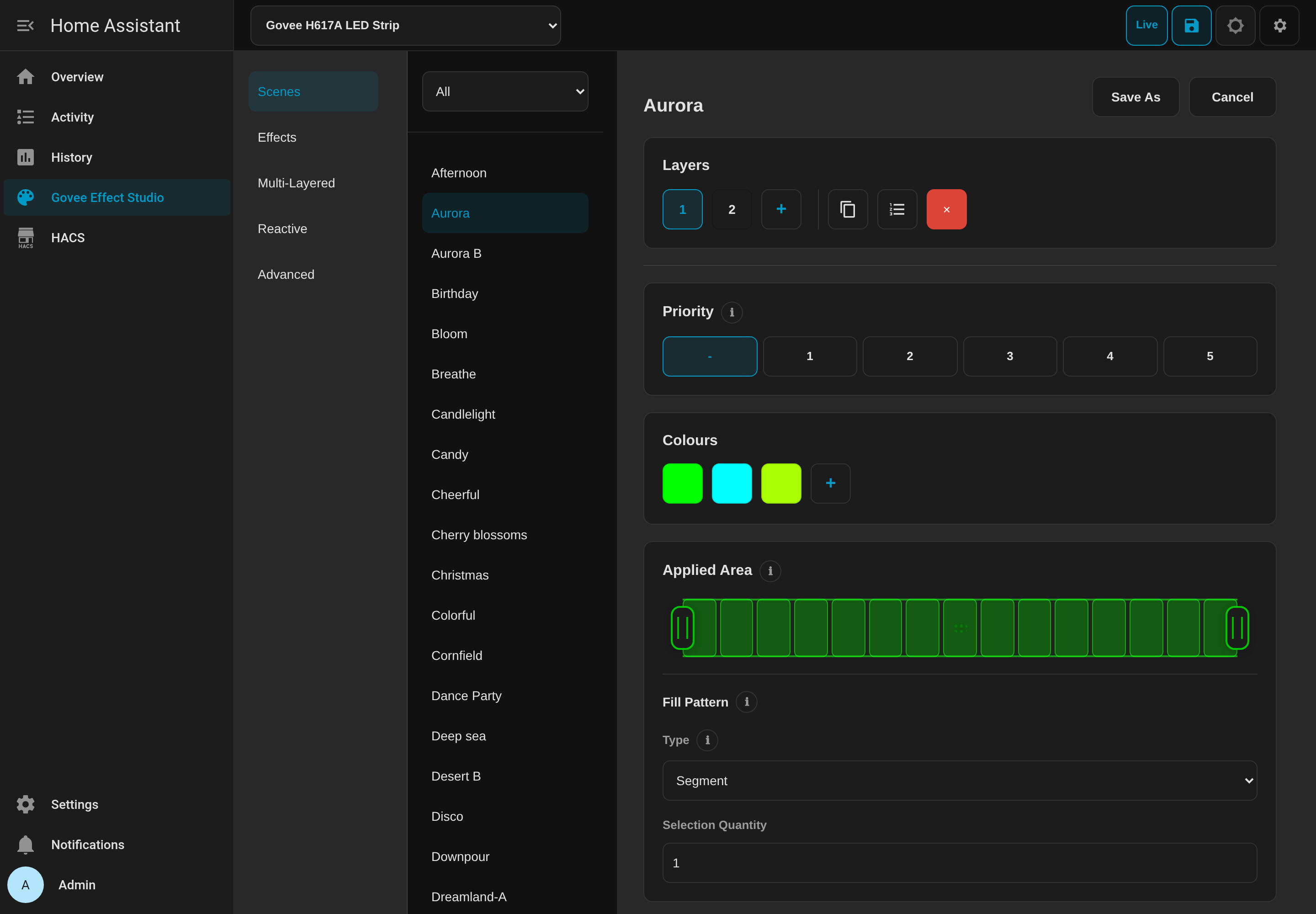
Govee LED BLE controls Govee lights locally over Bluetooth, including through ESPHome proxies. It adds light entities along with selects, sensors and switches, such as strip direction, camera position, camera status, and gradual, limit and power-off memory switches. Actions can paint color groups onto addressable segments and set color or brightness on chosen segments. Effect Studio adds a sidebar panel where administrators browse scene catalogues, edit palettes and layers, adjust microphone or camera settings, and preview changes on the light before saving. Saved custom effects appear in the light's effect selector and can be applied through an action. Lights are found automatically over Bluetooth and set up in the UI, with an option to hold or release the Bluetooth connection so the Govee app can connect.
Automatic summary of the README and code of teh-hippo/ha-govee-led-ble. Something wrong, or are you the maintainer and want your own text here? Get in touch
Supports
Works locally Talks to your devices on your own network. No vendor cloud in between.
Found by itself Home Assistant spots it on the network and offers to add it.
From the Marketplace Installed through the Marketplace, formerly HACS.
Actively maintained Its author released or pushed a change in the last six months.
Provides
- Lights
- Switches
- Sensors
Setting it up
Install it from the Marketplace and restart Home Assistant, then add it under Settings, Devices and services.
Connect
- BLE AddressThe 12-digit Bluetooth address printed by the device or shown by a BLE scanner.
- Device ModelThe model printed on the device. A conflicting supported model advertised at this address is rejected.
Experimental H6102 protocol context
- App-reported software versionUse the exact value shown by Govee Home, for example 1.03.01. Leave blank to store no firmware context.
- App-reported hardware versionUse the exact value shown by Govee Home, for example 1.00.03. Leave blank to store no hardware context.
- Owner-qualified Pact context
Reconfigure Govee model
- Device Model
After setup
- BLE connection modeRelease disconnects after use so the Govee app can connect. Hold keeps the BLE connection open and may prevent the app from connecting.
- Scenes
- Video
- Effects
- Multi-Layered
- Reactive
- Advanced
- Prefix effects with their category (e.g., "Scene: Aurora")
- Always include my custom effects
- Show experimental feedback noticeShow the feedback notice in Effect Studio for this light. Turning this off hides it for all users. Hide in Studio dismisses it only for the current tab session.
Texts from the code of teh-hippo/ha-govee-led-ble.
Entities
- SelectsStrip direction, Camera position, Gradient, Configured bulb strings, Power-on behaviour
- SensorsCamera status
- SwitchesGradual, Limit, Power-off memory, Panel enabled, Ring enabled, Left light bar enabled, Right light bar enabled
Actions
- Set DreamView video settingsSet DreamView All/Part and Game/Movie together. This does not select the standalone Video effects, which can switch off a running DreamView group.Fields: Apply area, Content mode
- Set DreamView sample bytes (deprecated)Migrate to set_dreamview_video_settings. Both raw bytes remain required until this compatibility action is removed.Fields: Apply area byte, Content mode byte
- Paint segmentsPaint one or more color groups onto supported addressable segments.Fields: Groups, RGB scale
- Set segment colorSet a single color on the given segments (1-15).Fields: Segments, Color
- Set segment brightnessSet brightness on the given segments (1-15).Fields: Segments, Brightness
- Apply custom effectApply a saved custom effect through a supported Govee light entity.Fields: Effect, Effect ID, Disposable DIY code
Troubleshooting
- DiagnosticsDownloads a diagnostics file to attach to a bug report.
- Repair noticesNotices it can show in Settings, Repairs:Update DreamView actions and templates, Music mode select replaced, Unsupported Govee model
From the README
Most Govee integrations rely on rate-limited cloud APIs, require developer keys, or only expose basic on/off and single-colour control over Bluetooth. Govee LED BLE runs 100% locally over Bluetooth (including ESPHome proxies) with full state readback, per-segment RGB and colour temperature, onboard microphone music modes, camera and video settings, and Effect Studio for authoring and saving custom effects in Home Assistant.
Each device protocol is captured in Kaitai Struct (.ksy) schemas as the single source of truth, powering a shared compatibility layer across all supported models.

Shows in Vulpo
Light card, Quick Toggle card, Select card, Chart card, Apple Watch, Control Center.Information
- Installs
- 235 sharing analytics
- GitHub stars
- 13
- Connection
- Works locally
- Upkeep
- Updated in the last 6 months
- Version
- v7.27.0,
- Category
- Lighting, LED strips and controllers
- Kind
- Marketplace integration
- Brand
- Govee
- Needs
- Needs the Marketplace (HACS on 2026.10 and older)
- Domain
ha_govee_led_ble- Issues
- Report an issue