
Screenshots From the README of somansch/blitzer.
About
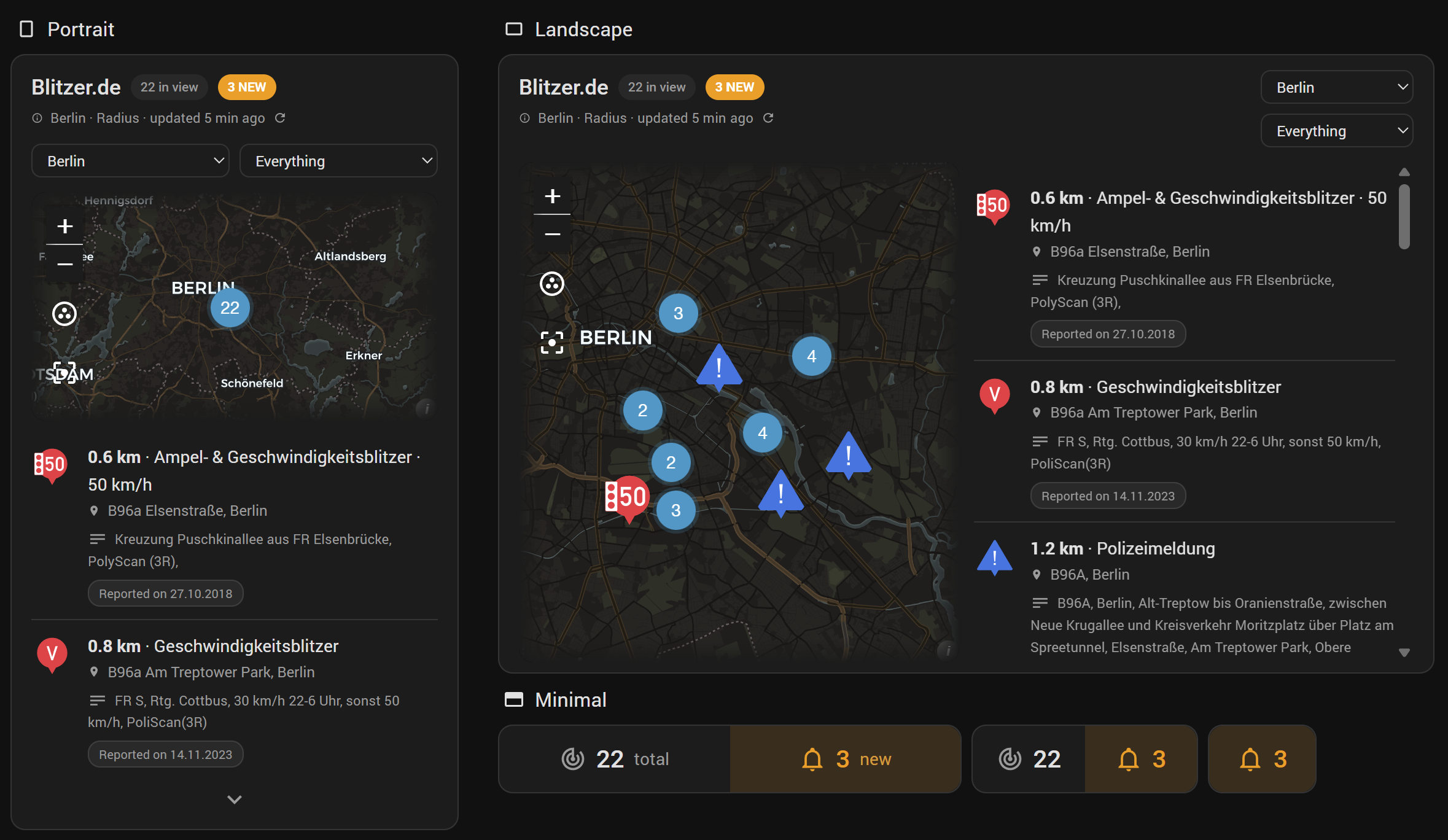
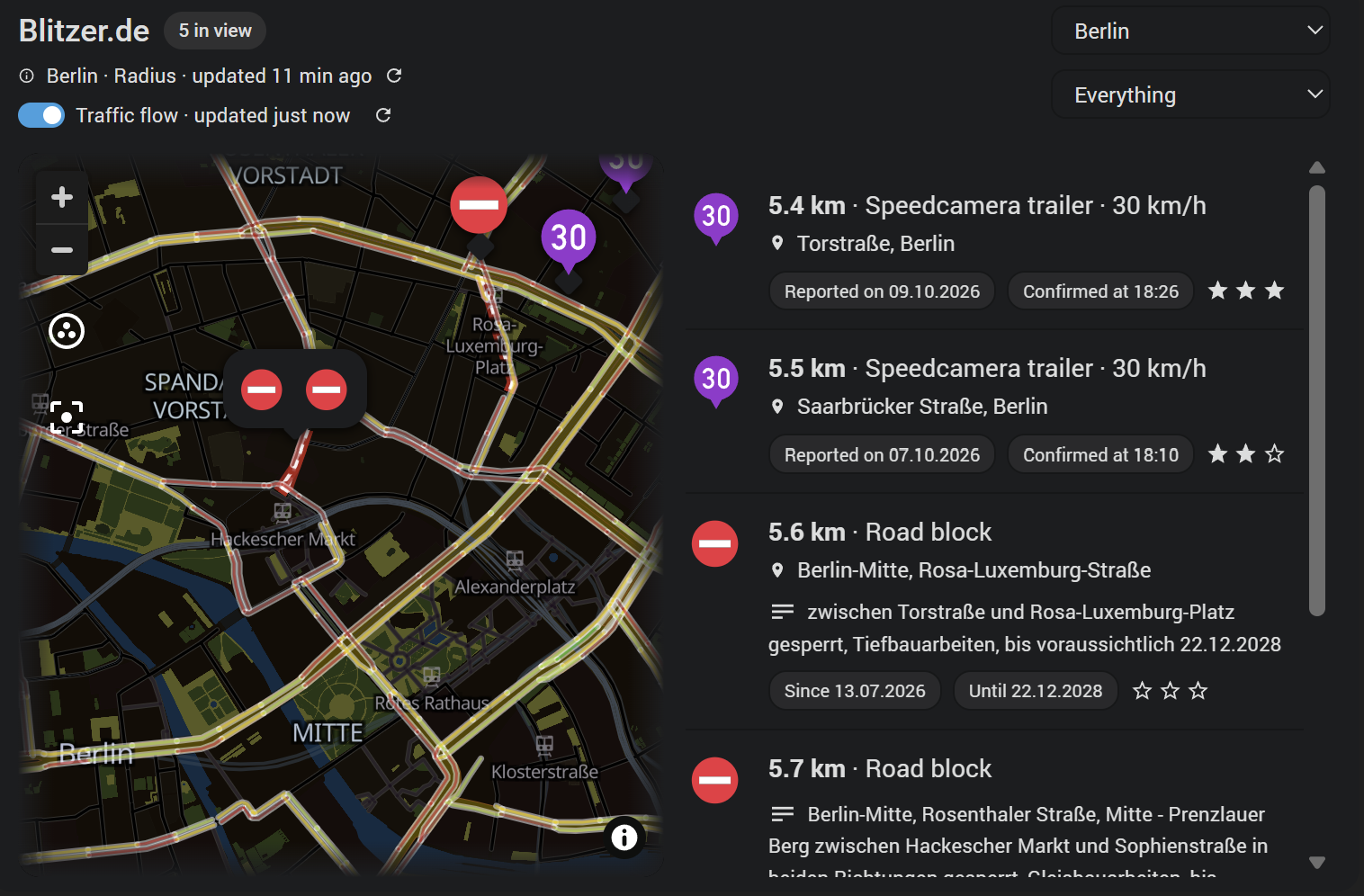
Blitzer.de is a Home Assistant integration that brings road reports from the Blitzer.de cloud service into Home Assistant. It watches either an area, set by a centre point and radius, or a route drawn along waypoints, and also supports a device tracker. Reports arrive as geo location entities for the map card, covering speed and other controls as well as traffic hazards such as tailbacks, accidents and roadworks. Controls and hazards each have their own update interval, whitelist and blacklist, and can be refreshed on demand through actions. Sensors report counts, and with TomTom as routing service also travel time, traffic delay and route length. A bundled blueprint and a dashboard card come with it, and setup is done in the UI.
Automatic summary of the README and code of somansch/blitzer. Something wrong, or are you the maintainer and want your own text here? Get in touch
Supports
Uses the vendor's cloud Needs an internet connection and an account with the vendor.
From the Marketplace Installed through the Marketplace, formerly HACS.
Actively maintained Its author released or pushed a change in the last six months.
Provides
- Sensors
Setting it up
Install it from the Marketplace and restart Home Assistant, then add it under Settings, Devices and services.
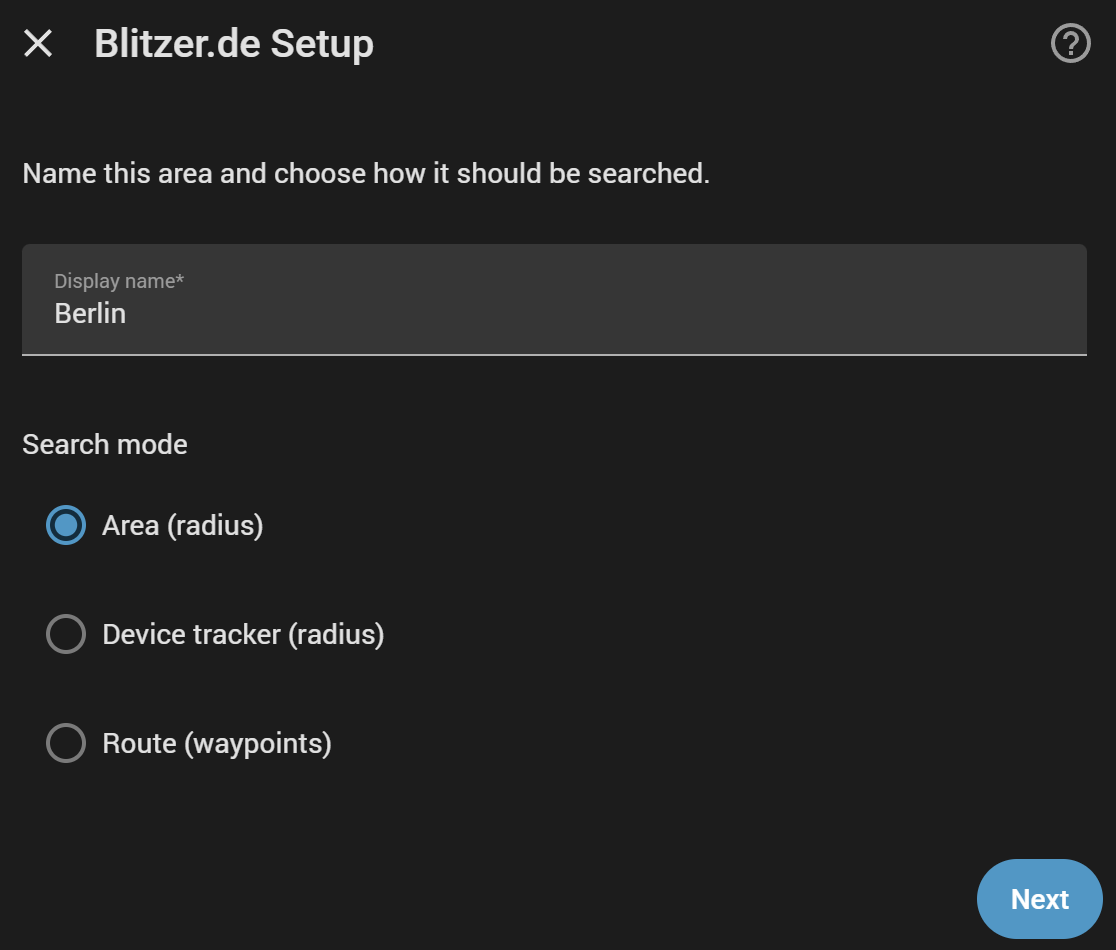
Blitzer.de Setup
- Display name
- Search mode\* needs a free API key from a routing service - openrouteservice, or TomTom for a route that follows the traffic. The next screens tell you how to get one.
Blitzer.de Setup
- Section
- Controls
- Control types
- Hazards
- Number of controls
- Update interval (minutes, 0 = manual only)
- Counts as new for (minutes, 0 = off)
- Whitelist (comma-separated city names)
- Only show confirmed
- Blacklist (comma-separated control IDs)
- Number of hazards
- Update interval (minutes, 0 = manual only)
- Counts as new for (minutes, 0 = off)
- Whitelist (comma-separated city names)
- Blacklist (comma-separated hazard IDs)
Blitzer.de Setup
- Device tracker
- Radius (meters)
- Controls
- Control types
- Hazards
- Number of controls
- Update interval (minutes, 0 = manual only)
- Counts as new for (minutes, 0 = off)
- Whitelist (comma-separated city names)
- Only show confirmed
- Blacklist (comma-separated control IDs)
- Number of hazards
- Update interval (minutes, 0 = manual only)
- Counts as new for (minutes, 0 = off)
- Whitelist (comma-separated city names)
Waypoint
- Waypoint
- Add another waypoint
Route search options
- Corridor width (meters)
- Controls
- Control types
- Hazards
- Number of controls
- Update interval (minutes, 0 = manual only)
- Counts as new for (minutes, 0 = off)
- Whitelist (comma-separated city names)
- Only show confirmed
- Blacklist (comma-separated control IDs)
- Number of hazards
- Update interval (minutes, 0 = manual only)
- Counts as new for (minutes, 0 = off)
- Whitelist (comma-separated city names)
- Blacklist (comma-separated hazard IDs)
openrouteservice
- API key
- Save the key for further routes
Also asked when at the tomtom step.
Routing service
- Routing service
After setup
- Section
- Controls
- Control types
- Hazards
- Number of controls
- Update interval (minutes, 0 = manual only)
- Counts as new for (minutes, 0 = off)
- Whitelist (comma-separated city names)
- Only show confirmed
- Blacklist (comma-separated control IDs)
- Number of hazards
- Update interval (minutes, 0 = manual only)
- Counts as new for (minutes, 0 = off)
- Whitelist (comma-separated city names)
- Blacklist (comma-separated hazard IDs)
- Device tracker
- Radius (meters)
- Controls
- Control types
- Hazards
- Number of controls
- Update interval (minutes, 0 = manual only)
- Counts as new for (minutes, 0 = off)
- Whitelist (comma-separated city names)
- Only show confirmed
- Blacklist (comma-separated control IDs)
- Number of hazards
- Update interval (minutes, 0 = manual only)
- Counts as new for (minutes, 0 = off)
- Whitelist (comma-separated city names)
- Waypoint
- Remove this waypoint
- Waypoint
- Add another waypoint
- Corridor width (meters)
- Controls
- Control types
- Hazards
- Number of controls
- Update interval (minutes, 0 = manual only)
- Counts as new for (minutes, 0 = off)
- Whitelist (comma-separated city names)
- Only show confirmed
- Blacklist (comma-separated control IDs)
- Number of hazards
- Update interval (minutes, 0 = manual only)
- Counts as new for (minutes, 0 = off)
- Whitelist (comma-separated city names)
- Blacklist (comma-separated hazard IDs)
- API key
- Save the key for further routes
- Routing service
- API key
- Save the key for further routes
Texts from the code of somansch/blitzer.
Entities
- ButtonsReset counters
- NumbersControls new for, Hazards new for
- SensorsControl count, Hazard count, Total count, Request count, Delivered reports, Travel time, Traffic delay, Route length, TomTom requests this month, TomTom requests this month, all entries
Actions
- Refresh controlsImmediately fetch the latest controls for one Blitzer.de area, route or tracker, instead of waiting for its next scheduled poll. Returns the controls found. Controls only - "Refresh hazards" is the counterpart for hazards.Fields: Area, route or tracker
- Refresh hazardsImmediately fetch the latest hazards for one Blitzer.de area, route or tracker, instead of waiting for its next scheduled poll. Returns the hazards found. Hazards only - "Refresh controls" is the counterpart for controls.Fields: Area, route or tracker
- RefreshImmediately fetch the latest controls and hazards for one Blitzer.de area, route or tracker in a single pass, instead of waiting for its next scheduled poll. On a route this costs one request per point for both, where "Refresh controls" and "Refresh hazards" one after the other would cost two. Returns both lists, under controls and hazards.Fields: Area, route or tracker
Troubleshooting
- Repair noticesNotices it can show in Settings, Repairs:Is not delivering
From the README
Unofficial. Not affiliated with, endorsed by or supported by Blitzer.de. "Blitzer.de" and its symbols belong to their owner.
No longer developed. Its successor is TomTom: blitzer.de's reports built in, plus TomTom's own jams, closures, roadworks, accidents and road weather in more than 70 countries, Lufop speed cameras, a route planner on the card and 30 languages. Blitzer.de keeps working as it is, but gets no new features.

Shows in Vulpo
Button card, Chart card, Apple Watch.Information
- Installs
- 130 sharing analytics
- GitHub stars
- 27
- Connection
- Uses the vendor's cloud
- Upkeep
- Updated in the last 6 months
- Version
- v4.1.1,
- Kind
- Marketplace integration
- Needs
- Needs the Marketplace (HACS on 2026.10 and older)
- Domain
blitzer- Issues
- Report an issue










