On Home Assistant 2026.10 or older? Open it in HACS
- Installs
- 83 sharing analytics
- GitHub stars
- 13
- Connection
- Uses the vendor's cloud
- Upkeep
- Updated in the last 6 months
- Version
- v0.7.1,
- Category
- Weather and alerts, Public warnings
- Kind
- Marketplace integration
- Needs
- Needs the Marketplace (HACS on 2026.10 and older)
- Domain
cap_alerts- Issues
- Report an issue
Independent directory, made by the developer of Vulpo. Not affiliated with Home Assistant or the Open Home Foundation.
About
HA multi-region weather alerts integration: one entity per active weather alert, modeled on CAP fields. Solves the 16KB attribute limit.
Description from seevee/cap_alerts

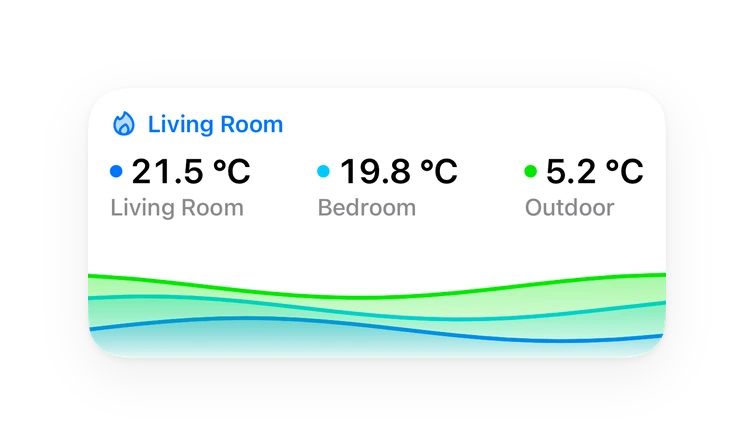
Shows in Vulpo
Button card, Chart card, Apple Watch.Supports
- Uses the vendor's cloudNeeds an internet connection and an account with the vendor.
- Device triggersIts devices can start automations directly.
- From the MarketplaceInstalled through the Marketplace, formerly HACS.
- Actively maintainedIts author released or pushed a change in the last six months.
Provides
- Sensors
Setting it up
Install it from the Marketplace and restart Home Assistant, then add it under Settings, Devices and services.
NWS Zone
- Zone ID(s)Comma-separated UGC zone codes (e.g. OHC049,OHC035)
NWS GPS Location
- GPS CoordinatesLatitude,Longitude (e.g. 40.1234,-83.5678)
NWS GPS Tracker
- Tracker Entity
Also asked when at the eccc gps tracker step.
ECCC Province
- Province Code2-letter province code (e.g. ON, BC, AB)
ECCC GPS Location
- GPS CoordinatesLatitude,Longitude (e.g. 43.6532,-79.3832)
MeteoAlarm Country
- CountrySelect your country
MeteoAlarm GPS Location
- GPS CoordinatesLatitude,Longitude (e.g. 52.5200,13.4050). Filters by per-warning polygons; fails loud if the country does not publish geometry.
After setup
- Polling interval (seconds)How often to check for new alerts (60–3600). ECCC: applies only when real-time streaming is off.
- API timeout (seconds)Per-request API timeout (5–120)
- LanguagePreferred alert language. ECCC: auto/en-CA/fr-CA. MeteoAlarm: auto plus 2-letter ISO codes. WMO: auto, or any BCP 47 tag the source publishes (e.g. zh-Hans); the source falls back to English when it does not carry your language. BBK: auto, de, de-LS (easy-read German), en or one of the app's other translations. GeoSphere Austria: de (the source text, default) or en (GeoSphere's translation).
- Real-time streamingStream ECCC alerts over the NAAD real-time feed for near-instant updates (recommended). When off, alerts are polled from the GeoRSS feed on the polling interval. ECCC only.
- Alert feed sourceECCC: which NAAD GeoRSS host(s) to fetch. 'auto' combines both feeds so no alert carried by only one is missed (recommended); Pelmorex has announced that the legacy host will retire, so pin a single host only to work around a specific feed issue. WMO: 'auto' reads the feed the weather service publishes itself and merges in the SWIC mirror where it still answers (recommended); SWIC retired the mirror for nearly every source in October 2026. 'mirror' or 'authority' reads one of them only. ECCC and WMO only.
- Exclude marine alertsHide alerts issued for marine/water zones (boating, open water). NWS and ECCC only.
- Event typesWhich GDACS hazards to track. Filtering happens before any alert is fetched, so narrowing this also cuts the fetch cost. Leave every type selected (the default) to track them all, including hazards GDACS adds later. GDACS only.
- Minimum alert levelGDACS: lowest alert level to fetch, Green (all), Orange, or Red, on GDACS's own impact scale; it decides which events are fetched, not how they are shown. Raise it to cut the volume of green earthquakes. Australia: lowest Australian Warning System tier to keep, All, Advice, Watch and Act or Emergency Warning; All also keeps the informational tiers below the ladder (planned burns, incidents with no warning). A warning with no tier at all, such as a WA hazmat warning, ranks by its own severity. GDACS and Australia only.
- Area codes (prefix match)Optional. Comma-separated area-code prefixes (e.g. 13,37). Keeps only alerts whose area codes start with one of them, on top of the location filter chosen at setup. Codes are hierarchical, so a shorter prefix covers a wider area (13 = Hebei, 1307 = Zhangjiakou). Matched against every code scheme the source publishes. Code lengths vary within a scheme, so pasting a full code may match nothing — prefer the leading digits. Leave empty to disable.
Texts from the code of seevee/cap_alerts.
Entities
- Binary sensorsReal-time stream
- ButtonsRefresh
- SensorsAlert count, Last updated
Troubleshooting
- DiagnosticsDownloads a diagnostics file to attach to a bug report.
From the README
Weather and hazard alerts for Home Assistant, one entity per active alert.
Single-entity alert integrations pack every alert into one attribute blob and run into Home Assistant's 16 KB attribute limit. CAP Alerts gives each alert its own sensor. The state is a normalized severity, the attributes are the alert's CAP 1.2 fields, and an event fires when an alert is created, updated or removed.
Information
- Installs
- 83 sharing analytics
- GitHub stars
- 13
- Connection
- Uses the vendor's cloud
- Upkeep
- Updated in the last 6 months
- Version
- v0.7.1,
- Category
- Weather and alerts, Public warnings
- Kind
- Marketplace integration
- Needs
- Needs the Marketplace (HACS on 2026.10 and older)
- Domain
cap_alerts- Issues
- Report an issue