On Home Assistant 2026.10 or older? Open it in HACS
- Installs
- 51 sharing analytics
- GitHub stars
- 31
- Connection
- Uses the vendor's cloud
- Upkeep
- Updated in the last 6 months
- Version
- v0.14.1,
- Kind
- Marketplace integration
- Needs
- Needs the Marketplace (HACS on 2026.10 and older)
- Domain
contatore_letture- Issues
- Report an issue
Independent directory, made by the developer of Vulpo. Not affiliated with Home Assistant or the Open Home Foundation.
About
Integrazione per importare i consumi del contatore elettrico italiano (curve orarie e sensori mese/trimestre/anno) in Home Assistant
Description from riccardorossi92/HomeAssistant-Contatore

Shows in Vulpo
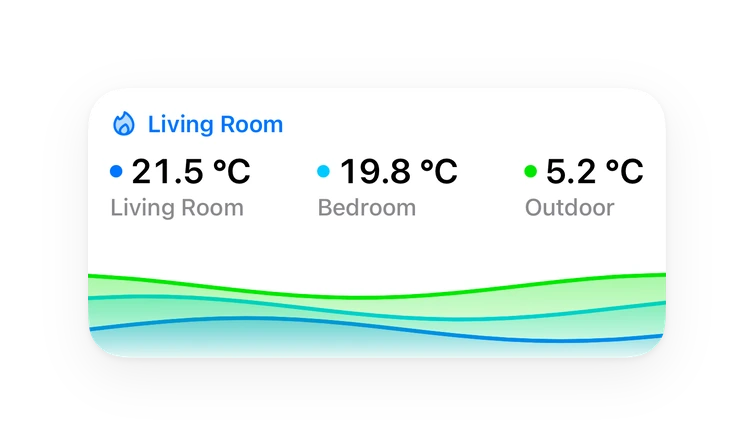
Chart card, Apple Watch.Supports
- Uses the vendor's cloudNeeds an internet connection and an account with the vendor.
- From the MarketplaceInstalled through the Marketplace, formerly HACS.
- Actively maintainedIts author released or pushed a change in the last six months.
Provides
- Sensors
Setting it up
Install it from the Marketplace and restart Home Assistant, then add it under Settings, Devices and services.
Find your distributor - Region
- Region
Find your distributor - Province
- Province
Find your distributor - Municipality
- Municipality of the supply
Multiple distributors found
- Select the distributor
Select the distributor manually
- Distributor
Pcf credentials
- Client ID
- Secret ID
Pcf add pod
- POD/PDR code
- Associated tax code (CF or VAT number)
- Add another POD
E-Distribuzione - Sign in
- Password
After setup
- POD/PDR code
- Associated tax code (CF or VAT number)
- PODs to remove
- PODs to add
- PODs to remove
- Time
- POD code
- PODs to remove
- CSV file
Texts from the code of riccardorossi92/HomeAssistant-Contatore.
From the README
Unofficial meta-integration for Italian electricity distributor meter data in Home Assistant
Disclaimer: This is an unofficial integration and is not affiliated with or endorsed by ARERA, Duereti, Unareti, RetiPiù, Reti Valtellina Valchiavenna, E-Distribuzione, Areti, Ireti, SET Distribuzione, Edyna, or any other distributor in any way.
Information
- Installs
- 51 sharing analytics
- GitHub stars
- 31
- Connection
- Uses the vendor's cloud
- Upkeep
- Updated in the last 6 months
- Version
- v0.14.1,
- Kind
- Marketplace integration
- Needs
- Needs the Marketplace (HACS on 2026.10 and older)
- Domain
contatore_letture- Issues
- Report an issue