Screenshots From the README of prestomation/ha-home-keeper-battery-notes.
About
Battery Notes x Home Keeper meta integration
Description from prestomation/ha-home-keeper-battery-notes
Installs over time
53
Oct 21Nov 4
#1,445 of 1,483 Marketplace integrations. Installs sharing analytics.
Supports
- Works locallyTalks to your devices on your own network. No vendor cloud in between.
- From the MarketplaceInstalled through the Marketplace, formerly HACS.
- Actively maintainedIts author released or pushed a change in the last six months.
Setting it up
Install it from the Marketplace and restart Home Assistant, then add it under Settings, Devices and services.
After setup
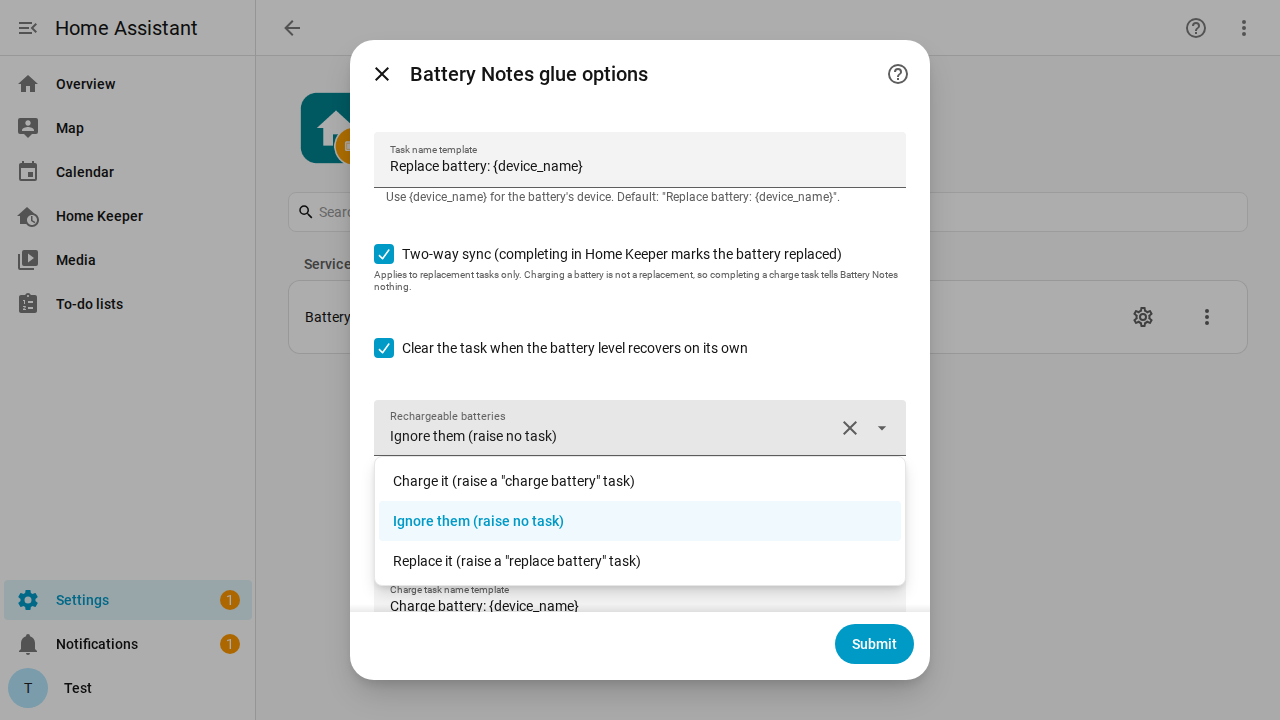
- Task name template
- Two-way sync (completing in Home Keeper marks the battery replaced)Applies to replacement tasks only. Charging a battery is not a replacement, so completing a charge task tells Battery Notes nothing.
- Clear the task when the battery level recovers on its own
- Rechargeable batteriesA rechargeable going low means "charge it", not "replace the battery", so it gets its own handling. Charge it: raise a charge task — right for a radiator valve or lock whose pack you top up as a chore. Ignore them: raise nothing — right for a phone or watch you charge without being told. Replace it: treat it like a disposable, for replacements you track by hand. Switching between the first and last recreates existing tasks, which starts their history over.
- Charge task name template
- Also flag batteries that stop reporting (often dead)A dead battery usually stops reporting instead of going low. When on, a battery that hasn't reported for the number of days below gets a task. The day threshold also filters brief dropouts (restarts, network blips).
- Days with no report before flagging a batteryOnly applies when the option above is on.
- Keep a battery count in Home KeeperHome Keeper gets an appliance with one part for each battery type Battery Notes reports. Enter a count on a part and Home Keeper takes the batteries a device holds off that count when you complete its replacement task. Turn the option off and the appliance stays as it is.
- Name of the battery applianceThe appliance name in Home Keeper. Default: "Batteries".
Texts from the code of prestomation/ha-home-keeper-battery-notes.
From the README
A small glue integration that turns Battery Notes signals into Home Keeper tasks — so "replace this battery" shows up in your to-do list, on the device page, and in the mobile app, and is recorded when you do it.
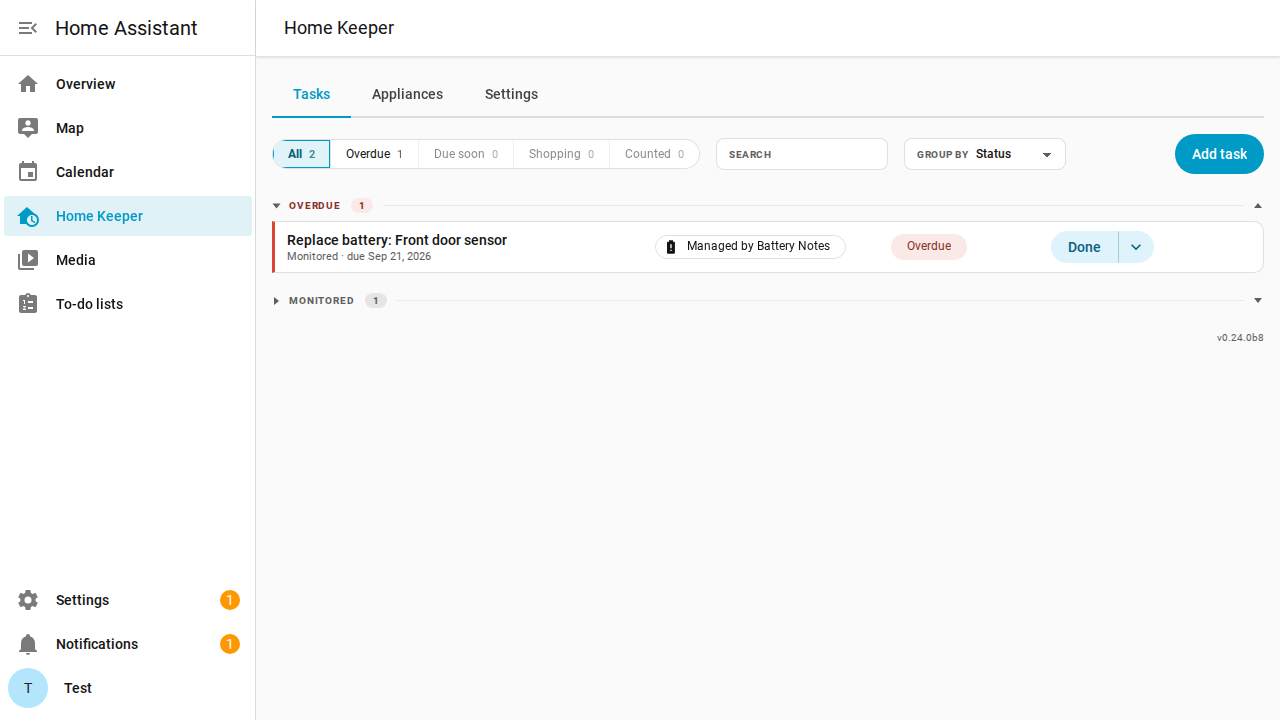
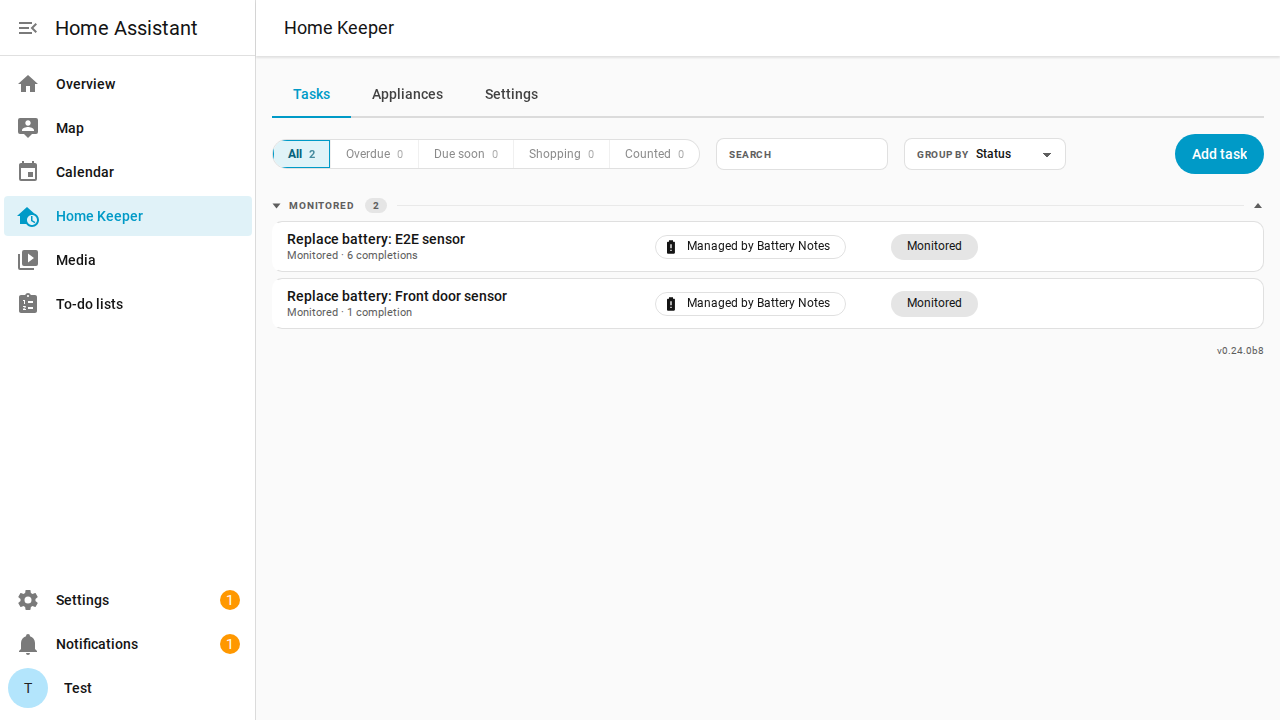
- Battery goes low → a Home Keeper "Replace battery: …" task becomes due now on the same device, with a "Managed by Battery Notes" chip.
- Rechargeable? → it can raise a "Charge battery: …" task instead, for the devices you top up rather than re-cell (radiator valves, smart locks). See
- Spares in the drawer → Home Keeper keeps a Batteries appliance with one part per battery type, and a replaced battery comes off the count. See
- You replace it, from either side → the two stay in sync (check the task off in Home Keeper, or press Battery Notes' Battery Replaced button / let the level recover).
- Between low events the task is dormant — it leaves the to-do list and calendar and sits in Home Keeper's collapsed Monitored section, so only batteries that actually need attention show as due,…
Information
- Installs
- 53 sharing analytics
- GitHub stars
- 8
- Connection
- Works locally
- Upkeep
- Updated in the last 6 months
- Version
- v0.3.0,
- Kind
- Marketplace integration
- Needs
- Needs the Marketplace (HACS on 2026.10 and older)
- Domain
home_keeper_battery_notes- Issues
- Report an issue