
Screenshots From the README of Moxnatiy/hass-xmeye.
About
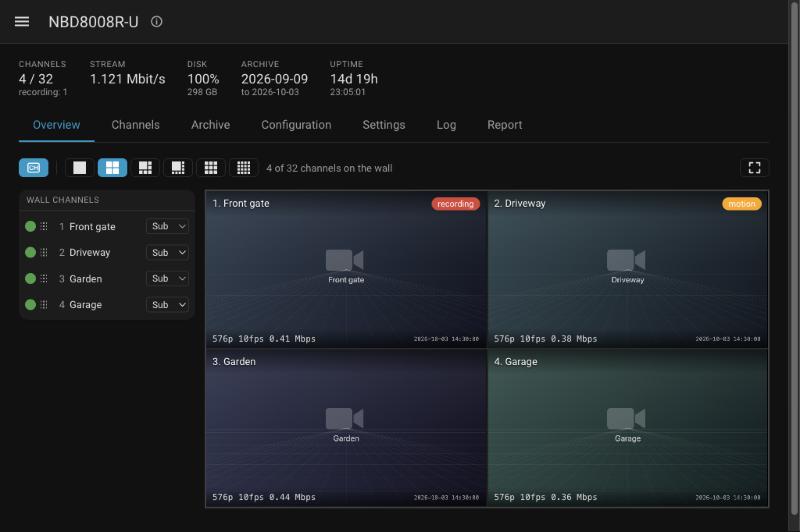
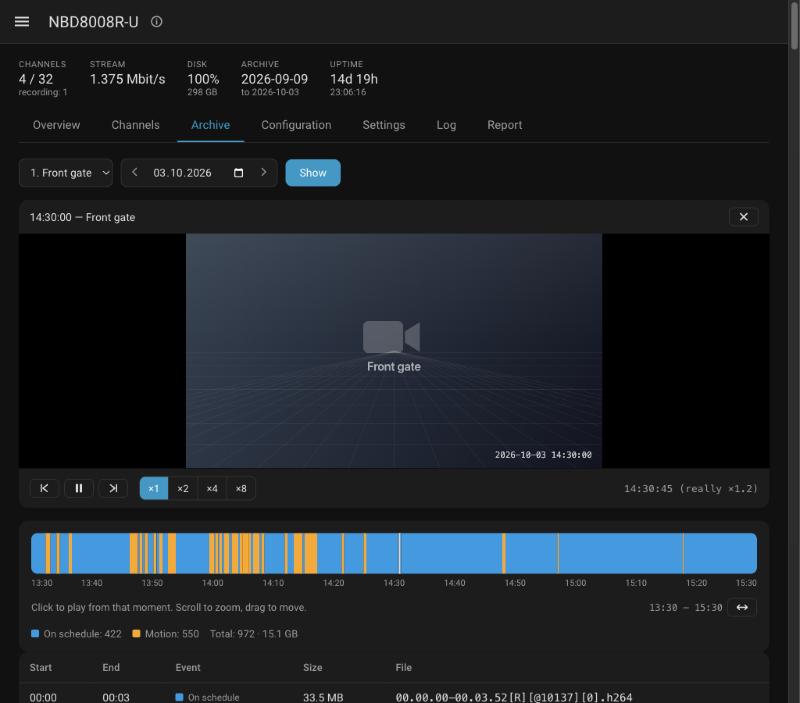
XMeye / Xiongmai NVR connects Home Assistant to Xiongmai-based recorders over the local DVRIP protocol. It talks to the recorder directly, so no cloud account or ONVIF is needed. It adds a sidebar panel with a live video wall, a low-latency WebCodecs player and an archive timeline for playback. Entities cover cameras, recording and motion sensors, disk and bitrate readings, detection switches, and buttons to reboot the recorder or sync its time. Actions allow PTZ control, searching and downloading recordings, reading and writing recorder configuration, and sending audio to its speaker. Setup is done in the UI with the recorder's address, user and password.
Automatic summary of the README and code of Moxnatiy/hass-xmeye. Something wrong, or are you the maintainer and want your own text here? Get in touch
Supports
Works locally Talks to your devices on your own network. No vendor cloud in between.
From the Marketplace Installed through the Marketplace, formerly HACS.
Actively maintained Its author released or pushed a change in the last six months.
Provides
- Cameras
- Switches
- Sensors
Setting it up
Install it from the Marketplace and restart Home Assistant, then add it under Settings, Devices and services.
XMeye / Xiongmai NVR
- Host
- Username
- Password
- DVRIP port
- RTSP port
Password changed
- Password
After setup
- Channels to expose
- Camera streamThe sub stream is far lighter to transcode; the main stream is 4K.
- Snapshot stream
- Panel playerWhich player the panel opens with. Native (WebCodecs) has the lowest latency.
- Panel live stream
- Update interval
- Max device connections (TCPMaxConn)Written to the recorder. It caps how many streams run at once; raising it above 10 is not honoured by every firmware.
- Use RTSP for live videoTurn off only if RTSP is disabled on the recorder.
- Show the XMeye sidebar panel
Texts from the code of Moxnatiy/hass-xmeye.
Entities
- Binary sensorsRecording, Motion, Disk problem, Alarm input, Connected, Video loss, Camera blinded
- ButtonsReboot, Sync time
- SensorsUptime, Total bitrate, Channels online, Recording channels, Disk used, Disk free, Archive starts, Archive ends, Recorder time, Bitrate
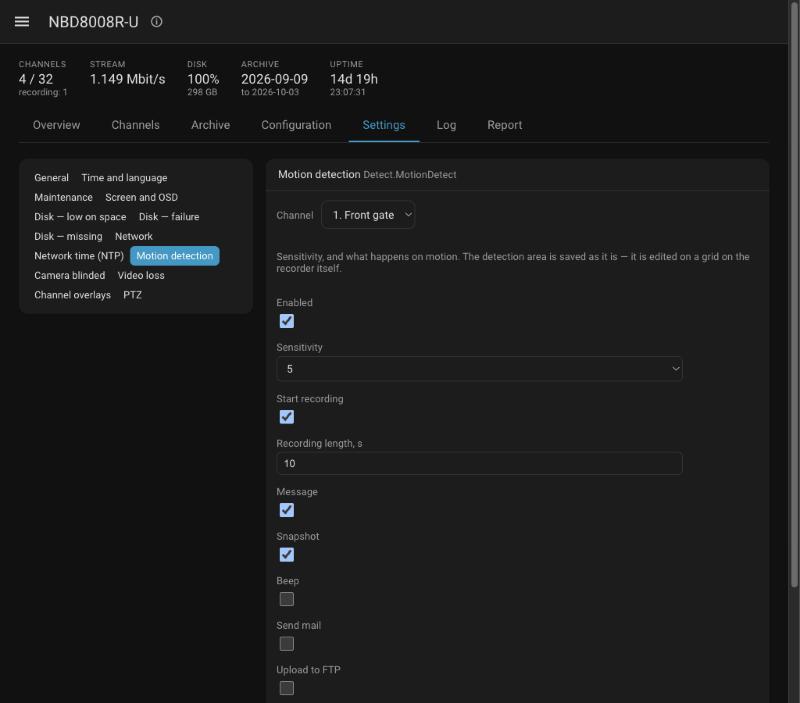
- SwitchesMotion detection, Blind detection, Video loss detection
Actions
- PTZ controlMove a PTZ camera or jump to a preset.Fields: Recorder, Direction, Channel, Speed, Duration, Preset
- Search recordingsList archive recordings for a channel and time range.Fields: Recorder, Channel, Start, End, Event
- Download recordingDownload a recording into the media folder as an elementary stream.Fields: Recorder, File name, Start, End, Channel
- Read configurationRead one configuration section from the recorder.Fields: Recorder, Section
- Write configurationWrite one configuration section back to the recorder.Fields: Recorder, Section, Value
- Play audioSend G.711 audio to the recorder's speaker.Fields: Recorder, Audio file
Troubleshooting
- DiagnosticsDownloads a diagnostics file to attach to a bug report.
From the README
A local integration for recorders running Xiongmai firmware —
a live video wall, a scrubbable archive and the recorder's own settings,
- A video wall that holds up. Every tile travels on one WebSocket, so a wall of sixteen cameras does not run into the browser's six-connections-per-host limit. Tiles are added, removed, reordered and…
- About a second of latency. Frames go from the recorder straight into the browser's hardware decoder through WebCodecs — no segmenting, no repackaging, and no work for Home Assistant beyond moving…
- An archive you can actually aim at. A day's recordings on a timeline that zooms down to a minute with the scroll wheel or a pinch. A click starts playback at that exact second, ×1 to ×8, and the…
- The recorder's settings, as a form. Motion, blind and video-loss detection per channel, overlays, disks, network time and more — typed fields instead of raw JSON, and the whole configuration tree…
- Five languages. English, Ukrainian, Spanish, French and German, following Home Assistant's language setting.
- Pan, tilt and zoom on the wall. Point at a tile and a pad appears: hold an arrow to turn, click for a short step, and keep up to eight presets. A camera stops by itself if the browser goes quiet…
- Sound. A speaker on each tile and in the single-camera view plays the camera's microphone, decoded in the browser.

Shows in Vulpo
Quick Toggle card, Camera card, Button card, Chart card, Apple Watch, Control Center.Information
- Installs
- 54 sharing analytics
- GitHub stars
- 8
- Connection
- Works locally
- Upkeep
- Updated in the last 6 months
- Version
- v0.8.1,
- Category
- Security and safety, Cameras
- Kind
- Marketplace integration
- Needs
- Needs the Marketplace (HACS on 2026.10 and older)
- Domain
xmeye- Issues
- Report an issue











