

SAX battery pilot for HomeAssistant
matfroh
On Home Assistant 2026.11 or newer? Open it in the Marketplace
- Installs
- 68 sharing analytics
- GitHub stars
- 16
- Connection
- Works locally
- Upkeep
- Updated in the last 6 months
- Version
- v0.2.4.1,
- Kind
- Marketplace integration
- Needs
- Needs the Marketplace (HACS on 2026.10 and older)
- Domain
sax_battery- Issues
- Report an issue
Independent directory, made by the developer of Vulpo. Not affiliated with Home Assistant or the Open Home Foundation.
Screenshots From the README of matfroh/sax_battery_ha.
About
SAX battery pilot for HomeAssistant is a custom integration that manages one or more SAX batteries locally. It adds sensors for state of charge, power status, power flow and estimated runtime, plus number entities for maximum charge and discharge power. Switches turn charging and discharging on or off and enable an automatic pilot mode. The pilot mode lets Home Assistant steer the battery in place of the SAX smart meter, using a chosen power sensor, and a minimum state of charge setting protects the battery. Power limits can feed automations, though steering and limiting need certain registers to be writable on the battery. Setup runs in the UI, where the number of batteries (one to three), their addresses and a master battery are entered.
Automatic summary of the README and code of matfroh/sax_battery_ha. Something wrong, or are you the maintainer and want your own text here? Get in touch
Supports
Works locally Talks to your devices on your own network. No vendor cloud in between.
From the Marketplace Installed through the Marketplace, formerly HACS.
Actively maintained Its author released or pushed a change in the last six months.
Provides
- Switches
- Sensors
Setting it up
Install it from the Marketplace and restart Home Assistant, then add it under Settings, Devices and services.
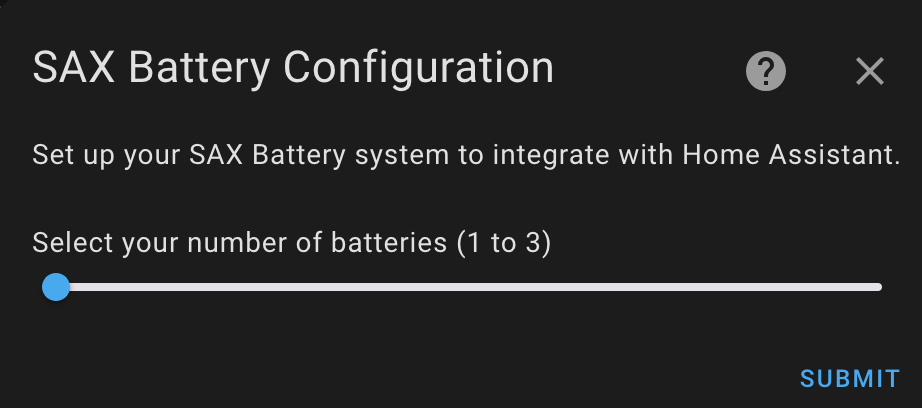
SAX Battery Configuration
- Select your number of batteries (1 to 3)
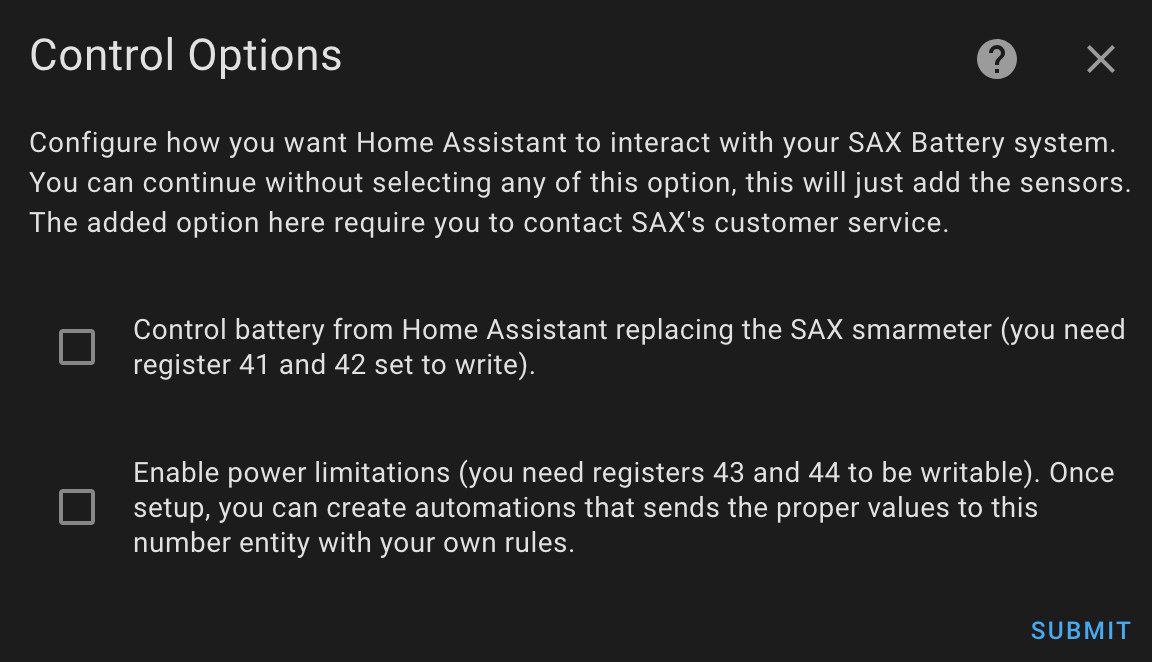
Control Options
- Control battery from Home Assistant replacing the SAX smartmeter (you need register 41 and 42 set to write).
- Enable power limitations (you need registers 43 and 44 to be writable). Once setup, you can create automations that send the proper values to this number entity with your own rules.
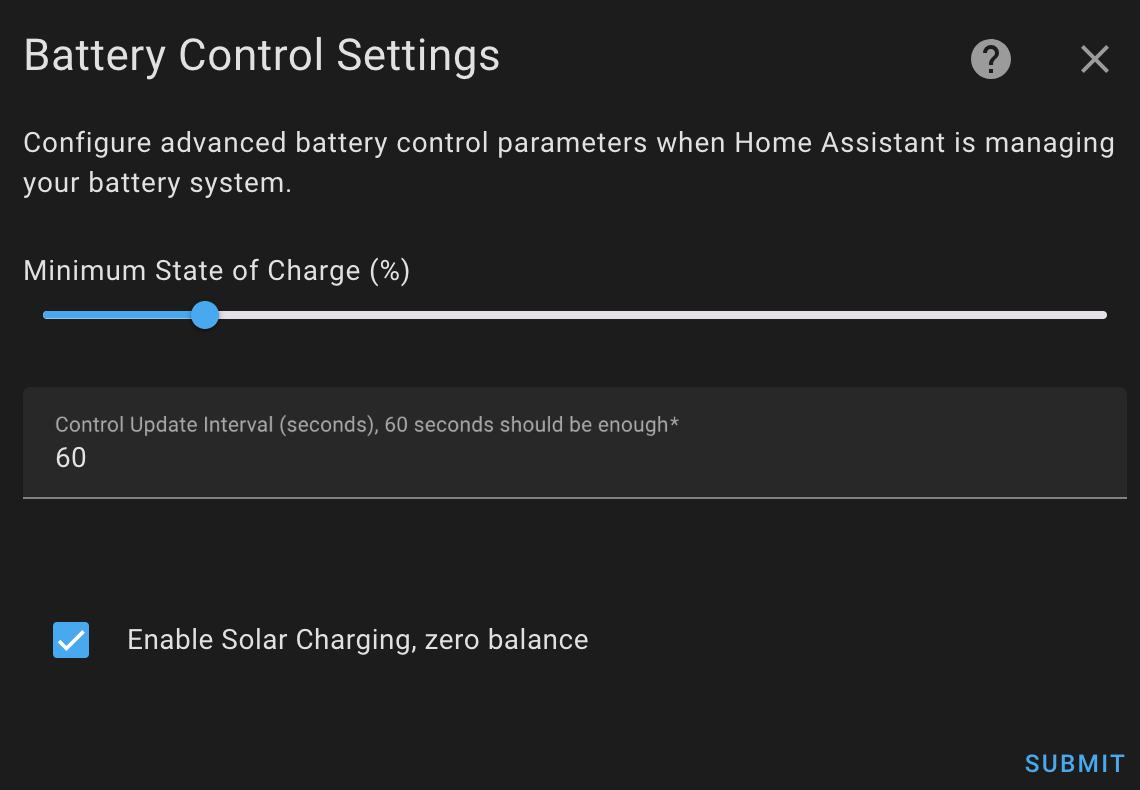
Battery Control Settings
- Minimum State of Charge (%)
- Control Update Interval (seconds), 60 seconds should be enough
- Enable Solar Charging, zero balance
Power Monitoring Sensors
- Power Consumption Sensor, in Watts, a negative value means consuming from the grid and positive value equals injection into the grid
- Power Factor Sensor, called cos(phi) or PF
Priority Devices setup
- Priority Devices, if enabled, battery will not discharge or charge
Battery Connection Settings
- Battery A IP Address
- Battery A Port
- Battery B IP Address
- Battery B Port
- Battery C IP Address
- Battery C Port
- Master Battery
After setup
- Number of Batteries
- Control battery from Home Assistant
- Enable power limitations
- Minimum State of Charge (%)
- Control Update Interval (seconds)
- Enable Solar Charging
- Power Consumption Sensor
- Power Factor Sensor
- Priority Devices
- Master Battery
Texts from the code of matfroh/sax_battery_ha.
Entities
- NumbersMaximum Charge Power, Maximum Discharge Power
- SensorsState of Charge, Power Status, Power Flow, Estimated Runtime
- SwitchesCharging Enabled, Discharging Enabled, Automatic Pilot Mode
From the README
This is a custom component for Home Assistant to manage one or multiple SAX batteries. Work in progress for battery management, limiting discharge and charging levels as well as calculating the power to charge or discharge the battery, letting Home Assistant steer the battery. Multiple options are available depending on what registers you are allowed to write. Check the documentation to understand how to enable writing registers.

Shows in Vulpo
Quick Toggle card, Chart card, Apple Watch, Control Center.Information
- Installs
- 68 sharing analytics
- GitHub stars
- 16
- Connection
- Works locally
- Upkeep
- Updated in the last 6 months
- Version
- v0.2.4.1,
- Kind
- Marketplace integration
- Needs
- Needs the Marketplace (HACS on 2026.10 and older)
- Domain
sax_battery- Issues
- Report an issue










