
Hikvision NVR / IP Camera
On Home Assistant 2026.11 or newer? Open it in the Marketplace
- Installs
- 3.1k sharing analytics
- GitHub stars
- 226
- Connection
- Works locally
- Upkeep
- No update in 6 to 18 months
- Version
- v1.1.1,
- Category
- Security and safety, Cameras
- Kind
- Marketplace integration
- Brand
- Hikvision
- Needs
- Needs the Marketplace (HACS on 2026.10 and older)
- Domain
hikvision_next- Issues
- Report an issue
Independent directory, made by the developer of Vulpo. Not affiliated with Home Assistant or the Open Home Foundation.
Screenshots From the README of maciej-or/hikvision_next.
About
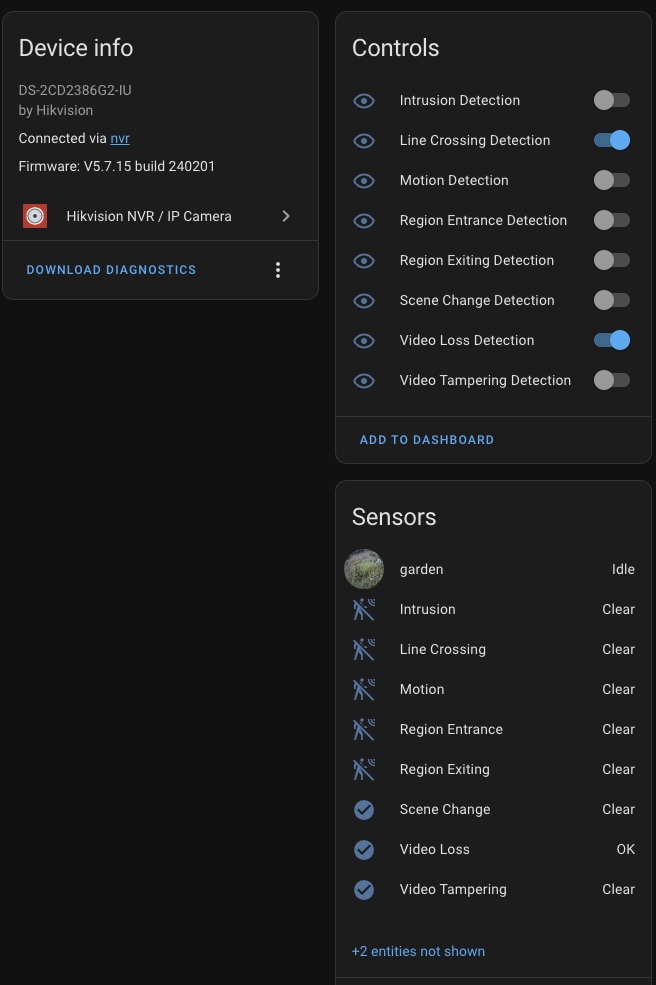
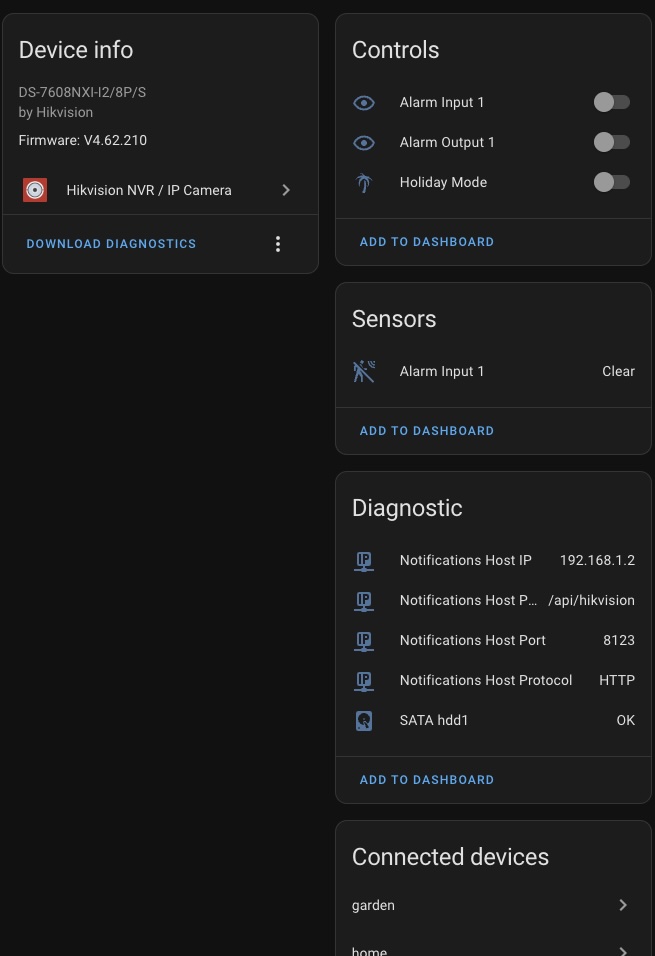
Hikvision NVR / IP Camera connects Hikvision NVRs and IP cameras to Home Assistant over the local network. It provides camera entities for the main stream, sub-stream, an event-based main stream and a transcoded stream, plus a snapshot image. Binary sensors report events such as motion, video tampering, video loss, scene change, intrusion, line crossing and region entrance or exit. Switches turn the matching detection types on or off, and a further switch controls holiday mode. Sensors show the notifications host settings, which are the protocol, host, port and path the device sends events to. Setup is done in the UI, with options for SSL certificate verification, a forced RTSP port and the Home Assistant address that the device can reach.
Automatic summary of the code of maciej-or/hikvision_next. Something wrong, or are you the maintainer and want your own text here? Get in touch
Supports
Works locally Talks to your devices on your own network. No vendor cloud in between.
From the Marketplace Installed through the Marketplace, formerly HACS.
Provides
- Cameras
- Switches
- Sensors
Setting it up
Install it from the Marketplace and restart Home Assistant, then add it under Settings, Devices and services.
Connect
- URL
- Password
- Username
- Verify SSL certificate (uncheck for self-signed certificate)
- Force RTSP port (Optional)
- Set notifications host using following address:
- Home Assistant address accessible by Hikvison device
Entities
- Binary sensorsMotion, Video Tampering, Video Loss, Scene Change, Intrusion, Line Crossing, Region Entrance, Region Exiting
- CamerasMain Stream, Sub-Stream, Main Stream (Event), Transcoded Stream
- ImagesSnapshot
- SensorsNotifications Host Protocol, Notifications Host, Notifications Host Port, Notifications Host Path
- SwitchesHoliday Mode, Motion Detection, Video Tampering Detection, Video Loss Detection, Scene Change Detection, Intrusion Detection, Line Crossing Detection, Region Entrance Detection, Region Exiting Detection
Troubleshooting
- DiagnosticsDownloads a diagnostics file to attach to a bug report.

Shows in Vulpo
Quick Toggle card, Camera card, Chart card, Apple Watch, Control Center.Information
- Installs
- 3.1k sharing analytics
- GitHub stars
- 226
- Connection
- Works locally
- Upkeep
- No update in 6 to 18 months
- Version
- v1.1.1,
- Category
- Security and safety, Cameras
- Kind
- Marketplace integration
- Brand
- Hikvision
- Needs
- Needs the Marketplace (HACS on 2026.10 and older)
- Domain
hikvision_next- Issues
- Report an issue