On Home Assistant 2026.10 or older? Open it in HACS
- Installs
- 51 sharing analytics
- GitHub stars
- 13
- Connection
- Uses the vendor's cloud
- Upkeep
- Updated in the last 6 months
- Version
- v1.2.1,
- Category
- Weather and alerts, Forecasts
- Kind
- Marketplace integration
- Needs
- Needs the Marketplace (HACS on 2026.10 and older)
- Domain
weather_uploader- Issues
- Report an issue
Independent directory, made by the developer of Vulpo. Not affiliated with Home Assistant or the Open Home Foundation.
About
Weather Network Uploader posts weather station readings from Home Assistant to public weather networks. Supported networks include WOW-BE, CWOP, PWS Weather, Windy, Weather Underground, Weathercloud and OpenWeatherMap. Home Assistant entities are mapped once to weather fields, and the integration converts units for each network and drops fields that are not mapped. Each network is throttled separately to stay within its own rate limit, and readings from entities that have stopped reporting are dropped after a set maximum age. It adds sensors for last error and last success, plus binary sensors for upload status and source data problems. Networks can be added or removed later from the options, and it needs the vendor's cloud services.
Automatic summary of the README and code of lancer73/ha-weather-uploader. Something wrong, or are you the maintainer and want your own text here? Get in touch

Shows in Vulpo
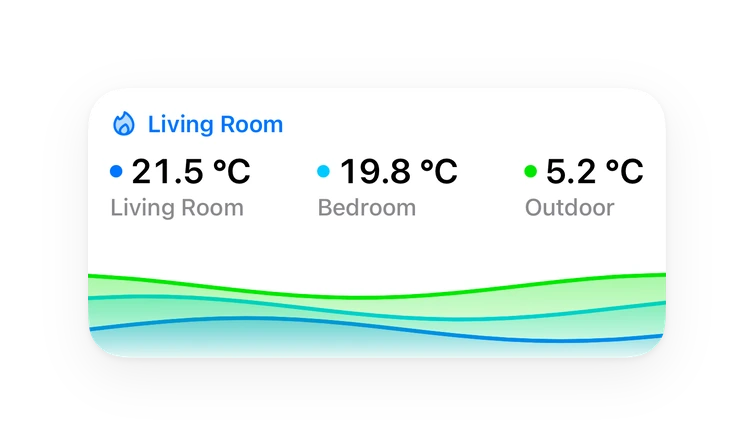
Chart card, Apple Watch.Installs over time
#1,563 of 1,584 Marketplace integrations. Installs sharing analytics.
Supports
- Uses the vendor's cloudNeeds an internet connection and an account with the vendor.
- From the MarketplaceInstalled through the Marketplace, formerly HACS.
- Actively maintainedIts author released or pushed a change in the last six months.
Provides
- Sensors
Setting it up
Install it from the Marketplace and restart Home Assistant, then add it under Settings, Devices and services.
Weather Network Uploader
- Networks
- Sensor polling intervalHow often to read your sensors, in seconds. Each network is throttled separately to respect its own rate limit, so a fast value here will not overload slower services. 60 matches RMI's recommendation for WOW-BE.
Sign in
- Station IDFor WOW-BE this is the site ID from your registration email; the short form or the long UUID both work. For CWOP it is your callsign, e.g. EW9876. For Windy it is the station number.
- Authentication keyThe authentication key issued or chosen at registration. Any value is accepted; no length or format is enforced.
- LatitudeDecimal degrees. Pre-filled from your Home Assistant location, rounded to ~3 decimals (about 100 m). Enter a more precise value only if you want your exact location published.
- LongitudeDecimal degrees. Pre-filled from your Home Assistant location, rounded to ~3 decimals (about 100 m). Enter a more precise value only if you want your exact location published.
- AltitudeStation ground elevation in metres above sea level.
OpenWeatherMap setup
- API keyYour OpenWeatherMap API key (from the API keys tab of your account).
- StationCreate a new station, or enter an existing internal station ID.
Create OpenWeatherMap station
- Station identifierA short label of your choosing (letters, digits, underscores). Not the internal ID — OpenWeatherMap generates that.
- Station namePre-filled from your Home Assistant location name. A display name for the station on OpenWeatherMap.
- LatitudePre-filled from Home Assistant. Round to ~3 decimals (about 100 m) if you don't want your exact location published.
- LongitudePre-filled from Home Assistant. Round to ~3 decimals (about 100 m) if you don't want your exact location published.
- AltitudePre-filled from your Home Assistant elevation. Station ground elevation in metres.
Existing OpenWeatherMap station
- Internal station IDThe internal ID OpenWeatherMap generated for the station — not the label you chose.
After setup
- Sensor polling intervalHow often to read your sensors, in seconds. Each network is throttled separately to respect its own rate limit.
- Maximum sensor ageDrop readings whose entity has not reported for this long. This tracks whether your station is still sending data, not whether the value is changing, so a rain sensor reading 0.0 through a dry week is unaffected. Set 0 to disable (not recommended: a station that dies would then have its last reading republished as current, forever).
- Networks to add
- Networks to remove
Texts from the code of lancer73/ha-weather-uploader.
Entities
- Binary sensorsUpload status, Source data problem
- SensorsLast error, Last success
Troubleshooting
- DiagnosticsDownloads a diagnostics file to attach to a bug report.
From the README
Publish your weather station's sensor readings from Home Assistant to multiple public weather networks at once.
The practical takeaway: your observations may be used well beyond a personal dashboard — by forecasters, researchers, or commercial data buyers, depending on the network. If that matters to you, weigh it per network before enabling it, and note the coordinate-precision guidance below.
Information
- Installs
- 51 sharing analytics
- GitHub stars
- 13
- Connection
- Uses the vendor's cloud
- Upkeep
- Updated in the last 6 months
- Version
- v1.2.1,
- Category
- Weather and alerts, Forecasts
- Kind
- Marketplace integration
- Needs
- Needs the Marketplace (HACS on 2026.10 and older)
- Domain
weather_uploader- Issues
- Report an issue