DWD Precipitation
On Home Assistant 2026.11 or newer? Open it in the Marketplace
- Installs
- 299 sharing analytics
- GitHub stars
- 15
- Connection
- Uses the vendor's cloud
- Upkeep
- Updated in the last 6 months
- Version
- 2026.10.1,
- Category
- Weather and alerts, Forecasts
- Kind
- Marketplace integration
- Brand
- DWD
- Needs
- Needs the Marketplace (HACS on 2026.10 and older)
- Domain
dwd_precipitation- Issues
- Report an issue
Independent directory, made by the developer of Vulpo. Not affiliated with Home Assistant or the Open Home Foundation.
Screenshots From the README of Hoffmann77/ha-dwd-precipitation.
About
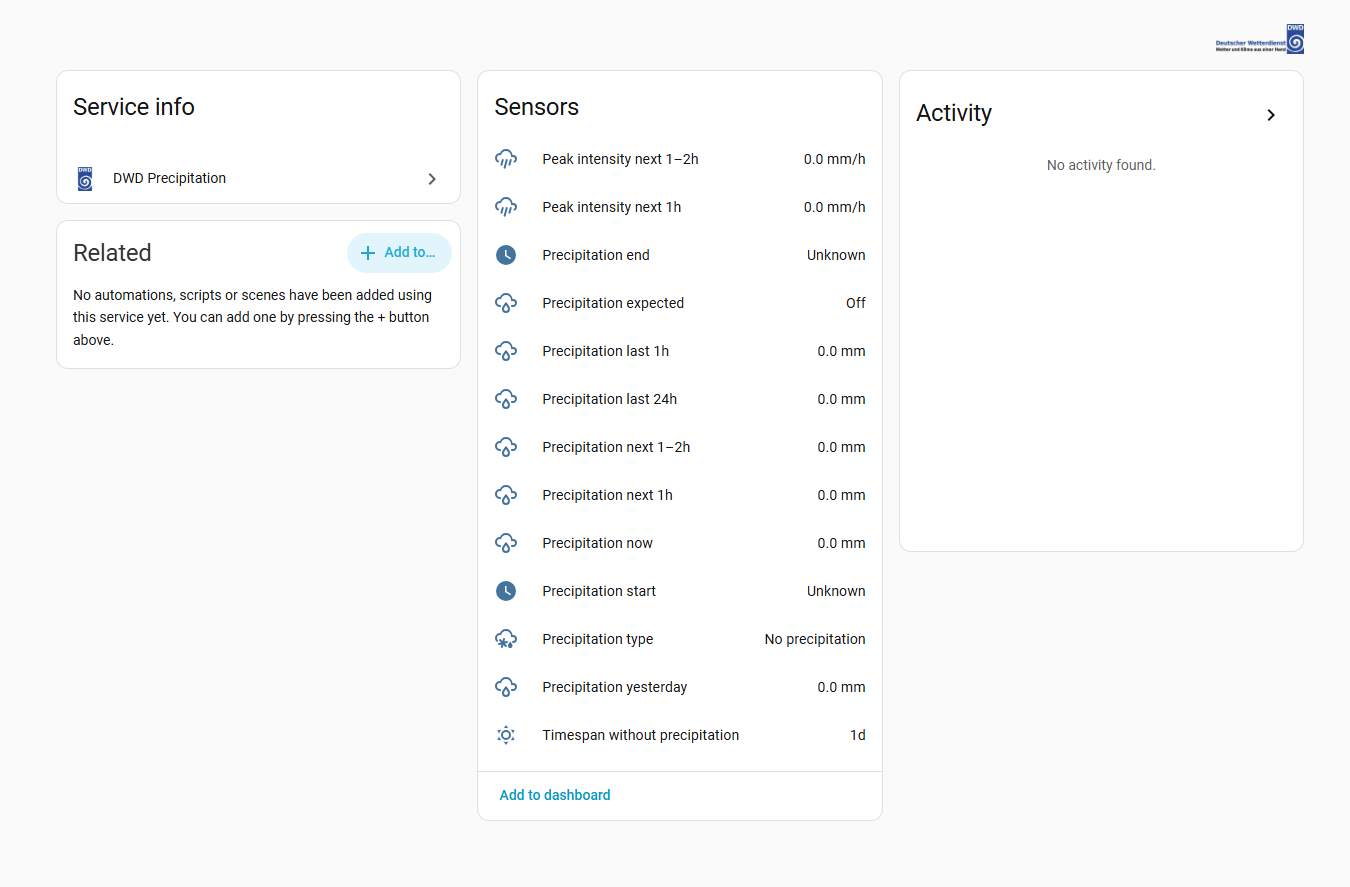
DWD Precipitation provides radar-based precipitation measurements and short-term forecasts for Germany at a chosen location. Values come from the radar grid cell of about 1 km that contains the configured point, and the nowcast sensors refresh every 5 minutes. It adds sensors for rain over the past hour, past 24 hours and yesterday, forecast totals and peak intensity for the next two hours, and the time rain starts or ends. A binary sensor shows whether rain is forecast within two hours, and a precipitation type sensor reports rain, drizzle, snow, sleet, graupel, hail or freezing rain. Running totals are kept for Home Assistant statistics, so weekly, monthly and yearly sums are possible. Options cover the rain detection threshold, whether start and end show a clock time or minutes, and whether stale data shows as unavailable. It is set up in the UI and needs the DWD cloud.
Automatic summary of the README and code of Hoffmann77/ha-dwd-precipitation. Something wrong, or are you the maintainer and want your own text here? Get in touch
Supports
Uses the vendor's cloud Needs an internet connection and an account with the vendor.
From the Marketplace Installed through the Marketplace, formerly HACS.
Actively maintained Its author released or pushed a change in the last six months.
Provides
- Sensors
Setting it up
Install it from the Marketplace and restart Home Assistant, then add it under Settings, Devices and services.
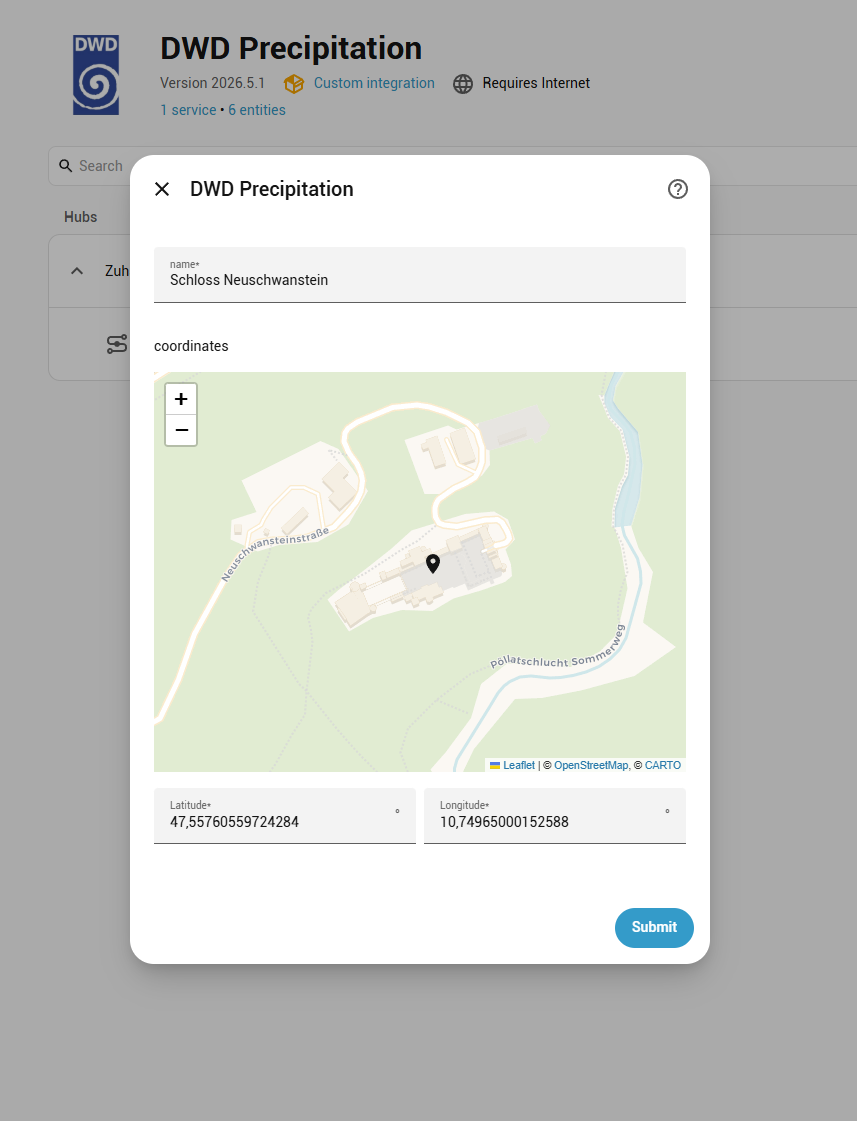
Connect
- NameUsed for the device and as the prefix of every entity id.
- LocationThe sensors report the radar grid cell containing this point, roughly 1 km across.
After setup
- Add technical details to each sensorAttaches the DWD product name, the measurement time and the period each value covers to every sensor as attributes. Useful in templates or when reporting a problem; leave it off otherwise.
- Show sensors as unavailable when the data is out of dateIf DWD does not publish a new file in time, the affected sensors report “unavailable” instead of keeping the last value. Turn this off to always keep the most recent reading, accepting that it may be hours old. Either way the missing file keeps being retried in the background.
- Rain detection threshold (mm per hour)How much forecast rain counts as precipitation for the “Precipitation start”, “Precipitation end” and “Precipitation expected” sensors. 0 means any amount DWD detects; raise it to around 0.5 to ignore drizzle.
- How “Precipitation start” and “Precipitation end” reportWhether those two sensors show a clock time (“14:25”) or the minutes until the event (“20”). Whichever you do not pick stays available as an attribute on the same sensor.
- When “Precipitation end” counts rain as over“First dry gap” reports the end of the current burst, so it moves around during showers. “Precipitation clears within 2 h” waits until no further rain is forecast, which is steadier but stays unknown longer. DWD forecasts only two hours ahead, so beyond that the sensor is “unknown” either way.
- Rain needed to reset the dry-streak counter (mm)How much rain resets “Timespan without precipitation” to zero. It is compared against “Precipitation now”, which is millimetres accumulated over the past hour — so 1 mm means 1 mm fell in the last hour, not a rate.
- Include the past hour in the hourly forecast seriesMakes the “forecast_rolling_1h” attribute of “Peak hourly precipitation next 2h” start one hour earlier. Each entry is the rain in the hour starting at that time, so the first entries also include rain that has already fallen, and a chart shows the past hour and the forecast as one curve. The sensor's value is the same either way, as it only looks at the hours ahead. Turning this on roughly doubles the processing time per update, which can matter on small devices.
Texts from the code of Hoffmann77/ha-dwd-precipitation.
Entities
- Binary sensorsPrecipitation expected
- SensorsPrecipitation now, Precipitation last 1h, Precipitation last 24h, Precipitation yesterday, Precipitation total (hourly), Precipitation total (daily), Precipitation next 1h, Precipitation next 1–2h, Peak hourly precipitation next 2h, Peak intensity next 1h, Peak intensity next 1–2h, Precipitation start, and 3 more
From the README
Radar-based precipitation measurements and forecasts from the German Weather Service (DWD), for your exact location, directly in Home Assistant.
- Location-precise: values come from the ~1 km radar grid cell containing your coordinates
- Live: the nowcast sensors refresh every 5 minutes
- Two-hour forecast: forecast totals, peak intensity, the wettest hour ahead, and when rain starts and stops
- Precipitation type: rain, drizzle, snow, sleet, graupel, hail, freezing rain
- Measured totals: past hour, past 24 hours, yesterday, and a days-without-rain counter
- Long-term totals: running rain totals for Home Assistant's statistics, so weekly, monthly and yearly sums work out of the box
- Customizable thresholds for rain events to use as input for automations.

Shows in Vulpo
Chart card, Apple Watch.Information
- Installs
- 299 sharing analytics
- GitHub stars
- 15
- Connection
- Uses the vendor's cloud
- Upkeep
- Updated in the last 6 months
- Version
- 2026.10.1,
- Category
- Weather and alerts, Forecasts
- Kind
- Marketplace integration
- Brand
- DWD
- Needs
- Needs the Marketplace (HACS on 2026.10 and older)
- Domain
dwd_precipitation- Issues
- Report an issue
More from DWD
Deutscher Wetterdienst (DWD) Weather Warnings10.7k installs · Weather and alerts, Public warningsOpen Deutscher Wetterdienst (DWD)10.3k installs · Deutscher Wetterdienst integration for Home-AssistantOpen
 Deutscher Wetterdienst2k installs · Custom component for Home Assistant that integrates weather data …Open