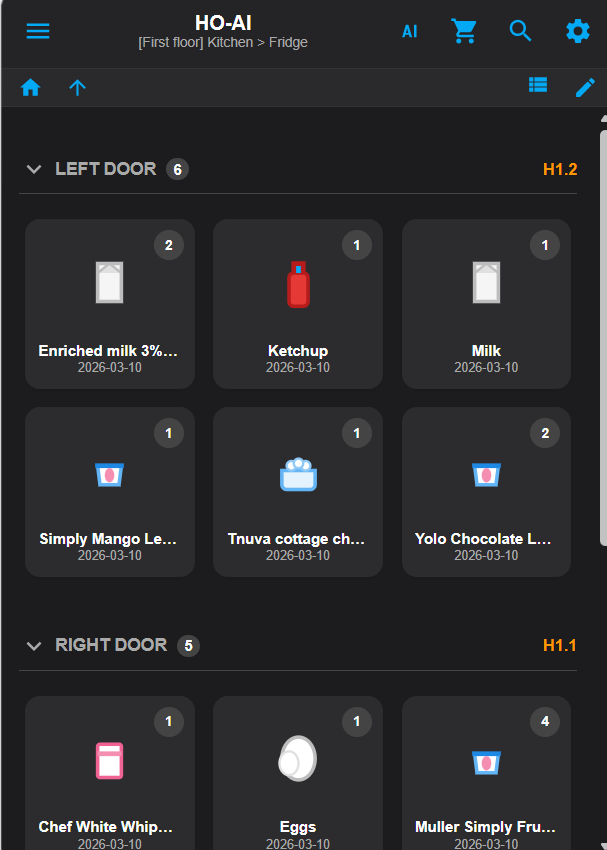
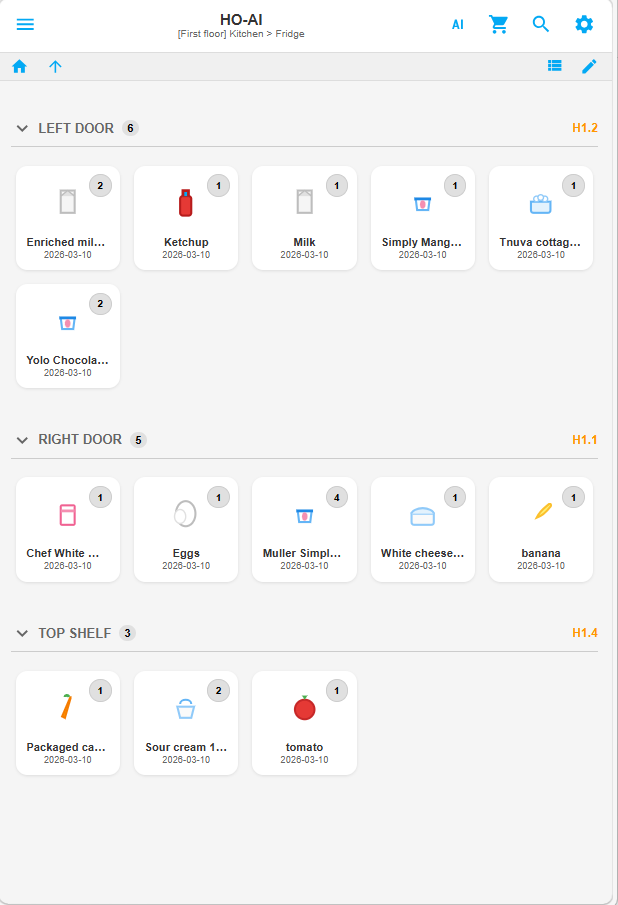
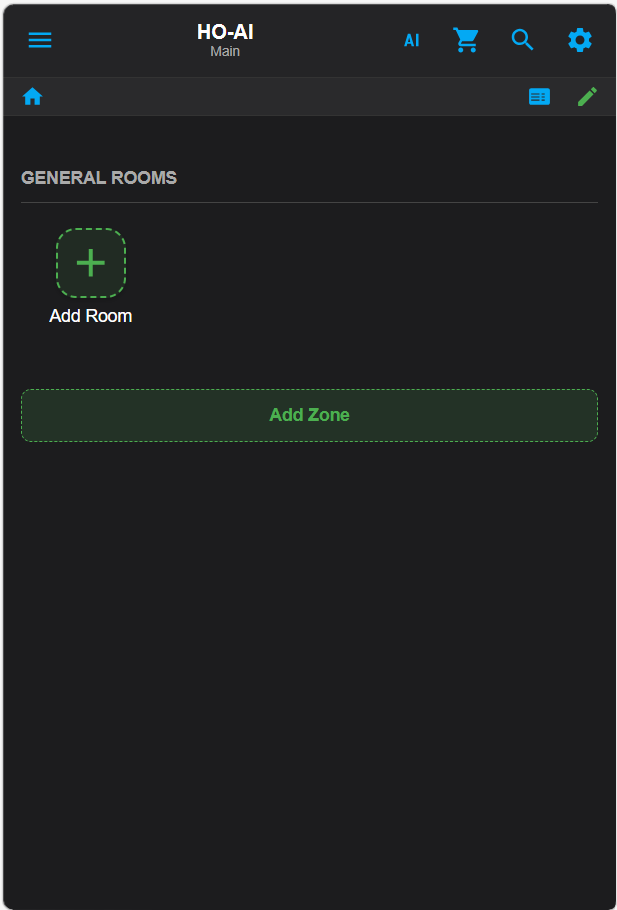
Screenshots From the README of GuyAzria/home-organizer.
About
Home Organizer is a Home Assistant integration that keeps a home inventory with an optional AI assistant. It adds a full-screen panel to the sidebar with nested locations, boxes, categories, stock tracking, and receipt scanning that records prices and expiry. AI can run locally through Ollama or LM Studio, in the cloud through Gemini, OpenAI or Claude, or in a hybrid mode that uses local AI for text and a cloud model for images. Requests in plain language go through Home Assistant's conversation agent, so Assist devices can reach it without a separate chat screen. Trigger words, an optional virtual try-on stylist, and a choice of storage folder, including a network folder, are configurable. Letting the assistant run scripts and scenes is off by default, and locks, covers and alarm panels are never controlled directly. Setup is done in the UI.
Automatic summary of the README and code of GuyAzria/home-organizer. Something wrong, or are you the maintainer and want your own text here? Get in touch
Installs over time
#1,580 of 1,584 Marketplace integrations. Installs sharing analytics.
Supports
- Works locallyTalks to your devices on your own network. No vendor cloud in between.
- From the MarketplaceInstalled through the Marketplace, formerly HACS.
- Actively maintainedIts author released or pushed a change in the last six months.
Setting it up
Install it from the Marketplace and restart Home Assistant, then add it under Settings, Devices and services.
Home Organizer Setup
- AI Processing ModeHybrid uses your local AI for text and a cloud model for images.
- Cloud AI ProviderOnly used in Cloud or Hybrid mode. Gemini has a generous free tier.
- Enable Virtual Try-On StylistRequires additional setup on the next screen.
- Image storage location'www' is recommended for compatibility.
API Keys and Models
- Cloud API KeyGemini: aistudio.google.com. OpenAI: platform.openai.com.
- Cloud model nameFor example gemini-3.5-flash-lite or gpt-4o.
- Custom cloud endpoint URLOptional. Typically only used for enterprise proxies.
- Local AI URLOllama: http://YOUR_IP:11434/v1. LM Studio: http://YOUR_IP:1234/v1. Must end in /v1.
- Local API KeyLocal servers usually ignore this, but do not leave it blank. Type 'ollama' or 'local'.
- Local text modelUsed for ordinary questions and chat. Run 'ollama list' and copy the name exactly, for example llama3:8b. This model does not need to support images.
- Local vision model (images)Used for receipt and barcode photos, and for future features that look at your wardrobe. Must be a multimodal model - for example llama3.2-vision, qwen2-vl, minicpm-v or llava. Leave blank to reuse the text model above, which only works if that model also supports images.
Virtual Try-On
- VTO provider
- VTO endpoint URLRequired for local ComfyUI instances.
- VTO API KeyRequired for Fal.ai and Fashn.ai.
- VTO model identifierOnly needed if you use a custom workflow.
Trigger Words and Permissions
- Inventory triggersComma-separated words.
- Shopping list triggersComma-separated words.
- Cooking and recipe triggersComma-separated words.
- Smart home triggersComma-separated words.
- Stylist triggersComma-separated words.
- Reminder and timer triggersComma-separated words.
- Calendar triggersComma-separated words.
- Allow the assistant to run scripts and scenesOff by default. A script can perform any action you wrote into it, including operating a lock, so enable this only if you want the assistant to start your scripts. Locks, covers and alarm panels are never controlled by the assistant directly; those requests are handled by Home Assistant's own voice assistant.
- Enable debug logging
- Delete all data when the integration is removedCaution: this permanently wipes the database and all stored images.
After setup
- Storage locationwww keeps the data in Home Assistant's config folder, media in its media folder - both on the Home Assistant disk. Changing it moves nothing: the other location starts empty, or carries on with the Home Organizer data already there, and changing back returns to the data left behind. Either way, the next page offers a network folder for the images and receipts.
- AI Processing ModeHybrid uses your local AI for text and a cloud model for images.
- Cloud AI ProviderOnly used in Cloud or Hybrid mode.
- Enable Virtual Try-On Stylist
- Cloud API KeyGemini: aistudio.google.com. OpenAI: platform.openai.com.
- Cloud model nameFor example gemini-3.5-flash-lite or gpt-4o.
- Custom cloud endpoint URLOptional. Typically only used for enterprise proxies.
- Local AI URLOllama: http://YOUR_IP:11434/v1. LM Studio: http://YOUR_IP:1234/v1. Must end in /v1.
- Local API KeyLocal servers usually ignore this, but do not leave it blank.
- Local text modelUsed for ordinary questions and chat. Run 'ollama list' and copy the name exactly, for example llama3:8b. This model does not need to support images.
- Local vision model (images)Used for receipt and barcode photos, and for future features that look at your wardrobe. Must be a multimodal model - for example llama3.2-vision, qwen2-vl, minicpm-v or llava. Leave blank to reuse the text model above, which only works if that model also supports images.
- VTO provider
- VTO endpoint URLRequired for local ComfyUI instances.
- VTO API KeyRequired for Fal.ai and Fashn.ai.
- VTO model identifierOnly needed if you use a custom workflow.
- Inventory triggersComma-separated words.
- Shopping list triggersComma-separated words.
- Cooking and recipe triggersComma-separated words.
- Smart home triggersComma-separated words.
- Stylist triggersComma-separated words.
- Reminder and timer triggersComma-separated words.
- Calendar triggersComma-separated words.
- Allow the assistant to run scripts and scenesOff by default. A script can perform any action you wrote into it, including operating a lock, so enable this only if you want the assistant to start your scripts. Locks, covers and alarm panels are never controlled by the assistant directly; those requests are handled by Home Assistant's own voice assistant.
- Enable debug logging
- Delete all data when the integration is removedCaution: this permanently wipes the database and all stored images.
- Folder for images and receiptsThe Home Assistant disk, or a network storage folder added in Home Assistant under Settings > System > Storage. Only folders that are connected right now are listed. Existing images and receipts are copied to a newly chosen folder in the background, and the old copies are kept until you delete them. While a network folder is not connected, images and receipts cannot be shown or saved.
Texts from the code of GuyAzria/home-organizer.
Actions
- Add boxCreate a box in the current location.
- Add categoryAdd a category or sub-category to the list.
- Add itemAdd an item to a location in the inventory.
- AI actionSend a request to the AI assistant.
- Clear all dataDelete every item, location and setting.
- Clear all itemsDelete every item, keeping locations and settings.
- Clear barcode historyForget all remembered barcode lookups.
- Clipboard actionCopy or cut the selected items.
- Confirm scanned itemApprove a scanned item and add it to the inventory.
- Delete boxRemove a box. The items inside it stay where they are.
- Delete itemRemove an item from the inventory.
- Delete receiptPermanently delete a receipt, its images and its price history.
- Discard scanDiscard an unreviewed scan with its items and images.
- Duplicate itemCreate a copy of an item in the same location.
- Move boxMove a box and everything inside it to another location.
- NavigateMove the panel to a location in the inventory tree.
- Paste itemPaste a copied or cut item into the current location.
- Rename categoryRename a category or sub-category and move its items.
- Set item boxPut an item in a box, move it to another box, or take it out.
- Delete categoryRemove a category or sub-category. Its items are re-filed under a category you choose and are never deleted.
Troubleshooting
- Repair noticesNotices it can show in Settings, Repairs:The Home Organizer folder for images and receipts is not connected
From the README
The complete AI-powered home inventory & smart voice assistant system for Home Assistant
Home Organizer is a dedicated full-screen application for your Home Assistant sidebar. It manages your home inventory with nested folders, live stock tracking, receipt scanning with price and expiry tracking, and a powerful Cloud & Local AI integration (Gemini, OpenAI, Claude, Ollama, LM Studio).
Information
- Installs
- 49 sharing analytics
- GitHub stars
- 49
- Connection
- Works locally
- Upkeep
- Updated in the last 6 months
- Version
- v2026.10.22,
- Category
- AI and voice, AI models
- Kind
- Marketplace integration
- Needs
- Needs the Marketplace (HACS on 2026.10 and older)
- Domain
home_organizer- Issues
- Report an issue