Screenshots From the README of Ediminator/homematicip-hcu.
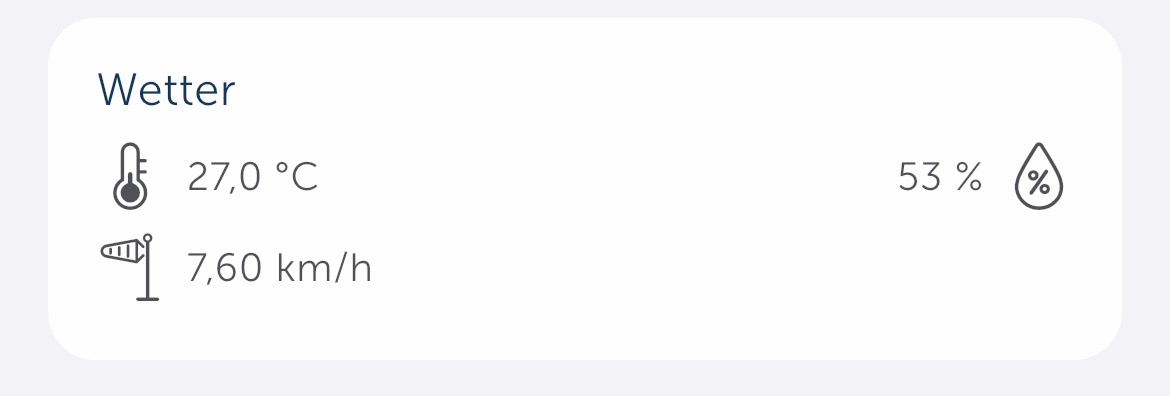
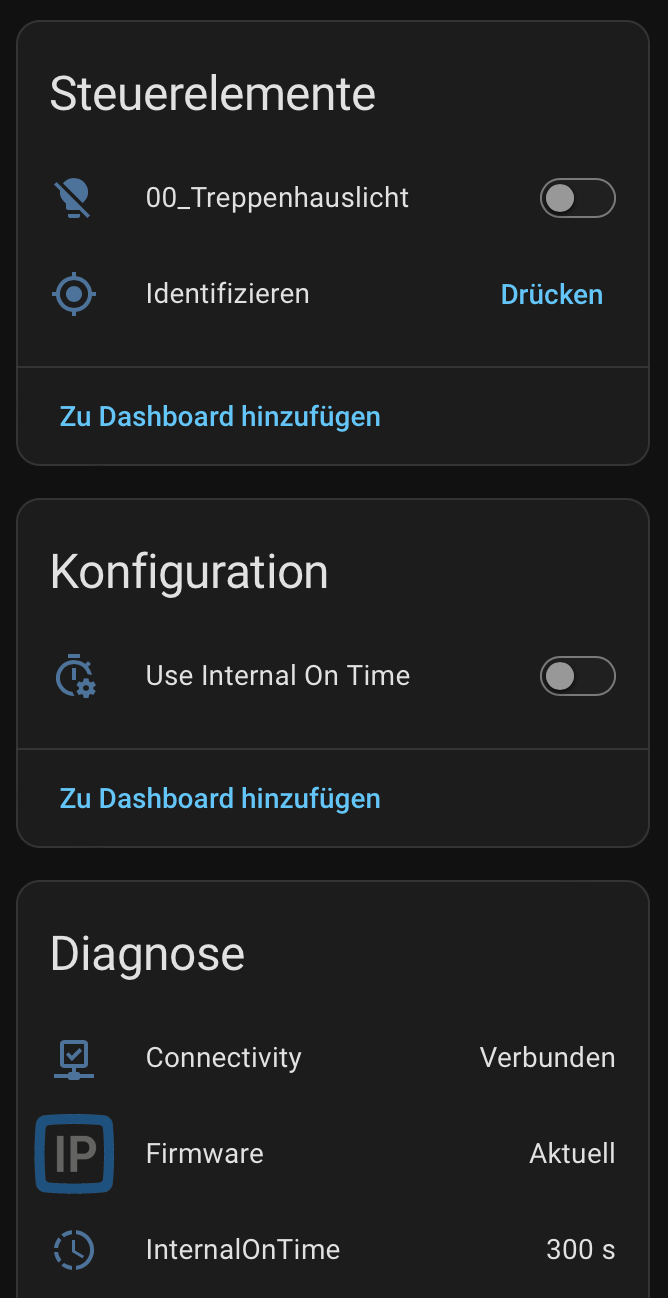
About
Homematic IP Local (HCU) connects Home Assistant to a Homematic IP Home Control Unit over the local network. It receives state changes and events through a persistent WebSocket connection, so it does not poll the network. Entities cover climate, covers, lights, switches, locks, valves, sensors, alarms, sirens, updates and more, and room heating, shutter, switching and light groups are synced. Actions include party mode, vacation mode, eco mode, cooling mode, playing a sound, turning a switch on for a set time, and creating or deleting user messages shown in the Homematic IP app. A HA Entity Bridge, marked alpha, exposes Home Assistant lights, switches and sensors to the HCU as virtual devices. Setup runs in the UI with either an app user or a plugin user connection, and several HCU units can be added.
Automatic summary of the README and code of Ediminator/homematicip-hcu. Something wrong, or are you the maintainer and want your own text here? Get in touch
Supports
Works locally Talks to your devices on your own network. No vendor cloud in between.
Found by itself Home Assistant spots it on the network and offers to add it.
Device triggers Its devices can start automations directly.
From the Marketplace Installed through the Marketplace, formerly HACS.
Actively maintained Its author released or pushed a change in the last six months.
Provides
- Lights
- Climate
- Covers
- Valves
- Locks
- Alarms
- Switches
- Sensors
Setting it up
Install it from the Marketplace and restart Home Assistant, then add it under Settings, Devices and services.
Connect to Homematic IP HCU
- Hostname or IP Address
- Authentication API Port (Default: 6969)
- WebSocket API Port (Default: 9001)
Authenticate with HCU
- Activation Key
Also asked when changing the connection.
Choose Connection Mode
- App User — Full feature support (no developer mode needed). Requires pressing the system button on the HCU.
- Plugin User — Enables plugin features (user messages, discover/control responses). Requires activation key from HCU WebUI → Developer Mode.
App User: Request Connection
- HCU SGTIN (auto-detected)The 24-character SGTIN of your HCU, e.g. 3014F711A0001234567890. Normally auto-detected — only fill in manually if the field is empty.
Select Manufacturers
- Manufacturers to hide
Reconfigure Homematic IP HCU
- Hostname or IP Address
- Authentication API Port
- WebSocket API Port
Choose Connection Mode
- Connection mode
- Keep existing auth tokens
- ✓ Connected
- ✗ Not connected
- — Not configured
After setup
- ✓ Connected
- ✗ Not connected
- — not configured
- App User
- Plugin User
- DualBridge (App + Plugin)
- Disable unconfigured channelsDisables channels that are not configured in the Homematic IP app or are not assigned to a room. These channels will not be created in Home Assistant.
- Auto-reload on device changesWhen enabled, the integration automatically reloads when a device is removed from the HCU, or when a device's name, channel role, or switch visualization changes. The reload takes about 1–2 seconds, during which all entities will briefly show as unavailable. Disable this option if you want to prevent automatic reloads and manage device changes manually (e.g. by restarting Home Assistant).
- Default comfort temperatureSet the comfort temperature used for Party Mode here.
- Hide groupsChoose which groups should be hidden. You can find the group names in the additional attributes of each entity.
- Hide manufacturersChoose which manufacturers should be hidden in Home Assistant.
- Advanced debuggingEnable to log the complete raw data of HMIP_SYSTEM_EVENT events. Disable this again when you no longer need it.
- Advanced attributesEnable to show additional developer attributes per entity.
- Target Temperature
- End Date and Time
- Device TypeThe kind of device determines which entity fields are shown next.
- Light
- Switch
- Energy meter
- Particulate matter sensor
- Climate / weather sensor
- Motion / occupancy sensor
- Door / window sensor
- Smoke alarm
- Moisture / water sensor
- Battery
- EV charger
- Grid connection point
- Heat pump
- HVAC
- Device to Edit
- Device Name
- On/Off
- Brightness
- Color Temperature
- RGB Color
- On Time (auto-off)
- Temperature
- Humidity
- Illuminance
- CO₂
- Wind Speed
- Precipitation
- Storm
- Sunshine
- Devices to Remove
Texts from the code of Ediminator/homematicip-hcu.
Entities
- AlarmsAlarm
- Binary sensorsIntrusion alarm, Safety alarm, Vacation mode
- ButtonsIdentify, Acknowledge safety alarm
- EventsDoorbell
- SelectsPower-up Switch State, Test Acoustic Signal, Test Optical Signal
- SensorsInternal On-time, On-time
- SwitchesUse Internal On-time
- TextsAccess Authorisation PIN
- UpdatesFirmware
Actions
- Play SoundPlays a sound file on a compatible device (e.g., HmIP-MP3P doorbell, alarm sirens).Fields: Sound File, Volume, Duration
- Set Rule StateEnables or disables a simple automation rule within the HCU.Fields: Rule ID, Enabled
- Activate Vacation ModeActivates the system-wide vacation mode for all heating groups until a specified time.Fields: Temperature, End Time
- Activate Eco Mode (Permanent Absence)Activates the system-wide permanent absence (Eco) mode for all heating groups.
- Deactivate Absence ModeDeactivates any active absence mode (Vacation or Eco) and returns heating to its previous schedule.
- Activate Party ModeActivates the party mode for a specific heating group with a specific temperature.Fields: Temperature, End Time, Duration
- Turn on with timeTurns a switch on for a specific durationFields: On time
- Set Cooling ModeActivates or deactivates the system-wide cooling mode for all heating groups.Fields: Cooling
- Send API CommandSend a raw API command to the HCU. Use with caution, as this provides direct access to the API and can cause unintended side effects if used incorrectly. See EQ3's API documentation for details.Fields: Request Path, Request Body
- Create a User MessageCreates a user message that is displayed in the Homematic IP app. See the eQ-3 API documentation for details.Fields: Message Category, User Message ID, Title, Message, Behavior Type
- Delete a User MessageDelete a previously created User Message from the Homematic IP app. See the EQ3 API documentation for details.Fields: User Message ID
Troubleshooting
- DiagnosticsDownloads a diagnostics file to attach to a bug report.
From the README
Custom integration for Home Assistant to control Homematic IP devices locally through the Homematic IP Home Control Unit (HCU).
Community Project: This is a passion project built in personal spare time. Continued development depends on the community. Every bug report, diagnostics file, and piece of user feedback directly shapes what gets improved next.
- Local Push Updates: Persistent WebSocket connections push state changes and events instantly without polling your network.
- Complete Platform Coverage: Integrates climate, covers, lights, switches, locks, valves, sensors, binary sensors, events, update notifications, selects, numbers, texts, and buttons.
- Homematic IP Group Synchronization: Discovers and syncs room heating groups, shutter groups, switching groups, and light groups.
- Direct Device Triggers: Native Home Assistant device triggers let you build button automations directly in the visual editor.
- Hardware Timing Companions:
- Internal On Time: Automatically passes hardware on-time values configured in the Homematic IP app with every turn_on command.
- Ramp Time: Configures hardware fade durations for dimmers without requiring a transition parameter on every action.
- HA Entity Bridge (Alpha): Exposes Home Assistant entities back into the HCU as virtual devices.
- Energy and Metering Support: Integrates power draw and accumulated energy counters directly into the Home Assistant Energy Dashboard.
- Multiple Gateways: Add multiple HCU units within a single Home Assistant installation.

Shows in Vulpo
Light card, Quick Toggle card, Cover card, Climate card, Apple Watch, Control Center, Climate Live Activity.Information
- Installs
- 357 sharing analytics
- GitHub stars
- 74
- Connection
- Works locally
- Upkeep
- Updated in the last 6 months
- Version
- 2.6.1,
- Category
- Hubs and protocols, Smart home hubs
- Kind
- Marketplace integration
- Brand
- Homematic
- Needs
- Needs the Marketplace (HACS on 2026.10 and older)
- Domain
hcu_integration- Issues
- Report an issue