On Home Assistant 2026.10 or older? Open it in HACS
- Installs
- 76 sharing analytics
- GitHub stars
- 11
- Connection
- Works locally
- Upkeep
- Updated in the last 6 months
- Version
- 2.209.0,
- Kind
- Marketplace integration
- Needs
- Needs the Marketplace (HACS on 2026.10 and older)
- Domain
device_panel- Issues
- Report an issue
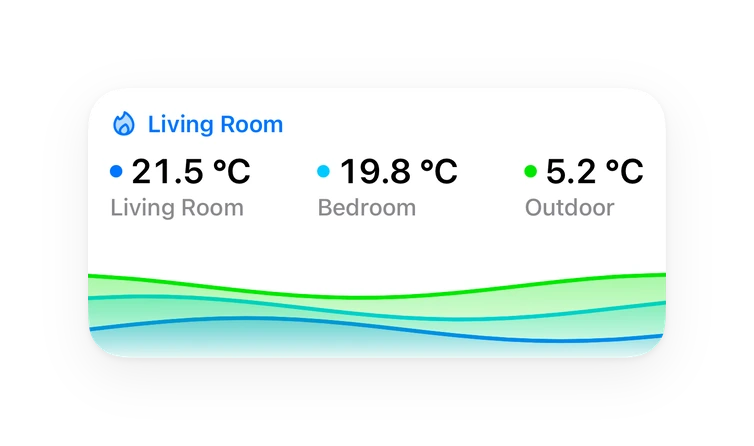
Shows in Vulpo Quick Toggle card, Button card, Chart card, Apple Watch, Control Center.
Independent directory, made by the developer of Vulpo. Not affiliated with Home Assistant or the Open Home Foundation.
Screenshots From the README of Diegofuego871/ha-device-panel.
About
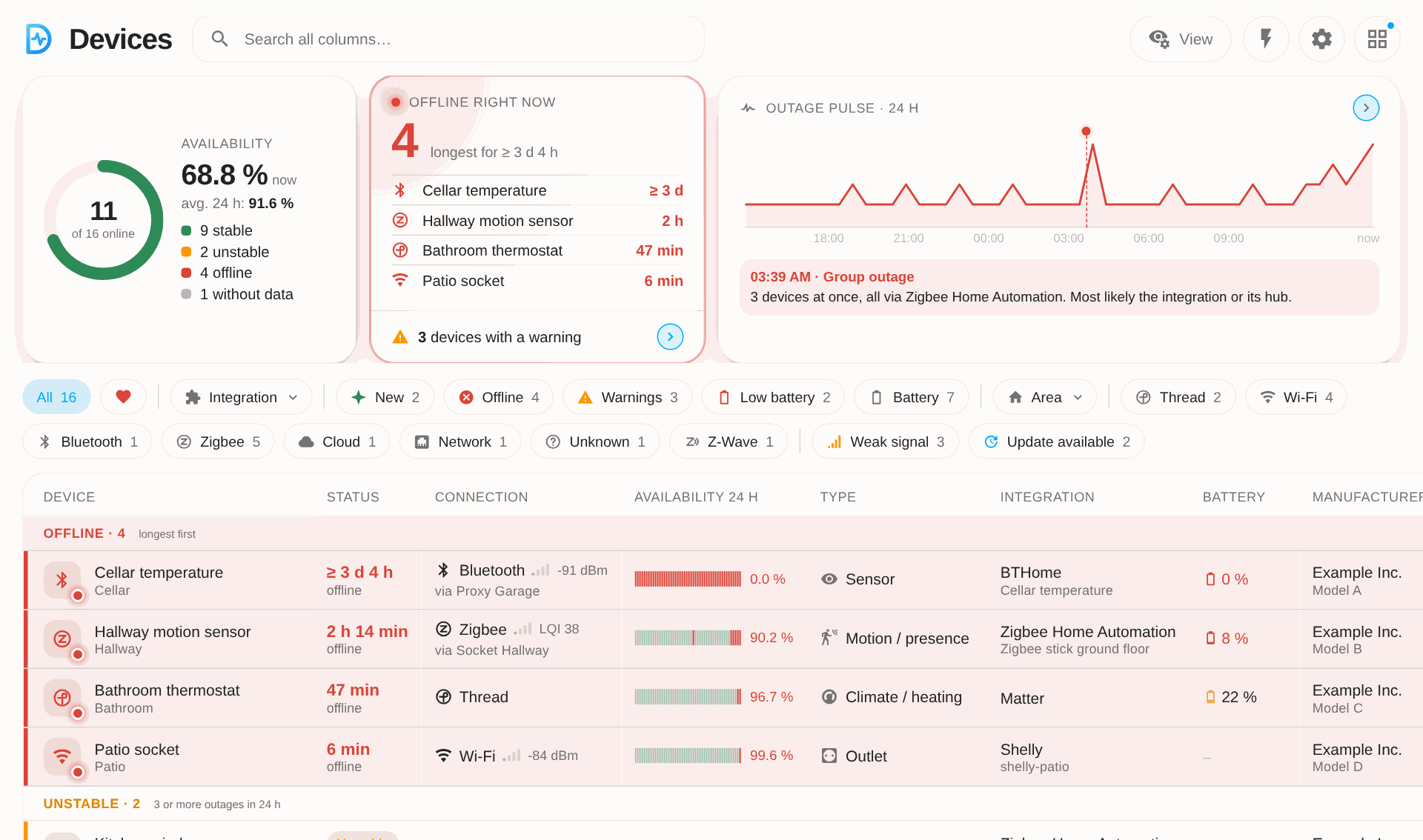
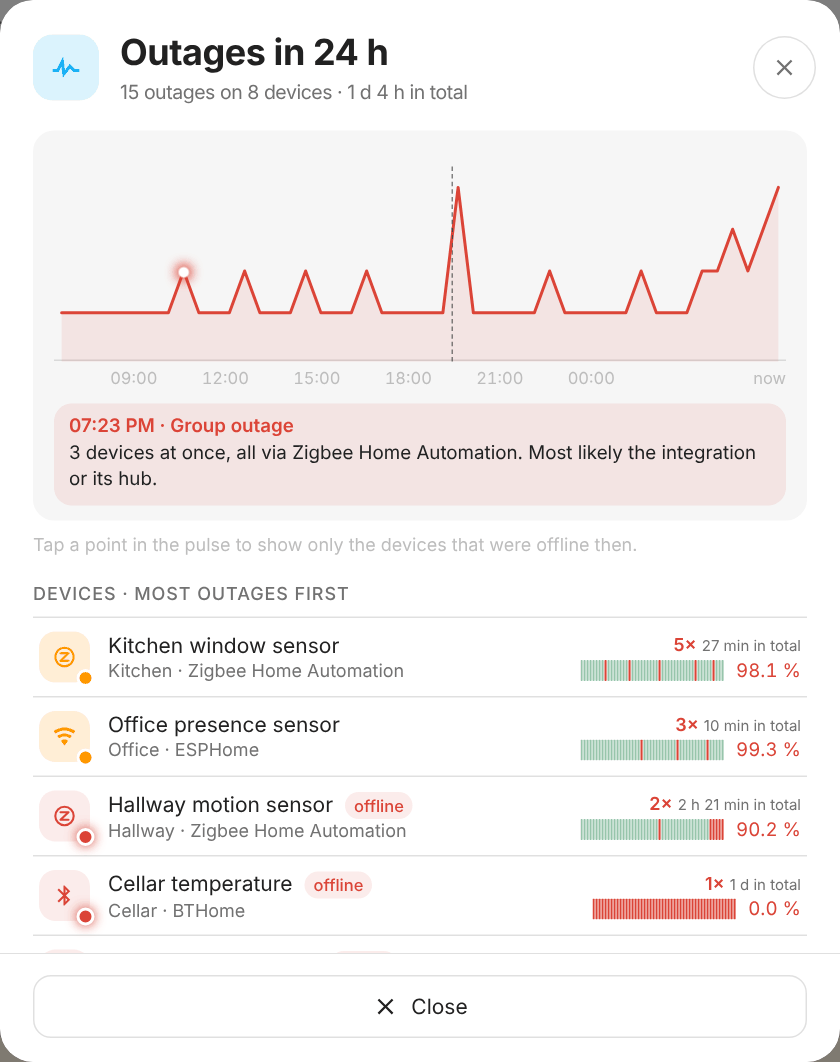
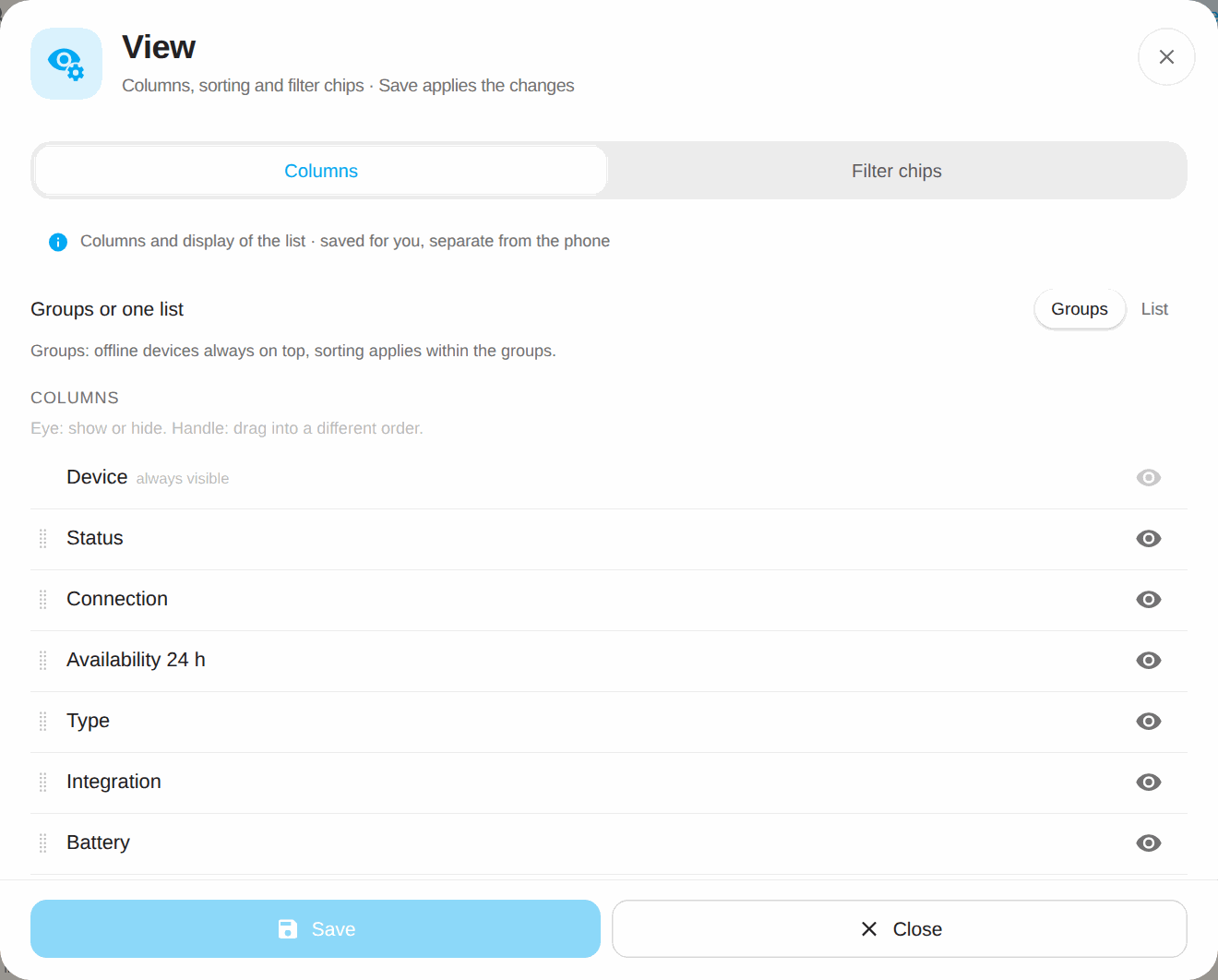
Device Panel is a Home Assistant integration that shows all devices in one panel with outages, availability history and software versions. The list groups devices into offline, unstable and online, and each row shows status, connection type, battery, manufacturer and software. Every outage is stored with its duration for up to 12 months, including across restarts. Push notifications can be set for outages, devices coming back online and low batteries, with options to combine messages per integration and to set how many minutes offline count as an outage. It adds sensors for offline, active and low-battery devices, binary sensors for outage and problem, a button to acknowledge errors and a switch to pause routines. It works locally and is added through the UI after downloading from the Marketplace.
Automatic summary of the README and code of Diegofuego871/ha-device-panel. Something wrong, or are you the maintainer and want your own text here? Get in touch

Shows in Vulpo
Quick Toggle card, Button card, Chart card, Apple Watch, Control Center.Installs over time
#1,280 of 1,551 Marketplace integrations. Installs sharing analytics.
Supports
- Works locallyTalks to your devices on your own network. No vendor cloud in between.
- From the MarketplaceInstalled through the Marketplace, formerly HACS.
- Actively maintainedIts author released or pushed a change in the last six months.
Provides
- Switches
- Sensors
Setting it up
Install it from the Marketplace and restart Home Assistant, then add it under Settings, Devices and services.
After setup
- Push targetnotify service or notify entity, e.g. the Companion app of your phone.
- Tapping the notification opensWhere tapping a push notification about a device leads.
- Offline afterMinutes without a sign of life before a device counts as offline. Shorter dropouts are not counted.
- Report outages only afterMinutes of outage before the push is sent; at least "Offline after" (before that a device does not count as offline). Shorter outages send neither an outage nor a back online notification.
- Unstable from (outages in 24 hours)An online device with this many outages in the last 24 hours is listed as unstable.
- Grace period after startMinutes after Home Assistant starts in which returning devices had no outage. Time when Home Assistant was not running never counts as an outage.
- Report outagesOnce a device counts as offline and "Report outages only after" has passed, to the push target above.
- Report back onlineAll clear as soon as the device is back, with the duration of the outage.
- Combine outages per integrationWhen several devices of one integration go offline together, one notification per integration instead of many.
- Combine from (devices of one integration)From this many devices of one integration at once the notification is combined; fewer are sent one by one.
- Persistent notification for outagesOne notification in Home Assistant listing all devices that are offline right now; it disappears once all are back.
- Content of the outage notificationDetails below the device name in the outage notification ("Offline: …"); the low battery push has its own content (field further below). Buttons: open, mute 24 h (companion app).
- Battery low fromA battery at or below this level counts as low (red in the panel, under "Warnings").
- Battery: push notificationOnce per device when it drops below the warning threshold, to the push target above. Again only after the battery was 5 points above the warning threshold (e.g. new battery).
- Battery: time of the push notificationImmediately when a device drops below the warning threshold, or once a day at the time below.
Texts from the code of Diegofuego871/ha-device-panel.
Entities
- Binary sensorsOutage, Problem
- ButtonsAcknowledge errors
- SensorsDevices active, Devices hidden, Devices offline, Devices with warning, Devices with battery, Devices with low battery, Devices charging, Devices with weak reception, New devices, Devices with update, Errors (24 hours)
- SwitchesRoutines paused
Troubleshooting
- Repair noticesNotices it can show in Settings, Repairs:Restart Home Assistant to finish the Device Panel update
From the README
Every device in Home Assistant at a glance: who is offline right now, how often and how long devices fail, how full the batteries are, how good the signal is, and notifications that you control from one place.
- Everything at a glance: devices online, who is offline and since when, unstable devices and an outage pulse over 24 hours, in a list you can search, filter and sort
- Availability per device: every outage with its duration, kept for up to 12 months, also across restarts
- Battery and signal: colored symbols, warning thresholds, a battery history with a forecast, and for Bluetooth the receiver a device is connected through
- Notifications on four levels: set a default once, change it per integration or label, override it on a single device; every setting names where its value comes from
- Quiet time and group messages: notifications wait during the night, and several devices of one integration go out as one message
- Magic Push and routines: your own messages and your own switching times, without an automation
- Charging, updates and new devices: push when a device is full, an update reminder, all updates in one window, a mark for new devices
- Everything in the panel: all settings, a setup wizard, back up and restore, German and English, and an optional AI assessment
Information
- Installs
- 76 sharing analytics
- GitHub stars
- 11
- Connection
- Works locally
- Upkeep
- Updated in the last 6 months
- Version
- 2.209.0,
- Kind
- Marketplace integration
- Needs
- Needs the Marketplace (HACS on 2026.10 and older)
- Domain
device_panel- Issues
- Report an issue