Garmin Connect
On Home Assistant 2026.11 or newer? Open it in the Marketplace
- Installs
- 5.5k sharing analytics
- GitHub stars
- 573
- Connection
- Uses the vendor's cloud
- Upkeep
- Updated in the last 6 months
- Version
- 3.0.20,
- Category
- Health and wellbeing
- Kind
- Marketplace integration
- Brand
- Garmin
- Needs
- Needs the Marketplace (HACS on 2026.10 and older)
- Domain
garmin_connect- Issues
- Report an issue
Independent directory, made by the developer of Vulpo. Not affiliated with Home Assistant or the Open Home Foundation.
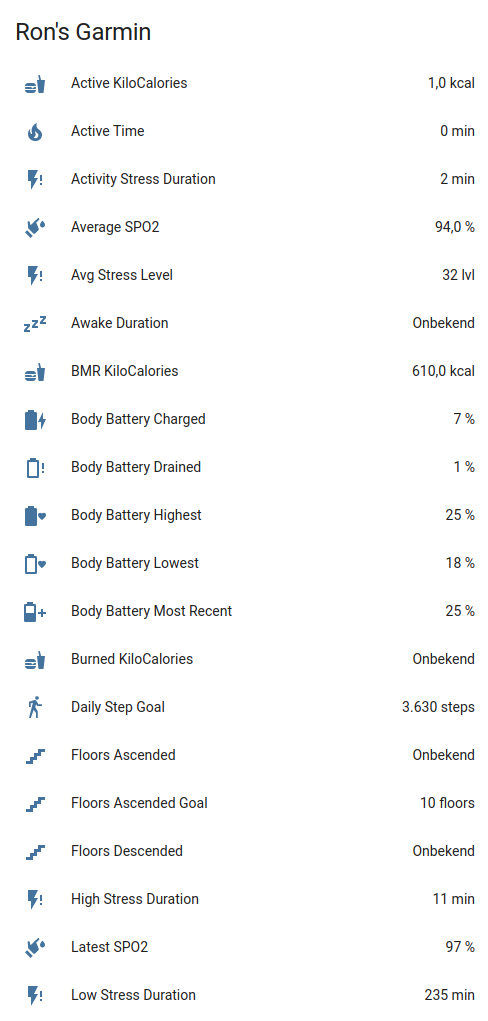
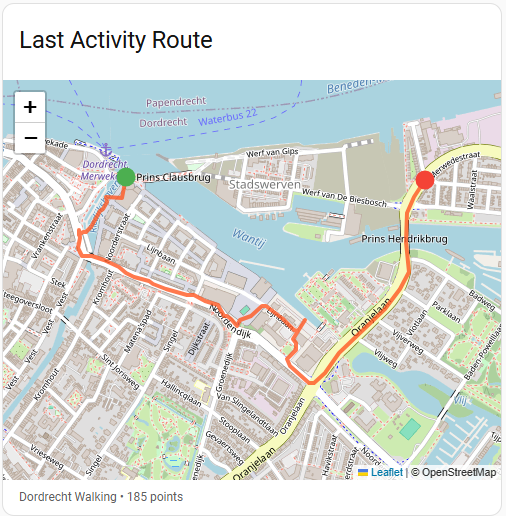
Screenshots From the README of cyberjunky/home-assistant-garmin_connect.
About
Garmin Connect is an integration that brings health and fitness data from a Garmin Connect account into Home Assistant. It adds sensors for daily activity, heart rate, HRV, stress, sleep, Body Battery, body composition, training metrics, goals, blood pressure and hydration. A calendar shows scheduled workouts, plus upcoming races and events. Actions can log hydration, blood pressure, body composition and nutrition, create, update, schedule and delete workouts, and upload or download activity files. Data comes from the Garmin cloud by polling, with an adjustable update interval, and a setting supports accounts on the Chinese Garmin Connect platform. Setup is done in the UI with account email and password, plus a verification code if two-factor authentication is on.
Automatic summary of the README and code of cyberjunky/home-assistant-garmin_connect. Something wrong, or are you the maintainer and want your own text here? Get in touch
Supports
Uses the vendor's cloud Needs an internet connection and an account with the vendor.
From the Marketplace Installed through the Marketplace, formerly HACS.
Actively maintained Its author released or pushed a change in the last six months.
Provides
- Sensors
- Calendars
Setting it up
Install it from the Marketplace and restart Home Assistant, then add it under Settings, Devices and services.
Garmin Connect
- PasswordYour Garmin Connect password
- EmailYour Garmin Connect email address
- Use Garmin Connect China (cn.garmin.com)Enable for accounts registered on the Chinese Garmin Connect platform
Also asked when signing in again and changing the connection.
Two-Factor Authentication
- Verification codeThe verification code sent to your device or email
After setup
- Update interval (seconds)How often to fetch data from Garmin Connect (60–3600 seconds)
- Use Garmin Connect China (cn.garmin.com)Enable for accounts registered on the Chinese Garmin Connect platform
Texts from the code of cyberjunky/home-assistant-garmin_connect.
Entities
- CalendarsScheduled workouts
- SensorsAbnormal heart rate alerts, Achievable fitness age, Active calories, Active goals, Active time, Activity stress duration, Activity stress percentage, Average altitude, Average sleep respiration, Skin temperature change, Average solar intensity, Average SpO2, and 159 more
Actions
- Set active gearSet gear as active/default for an activity type.Fields: Gear UUID, Gear sensor entity, Activity type, Setting
- Add hydrationLog a hydration intake to Garmin Connect.Fields: Amount (mL), Timestamp
- Add nutrition logLog a Quick Add nutrition entry to Garmin Connect. Requires a Connect+ subscription and initial nutrition setup in the Garmin Connect app.Fields: Garmin Connect entity, Calories (kcal), Carbohydrates (g), Protein (g), Fat (g), Label, Timestamp
- Create workoutCreate a workout in the Garmin Connect library, optionally scheduling it on a date. Returns workout_id (and schedule_id).Fields: Garmin Connect entity, Workout, Date
- Update workoutReplace an existing workout in place. Its ID and calendar schedules are kept.Fields: Garmin Connect entity, Workout ID, Workout
- Delete workoutDelete a workout from the Garmin Connect library, including its calendar entries.Fields: Garmin Connect entity, Workout ID
- Schedule workoutPut a library workout on the Garmin training calendar. Returns schedule_id.Fields: Garmin Connect entity, Workout ID, Date
- Unschedule workoutRemove a workout from the Garmin training calendar without deleting it.Fields: Garmin Connect entity, Schedule ID
- Add body compositionAdd body composition metrics to Garmin Connect.Fields: Garmin Connect entity, Weight, Timestamp, BMI, Body fat percentage, Hydration percentage, Visceral fat mass, Bone mass, Muscle mass, Basal metabolism
- Add blood pressureAdd a blood pressure measurement to Garmin Connect.Fields: Systolic, Diastolic, Pulse, Timestamp, Notes
- Create activityCreate a manual activity in Garmin Connect.Fields: Activity name, Activity type, Start date and time, Duration, Distance, Time zone
- Download activityDownload an activity file from Garmin Connect and save it on the Home Assistant system.Fields: Garmin Connect entity, Activity ID, File format, File path
- Upload activityUpload an activity file (FIT, GPX, TCX) to Garmin Connect.Fields: File path
- Add gear to activityAssociate gear with a specific activity.Fields: Activity ID, Gear UUID, Gear sensor entity
Troubleshooting
- DiagnosticsDownloads a diagnostics file to attach to a bug report.
- Repair noticesNotices it can show in Settings, Repairs:Nutrition data requires Garmin Connect+
From the README
The Garmin Connect integration connects your Garmin Connect cloud service to Home Assistant, enabling users to monitor their health and fitness data from Garmin wearable devices directly in Home Assistant.

Shows in Vulpo
Calendar card, Chart card, Apple Watch.Information
- Installs
- 5.5k sharing analytics
- GitHub stars
- 573
- Connection
- Uses the vendor's cloud
- Upkeep
- Updated in the last 6 months
- Version
- 3.0.20,
- Category
- Health and wellbeing
- Kind
- Marketplace integration
- Brand
- Garmin
- Needs
- Needs the Marketplace (HACS on 2026.10 and older)
- Domain
garmin_connect- Issues
- Report an issue