On Home Assistant 2026.10 or older? Open it in HACS
- Installs
- 90 sharing analytics
- GitHub stars
- 11
- Connection
- Uses the vendor's cloud
- Upkeep
- Updated in the last 6 months
- Version
- v0.10.1,
- Category
- Weather and alerts, Forecasts
- Kind
- Marketplace integration
- Needs
- Needs the Marketplace (HACS on 2026.10 and older)
- Domain
meteoswiss_weather- Issues
- Report an issue
Independent directory, made by the developer of Vulpo. Not affiliated with Home Assistant or the Open Home Foundation.
About
MeteoSwiss Weather is an integration that provides Swiss weather forecasts and live station data in Home Assistant. It builds on the MeteoSwiss open data platform and adds a weather entity with a local forecast for a postal code or mountain point, plus sensors for the chosen station such as temperature, humidity, pressure, wind, precipitation, sunshine and snow depth. Optional features include an hourly forecast with a selectable horizon, cloud cover layers, temperature percentiles, and pollen sensors from a nearby station. A separate precipitation station can be chosen for current rainfall, and a snow station entry covers snow depth only. An action imports the station's hourly history into long-term statistics, and repair notices appear when MeteoSwiss changes a file format. It needs the vendor's cloud, is set up in the UI, and does not provide weather warnings.
Automatic summary of the README and code of chriguschneider/hass-meteoswiss-weather. Something wrong, or are you the maintainer and want your own text here? Get in touch

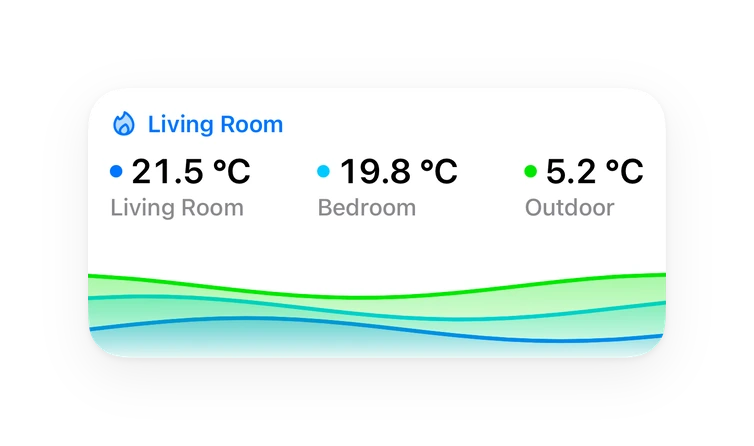
Shows in Vulpo
Chart card, Lumen sky, Apple Watch.Supports
- Uses the vendor's cloudNeeds an internet connection and an account with the vendor.
- From the MarketplaceInstalled through the Marketplace, formerly HACS.
- Actively maintainedIts author released or pushed a change in the last six months.
Provides
- Sensors
- Weather
Setting it up
Install it from the Marketplace and restart Home Assistant, then add it under Settings, Devices and services.
MeteoSwiss Weather
- Entry typePostal code or mountain point for a weather forecast; snow station for SLF IMIS snow depth only.
Also asked when changing the connection.
Postal code
- Postal codeSwiss postal code (PLZ) of the place to forecast.
Select mountain point
- Mountain point
Select forecast point
- Forecast point
Select weather station
- Weather station
- Precipitation station (optional)Rain is hyper-local and SwissMetNet is sparse. Optionally pick a nearer station from the automatic precipitation network; when set, only the current precipitation is read from it. Leave as "None" to use the main station.
Select snow station
- Snow stationSnow height measured on a flat study plot (off-piste). Stations labelled "currently no data" have not reported recently.
Weather station changed
- Recorded history
After setup
- Enable hourly forecastGives you: an hourly forecast on the weather entity (condition, temperature, precipitation and its probability, wind, gusts, direction, global radiation, zero-degree level), and the current condition follows the hourly symbol. Costs: about 0.3 MB per refresh at the default horizon. The data is refreshed whenever MeteoSwiss changed the coming hours, in practice about once an hour, whether or not a card is open. Not needed for: the daily forecast, the zero-degree level sensor and the "today" sensors.
- Forecast horizonCounted in full local calendar days. Default: the rest of today plus two full days (49–72 hours), read row by row and kept small on every refresh. Longer horizons and "Full run" (about 220 hours, 9 days) add a far tail beyond that: it is read row by row too, but refreshed at most every 6 hours rather than on every change, so it costs a little more without ever downloading a large part of the ~30 MB files.
- Include cloud cover layersGives you: cloud_coverage (the maximum of the high, mid and low layers) plus the three layers on every forecast hour. Costs: about 0.05 MB per refresh, three small per-point blocks. Off by default.
- Include temperature percentilesGives you: temperature_p10 and temperature_p90, the forecast's uncertainty band, on every forecast hour. Costs: about 0.5 MB per refresh, the most expensive extra (two files read row by row). Off by default.
- Enable pollen monitoringGives you: one sensor per pollen type the station measures, in grains/m³. Grass and birch are enabled, the others stay disabled until you enable them in the entity settings. Costs: one small file per hour.
- Pollen stationThe three nearest stations to your forecast point are shown; the nearest is pre-selected.
Texts from the code of chriguschneider/hass-meteoswiss-weather.
Entities
- SensorsTemperature, Humidity, Pressure QFF, Wind speed, Wind bearing, Wind gust speed, Precipitation (10 min), Dew point, Pressure QFE, Sunshine duration (10 min), Global radiation, Snow depth, and 35 more
Actions
- Import historyImports the configured station's official hourly history into Home Assistant's long-term statistics (mean/min/max temperature, mean for humidity, dew point, pressure, wind and radiation, hourly sum for precipitation). Long-term statistics only, not raw states. Overlapping periods are replaced, not duplicated. This is a one-off download outside the recurring traffic budget: about 1 MB for the current year, 8-13 MB per past decade, about 45 MB for everything since 1980.
- Integration entry
- Start
- End
Troubleshooting
- DiagnosticsDownloads a diagnostics file to attach to a bug report.
- Repair noticesNotices it can show in Settings, Repairs:MeteoSwiss station file format changed, MeteoSwiss forecast file format changed, MeteoSwiss pollen file format changed, MeteoSwiss precipitation-station file format changed, SLF IMIS snow-station response format changed, MeteoSwiss forecast file needed a full download
From the README
The most complete MeteoSwiss integration for Home Assistant.
Forecast, live station data, pollen and more for your postal code or summit, from the official open data.
Information
- Installs
- 90 sharing analytics
- GitHub stars
- 11
- Connection
- Uses the vendor's cloud
- Upkeep
- Updated in the last 6 months
- Version
- v0.10.1,
- Category
- Weather and alerts, Forecasts
- Kind
- Marketplace integration
- Needs
- Needs the Marketplace (HACS on 2026.10 and older)
- Domain
meteoswiss_weather- Issues
- Report an issue