On Home Assistant 2026.10 or older? Open it in HACS
- Installs
- 51 sharing analytics
- GitHub stars
- 26
- Connection
- Uses the vendor's cloud
- Upkeep
- Updated in the last 6 months
- Version
- v0.25.0,
- Category
- Security and safety, Cameras
- Kind
- Marketplace integration
- Needs
- Needs the Marketplace (HACS on 2026.10 and older)
- Domain
fermax_blue- Issues
- Report an issue
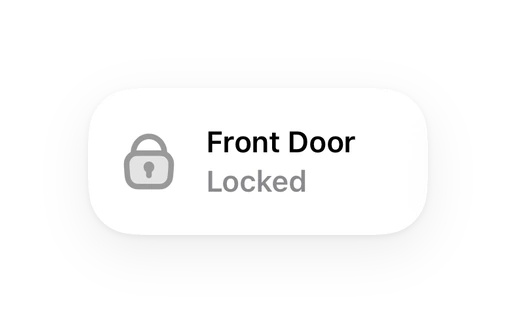
Shows in Vulpo Quick Toggle card, Lock card, Camera card, Button card, Apple Watch, Control Center.
Independent directory, made by the developer of Vulpo. Not affiliated with Home Assistant or the Open Home Foundation.
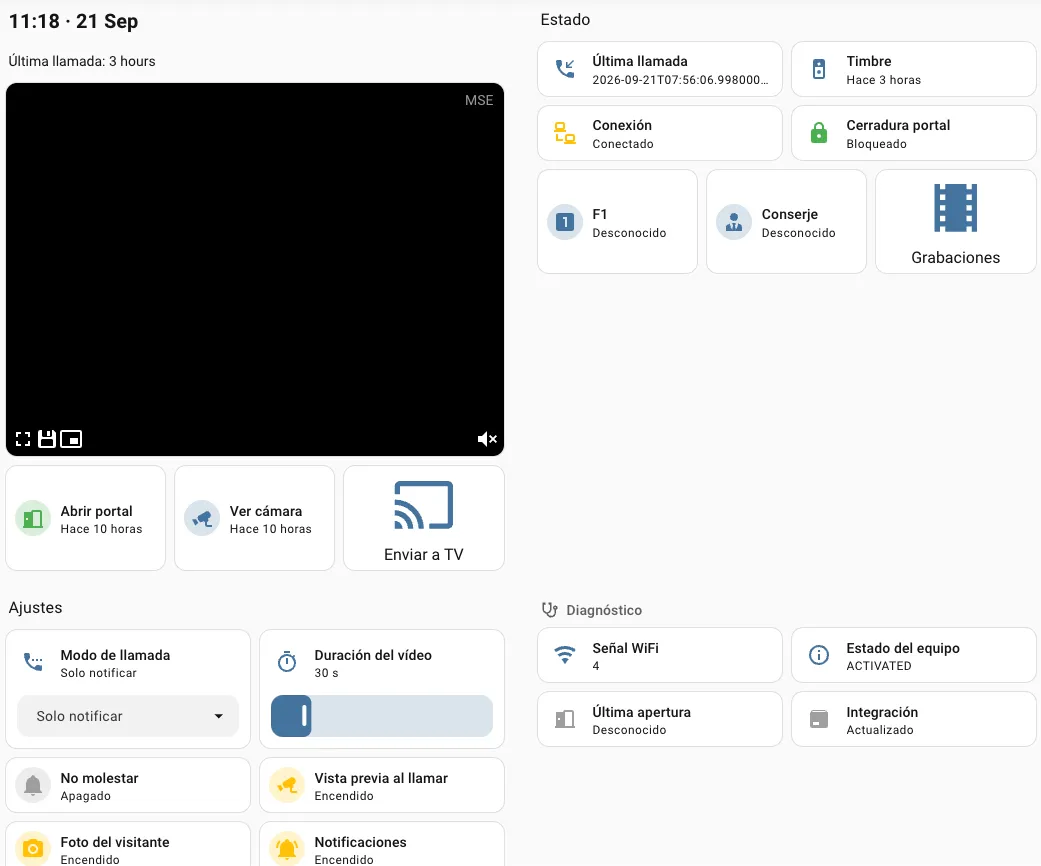
Screenshots From the README of bvis/fermax-blue-hass.
About
Home Assistant integration for Fermax Blue intercoms, available in the Marketplace
Description from bvis/fermax-blue-hass

Shows in Vulpo
Quick Toggle card, Lock card, Camera card, Button card, Apple Watch, Control Center.Supports
- Uses the vendor's cloudNeeds an internet connection and an account with the vendor.
- From the MarketplaceInstalled through the Marketplace, formerly HACS.
- Actively maintainedIts author released or pushed a change in the last six months.
Provides
- Cameras
- Locks
- Switches
- Sensors
Setting it up
Install it from the Marketplace and restart Home Assistant, then add it under Settings, Devices and services.
Fermax Blue Login
- Password
API Credentials
- Fermax Auth URL
- Fermax Base URL
- Fermax Auth Basic header
- Firebase API Key
- Firebase Sender ID
- Firebase App ID
- Firebase Project ID
- Firebase Package Name
Also asked when changing the connection.
Re-authenticate
- Password
After setup
- Polling interval (minutes)
- Recording retention (days)
- Audio file path for auto-responsePlayed through the intercom when the call mode is Auto-respond. Leave it empty to turn auto-response off.
Texts from the code of bvis/fermax-blue-hass.
Entities
- Binary sensorsConnection
- ButtonsCamera preview, F1 auxiliary, Switch camera, Call guard
- CamerasVisitor
- EventsDoorbell, Door opened, Camera preview
- LocksDoor
- NumbersStream duration
- SelectsCall mode
- SensorsWiFi signal, Status, Last door opening, Last call
- SwitchesDoorbell notifications, Do not disturb, Photo caller, Ring preview
Actions
- Send audio to intercomPlays an audio file or a spoken message through the intercom speaker during a live session.
- Intercom
- Audio file
- Message
- Language
Troubleshooting
- DiagnosticsDownloads a diagnostics file to attach to a bug report.
From the README
Home Assistant custom integration for Fermax Blue video door entry systems (DUOX PLUS / blueStream).
This integration simulates a Fermax Blue mobile app client, connecting to the Fermax cloud API and receiving real-time push notifications via Firebase Cloud Messaging when someone rings your doorbell.
- Live video streaming — Real-time video from the intercom camera (~720x480) with the intercom's audio, over WebRTC in the standard camera cards and the companion apps; MJPEG is still served. Opening…
- Talk-back — Speak to the visitor from a card that captures the microphone; the first word answers the call (see Live view and talk-back)
- Answer from your phone — A ready-made dashboard and notification blueprint: ring → notification with the visitor's photo → see, hear, talk and open the door from the companion app (see Answer calls…
- Camera preview — Last captured frame persists across HA restarts, always visible in the camera card
- Doorbell detection — Real-time push notification when someone rings (via Firebase Cloud Messaging)
- Door opening — Open your building's door remotely (lock entity + button)
- On-demand camera — Triggers the intercom camera without a doorbell ring via auto-on
- F1 auxiliary button — Trigger the intercom's F1 function
- Switch camera — Step through the cameras of multi-camera installations while a live stream is up (the intercom only accepts the change inside a session)
- Call guard — Call the building's guard/janitor
Information
- Installs
- 51 sharing analytics
- GitHub stars
- 26
- Connection
- Uses the vendor's cloud
- Upkeep
- Updated in the last 6 months
- Version
- v0.25.0,
- Category
- Security and safety, Cameras
- Kind
- Marketplace integration
- Needs
- Needs the Marketplace (HACS on 2026.10 and older)
- Domain
fermax_blue- Issues
- Report an issue