
On Home Assistant 2026.10 or older? Open it in HACS
- Installs
- 57 sharing analytics
- GitHub stars
- 108
- Connection
- Works locally
- Upkeep
- Updated in the last 6 months
- Version
- v1.2.5,
- Category
- Garden and plants
- Kind
- Marketplace integration
- Needs
- Needs the Marketplace (HACS on 2026.10 and older)
- Domain
adaptive_plant- Issues
- Report an issue


Independent directory, made by the developer of Vulpo. Not affiliated with Home Assistant or the Open Home Foundation.
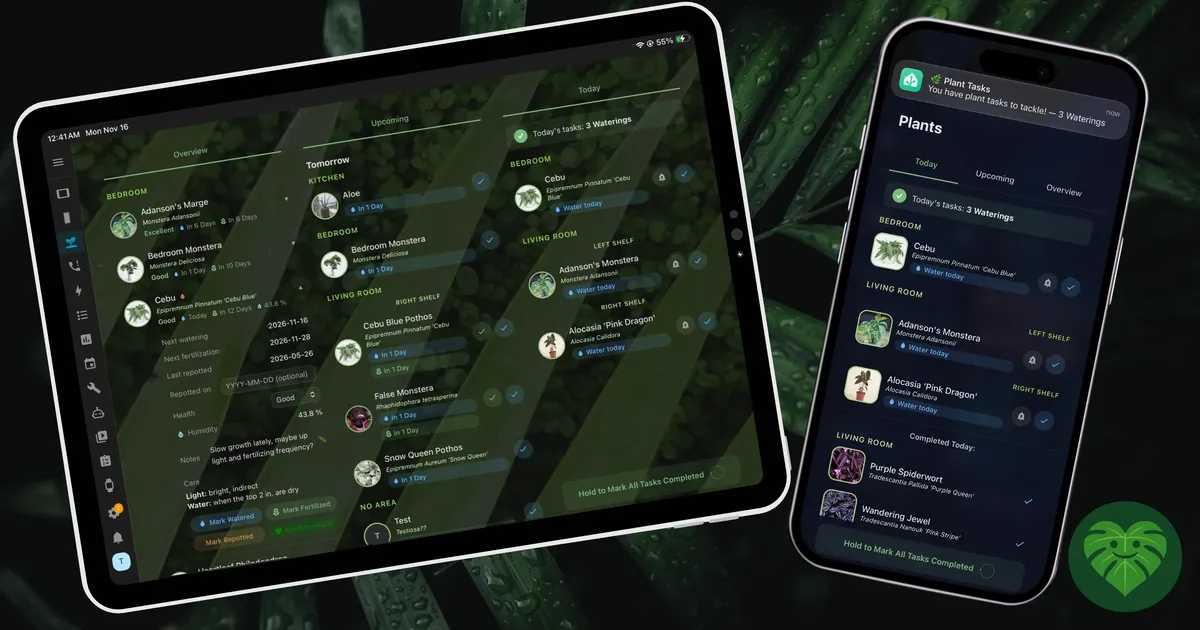
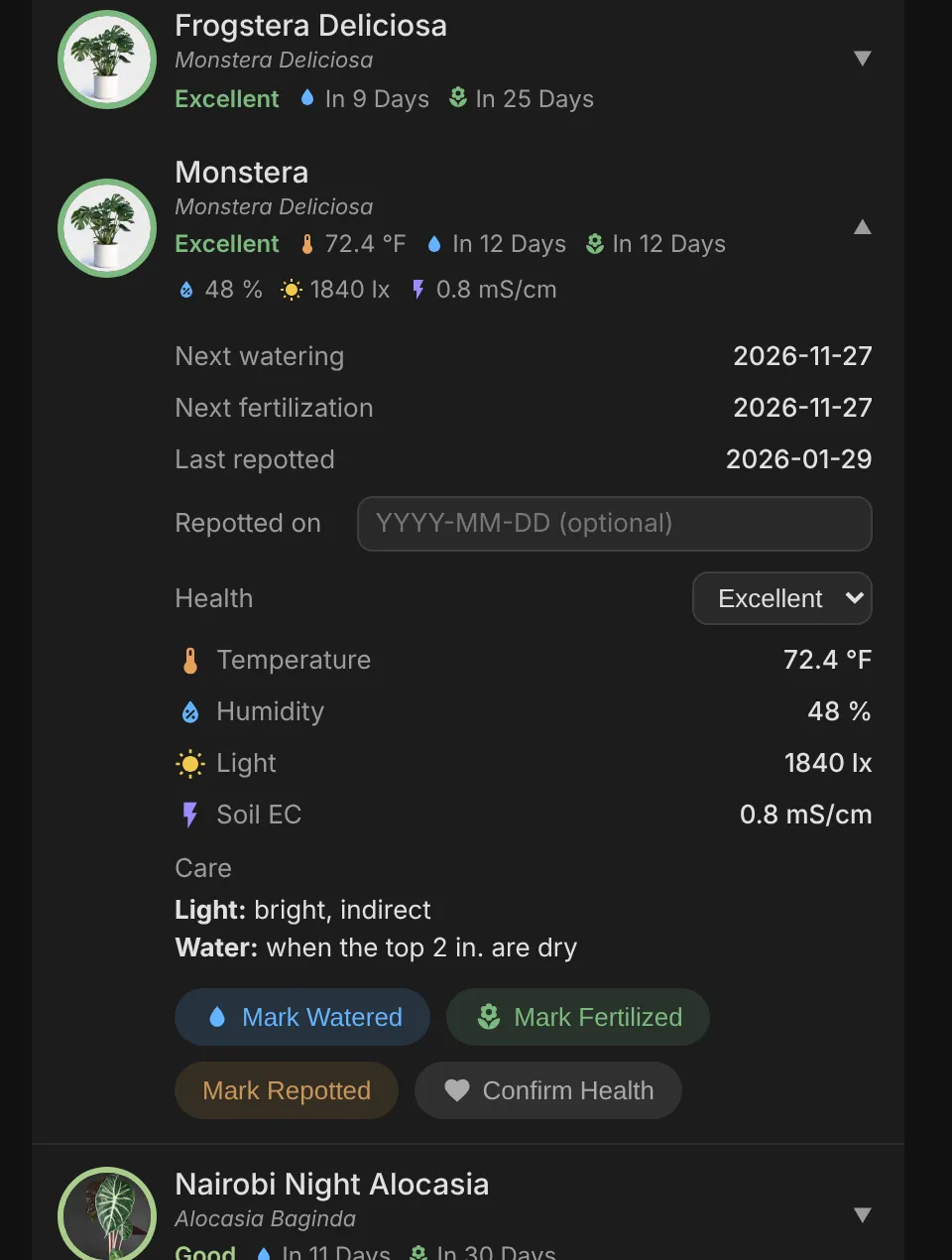
Screenshots From the README of Big-Xan/adaptive_plant.
About
A Home Assistant custom integration for intelligent plant care tracking with adaptive watering intervals.
Description from Big-Xan/adaptive_plant

Shows in Vulpo
Button card, Select card, Chart card, Apple Watch.Supports
- Works locallyTalks to your devices on your own network. No vendor cloud in between.
- From the MarketplaceInstalled through the Marketplace, formerly HACS.
- Actively maintainedIts author released or pushed a change in the last six months.
Provides
- Sensors
Setting it up
Install it from the Marketplace and restart Home Assistant, then add it under Settings, Devices and services.
Add a Plant
- Plant nameA friendly name for this plant.
- Latin name (optional)Optional scientific name for this plant (e.g. Monstera deliciosa).
- AreaAssign this plant to a Home Assistant area.
- Location label (optional)Optional sublabel to group plants within an area (e.g. Left shelf, Window sill). Leave blank if not needed.
- Watering interval (days)How many days between waterings.
- Early watering threshold (times)How many early waterings before the interval is shortened by 1 day.
- Snooze threshold (times)How many consecutive periods snoozed before the interval is increased by 1 day.
- Health prompt interval (days)How many days before a health check-in notification is sent.
Duplicate a Plant
- Plant to duplicate
Name the Duplicate
- Plant name
Optional Features
- Track fertilization
- Add a notes field
- Add a latin name field
- Show a plant image
- Track repotting
- Seasonal watering schedule (Experimental)
- Moisture sensor (optional)Select an existing sensor to drive automatic watering logic.
Last Watering
- Last watered
Last Watering - Custom Date
- Date last watered
Fertilization Settings
- Fertilization interval (days)
- Sync to watering within (days)When you mark this plant watered, an upcoming fertilization within this many days snaps onto the watering day so you can do both at once. 0 disables, leaving watering and fertilization intervals independent of one another. Keep it below the watering interval.
Last Fertilization
- Last fertilized
After setup
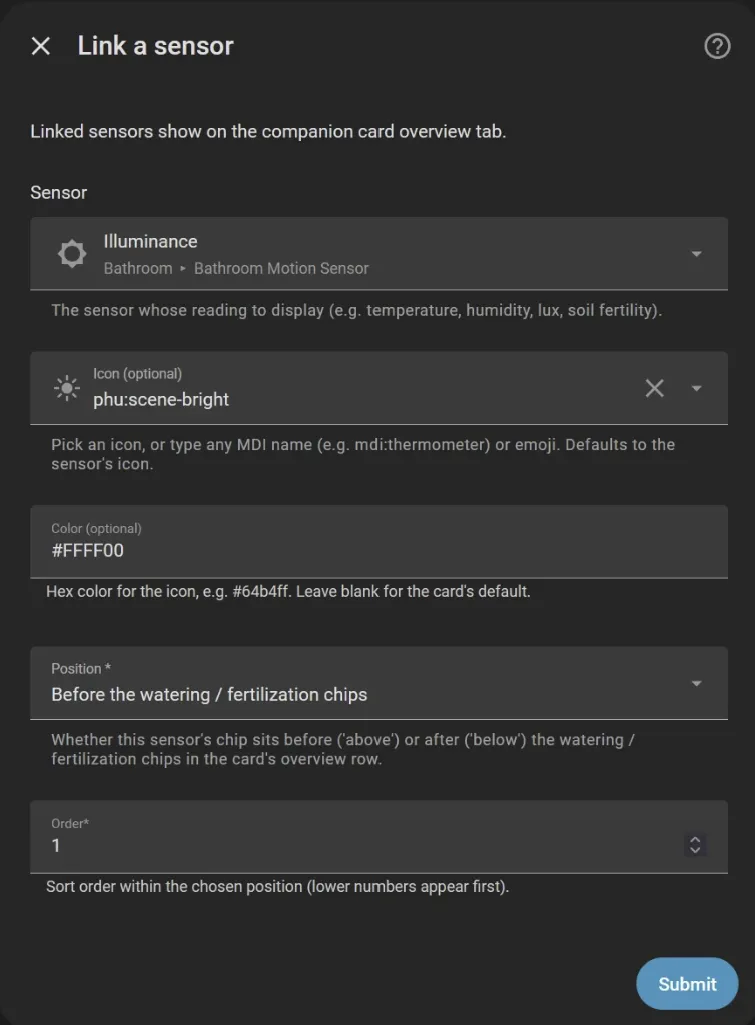
- SensorThe sensor whose reading to display (e.g. temperature, humidity, lux, soil fertility).
- Icon (optional)Pick an icon, or type any MDI name (e.g. mdi:thermometer) or emoji. Defaults to the sensor's icon.
- Color (optional)Hex color for the icon, e.g. #64b4ff. Leave blank for the card's default.
- PositionWhether this sensor's chip sits before ('above') or after ('below') the watering / fertilization chips in the card's overview row.
- OrderSort order within the chosen position (lower numbers appear first).
- IconPick an icon, or type any MDI name or emoji. Leave blank to use the sensor's own icon.
- ColorHex color for the icon, e.g. #64b4ff. Leave blank for the card's default.
- PositionWhether this sensor's chip sits before ('above') or after ('below') the watering / fertilization chips.
- OrderSet to a number to reorder — it drops in at that spot and pushes the rest back.
- Remove this sensorTurn on and submit to delete this linked sensor.
- Location label (optional)Optional sublabel to group plants within an area (e.g. Left shelf, Window sill). Leave blank or enter 'null' to remove.
- Watering interval (days)With a seasonal schedule on, this edits the schedule in effect today: the current season, or the base schedule.
- Early watering threshold (times)
- Snooze threshold (times)
- Health prompt interval (days)
- Fertilization interval (days)With a seasonal schedule on, this edits the schedule in effect today: the current season, or the base schedule.
- Sync fertilization to watering within (days)When you mark this plant watered, an upcoming fertilization within this many days snaps onto the watering day so you can do both at once. 0 disables, leaving watering and fertilization intervals independent of one another. Keep it below the watering interval.
- Upload imagePick a photo from your device (PNG/JPEG). Takes priority over the path below.
- Image path (/local/...)
- Enable notesToggle to enable or disable the notes field for this plant.
- Latin name
- Enable latin name
- Enable care instructionsToggle to enable or disable care instructions for this plant. After enabling, save and reopen Configure to add your notes. Your text is preserved when re-enabled.
- Care instructionsFree-form care notes shown read-only on the card. Type \*\*bold\*\* to make text bold. Line breaks are supported.
- Enable image
- Dry threshold (reschedule watering to today)
- Wet threshold (auto-mark as watered)
- Last fertilized
- Date last fertilized
- Last repotted
- Date last repotted
Texts from the code of Big-Xan/adaptive_plant.
Entities
- ButtonsMark watered, Snooze today's tasks, Mark fertilized, Confirm health, Mark repotted
- ImagesPhoto
- NumbersWatering interval, Fertilization interval
- SelectsHealth
- SensorsLast watered, Next watering, Days until watering, Early watering count, Consecutive periods snoozed, Last fertilized, Next fertilization, Days until fertilization, Soil moisture, Last repotted
- TextsNotes, Latin name, Repotted on
Troubleshooting
- Repair noticesNotices it can show in Settings, Repairs:Old plant photos are still publicly reachable
From the README
A fully local, event-driven Home Assistant custom integration for tracking and managing your plants — with intelligent adaptive watering logic that learns your plants' needs over time. Includes a highly customizable companion Lovelace card with a full visual editor and a task reminder blueprint for Companion App notifications.
- Track watering intervals per plant
- Adaptive & customizable interval reduction — if you consistently water early, the interval automatically shortens
- Adaptive & customizable interval extension — if you consistently snooze watering, the interval automatically lengthens
- Snooze watering without resetting the period: a task due today moves to tomorrow, and an overdue task also moves to tomorrow (not one day past its old due date)
- Sensors show human-readable status: Today, In 3 Days, 2 Days Overdue
- Changing an interval reschedules immediately — editing a watering or fertilization interval (via the number entity or Configure) recomputes the next due date on the spot: last done + new interval,…
Information
- Installs
- 57 sharing analytics
- GitHub stars
- 108
- Connection
- Works locally
- Upkeep
- Updated in the last 6 months
- Version
- v1.2.5,
- Category
- Garden and plants
- Kind
- Marketplace integration
- Needs
- Needs the Marketplace (HACS on 2026.10 and older)
- Domain
adaptive_plant- Issues
- Report an issue
You might also like










Try it with your own Home Assistant.
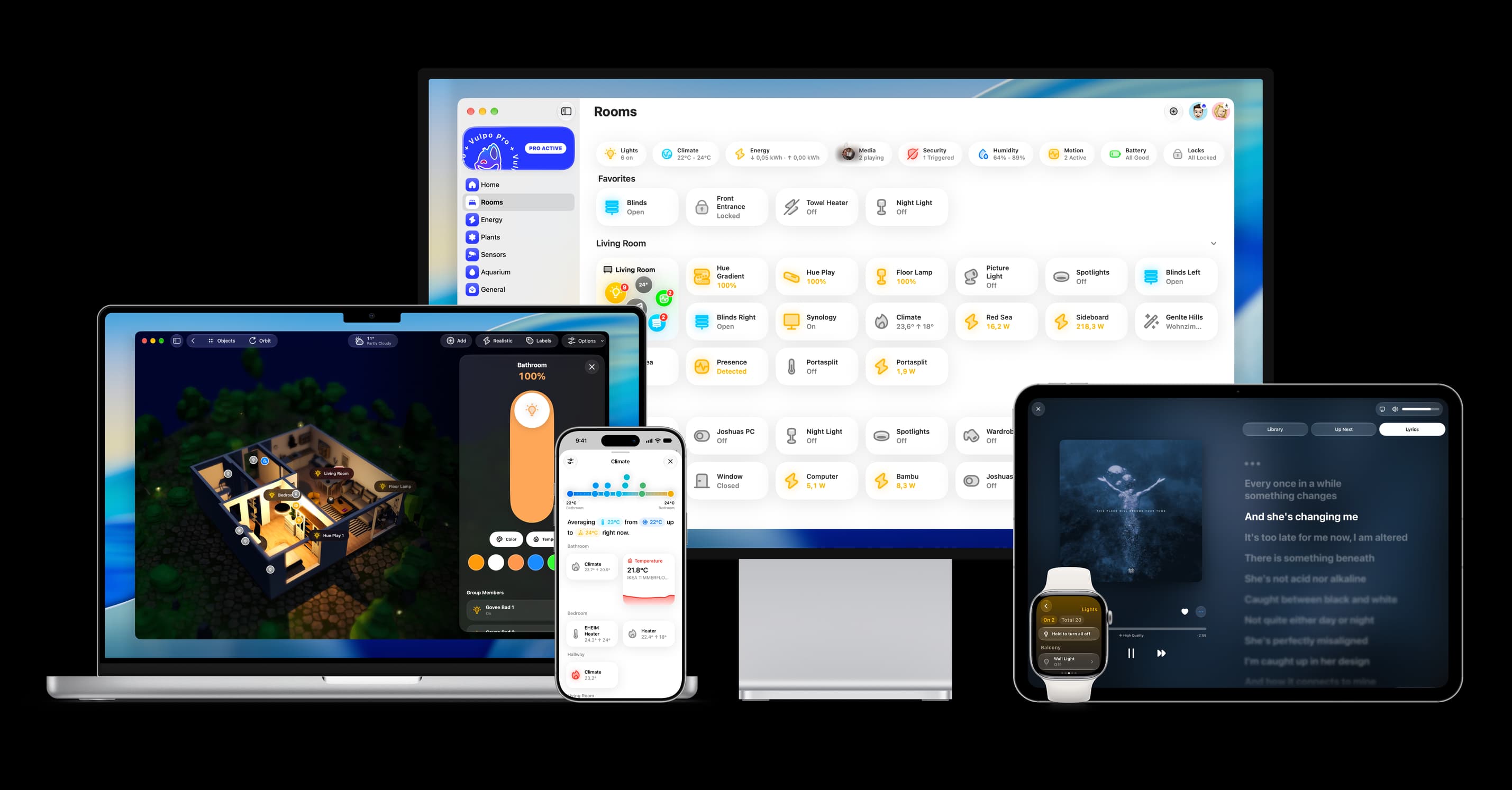
- Free to download
- iPhone, iPad, Mac and Apple Watch
- 40+ native card types
- Connects to your own Home Assistant