On Home Assistant 2026.10 or older? Open it in HACS
- Installs
- 220 sharing analytics
- GitHub stars
- 33
- Connection
- Works locally
- Upkeep
- Updated in the last 6 months
- Version
- v1.3.3,
- Category
- Weather and alerts, Forecasts
- Kind
- Marketplace integration
- Needs
- Needs the Marketplace (HACS on 2026.10 and older)
- Domain
zeitarchiv- Issues
- Report an issue
Independent directory, made by the developer of Vulpo. Not affiliated with Home Assistant or the Open Home Foundation.
About
Zeitarchiv – long-term archive & time-comparison dashboards for Home Assistant (energy, weather, sensors). Simple alternative to InfluxDB/Grafana, CSV export.
Description from bertel2020/HA-Zeitarchiv

Shows in Vulpo
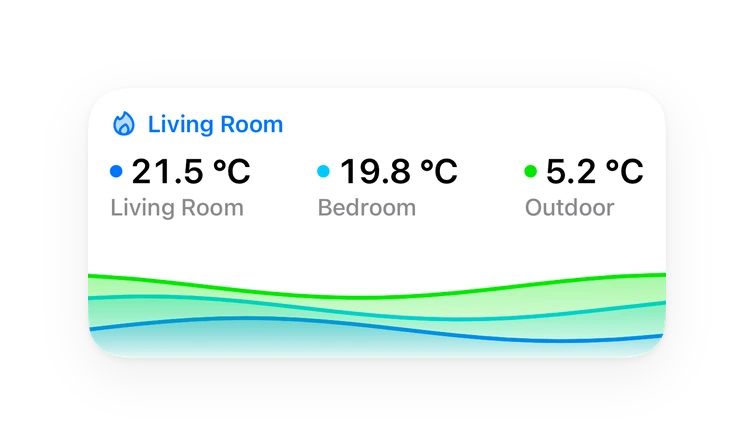
Chart card, Apple Watch.Supports
- Works locallyTalks to your devices on your own network. No vendor cloud in between.
- From the MarketplaceInstalled through the Marketplace, formerly HACS.
- Actively maintainedIts author released or pushed a change in the last six months.
Provides
- Sensors
Setting it up
Install it from the Marketplace and restart Home Assistant, then add it under Settings, Devices and services.
Set up Zeitarchiv
- Connection nameFreely chosen, e.g. "Production" or "Test". Shown in the integration title and the device name.
- HostHostname or IP address at which Home Assistant reaches the Zeitarchiv add-on.
- PortPort of the Zeitarchiv add-on, 8127 by default.
- API tokenFound in the Zeitarchiv add-on under Settings → Connection.
Also asked when changing the connection.
Zeitarchiv – Token rejected
- API tokenThe current token from the Zeitarchiv add-on, Settings → Connection.
Zeitarchiv – target is running in demo mode
- Use it anywayOnly tick this if this connection should really write to the demo instance.
After setup
- Labels (recommended)A label may be assigned directly to an entity, a device, or an area. Exclusions always take precedence.
- Individual entities
- Areas
- Devices
- Include entity patternsOne pattern per line. Patterns without a dot match the object ID (*_power); patterns with a dot match the full entity ID (sensor.weather_*). * and ? are supported.
- Excluded entities
- Exclude entity patternsOne pattern per line. Exclusions always take precedence, for example *_id or sensor.*_raw.
- Decimal placesNumeric measurements are rounded before transmission; you can select between 0 and 3 decimal places. Recommended: 3 (default). Fewer places may save storage but can reduce the accuracy of fine-grained readings. Switch states are stored as 1/0 regardless of this setting.
- Saved charts
- Saved tables
- YAML configuration
- YAML configuration
Texts from the code of bertel2020/HA-Zeitarchiv.
Entities
- Binary sensorsBackup failed, Entities inactive, Maintenance notice, Non-archivable entities
- SensorsLast transmission, Queue, Transferred records (since start), Dropped events (since start), Latest backup, Operating mode
Troubleshooting
- DiagnosticsDownloads a diagnostics file to attach to a bug report.
- Repair noticesNotices it can show in Settings, Repairs:Zeitarchiv backup failed, Zeitarchiv retention run failed, Zeitarchiv: entities inactive for a while, Zeitarchiv integration outdated, Host disk space running low, Zeitarchiv connection paused, Zeitarchiv: entities with text values are not archived yet, Zeitarchiv: values discarded, type does not match, Zeitarchiv: states discarded, limit reached
From the README
Der zuverlässige Schreibpfad von Home Assistant in das Zeitarchiv.
Zeitarchiv ist ein Langzeitarchiv für Home Assistant mit Zeitvergleichen, Energie- und Wetterauswertung und CSV-Export, eine einfache Alternative zu InfluxDB/Grafana. Diese Integration liefert die Daten dafür.
Information
- Installs
- 220 sharing analytics
- GitHub stars
- 33
- Connection
- Works locally
- Upkeep
- Updated in the last 6 months
- Version
- v1.3.3,
- Category
- Weather and alerts, Forecasts
- Kind
- Marketplace integration
- Needs
- Needs the Marketplace (HACS on 2026.10 and older)
- Domain
zeitarchiv- Issues
- Report an issue