About
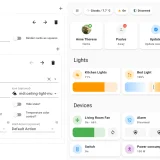
Charger Card is a dashboard card for showing and controlling EV home chargers in Home Assistant. Home Assistant has no built-in card for electric vehicle chargers, and this one displays the charger state and lets the charger be controlled from the dashboard. Chargers with default templates are set up by choosing a brand and the main status entity in the card editor, while YAML allows deeper customization for other chargers or entities. The card offers collapsible menu buttons for info, config and limit settings, current limits that can be set from the interface, a data table that changes with charger status, and a toolbar of buttons that call services. With the default Easee images, LEDs can be shown that follow the charger status, such as flashing while charging. The card supports translations, including English, Norwegian, German, Danish, Catalan and Dutch.
Automatic summary of the README of tmjo/charger-card. Something wrong, or are you the maintainer and want your own text here? Get in touch
Supports
From the Marketplace Installed through the Marketplace, formerly HACS.
Setting it up
Install it from the Marketplace, then add a card of this type to a dashboard.
From the README
EV Charger card for Home Assistant Lovelace UI
By default, Home Assistant does not provide any card for controlling chargers for electrical vehicles (EVs). This card displays the state and allows to control your charger - and it is now made fully customizable so you could also use it for «anything» else as well, for instance your electric car.
- Fully customizable for your needs, the card works for different chargers and other entities if you read the advanced configuration section and customize it to your needs. For chargers that are…
- Animations: If choosing the default images of Easee chargers in any color, you can also choose to show leds which will behave according to charger status. This is identical to how the charger looks…
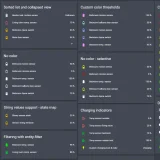
- Collapsible menu buttons: Click on one of the menu buttons (if you have enabled them) to get more info, config or limit settings. Can also be customized.
- Possibility to set current limits from UI. Current limits can also be customized.
- Customizable data table (stats) items that can depend on charger status and show relevant information.
- Customizable toolbar with buttons to call services or do something which. The toolbar can depend on charger status and show relevant actions.
Information
- GitHub stars
- 119
- Upkeep
- No update in over 18 months
- Version
- v0.2.7,
- Kind
- Dashboard card
- Needs
- Needs the Marketplace (HACS on 2026.10 and older)
- Issues
- Report an issue