Media Viewer Card
markaggar
On Home Assistant 2026.11 or newer? Open it in the Marketplace
- GitHub stars
- 60
- Upkeep
- Updated in the last 6 months
- Version
- v5.13.0,
- Kind
- Dashboard card
- Needs
- Needs the Marketplace (HACS on 2026.10 and older)
- Issues
- Report an issue
Independent directory, made by the developer of Vulpo. Not affiliated with Home Assistant or the Open Home Foundation.
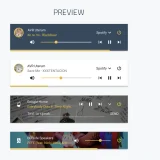
Screenshots From the README of markaggar/ha-media-card.
About
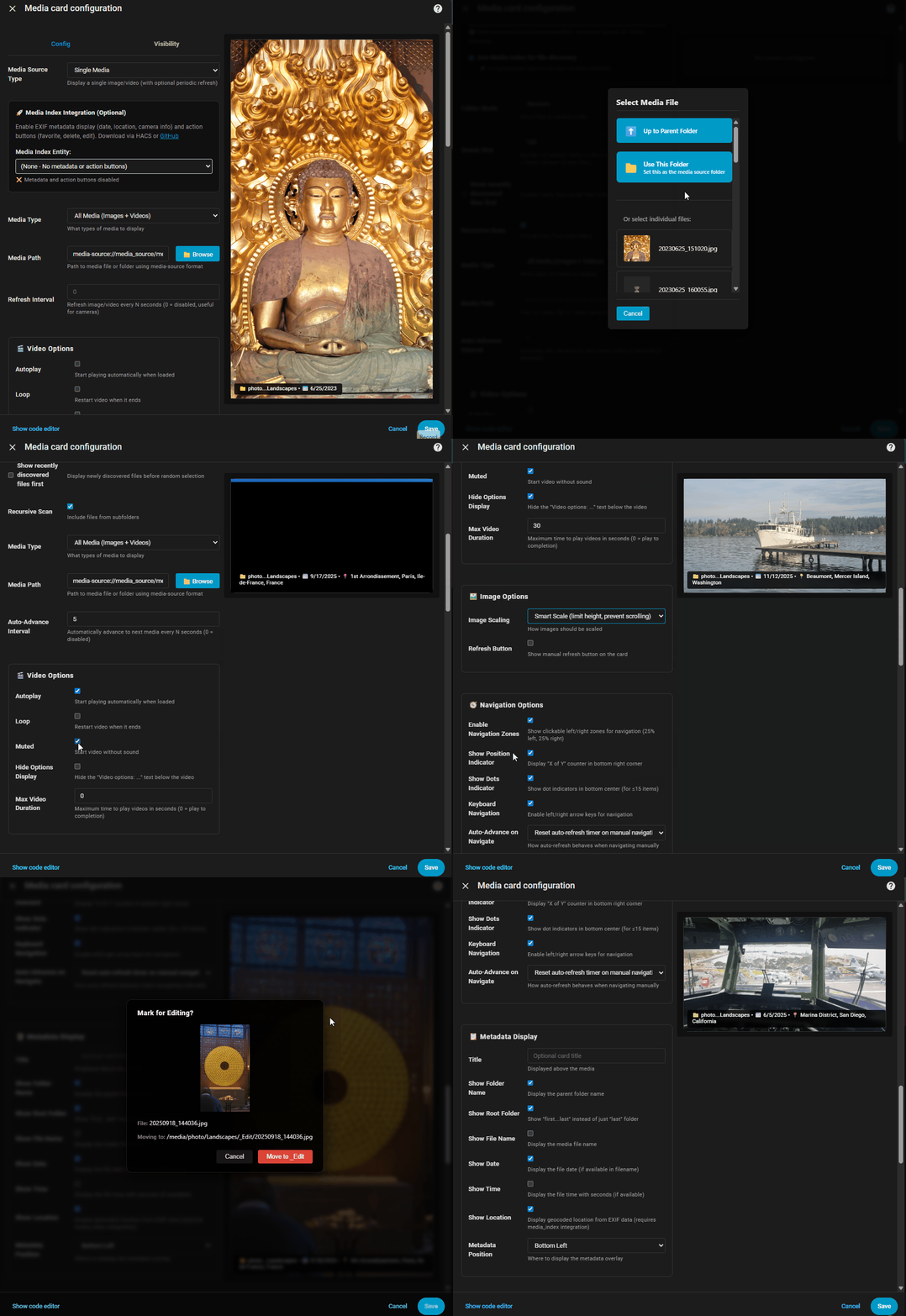
Media Viewer Card is a dashboard card that shows photos and videos from a single file or a whole folder. Folder mode plays items in sequence or at random and can scan subfolders, with configurable auto-advance intervals and crossfade transitions between images. Videos can autoplay, loop, be muted or be cut to a set length, and images can be zoomed in place. Overlays can show a clock and date, plus Home Assistant entity states with friendly names and template-based conditions. Files are picked through a built-in media browser, and the card is configured in the UI. With the separate Media Index integration, it adds favoriting, edit and delete buttons, a metadata panel with EXIF details, and Roku casting.
Automatic summary of the README of markaggar/ha-media-card. Something wrong, or are you the maintainer and want your own text here? Get in touch
Supports
From the Marketplace Installed through the Marketplace, formerly HACS.
Actively maintained Its author released or pushed a change in the last six months.
Setting it up
Install it from the Marketplace, then add a card of this type to a dashboard.
From the README
A powerful custom Home Assistant Dashboard card that displays images and videos with smart slideshow behavior, hierarchical folder scanning, rich metadata displays, intelligent content prioritization and TV casting support. Features include multi-level folder management, precision navigation controls, video completion detection, and a built-in media browser for easy file selection. Perfect for displaying family photos, security camera snapshots, or any media files from your Home Assistant media folders with performance optimization. 100% developed with VS Code using GitHub Copilot with Claude Sonnet 4.0/4.5/4.6.
- 🎬 Mixed Media: Display images and videos together seamlessly
- 🎯 Media Modes: Single Media and Folder modes
- 📂 Multiple Folder Modes: Sequential or Random selection of media from folders with optional file system recursion
- 🔄 Auto-Advance/Refresh: Configurable intervals for dynamic content
- 🎥 Video Controls: Autoplay, loop, mute and limit video length
- 🖼️ Aspect Ratio Control: Optimize display for any layout (panel, card, fullscreen)
- ✨ Image Zoom: Click to zoom into any point of an image, click again to reset (configurable zoom level 1.5-5x)
- 🎞️ Photo Transitions: Configurable crossfade transitions between images (0-1000ms) for smooth slideshow experience
- 📱 Kiosk Mode: Automatically activate/deactivate kiosk mode (full screen) (perfect for wall-mounted tablets)
Information
- GitHub stars
- 60
- Upkeep
- Updated in the last 6 months
- Version
- v5.13.0,
- Kind
- Dashboard card
- Needs
- Needs the Marketplace (HACS on 2026.10 and older)
- Issues
- Report an issue