Bird Card
adamoberley
On Home Assistant 2026.11 or newer? Open it in the Marketplace
- GitHub stars
- 94
- Upkeep
- Updated in the last 6 months
- Version
- v1.10.0,
- Kind
- Dashboard card
- Needs
- Needs the Marketplace (HACS on 2026.10 and older)
- Issues
- Report an issue
Independent directory, made by the developer of Vulpo. Not affiliated with Home Assistant or the Open Home Foundation.
Screenshots From the README of adamoberley/HABirdDashboard.
About
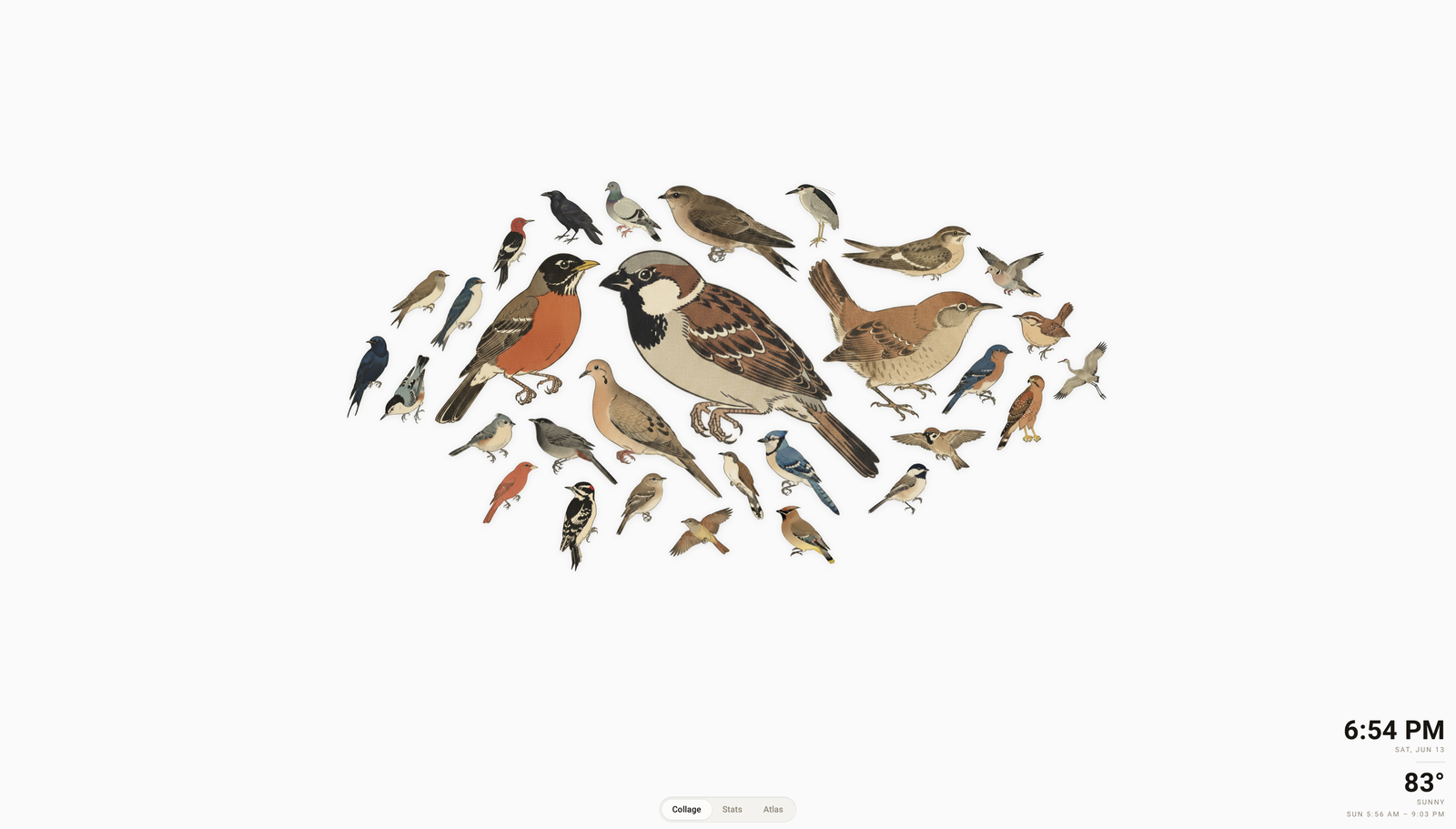
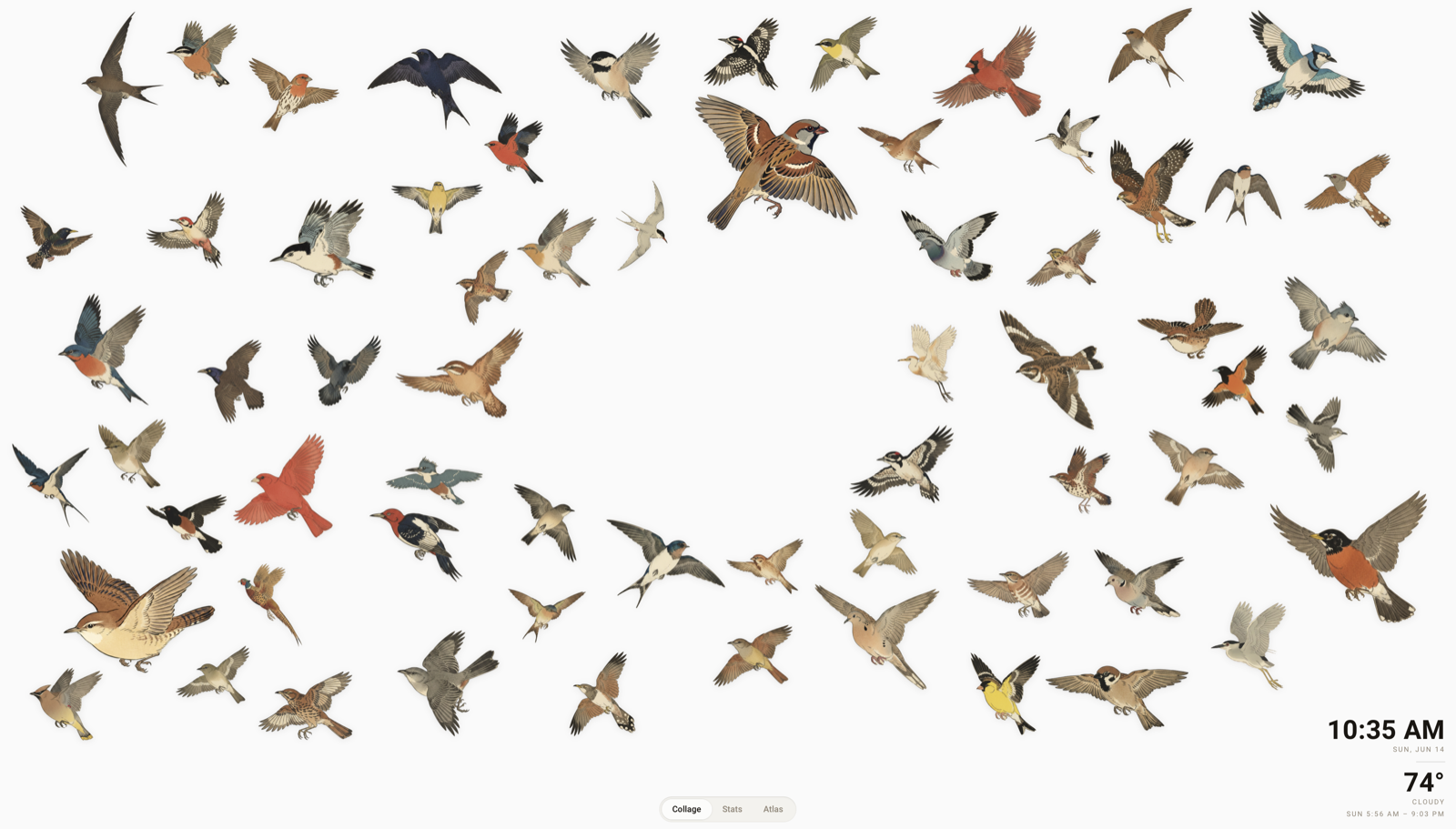
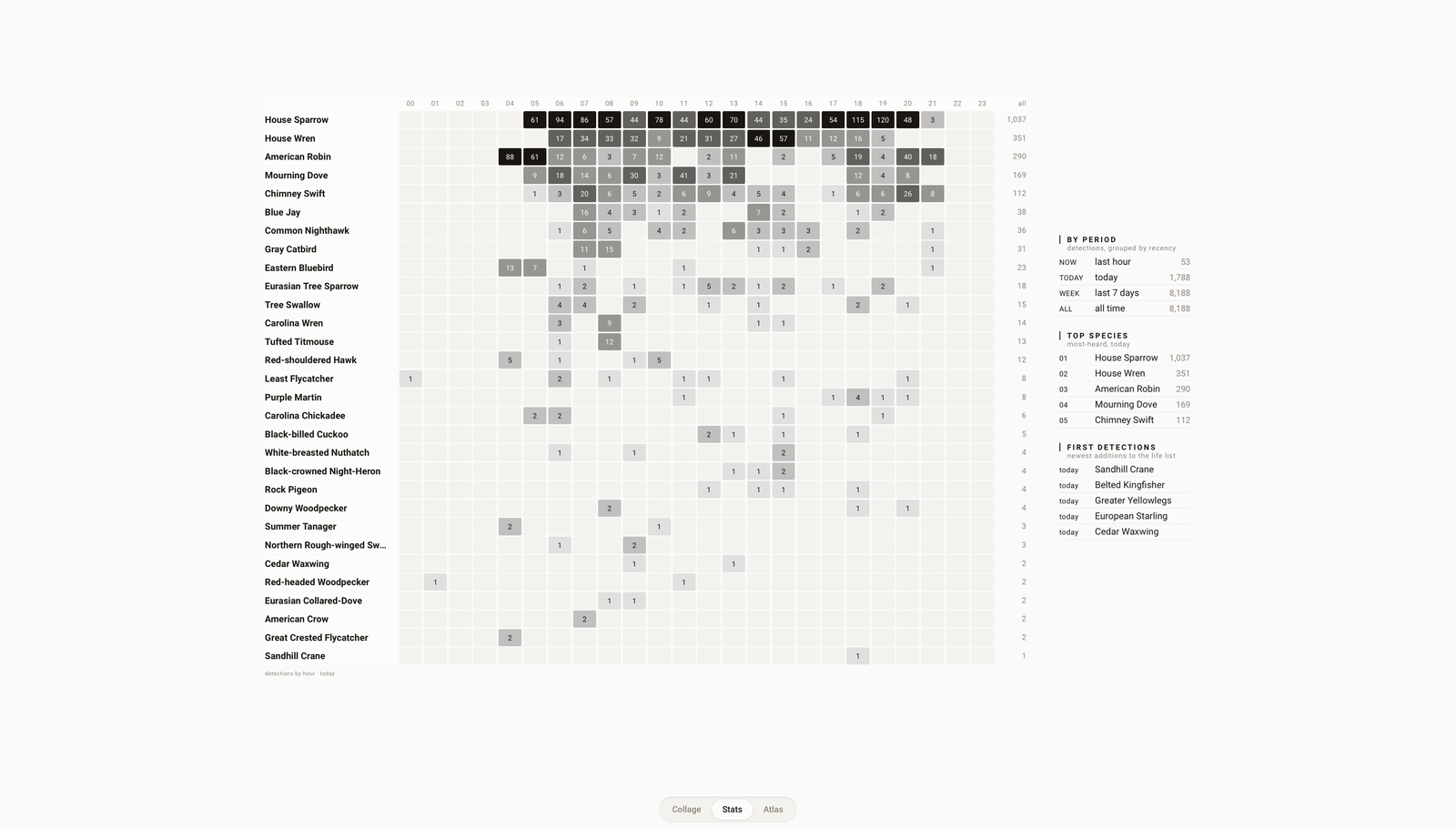
Bird Card is a dashboard card that shows a live collage of birds detected by BirdNET-Go. Each species heard appears as a woodblock-print style illustration, sized by how often it calls and packed together by its silhouette. Birds the model heard clearly sit perched, while faint or uncertain detections fly past. Selecting a bird opens its recordings, description and stats. The card finds BirdNET-Go on its own, takes weather and theme from Home Assistant, and fetches artwork on demand. It is only the display, so the BirdNET-Go app must be running separately, and the collage can use a cluster or ring layout, with an optional clock and weather.
Automatic summary of the README of adamoberley/HABirdDashboard. Something wrong, or are you the maintainer and want your own text here? Get in touch
Supports
From the Marketplace Installed through the Marketplace, formerly HACS.
Actively maintained Its author released or pushed a change in the last six months.
Setting it up
Install it from the Marketplace, then add a card of this type to a dashboard.
From the README
Bird Card: a live bird collage for Home Assistant, fed by BirdNET-Go.
The idea in one paragraph: your Home Assistant machine can identify every bird outside your window by sound alone. A free app called BirdNET-Go listens to any microphone - including the one already in your doorbell or security camera - and names each species it hears using Cornell's BirdNET model. Bird Card turns that stream of detections into the living collage above: every species you've heard appears as a woodblock-print style illustration (kachō-e, the Japanese bird-and-flower tradition), sized by how often it calls, packed together by its actual silhouette so wings cradle tails.
Information
- GitHub stars
- 94
- Upkeep
- Updated in the last 6 months
- Version
- v1.10.0,
- Kind
- Dashboard card
- Needs
- Needs the Marketplace (HACS on 2026.10 and older)
- Issues
- Report an issue