
OpenSprinkler
vinteo
On Home Assistant 2026.11 or newer? Open it in the Marketplace
- Installs
- 1.2k sharing analytics
- GitHub stars
- 264
- Connection
- Works locally
- Upkeep
- Updated in the last 6 months
- Version
- v2.2.3,
- Category
- Garden and plants
- Kind
- Marketplace integration
- Needs
- Needs the Marketplace (HACS on 2026.10 and older)
- Domain
opensprinkler- Issues
- Report an issue
Independent directory, made by the developer of Vulpo. Not affiliated with Home Assistant or the Open Home Foundation.
Screenshots From the README of vinteo/hass-opensprinkler.
About
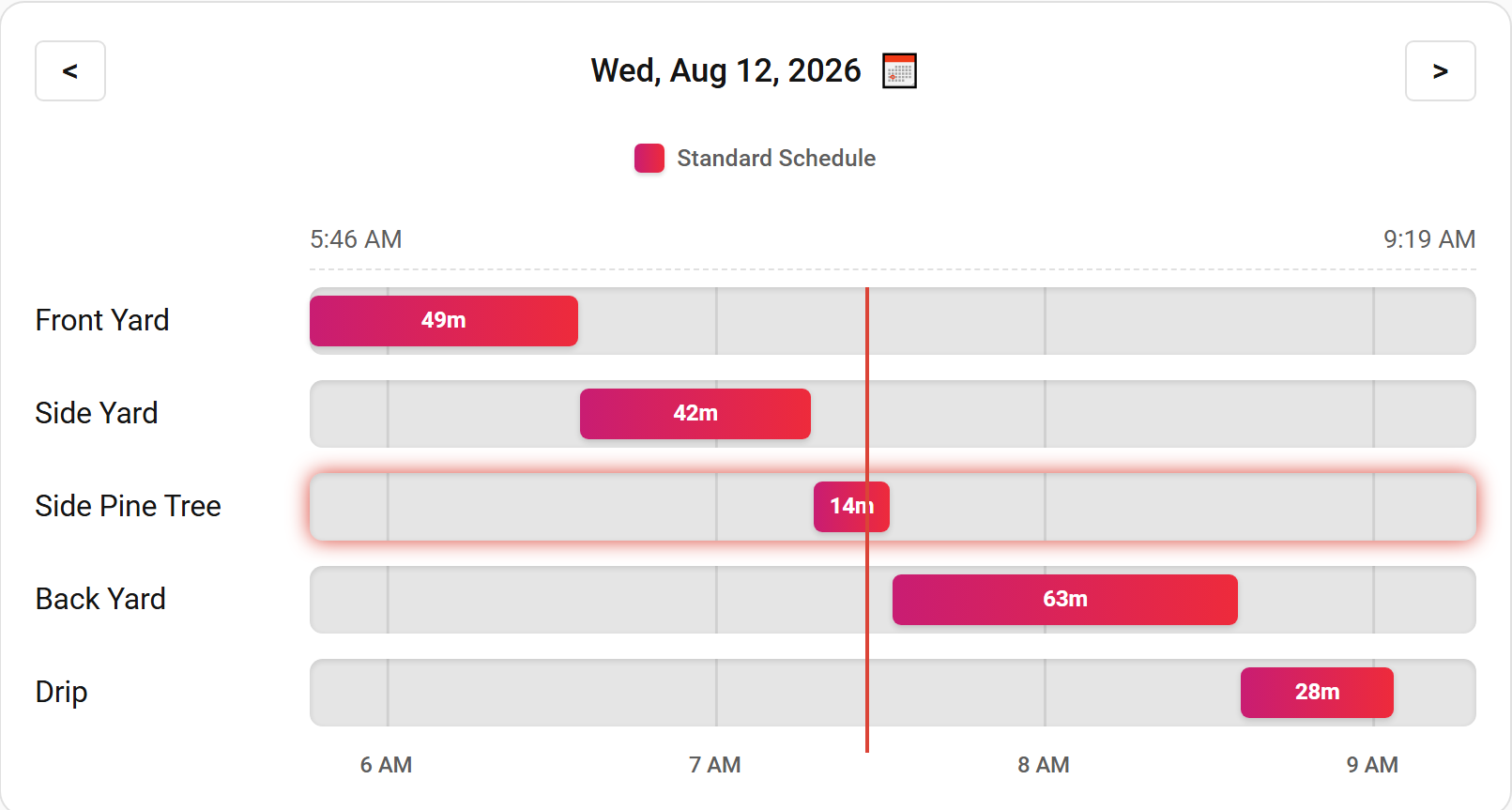
OpenSprinkler is an integration that connects Home Assistant to an OpenSprinkler irrigation controller over the local network. It adds binary sensors showing whether each station and program is running, plus sensors for station status, water level, next and last runtime, and rain delay stop time. Switches enable or disable each program and station, and another switch turns controller operation on or off. Actions run a program, a station or several stations at once, stop stations, pause stations, set a rain delay, set the water level and reboot the controller. A calendar entity previews upcoming runs of programs and stations, and further entities edit programs and adjust station run times. Setup happens in the UI with the controller URL and password, and the URL can later be changed through reconfiguration.
Automatic summary of the README and code of vinteo/hass-opensprinkler. Something wrong, or are you the maintainer and want your own text here? Get in touch
Supports
Works locally Talks to your devices on your own network. No vendor cloud in between.
From the Marketplace Installed through the Marketplace, formerly HACS.
Actively maintained Its author released or pushed a change in the last six months.
Provides
- Switches
- Sensors
- Calendars
Setting it up
Install it from the Marketplace and restart Home Assistant, then add it under Settings, Devices and services.
Connect to the OpenSprinkler controller
- URL
- Password
- Verify SSL Certificate (Safer when checked)
- MAC Address
- Controller Name
Enter new password
- URL
- Password
Reconfigure OpenSprinkler
- URL
- Verify SSL certificate
Confirm the OpenSprinkler MAC address
- MAC Address
Texts from the code of vinteo/hass-opensprinkler.
Actions
- RunRuns a controller program or station.Fields: Entity, Run seconds, Continue running stations
- Run OnceRuns a controller.Fields: Entity, Run seconds, Continue running stations, Use weather adjustment, Scheduling option
- Run ProgramRuns a Program.Fields: Entity, Use weather adjustment, Scheduling option
- Run StationRuns a Station for the specified number of seconds.Fields: Entity, Run seconds, Scheduling option
- StopStops a station or all station (for controller).Fields: Entity, Shift sequential stations
- Set water levelSet water level percentage.Fields: Entity, Water level
- Set rain delaySet rain delay of the sprinkler.Fields: Entity, Rain delay
- Pause StationsPause all stations for the given duration.Fields: Entity, Pause duration
- RebootReboot the controller.Fields: Entity
From the README
Last tested on OS API 2.2.1 (4) and Home Assistant 2026.7.4
- Binary sensors for station and programs to show running state
- Sensors for each station to show status
- Sensors for water level, next runtime, last runtime and rain delay stop time
- Entities to edit programs and adjust station run times
- Switches for each program and station to enable/disable program or station
- Switch to enable/disable OpenSprinkler controller operation
- Actions to run and stop stations
- Action to run programs
- Actions to pause, set a rain delay, and set the water level
- Calendar entity to preview upcoming runs of programs and stations

Shows in Vulpo
Quick Toggle card, Select card, Calendar card, Chart card, Apple Watch, Control Center.Information
- Installs
- 1.2k sharing analytics
- GitHub stars
- 264
- Connection
- Works locally
- Upkeep
- Updated in the last 6 months
- Version
- v2.2.3,
- Category
- Garden and plants
- Kind
- Marketplace integration
- Needs
- Needs the Marketplace (HACS on 2026.10 and older)
- Domain
opensprinkler- Issues
- Report an issue