
TRMNL Weather Station
TilmanGriesel
On Home Assistant 2026.11 or newer? Open it in the Marketplace
- Installs
- 82 sharing analytics
- GitHub stars
- 101
- Connection
- Uses the vendor's cloud
- Upkeep
- No update in 6 to 18 months
- Version
- v0.6.0,
- Category
- Weather and alerts
- Kind
- Marketplace integration
- Needs
- Needs the Marketplace (HACS on 2026.10 and older)
- Domain
trmnl_weather_station- Issues
- Report an issue
Independent directory, made by the developer of Vulpo. Not affiliated with Home Assistant or the Open Home Foundation.
Screenshots From the README of TilmanGriesel/ha_trmnl_weather_station.
About
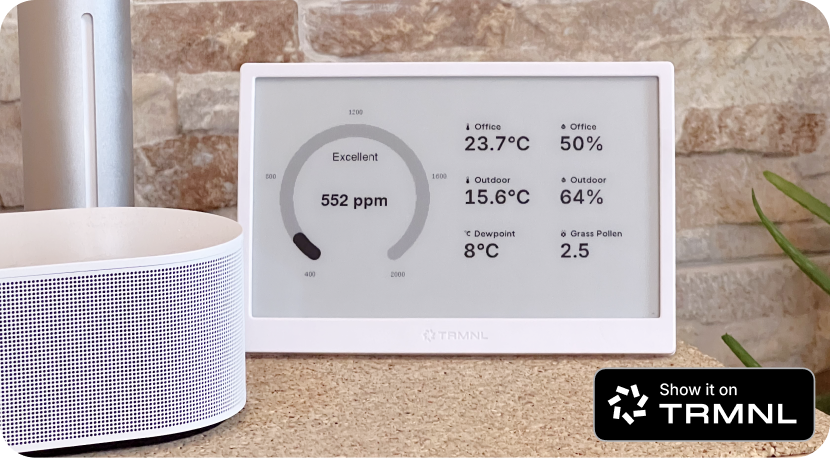
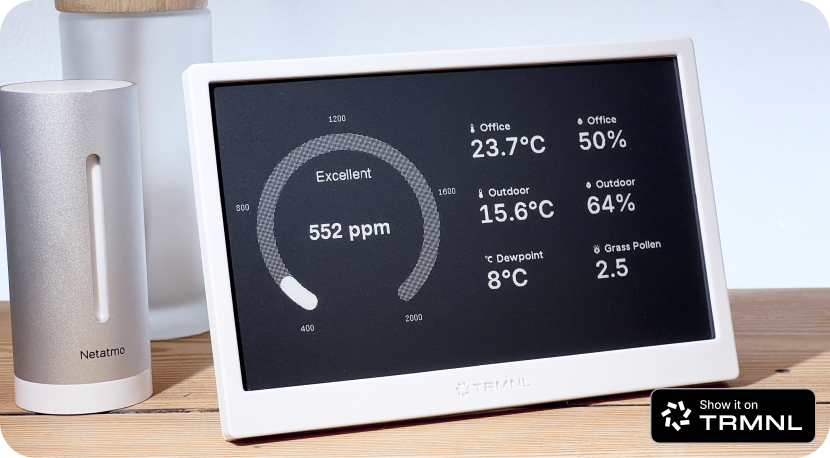
TRMNL Weather Station sends live Home Assistant sensor data to a TRMNL E-Ink display. It shows a CO₂ reading as the main gauge, plus up to six additional sensors such as temperature, humidity, pressure, wind speed, precipitation or air quality. Each sensor can have a custom display name, and a weather entity can be added to include current conditions in the data. Update frequency is set in minutes, and the number of decimal places for sensor values is adjustable. Entity IDs can optionally be included in the payload for debugging or advanced templates. It needs the TRMNL cloud, a plugin recipe added to a TRMNL playlist, and its webhook URL, and the integration is configured in the Home Assistant UI.
Automatic summary of the README and code of TilmanGriesel/ha_trmnl_weather_station. Something wrong, or are you the maintainer and want your own text here? Get in touch
Supports
Uses the vendor's cloud Needs an internet connection and an account with the vendor.
From the Marketplace Installed through the Marketplace, formerly HACS.
Setting it up
Install it from the Marketplace and restart Home Assistant, then add it under Settings, Devices and services.
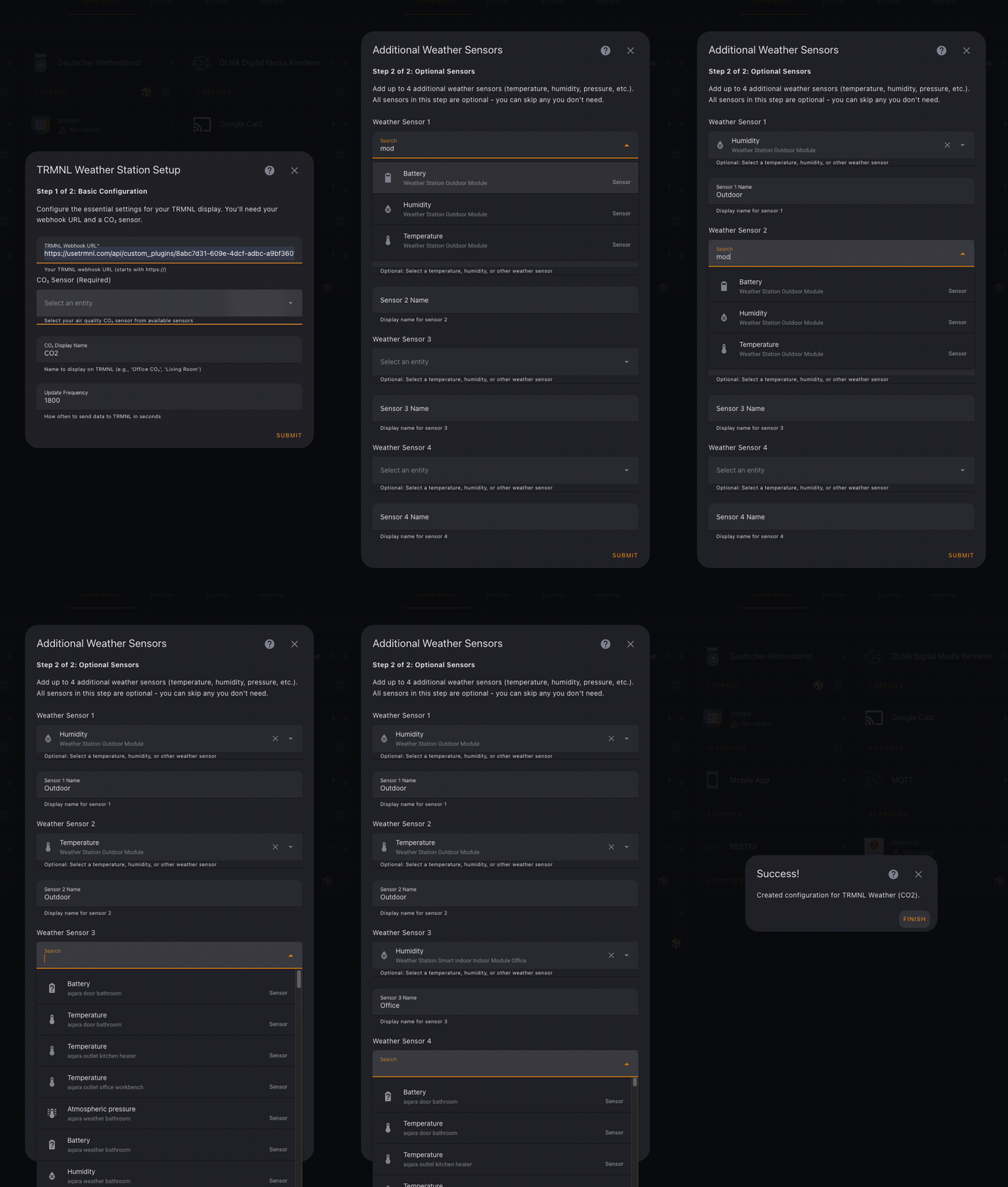
TRMNL Weather Station Setup
- TRMNL Webhook URLYour TRMNL webhook URL (starts with https://)
- CO₂ SensorSelect your air quality CO₂ sensor from available sensors
- CO₂ Display NameName to display on TRMNL (e.g., 'Office CO₂', 'Living Room')
- Update FrequencyHow often to send data to TRMNL in minutes (5-180)
- Decimal PlacesNumber of decimal places for sensor values (0-4). Use 0 for whole numbers, 1-2 for most sensors.
Additional Sensors
- Weather Provider (Optional)Select a weather entity to include weather conditions (sunny, rainy, etc.) in the data sent to TRMNL
- Sensor 1
- Sensor 1 NameSensor 1 display name
- Sensor 2
- Sensor 2 NameSensor 2 display name
- Sensor 3
- Sensor 3 NameSensor 3 display name
- Sensor 4
- Sensor 4 NameSensor 4 display name
- Sensor 5
- Sensor 5 NameSensor 5 display name
- Sensor 6
- Sensor 6 NameSensor 6 display name
- Include Entity IDsInclude Home Assistant entity IDs in payload (useful for debugging or advanced templates)
After setup
- TRMNL Webhook URL
- CO₂ Sensor
- CO₂ Display NameName shown on TRMNL display
- Weather Provider (Optional)Select a weather entity to include weather conditions in the data sent to TRMNL
- Sensor 1
- Display Name 1
- Sensor 2
- Display Name 2
- Sensor 3
- Display Name 3
- Sensor 4
- Display Name 4
- Sensor 5
- Display Name 5
- Sensor 6
Texts from the code of TilmanGriesel/ha_trmnl_weather_station.
Entities
- SensorsTRMNL Status
From the README
Use your TRMNL display to monitor live CO₂ levels and up to six custom sensors from your Netatmo or other supported stations.
This lightweight Home Assistant integration delivers your data to the TRMNL E-Ink display via the included plugin, for low-power, glanceable monitoring in your home.
- Prominent CO2 gauge and up to 6 extra sensors
- Compatible with temperature, humidity, pressure, CO2, wind speed, precipitation, air quality
- Custom labels
- Plugin included
Information
- Installs
- 82 sharing analytics
- GitHub stars
- 101
- Connection
- Uses the vendor's cloud
- Upkeep
- No update in 6 to 18 months
- Version
- v0.6.0,
- Category
- Weather and alerts
- Kind
- Marketplace integration
- Needs
- Needs the Marketplace (HACS on 2026.10 and older)
- Domain
trmnl_weather_station- Issues
- Report an issue