Screenshots From the README of snfx-johaver/home-assistant-astronomy-suite.
About
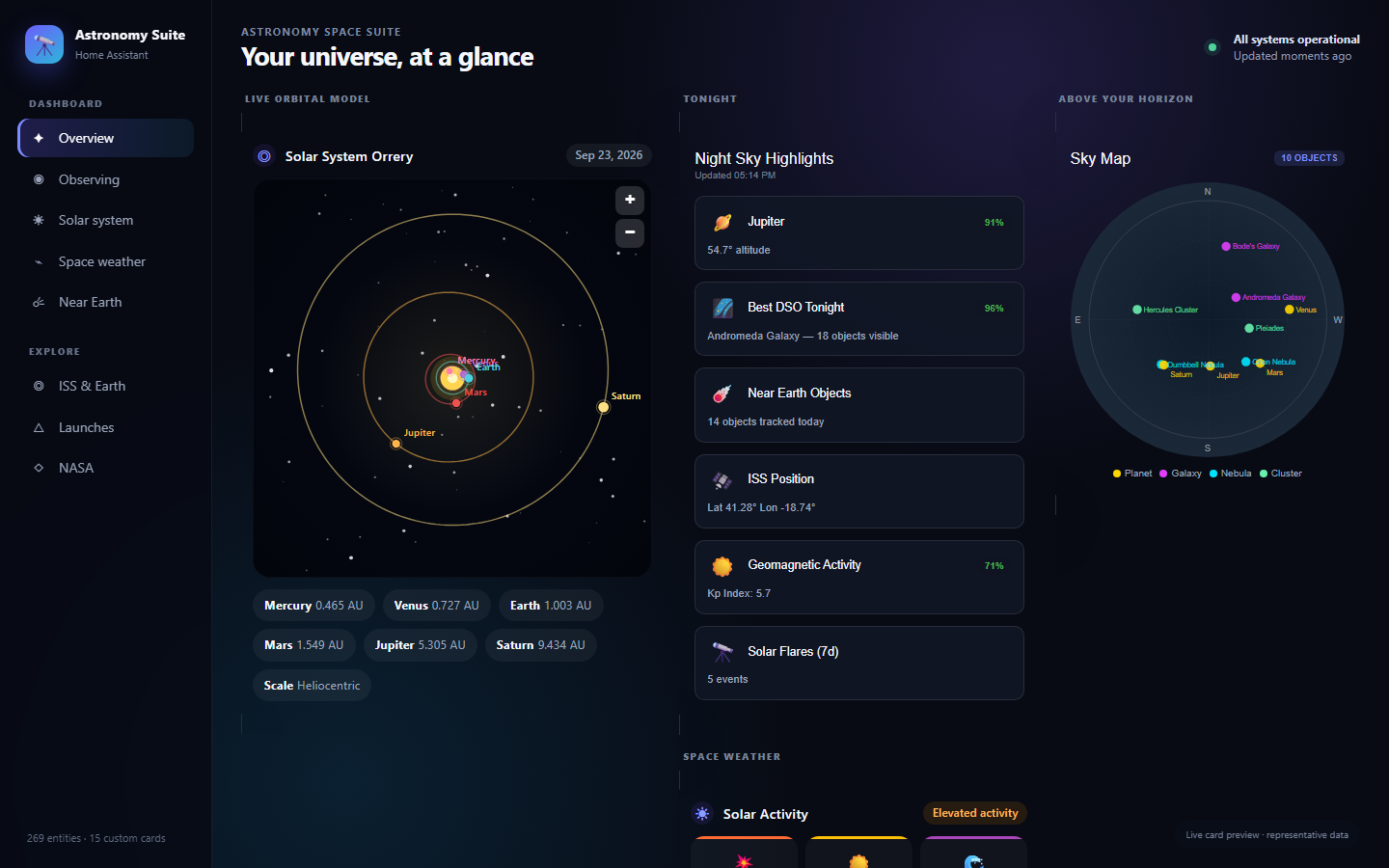
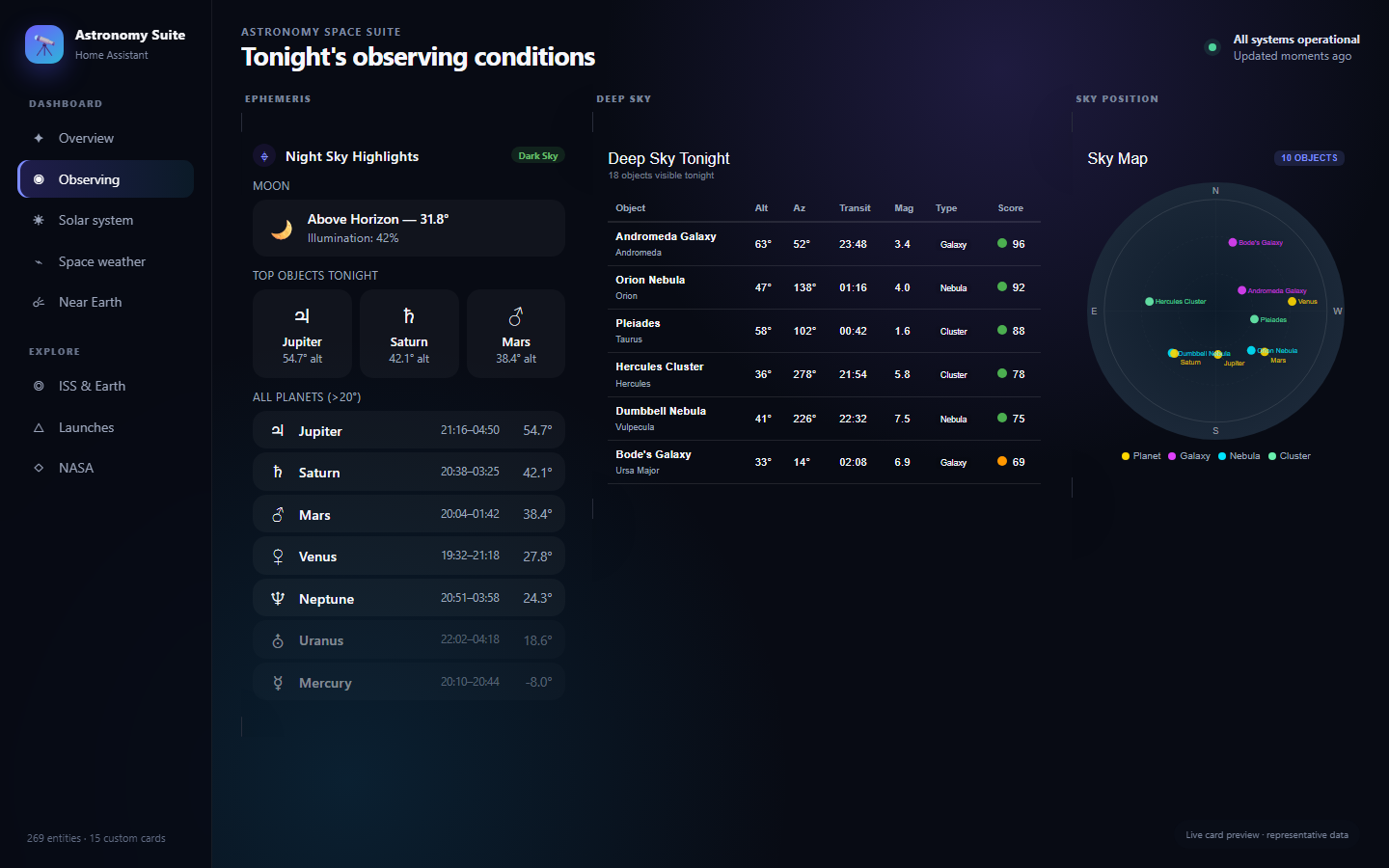
Astronomy Space Suite is a Home Assistant integration for NASA data, space weather, and sky positions. It adds sensors and cameras fed by NASA APIs and the vendor's cloud, plus an optional RocketLaunch.Live key for launch data. A local ephemeris option calculates positions for the Sun, Moon, and the planets from the observer's latitude, longitude, and elevation. A deep-sky option adds sensors for galaxies, nebulae, and clusters, with a minimum altitude setting that decides when an object counts as visible. It also includes custom dashboard cards, such as ISS tracker, NEO, solar activity, and sky map cards, and keeps its entities and cards separate from existing dashboards. Setup is done in the UI, with the Marketplace or HACS required.
Automatic summary of the README and code of snfx-johaver/home-assistant-astronomy-suite. Something wrong, or are you the maintainer and want your own text here? Get in touch
Supports
Uses the vendor's cloud Needs an internet connection and an account with the vendor.
From the Marketplace Installed through the Marketplace, formerly HACS.
Actively maintained Its author released or pushed a change in the last six months.
Provides
- Cameras
- Sensors
Setting it up
Install it from the Marketplace and restart Home Assistant, then add it under Settings, Devices and services.
Astronomy Space Suite
- NASA API KeyEnter your NASA API key (get one free at api.nasa.gov).
- RocketLaunch.Live API KeyOptional key for RocketLaunch.Live (leave blank for free tier).
Ephemeris — Planetary Positions
- Enable Ephemeris ProviderEnables local ephemeris calculations for selected celestial bodies.
- Observer LatitudeYour observation latitude (defaults to Home Assistant home location).
- Observer LongitudeYour observation longitude (defaults to Home Assistant home location).
- Elevation (meters above sea level)Your elevation in meters. Affects rise/set calculations.
- Update Interval (seconds between recalculations)How often positions are recalculated (minimum 300s, default 3600s).
- ☀️ Sun — altitude, azimuth, twilight times, solar noonCreates sensors for solar position, twilight times, and solar noon.
- 🌙 Moon — altitude, phase, illumination, next full/new moonCreates sensors for lunar position, phase angle, and illumination.
- ☿ Mercury — position, rise/set, visibility windowCreates sensors for Mercury's position and visibility.
- ♀ Venus — position, rise/set, visibility windowCreates sensors for Venus's position and visibility.
- ♂ Mars — position, rise/set, visibility windowCreates sensors for Mars's position and visibility.
- ♃ Jupiter — position, rise/set, visibility windowCreates sensors for Jupiter's position and visibility.
- ♄ Saturn — position, rise/set, visibility windowCreates sensors for Saturn's position and visibility.
- ⛢ Uranus — position, rise/set, visibility windowCreates sensors for Uranus's position and visibility.
- ♆ Neptune — position, rise/set, visibility windowCreates sensors for Neptune's position and visibility.
Deep-Sky Objects
- Enable Deep-Sky ObjectsCreates sensors for deep-sky telescope targets (galaxies, nebulae, clusters).
- Minimum Altitude (° above horizon to count as visible)Objects below this altitude are marked as not visible (default 15°).
- Max Objects (number of catalog entries to track)How many catalog objects to create sensors for (5–30, default 30).
After setup
- NASA API KeyYour NASA API key (get one free at api.nasa.gov).
- RocketLaunch.Live API KeyOptional RocketLaunch.Live API key (leave blank for free tier).
- Enable Ephemeris ProviderEnables local ephemeris calculations for selected celestial bodies.
- Observer LatitudeYour observation latitude (defaults to Home Assistant home location).
- Observer LongitudeYour observation longitude (defaults to Home Assistant home location).
- Elevation (meters above sea level)Your elevation in meters. Affects rise/set calculations.
- Update Interval (seconds between recalculations)How often positions are recalculated (minimum 300s, default 3600s).
- ☀️ Sun — altitude, azimuth, twilight times, solar noonCreates sensors for solar position, twilight times, and solar noon.
- 🌙 Moon — altitude, phase, illumination, next full/new moonCreates sensors for lunar position, phase angle, and illumination.
- ☿ Mercury — position, rise/set, visibility windowCreates sensors for Mercury's position and visibility.
- ♀ Venus — position, rise/set, visibility windowCreates sensors for Venus's position and visibility.
- ♂ Mars — position, rise/set, visibility windowCreates sensors for Mars's position and visibility.
- ♃ Jupiter — position, rise/set, visibility windowCreates sensors for Jupiter's position and visibility.
- ♄ Saturn — position, rise/set, visibility windowCreates sensors for Saturn's position and visibility.
- ⛢ Uranus — position, rise/set, visibility windowCreates sensors for Uranus's position and visibility.
- ♆ Neptune — position, rise/set, visibility windowCreates sensors for Neptune's position and visibility.
- Enable Deep-Sky ObjectsCreates sensors for deep-sky telescope targets (galaxies, nebulae, clusters).
- Minimum Altitude (°)Objects below this altitude are marked as not visible (default 15°).
- Max ObjectsHow many catalog objects to create sensors for (5–30, default 30).
Texts from the code of snfx-johaver/home-assistant-astronomy-suite.
Troubleshooting
- DiagnosticsDownloads a diagnostics file to attach to a bug report.
From the README
The most complete astronomy and space dashboard for Home Assistant. Yes, I know what the acronym spells — and no, I'm not changing it. The universe has a sense of humor, and so do I 🍑🚀
Fully isolated — does not modify any existing dashboards, integrations, or resources.
- ✅ All entity IDs namespaced under astronomy_space_suite_ / nasa_astronomy_
- ✅ Custom cards use unique Shadow DOM elements (no global CSS)
- ✅ Does NOT modify any existing dashboards or resources
- ✅ Cards JS auto-deployed and auto-registered on setup
- ✅ Separate integration domain — no shared state

Shows in Vulpo
Camera card, Chart card, Apple Watch.Information
- Installs
- 88 sharing analytics
- GitHub stars
- 20
- Connection
- Uses the vendor's cloud
- Upkeep
- Updated in the last 6 months
- Version
- v1.17.2,
- Category
- Weather and alerts
- Kind
- Marketplace integration
- Needs
- Needs the Marketplace (HACS on 2026.10 and older)
- Domain
nasa_astronomy- Issues
- Report an issue