
METAR Weather
smkrv
On Home Assistant 2026.11 or newer? Open it in the Marketplace
- Installs
- 117 sharing analytics
- GitHub stars
- 7
- Connection
- Uses the vendor's cloud
- Upkeep
- Updated in the last 6 months
- Version
- v4.1.0,
- Category
- Weather and alerts, Forecasts
- Kind
- Marketplace integration
- Needs
- Needs the Marketplace (HACS on 2026.10 and older)
- Domain
ha_metar_weather- Issues
- Report an issue
Independent directory, made by the developer of Vulpo. Not affiliated with Home Assistant or the Open Home Foundation.
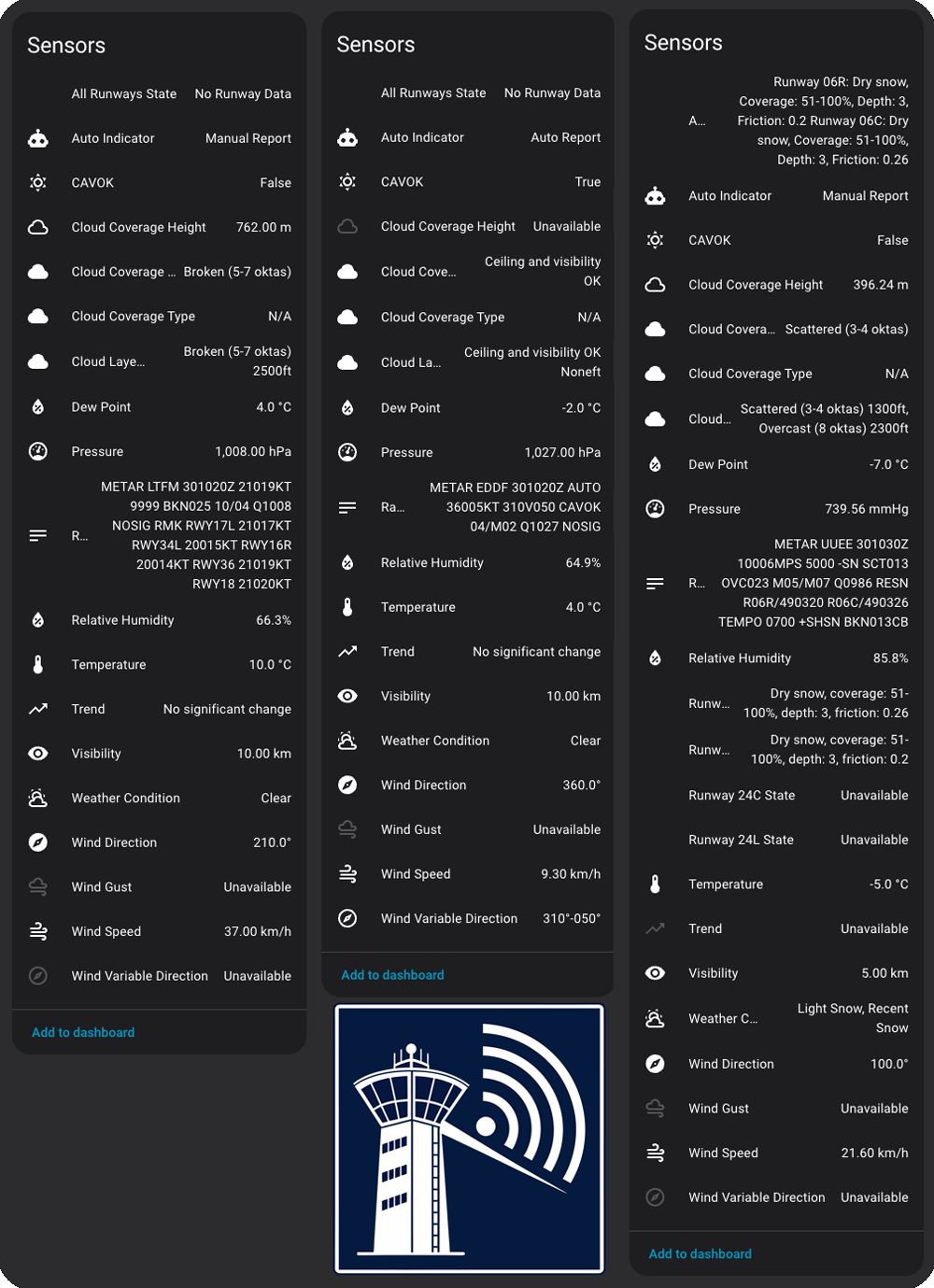
Screenshots From the README of smkrv/ha-metar-weather.

About
METAR Weather is a custom integration that brings airport weather station reports into Home Assistant as sensors. Each station is added by its four-letter ICAO airport code, and any airport that publishes METAR reports is supported. Sensors cover temperature, dew point, wind, visibility, pressure, cloud layers, weather phenomena, runway conditions when reported, the raw METAR string and the TAF forecast issue time. The integration also tracks history and works out trends such as rising, falling or stable values, plus 24-hour minimum, maximum and average figures. Units can follow Home Assistant settings, use the station's native aviation units, or be picked manually for temperature, wind speed, visibility, pressure and cloud height. Several stations can be monitored at once, and actions allow forcing an update or clearing history for one station. Data comes from an online aviation weather service with a fallback source, and the data is informational only, not for flight planning.
Automatic summary of the README and code of smkrv/ha-metar-weather. Something wrong, or are you the maintainer and want your own text here? Get in touch
Supports
Uses the vendor's cloud Needs an internet connection and an account with the vendor.
From the Marketplace Installed through the Marketplace, formerly HACS.
Actively maintained Its author released or pushed a change in the last six months.
Provides
- Sensors
Setting it up
Install it from the Marketplace and restart Home Assistant, then add it under Settings, Devices and services.
METAR Weather Setup
- ICAO Airport Code
- I accept the terms and conditions of the data source
Unit Configuration
- Temperature
- Wind Speed
- Visibility
- Pressure
- Cloud Height / Altitude
After setup
- Temperature
- Wind Speed
- Visibility
- Pressure
- Cloud Height / Altitude
- ICAO Airport Code
- Add another station
- Station to remove
Texts from the code of smkrv/ha-metar-weather.
Actions
- Update StationForce update of METAR and TAF data for specific station.Fields: Station
- Clear HistoryClear historical data for specific station.Fields: Station
From the README
Professional aviation weather monitoring for Home Assistant. Get real-time METAR data from over 9,000 airport weather stations worldwide with automatic trend analysis and historical tracking.
⚠️ This integration is NOT certified for aviation navigation or flight planning! METAR data provided is for informational purposes only. Always consult official aviation weather sources and certified flight planning tools for aviation activities.
- Temperature and Dew Point with automatic humidity calculation
- Wind Speed, Direction and Gusts with variable wind detection
- Visibility in your preferred units
- Atmospheric Pressure with QNH support
- Cloud Coverage including ceiling height and layer information
- Weather Phenomena such as rain, snow, fog, and thunderstorms
- Runway Conditions when reported by the station
- CAVOK Status and trend information
- Raw METAR String for reference
- TAF (Terminal Aerodrome Forecast) - the sensor state is the forecast's issue time, the full raw TAF text is in the raw_taf attribute; stations that don't publish TAFs show "unknown"

Shows in Vulpo
Chart card, Apple Watch.Information
- Installs
- 117 sharing analytics
- GitHub stars
- 7
- Connection
- Uses the vendor's cloud
- Upkeep
- Updated in the last 6 months
- Version
- v4.1.0,
- Category
- Weather and alerts, Forecasts
- Kind
- Marketplace integration
- Needs
- Needs the Marketplace (HACS on 2026.10 and older)
- Domain
ha_metar_weather- Issues
- Report an issue