
TryFi
sbabcock23
On Home Assistant 2026.11 or newer? Open it in the Marketplace
- Installs
- 415 sharing analytics
- GitHub stars
- 83
- Connection
- Uses the vendor's cloud
- Upkeep
- Updated in the last 6 months
- Version
- 0.0.26,
- Category
- Pets
- Kind
- Marketplace integration
- Needs
- Needs the Marketplace (HACS on 2026.10 and older)
- Domain
tryfi- Issues
- Report an issue
Independent directory, made by the developer of Vulpo. Not affiliated with Home Assistant or the Open Home Foundation.
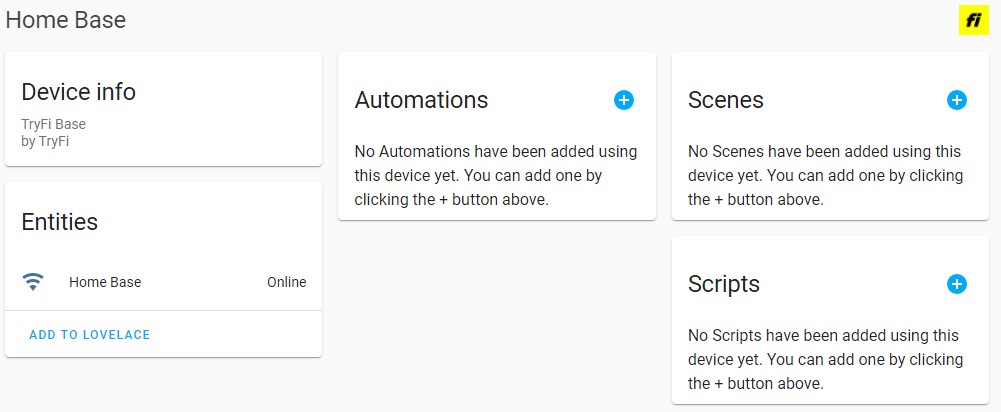
Screenshots From the README of sbabcock23/hass-tryfi.
About
TryFi is an integration that connects TryFi Smart GPS dog collars to Home Assistant through the vendor's cloud. Each pet appears as a tracker using the collar's GPS coordinates, along with daily, weekly and monthly step and distance readings. It also reports collar battery level, whether the collar is charging, and whether each base is online or offline. The collar light can be switched on and off and set to a color, and the closest of a fixed set of supported colors is used. A select entity switches Lost Dog Mode between Lost and Safe. Setup happens in the UI with the TryFi username and password, plus an optional polling interval.
Automatic summary of the README and code of sbabcock23/hass-tryfi. Something wrong, or are you the maintainer and want your own text here? Get in touch
Supports
Uses the vendor's cloud Needs an internet connection and an account with the vendor.
From the Marketplace Installed through the Marketplace, formerly HACS.
Actively maintained Its author released or pushed a change in the last six months.
Provides
- Lights
- Sensors
- Presence
Setting it up
Install it from the Marketplace and restart Home Assistant, then add it under Settings, Devices and services.
Connect
- username
- password
After setup
- Polling
Texts from the code of sbabcock23/hass-tryfi.
From the README
This allows you to integrate TryFi Smart GPS Collars with Home Assistant.
- Device Tracker - your pet will show up in HA using the GPS coordinates from the collar
- Step Counter - it will report your pets daily, weekly, and monthly steps
- Distance Counter - it will report your pets daily, weekly and monthly distance
- Battery Level - it will report your Pet's collar battery level
- Battery Charging - it will report if your Pet's collar is charging
- Collar Light - you can control the light on the collar by turning it on and off and setting the color
- Lost Dog Mode - allows you to select Lost mode if your dog if it is lost and select Safe if it is found
- Bases - reports the status of the base (online/offline)

Shows in Vulpo
Light card, Select card, Chart card, Apple Watch, Control Center.Information
- Installs
- 415 sharing analytics
- GitHub stars
- 83
- Connection
- Uses the vendor's cloud
- Upkeep
- Updated in the last 6 months
- Version
- 0.0.26,
- Category
- Pets
- Kind
- Marketplace integration
- Needs
- Needs the Marketplace (HACS on 2026.10 and older)
- Domain
tryfi- Issues
- Report an issue