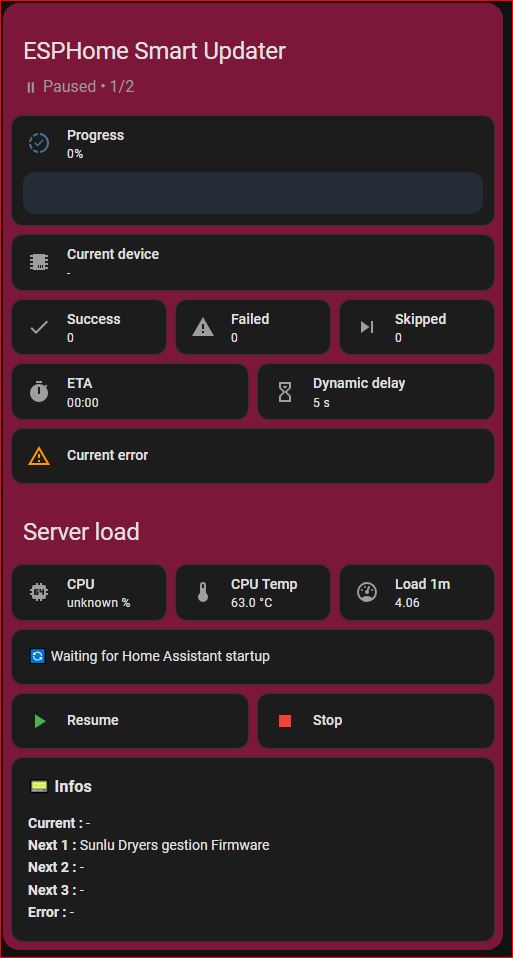
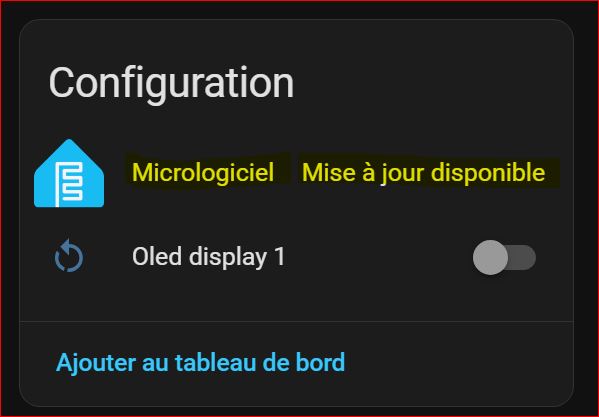
Screenshots From the README of PaulBiod/ha-esphome-smart-updater.
About
ESPHome Smart Updater runs ESPHome firmware updates as queued batch campaigns from Home Assistant. It detects pending ESPHome updates and works through them one device at a time, tracking each as remaining, done, failed or skipped. The delay between updates can adapt to CPU usage, CPU temperature and system load, within a minimum and maximum delay set in the options. Campaigns can be started, paused, resumed, stopped and previewed without running, and the last report can be cleared. Devices can be targeted by including only selected ones or excluding some, and a campaign picks up again after a Home Assistant restart. At the end of a campaign it stores a report, sends a persistent notification and fires an event for automations; it is added through the UI and works locally.
Automatic summary of the README and code of PaulBiod/ha-esphome-smart-updater. Something wrong, or are you the maintainer and want your own text here? Get in touch
Supports
Works locally Talks to your devices on your own network. No vendor cloud in between.
From the Marketplace Installed through the Marketplace, formerly HACS.
Actively maintained Its author released or pushed a change in the last six months.
Provides
- Sensors
Setting it up
Install it from the Marketplace and restart Home Assistant, then add it under Settings, Devices and services.
General settings
- Failure timeout (seconds)
- Maximum devices per batch
- Delay before resuming after Home Assistant restart
- Enable automatic delay adaptation
After setup
- Failure timeout (seconds)
- Maximum devices per batch
- Delay before resuming after Home Assistant restart
- Enable automatic delay adaptation
- Device selection mode
- CPU usage sensor (%)
- CPU temperature sensor (°C)
- System load sensor (1 min load)
- Minimum delay between updates (s)
- Maximum delay between updates (s)
- Included devices
- Excluded devices
Texts from the code of PaulBiod/ha-esphome-smart-updater.
Actions
- Start campaignStart the update campaign
- Pause campaignPause the current campaign
- Resume campaignResume the paused campaign
- Stop campaignStop the current campaign
- Clear reportClear the last campaign report
- Preview campaignGenerate a preview of the next update campaign without executing it
From the README
⚡ Automate and control your ESPHome OTA updates like a pro
- Queue-based serial updates
- Automatic detection of pending ESPHome updates
- Full lifecycle tracking:
- Remaining
- Done
- Failed
- Skipped

Shows in Vulpo
Button card, Chart card, Apple Watch.Information
- Installs
- 81 sharing analytics
- GitHub stars
- 30
- Connection
- Works locally
- Upkeep
- Updated in the last 6 months
- Version
- v1.1.1,
- Category
- DIY and makers, Boards and hardware interfaces
- Kind
- Marketplace integration
- Brand
- ESPHome
- Needs
- Needs the Marketplace (HACS on 2026.10 and older)
- Domain
esphome_smart_updater- Issues
- Report an issue