Screenshots From the README of PalmManiac/battery-smartflow-ai.
About
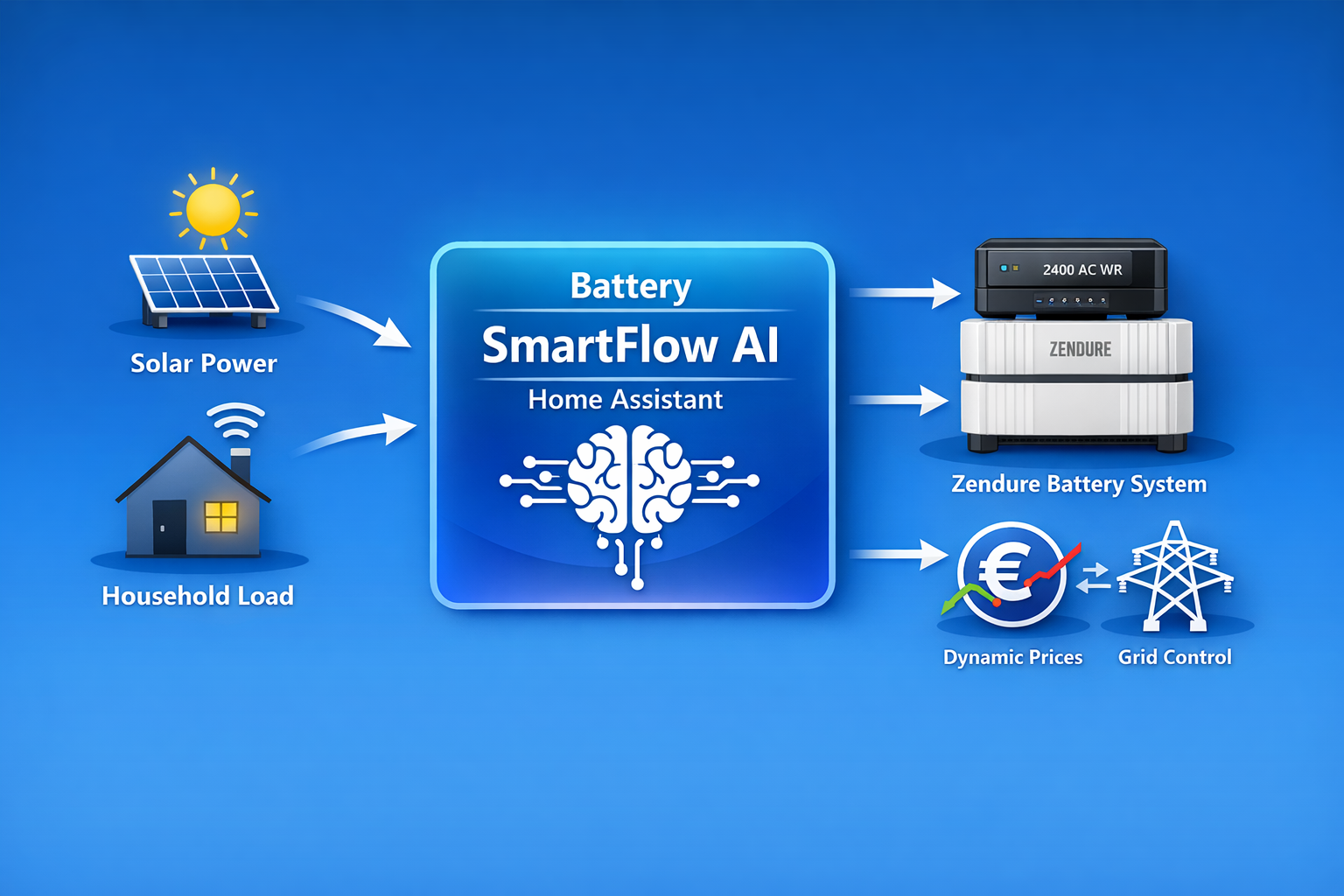
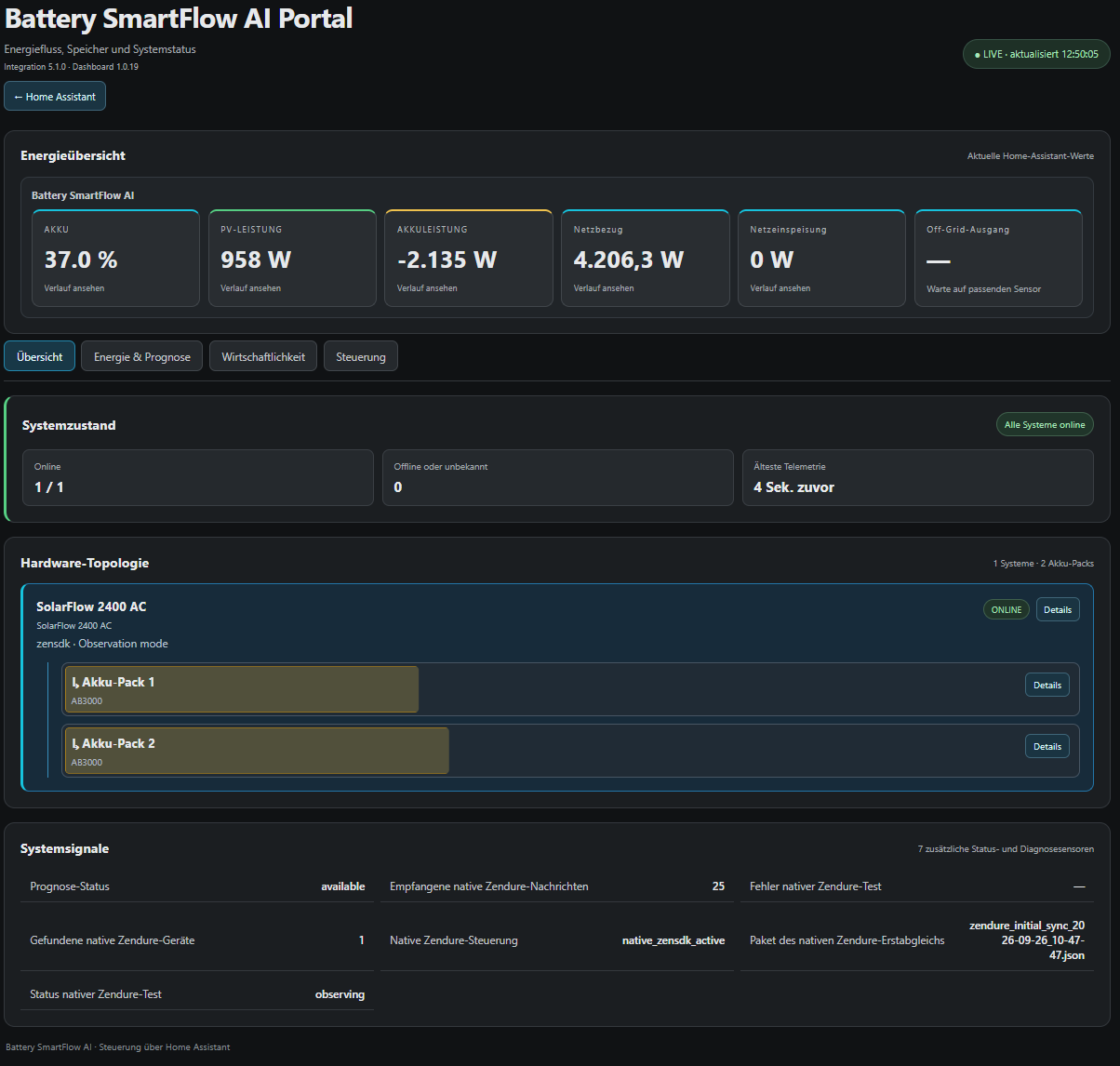
Battery SmartFlow AI controls Zendure SolarFlow battery charging and discharging from PV output, load, state of charge and prices. It adds number, select and sensor entities for limits, price thresholds, operating mode and manual actions. Optional inputs include electricity price forecasts, solar forecast sources, a second battery system and grid meters such as Shelly 3EM devices. Supported Zendure systems can be connected directly over cloud, local MQTT or ZenSDK, or controlled through existing Home Assistant entities. An optional HEMS dashboard can be added to the sidebar, and a debug recording can export a diagnostics package. It works locally, is set up in the interface, and currently controls one battery system.
Automatic summary of the README and code of PalmManiac/battery-smartflow-ai. Something wrong, or are you the maintainer and want your own text here? Get in touch
Supports
Works locally Talks to your devices on your own network. No vendor cloud in between.
From the Marketplace Installed through the Marketplace, formerly HACS.
Actively maintained Its author released or pushed a change in the last six months.
Provides
- Sensors
Setting it up
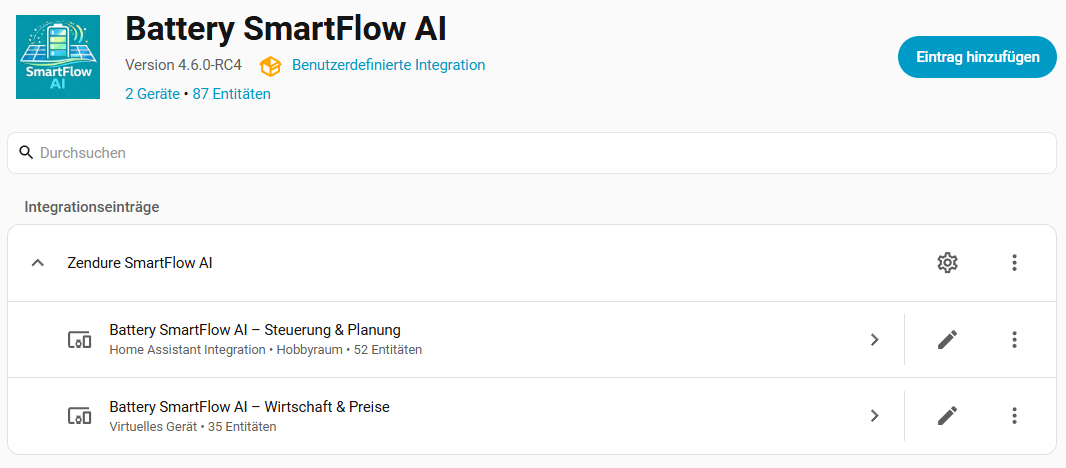
Install it from the Marketplace and restart Home Assistant, then add it under Settings, Devices and services.
Configure grid metering
- Grid power (single)A single sensor with positive power for import and negative power for export.
- Grid import (split)Sensor with current grid import power in watts.
- Grid export (split)Sensor with current grid export power in watts.
- Shelly Pro 3EM Gen2 hostname or IP addressLocal hostname or IP address of the Shelly Pro 3EM Gen2. Use a reserved/static address. For Modbus TCP, enable Modbus in the Shelly settings (TCP port 502); Modbus does not use the optional HTTP password.
- Shelly Pro 3EM password (optional)Optional device password. Shelly authentication uses the local SHA-256 digest challenge.
- Shelly 3EM Gen1 hostname or IP addressLocal hostname or IP address of the classic Shelly 3EM. Use a reserved/static address.
- Shelly 3EM password (optional)Optional device password. Gen1 uses HTTP Basic authentication without encryption; use only on a trusted local network.
Also asked when changing the connection.
Sign in to Zendure
- App Token
Select the Zendure system
- Zendure systemConfigure each supported main system in turn. Packs cannot be controlled independently; multi-device power regulation is not enabled in this release.
- Communication pathCloud is the recommended starting path for Legacy devices and works immediately after account discovery. Use Local MQTT only after the device itself sends current data to the local broker. ZenSDK remains recommended for supported newer systems.
- Enable native Zendure controlEnables BSFAI commands over the selected supported native communication path. When disabled, the Zendure connection remains read-only and no Home Assistant entity control is used.
- Local MQTT serverShown only when the account contains a verified legacy family. The device is provisioned automatically on the first switch to Local MQTT unless this is explicitly skipped.
- Local MQTT portUsually 1883 for a local unencrypted broker.
- Local MQTT usernameBroker account used by BSFAI; it is kept private.
- Local MQTT passwordKeep the dot mask unchanged to reuse the stored password. It is never exposed by sensors or diagnostics.
- Fixed ZenSDK IP address (optional)Optional private IPv4 address for this Zendure system. Reserve it in your router. When set, ZenSDK requests use only this address and bypass mDNS for this device.
Set up Battery SmartFlow AI
- Additional battery charge power (optional)Optional sensor of a second battery system. If this sensor reports positive charge power, Battery SmartFlow AI blocks discharging.
- Additional battery discharge power (optional)Optional sensor of a second battery system. If this sensor reports positive discharge power, Battery SmartFlow AI blocks charging to avoid battery-to-battery charging.
- Installed PV power (Wp)Installed theoretical PV module power of the system in Wp. This value is used for relative PV-context thresholds and other PV-related logic.
- PV power sensorSensor with the current PV power in watts.
- PV forecast today (optional)Optional sensor with today's PV daily forecast, for example from Solcast PV Forecast. The forecast is only an additional planning input and is not required for the integration.
- PV forecast tomorrow (optional)Optional sensor with tomorrow's PV daily forecast, for example from Solcast PV Forecast. The forecast is only an additional planning input and is not required for the integration.
- Solar forecast sources (optional)Select one or more solar forecast integrations exposed to the Home Assistant Energy dashboard. Multiple sources are combined.
- Current electricity priceCurrent electricity price. Enables price-dependent discharging.
- Price forecast (e.g. Tibber / EPEX)Price forecast data for the next hours. Enables intelligent charge planning.
- Grid meteringDefines how grid import and export are recorded.
- Grid power (single)A single sensor with positive power for import and negative power for export.
- Grid import (split)Sensor with current grid import power in watts.
- Grid export (split)Sensor with current grid export power in watts.
- Feed-in tariffCompensation per exported kWh in the same currency unit as the electricity prices. Used as a fallback when no valid dynamic feed-in price is available.
- Current dynamic feed-in price (optional)Optional numeric Home Assistant sensor for the current dynamic feed-in price. A valid sensor value, including zero or a negative price, takes priority over the fixed feed-in tariff.
Set up Battery SmartFlow AI
- Device profileSelect the matching device profile for your Zendure system. The control parameters are adjusted automatically.
- Battery SoC sensorSensor with the current battery state of charge in percent.
- SoC limit status (optional)Optional status sensor from the Zendure integration for detecting active BMS blocks.
- Capacity per battery pack (kWh)Usable capacity of a single battery pack in kWh. Multiplied by the number of installed packs to calculate total capacity.
- Battery power sensor (W)Sensor for the battery AC power. The value must be positive during discharge. Recommended: sensor.solarflow_2400_ac_bat_in_out
- Additional battery charge power (optional)Optional sensor of a second battery system. If this sensor reports positive charge power, Battery SmartFlow AI blocks discharging.
- Additional battery discharge power (optional)Optional sensor of a second battery system. If this sensor reports positive discharge power, Battery SmartFlow AI blocks charging to avoid battery-to-battery charging.
- Capacity sensor (optional)Optional sensor with automatically calculated available battery capacity in kWh, for example from the Zendure integration. If set, it overrides the manual calculation.
- Installed PV power (Wp)Installed theoretical PV module power of the system in Wp. This value is used for relative PV-context thresholds and other PV-related logic.
- PV power sensorSensor with the current PV power in watts.
- Battery system native PV power (optional)Optional sensor for PV power connected directly to the battery system. During AC charging this power gets priority inside the maximum charge limit. Do not select the total house PV sensor here.
- PV forecast today (optional)Optional sensor with today's PV daily forecast, for example from Solcast PV Forecast. The forecast is only an additional planning input and is not required for the integration.
- PV forecast tomorrow (optional)Optional sensor with tomorrow's PV daily forecast, for example from Solcast PV Forecast. The forecast is only an additional planning input and is not required for the integration.
- Solar forecast sources (optional)Select one or more solar forecast integrations exposed to the Home Assistant Energy dashboard. Multiple sources are combined.
- Current electricity priceCurrent electricity price. Enables price-dependent discharging.
Reconfigure Battery SmartFlow AI
- Device profileSelect the matching device profile for your Zendure system. The profile contains tuned control parameters.
- Battery SoC sensorSensor with the current battery state of charge in percent. Central basis for all decisions.
- SoC limit status (optional)Optional sensor from the Zendure integration that reports active BMS limits, such as charge or discharge blocking.
- Capacity per battery pack (kWh)Usable capacity of a single battery pack in kWh. Multiplied by the number of installed packs to calculate total capacity.
- Battery power sensor (W)Sensor for the battery AC power. The value must be positive during discharge. Recommended: sensor.solarflow_2400_ac_bat_in_out
- Additional battery charge power (optional)Optional sensor of a second battery system. If this sensor reports positive charge power, Battery SmartFlow AI blocks discharging.
- Additional battery discharge power (optional)Optional sensor of a second battery system. If this sensor reports positive discharge power, Battery SmartFlow AI blocks charging to avoid battery-to-battery charging.
- Capacity sensor (optional)Optional sensor with automatically calculated available battery capacity in kWh, for example from the Zendure integration. If set, it overrides the manual calculation.
- Installed PV power (Wp)Installed theoretical PV module power of the system in Wp. This value is used for relative PV-context thresholds and other PV-related logic.
- PV power sensorSensor with the current PV power in watts. Used to detect surplus.
- Battery system native PV power (optional)Optional sensor for PV power connected directly to the battery system. During AC charging this power gets priority inside the maximum charge limit. Do not select the total house PV sensor here.
- PV forecast today (optional)Optional sensor with today's PV daily forecast, for example from Solcast PV Forecast. The forecast is only an additional planning input and is not required for the integration.
- PV forecast tomorrow (optional)Optional sensor with tomorrow's PV daily forecast, for example from Solcast PV Forecast. The forecast is only an additional planning input and is not required for the integration.
- Solar forecast sources (optional)Select one or more solar forecast integrations exposed to the Home Assistant Energy dashboard. Multiple sources are combined.
- Current electricity priceSensor with the current electricity price, for example Tibber. Used for economic decisions.
After setup
- Show the HEMS dashboard in the sidebar
- Keep Smart Mode 1 during standbyEnabled by default. This applies when the selected model and communication path support direct Smart Mode writes. When disabled, models use their existing standby behavior, including Smart Mode 0 where the device matrix specifies it.
- Group name
- Systems in group
- Group
- Group name
- Systems in group
- Group
- Scope name
- Assigned battery groups
- Grid measurement mode
- Signed grid power sensors
- Signed per-phase grid sensors
- Grid import sensors
- Grid export sensors
- Current import price sensor
- Dynamic export price sensor
- EnergyScope
Texts from the code of PalmManiac/battery-smartflow-ai.
Entities
- NumbersNumber of battery packs, PV charge start at export, SoC minimum, SoC maximum, Max. AC charging power, Max. discharge power, Emergency charge power, Emergency charge from SoC, Very-expensive threshold, Profit margin (%), Peak price markup, Valley price discount, and 2 more
- SelectsOperating mode, Manual action, Off-grid mode
- SensorsGrid power, Shelly grid phase A power, Shelly grid phase B power, Shelly grid phase C power, Native Zendure test status, Native Zendure control, Native Zendure devices found, Native Zendure messages received, Last native Zendure message, Native Zendure initial-sync package, Native Zendure error, Zendure hardware connection, and 188 more
Actions
- Start debug recordingRecord technical diagnostics for a limited time and export a JSON package automatically.Fields: Configuration, Duration
- Stop debug recordingStop the active recording and export its JSON package now.Fields: Configuration
Troubleshooting
- DiagnosticsDownloads a diagnostics file to attach to a bug report.

Shows in Vulpo
Select card, Chart card, Apple Watch.Information
- Installs
- 97 sharing analytics
- GitHub stars
- 70
- Connection
- Works locally
- Upkeep
- Updated in the last 6 months
- Version
- 5.2.6,
- Category
- AI and voice, AI models
- Kind
- Marketplace integration
- Needs
- Needs the Marketplace (HACS on 2026.10 and older)
- Domain
battery_smartflow_ai- Issues
- Report an issue