
Sunlight Visualizer
NoUsername10
On Home Assistant 2026.11 or newer? Open it in the Marketplace
- Installs
- 189 sharing analytics
- GitHub stars
- 20
- Connection
- Uses the vendor's cloud
- Upkeep
- Updated in the last 6 months
- Version
- 0.5.5,
- Category
- Weather and alerts
- Kind
- Marketplace integration
- Needs
- Needs the Marketplace (HACS on 2026.10 and older)
- Domain
sunlight_visualizer- Issues
- Report an issue
Independent directory, made by the developer of Vulpo. Not affiliated with Home Assistant or the Open Home Foundation.
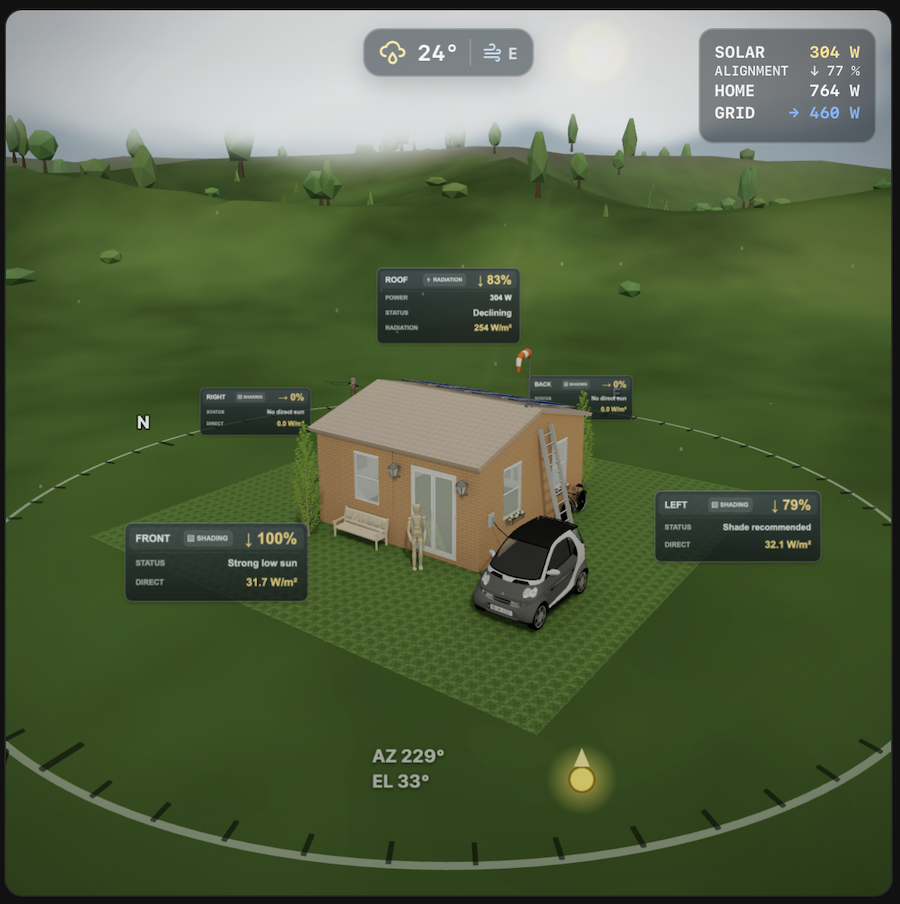
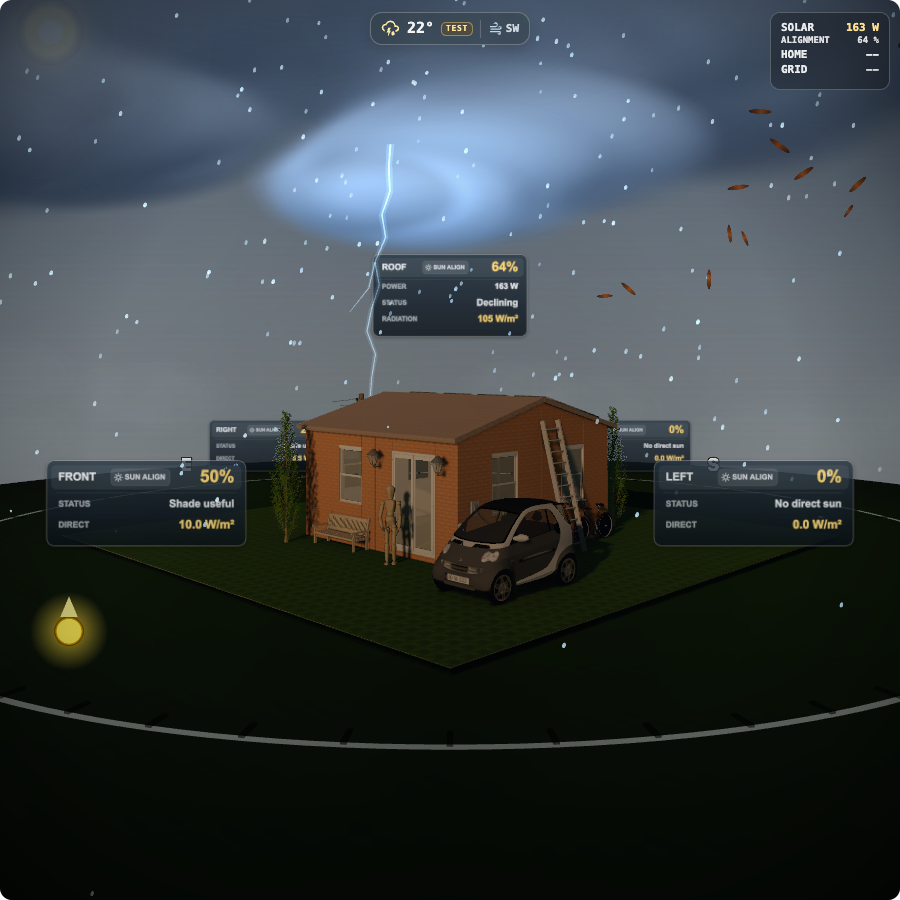
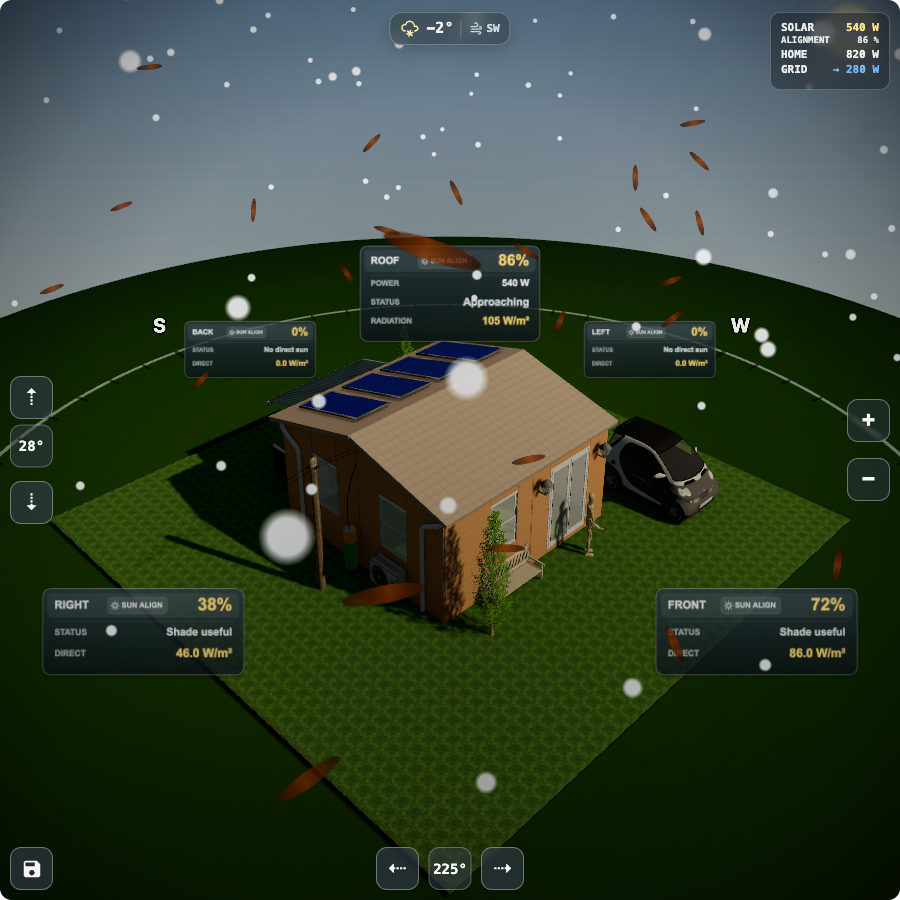
Screenshots From the README of NoUsername10/Sunlight_Visualizer.
About
Sunlight Visualizer is an integration that calculates how the sun aligns with each wall and the roof of a house. It uses the location, house direction, roof direction and roof tilt to produce sensors for wall and roof alignment, which can drive blind, awning, heating and cooling automations. Optional radiation and shading-demand sensors use forecast data from Open-Meteo, and they are disabled by default because they rely on an external API. An accompanying dashboard card shows the values on an interactive 3D house or a lighter 2.5D view, with graphs opened from wall and roof signs. Further options add weather in the 3D scene and energy information from existing solar, home and grid power sensors. Setup happens in the Home Assistant interface.
Automatic summary of the README and code of NoUsername10/Sunlight_Visualizer. Something wrong, or are you the maintainer and want your own text here? Get in touch
Supports
Uses the vendor's cloud Needs an internet connection and an account with the vendor.
From the Marketplace Installed through the Marketplace, formerly HACS.
Actively maintained Its author released or pushed a change in the last six months.
Provides
- Switches
- Sensors
- Weather
Setting it up
Install it from the Marketplace and restart Home Assistant, then add it under Settings, Devices and services.
Sunlight Visualizer Configuration
- Location sourceChoose Home Assistant location (default) or a custom Zone.
- Zone overrideSelect a Zone override, or choose Use Home (default). If missing/unavailable, Home location is used automatically.
- Use custom angle (instead of compass direction)Check to enter exact angle, uncheck to select compass direction
- Compass direction (Select the direction your front door is facing)Select compass direction (N, NE, E, etc.) the direction your front door is facing.
- Roof direction (downhill side)Select which side of the house the roof slopes down toward
- Roof power sensor (optional)Select a power sensor to show below roof % (W/kW)
- Enable roof power labelShow roof power value under the roof %
- Invert roof power (force positive)Invert power values (useful if sensor is negative)
- Fixed sun position, azimuth. (Rotate scene)Keep sun azimuth visually fixed and rotate the scene instead
- Auto-rotate speed (deg/sec)Default auto-rotate speed for the card (1-90 deg/sec)
- House Angle (degrees, 0° = North-facing front)Angle of your house's front relative to North (0-359°)
- Ceiling tilt angle (0-90°, 0 = horizontal)Tilt angle of ceiling/solar panels (0° = flat, 90° = vertical)
- Update interval (minutes)How often to recalculate sun position (1-60 minutes)
- Enable Open-Meteo radiation sensorsFetch 15-minute forecast radiation from Open-Meteo every 15 minutes while the sun is up and hourly when the sun is down. Adds wall/roof radiation sensors. Disabled by default because it uses an external API.
- Enable 3D weather visualsFetch current weather from Open-Meteo for optional 3D-only clouds, precipitation, wind, fog, and horizon lightning. The 2.5D renderer is never changed.
After setup
- Location sourceChoose Home Assistant location (default) or a custom Zone.
- Zone overrideSelect a Zone override, or choose Use Home (default). If missing/unavailable, Home location is used automatically.
- Use custom angle (instead of compass direction)Check to enter exact angle, uncheck to select compass direction
- Compass direction (Select the direction your front door is facing)Select compass direction (N, NE, E, etc.) the direction your front door is facing.
- Roof direction (downhill side)Select which side of the house the roof slopes down toward
- Roof power sensor (optional)Select a power sensor to show below roof % (W/kW)
- Enable roof power labelShow roof power value under the roof %
- Invert roof power (force positive)Invert power values (useful if sensor is negative)
- Fixed sun position, azimuth. (Rotate scene)Keep sun azimuth visually fixed and rotate the scene instead
- Force Sun FallbackForce fallback sun values (testing)
- Force Sun AzimuthAzimuth to use when forcing fallback (0-359°)
- Force Sun ElevationElevation to use when forcing fallback (-90° to 90°)
- Auto-rotate speed (deg/sec)Default auto-rotate speed for the card (1-90 deg/sec)
- House Angle (degrees, 0° = North-facing front)Angle of your house's front relative to North (0-359°)
- Ceiling tilt angle (0-90°, 0 = horizontal)Tilt angle of ceiling/solar panels (0° = flat, 90° = vertical)
Texts from the code of NoUsername10/Sunlight_Visualizer.
Entities
- SensorsSunlight Roof Alignment Status
Actions
- Set optionsUpdate Sunlight Visualizer options for the active config entry.Fields: Config entry ID, House angle, Ceiling tilt, Roof direction, Camera rotation H, Camera rotation V, Camera zoom, Fixed sun azimuth, Fixed sun position, azimuth. (Rotate scene), Auto-rotate speed

Shows in Vulpo
Quick Toggle card, Select card, Chart card, Lumen sky, Apple Watch, Control Center.Information
- Installs
- 189 sharing analytics
- GitHub stars
- 20
- Connection
- Uses the vendor's cloud
- Upkeep
- Updated in the last 6 months
- Version
- 0.5.5,
- Category
- Weather and alerts
- Kind
- Marketplace integration
- Needs
- Needs the Marketplace (HACS on 2026.10 and older)
- Domain
sunlight_visualizer- Issues
- Report an issue