
AstroWeather
mawinkler
On Home Assistant 2026.11 or newer? Open it in the Marketplace
- Installs
- 957 sharing analytics
- GitHub stars
- 155
- Connection
- Uses the vendor's cloud
- Upkeep
- Updated in the last 6 months
- Version
- v0.82.0,
- Category
- Weather and alerts
- Kind
- Marketplace integration
- Needs
- Needs the Marketplace (HACS on 2026.10 and older)
- Domain
astroweather- Issues
- Report an issue
Independent directory, made by the developer of Vulpo. Not affiliated with Home Assistant or the Open Home Foundation.
Screenshots From the README of mawinkler/astroweather.
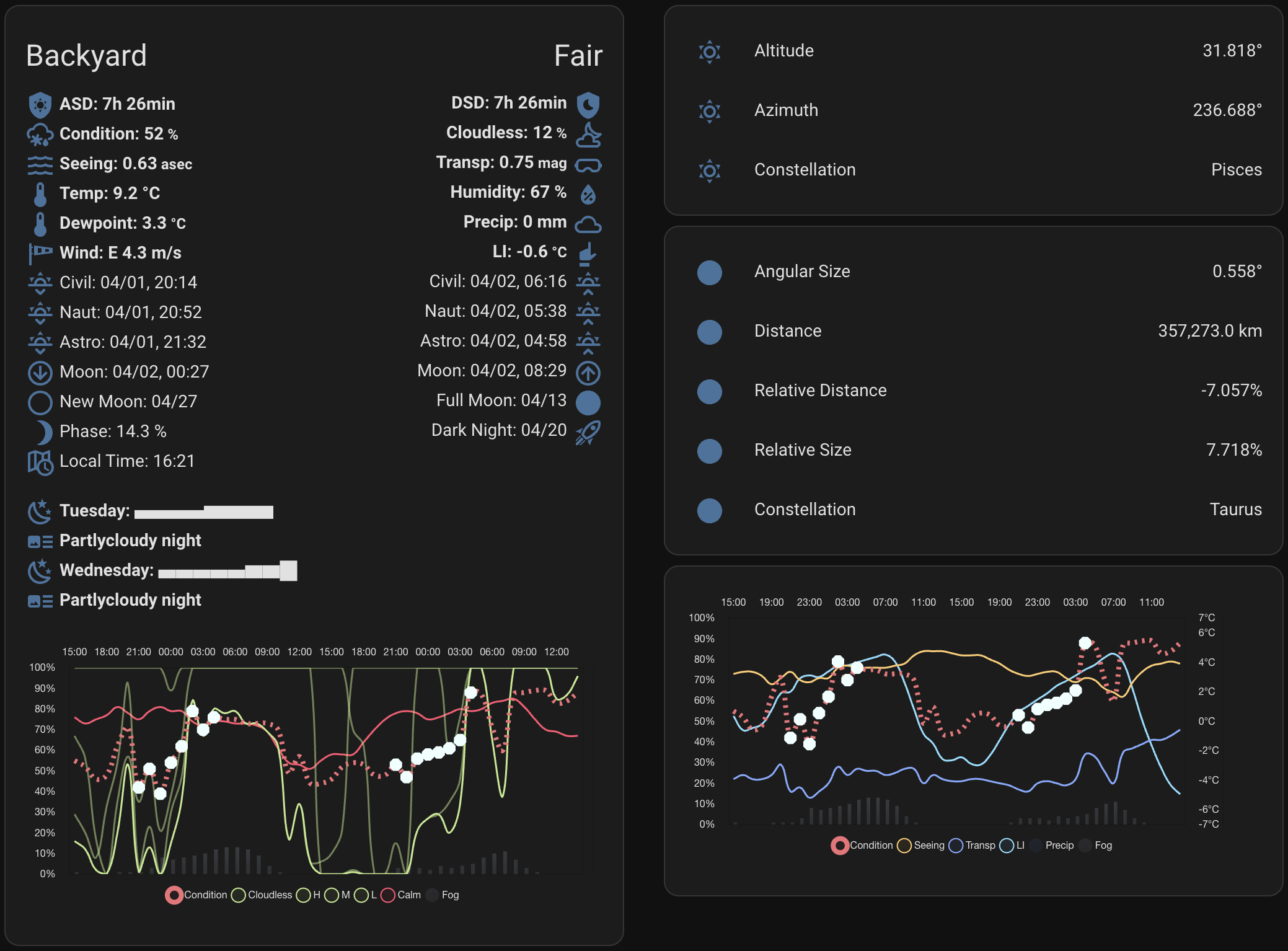
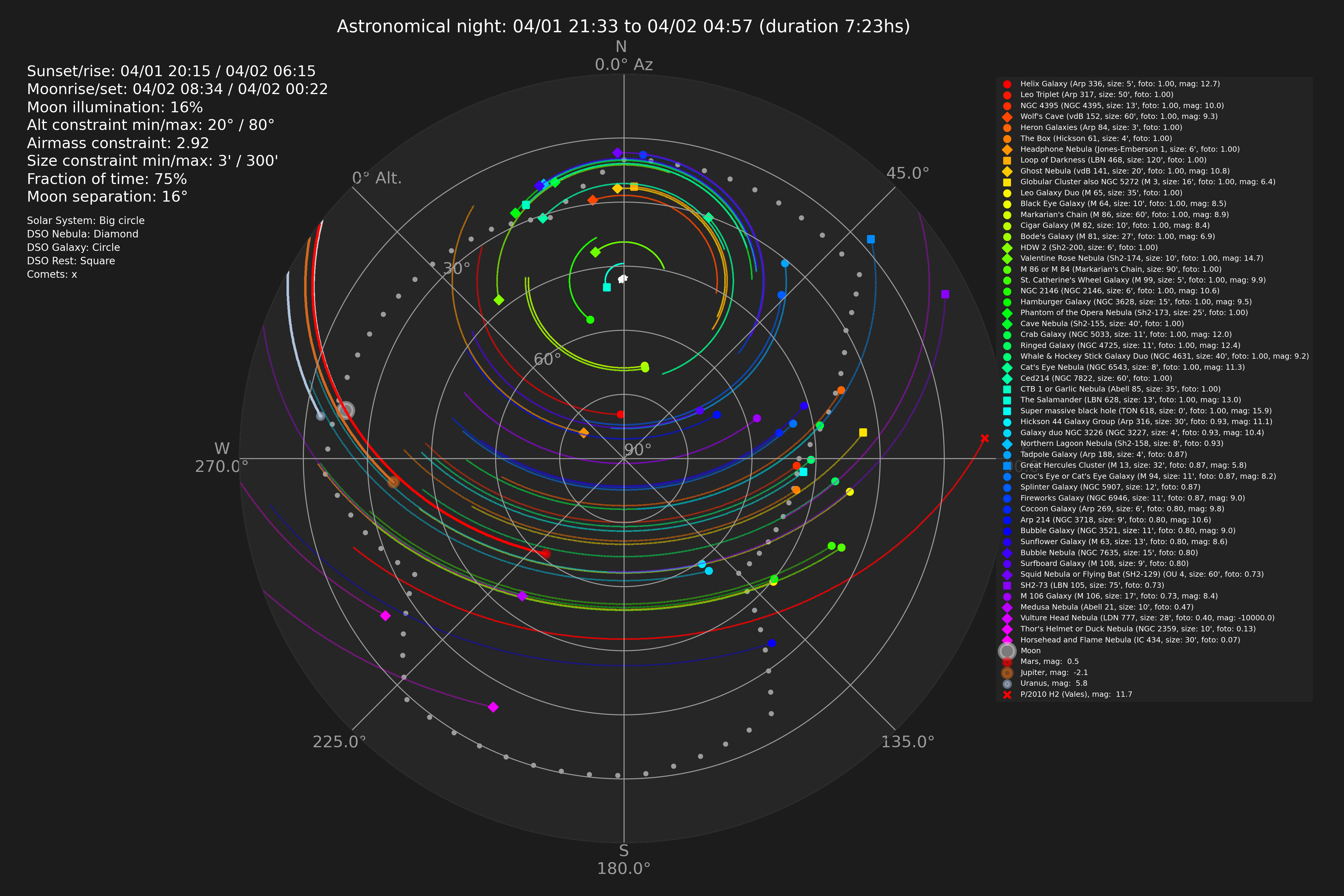
About
AstroWeather is a custom integration that produces an astronomical conditions forecast for a telescope location. It uses forecast data from Met.no and Open-Meteo, which it fetches over the internet from the vendor's cloud services. It adds sensors, binary sensors and a weather entity to Home Assistant. Setup asks for a location name, latitude, longitude, elevation and timezone, plus weightings for cloud coverage, fog, seeing, transparency and calmness. The influence of high, medium and low clouds can be adjusted, and the update interval is configurable from one minute to four hours. Several instances can run at once, even in different timezones, and a separate custom weather card is available for dashboards.
Automatic summary of the README and code of mawinkler/astroweather. Something wrong, or are you the maintainer and want your own text here? Get in touch
Supports
Uses the vendor's cloud Needs an internet connection and an account with the vendor.
From the Marketplace Installed through the Marketplace, formerly HACS.
Actively maintained Its author released or pushed a change in the last six months.
Provides
- Sensors
- Weather
Setting it up
Install it from the Marketplace and restart Home Assistant, then add it under Settings, Devices and services.
Location
- Name for the location of your telescope
- Latitude (-89° to 89°)
- Longitude (-180° to 180°)
- Elevation (-50m to 9000m)
- Timezone in TZ database
Calculation
- Cloud coverage weight
- Fog density weight
- Seeing weight
- Transparency weight
- Weighting of the degree of calmness
- Interval between forecast updates (min, 0 = manual only)
- Path to /conf/www
- Experimental features
- Open Meteo Service to use
Cloudweakening
- High clouds influence (%)
- Medium clouds influence (%)
- Low clouds influence (%)
After setup
- Name for the location of your telescope
- Latitude (-89° to 89°)
- Longitude (-180° to 180°)
- Elevation (-50m to 9000m)
- Timezone in TZ database
- Cloud coverage weight
- Fog density weight
- Seeing weight
- Transparency weight
- Weighting of calmness
- Interval between forecast updates (min, 0 = manual only)
- Path to conf/www
- Experimental features
- Open Meteo Service to use
- High clouds influence (%)
- Medium clouds influence (%)
- Low clouds influence (%)
Texts from the code of mawinkler/astroweather.
Entities
- Binary sensorsGFS Supplementary Data
Actions
- RefreshFetch fresh data now for the targeted AstroWeather instances, or for all of them if no target is given. Targets are refreshed one after the other.
From the README
This is a Custom Integration for Home Assistant 2023.9+. It uses the forecast data from Met.no and Open-Meteo to generate sensor data for an astronomical condiditions forecast in Home Assistant.
There is also a custom weather card available here as seen in the screenshot above.

Shows in Vulpo
Chart card, Lumen sky, Apple Watch.Information
- Installs
- 957 sharing analytics
- GitHub stars
- 155
- Connection
- Uses the vendor's cloud
- Upkeep
- Updated in the last 6 months
- Version
- v0.82.0,
- Category
- Weather and alerts
- Kind
- Marketplace integration
- Needs
- Needs the Marketplace (HACS on 2026.10 and older)
- Domain
astroweather- Issues
- Report an issue