Screenshots From the README of Mastershort/neonplan3d.
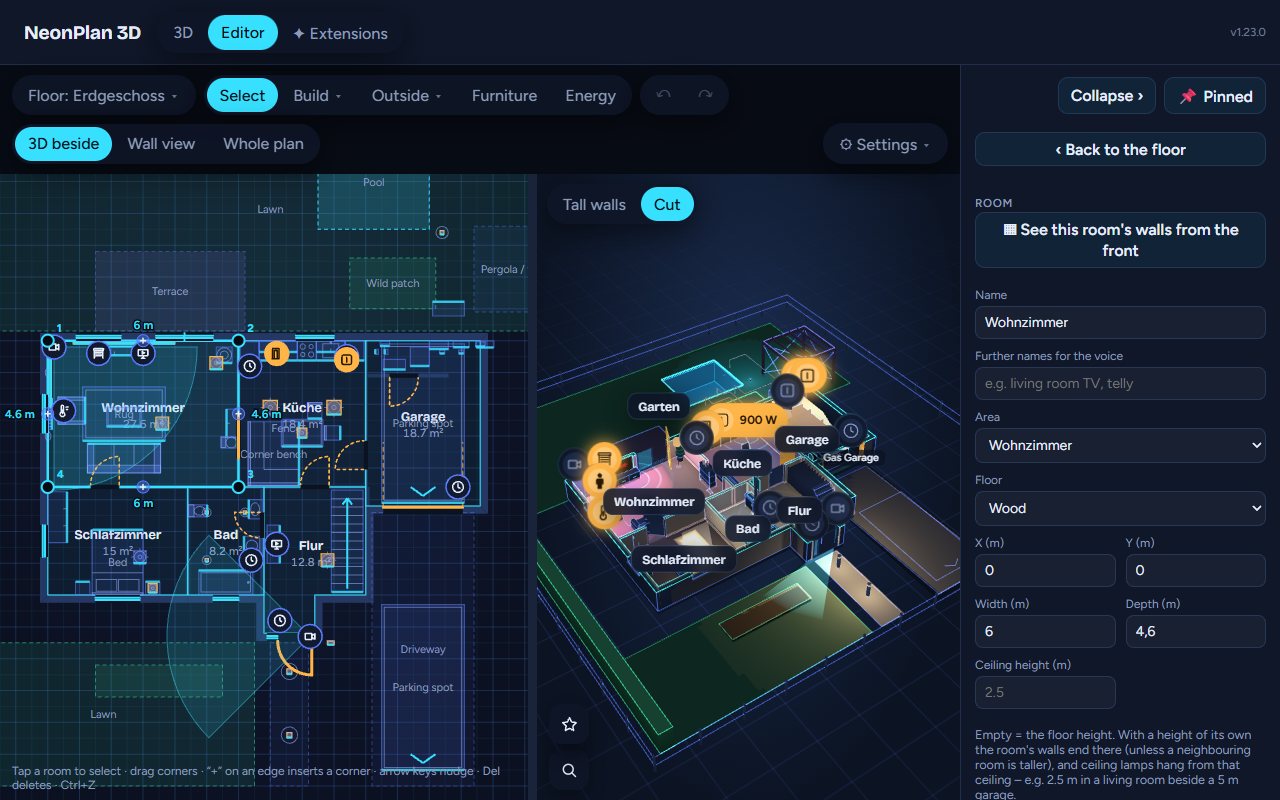
About
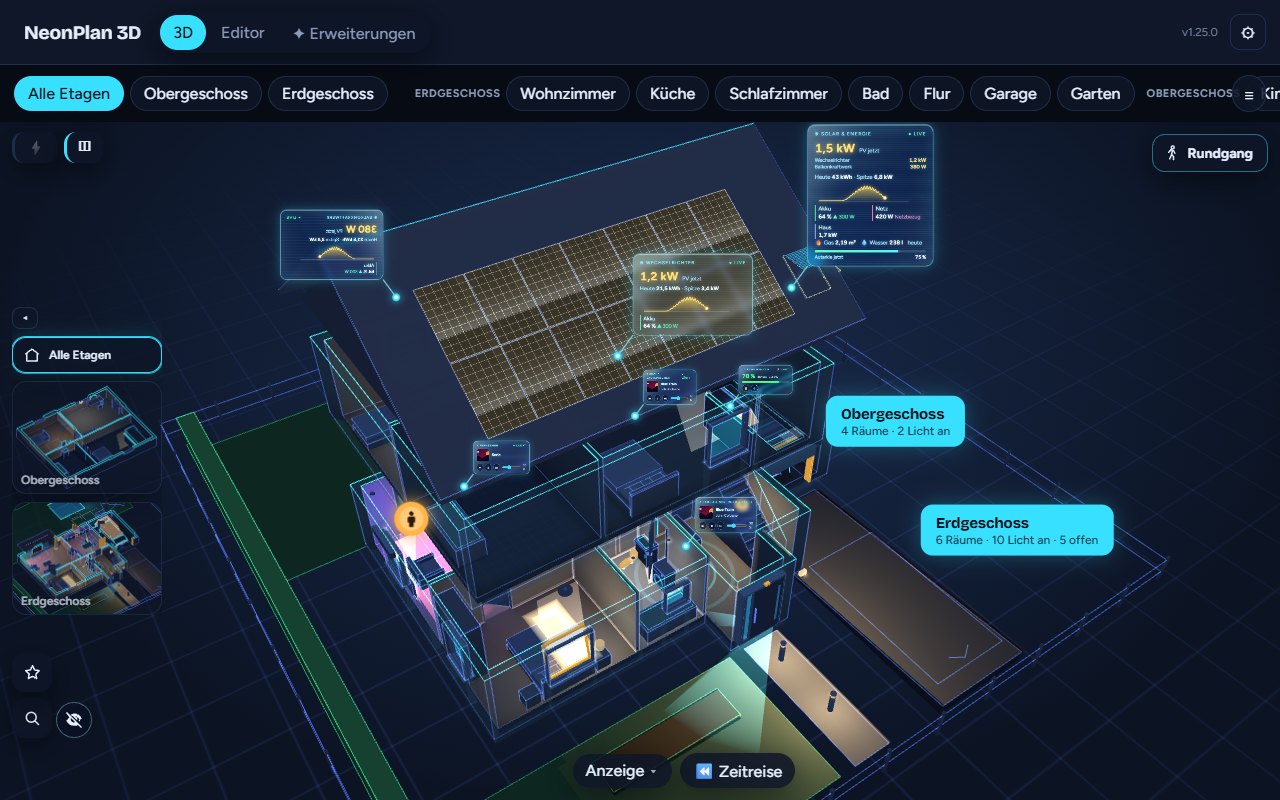

NeonPlan 3D is a Marketplace integration that draws a 3D floor plan of the home inside Home Assistant. A built-in editor covers rooms, walls, doors, windows, furniture and roof, with the 3D view shown beside the plan while drawing. The finished house shows lights, covers, windows, climate, media and sensors, and these can be controlled from the view. Spoken or typed requests such as showing a room or asking what is open are handed to the open views, and installed modules answer questions. Other features include a live view that reacts to events, a replay of the last day or week, energy flows, and a Tablet quality level for old wall tablets. It works locally and is set up in the UI, and plans can also be imported from several other formats.
Automatic summary of the README and code of Mastershort/neonplan3d. Something wrong, or are you the maintainer and want your own text here? Get in touch
Supports
Works locally Talks to your devices on your own network. No vendor cloud in between.
From the Marketplace Installed through the Marketplace, formerly HACS.
Actively maintained Its author released or pushed a change in the last six months.
Provides
- Sensors
Setting it up
Install it from the Marketplace and restart Home Assistant, then add it under Settings, Devices and services.
Actions
- Ask the houseHands a sentence to the open NeonPlan 3D views: "Show the living room" shows it, questions are answered by the installed modules ("What is open?"). The first view that understands answers.Fields: Sentence, Screen, Speak
From the README
by Mastershort – draw your home right inside Home Assistant and live in it as a neon 3D house: lights glow in their colours, blinds and curtains move, doors and windows open, cameras watch, the TV shows what is playing, energy flows through the walls – and you can simply talk to it. No external tools, no cloud, made for wall tablets – old Fire tablets included.
▶️ Try the online demo – in your browser, with invented demo data: turn the house, switch lights, open the editor. Nothing to install.
- ✏️ Drawn in minutes, right in Home Assistant – the plan editor with the 3D view beside it, a furniture library with pictures, free sizes, a wall view for exact placing. No external tool.
- 📍 Who is where – without Bermuda – NeonPlan locates people, phones and key tags room by room from the Shelly plugs and ESPHome proxies you already have: learn each room in 90 seconds, see everyone…
- 🎙️ Talk to your house – tap the microphone or ask Assist: "Show the living room", "What's open?", "Good night". Assist satellites and automations ask the house too (service neonplan3d.ask); the…
- 🎬 Live director – the wall tablet shows by itself what happens: the doorbell rings and the view flies to the front door and looks through its camera; someone at a camera, the washer done, a…
- ⏪ Time travel – replay the last day or week in the house: lights, doors, motion, the robot's run.
- 🚶 Walk through the house at eye level, with keys or a touch stick.

Shows in Vulpo
Chart card, Apple Watch.Information
- Installs
- 2.1k sharing analytics
- GitHub stars
- 918
- Connection
- Works locally
- Upkeep
- Updated in the last 6 months
- Version
- v2.0.5,
- Category
- Lighting
- Kind
- Marketplace integration
- Needs
- Needs the Marketplace (HACS on 2026.10 and older)
- Domain
neonplan3d- Issues
- Report an issue