
ElevenLabs Custom TTS
On Home Assistant 2026.11 or newer? Open it in the Marketplace
- Installs
- 85 sharing analytics
- GitHub stars
- 4
- Connection
- Uses the vendor's cloud
- Upkeep
- Updated in the last 6 months
- Version
- v0.8.3,
- Category
- AI and voice, Speech
- Kind
- Marketplace integration
- Brand
- ElevenLabs
- Needs
- Needs the Marketplace (HACS on 2026.10 and older)
- Domain
elevenlabs_custom_tts- Issues
- Report an issue
Independent directory, made by the developer of Vulpo. Not affiliated with Home Assistant or the Open Home Foundation.
Screenshots From the README of loryanstrant/HA-ElevenLabs-Custom-TTS.
About
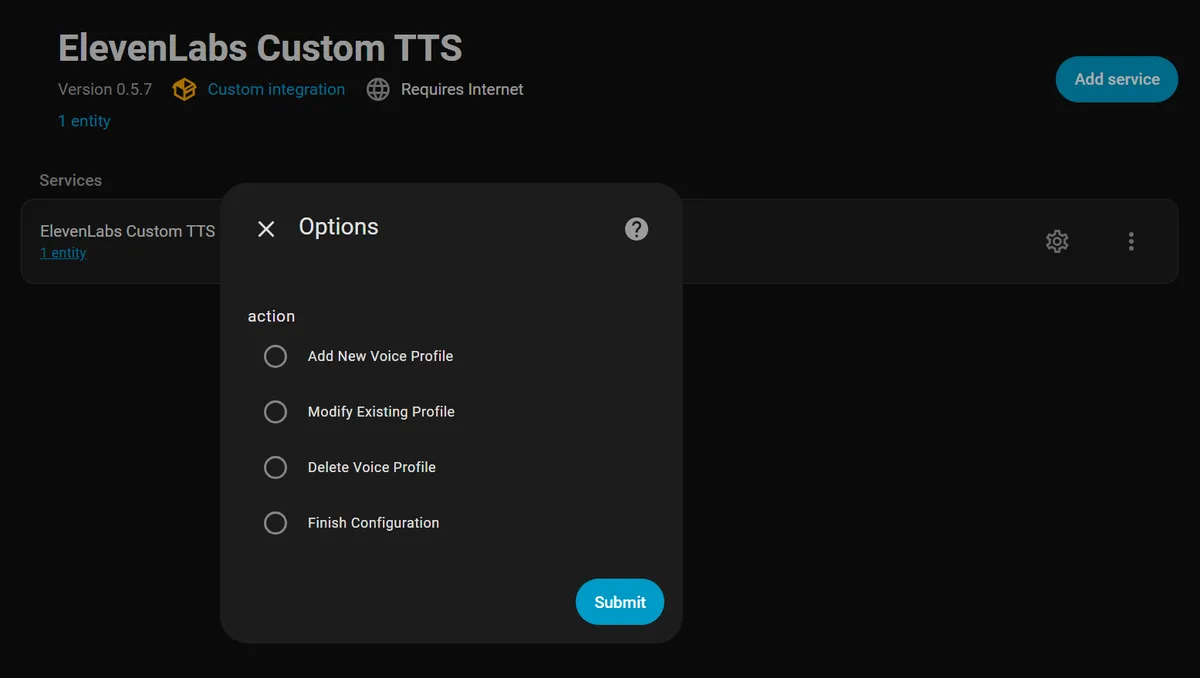
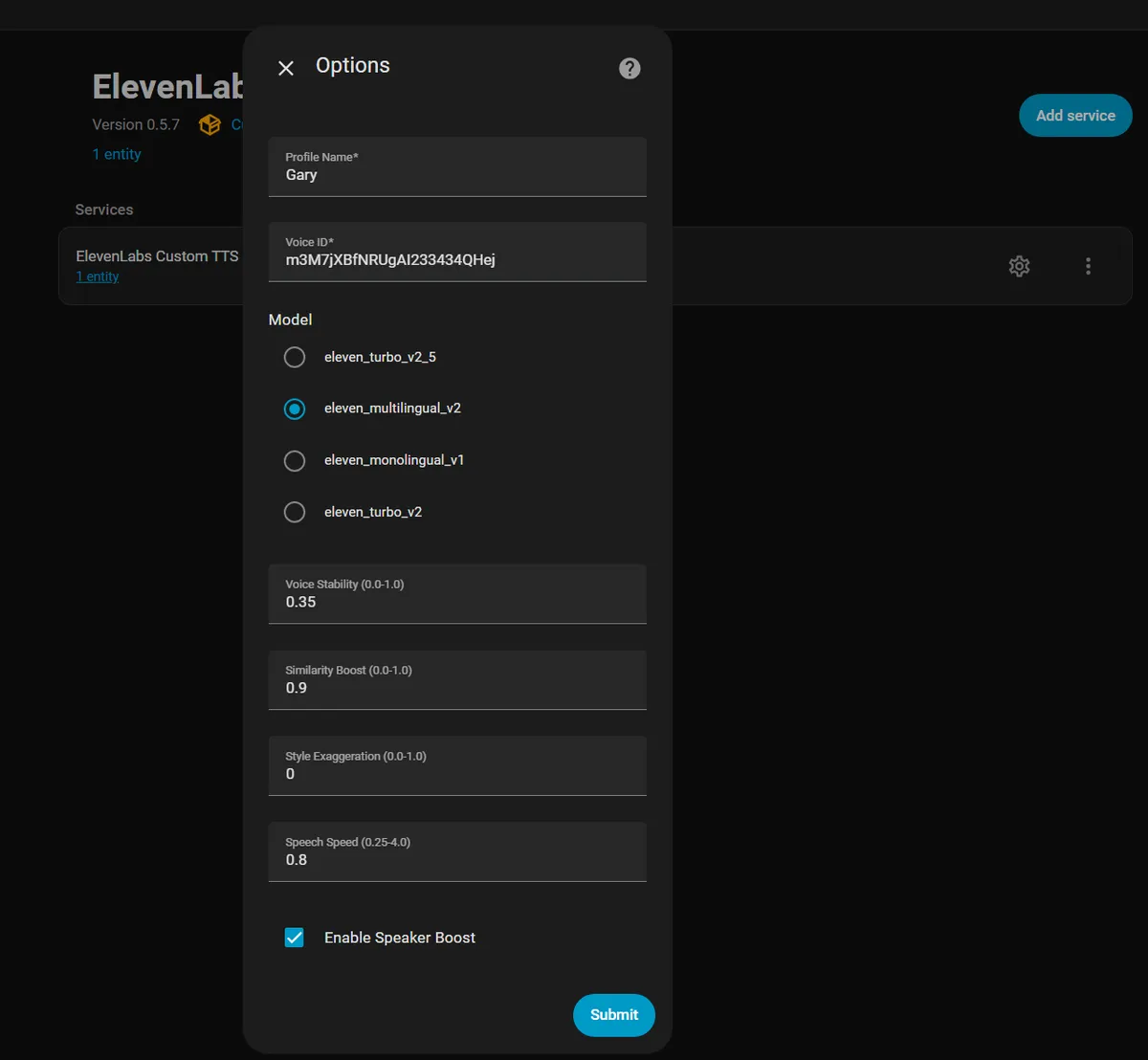
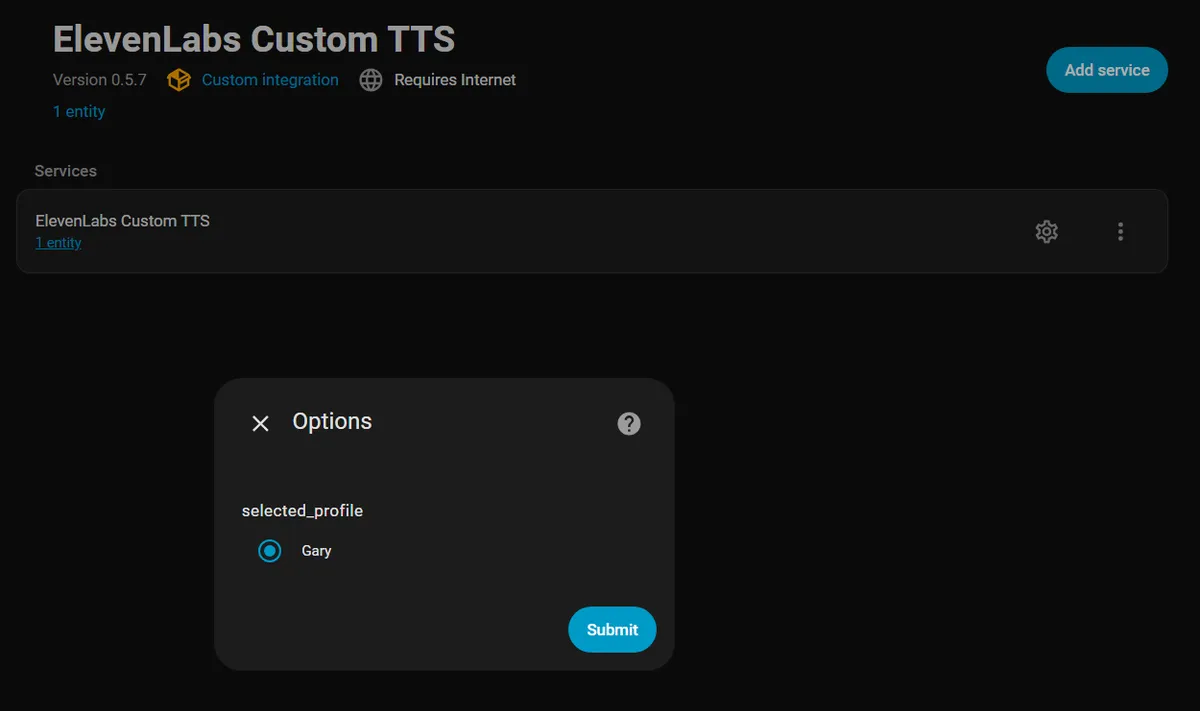
ElevenLabs Custom TTS is a text-to-speech integration that adds voice profiles and full voice settings to Home Assistant. It plugs into the native TTS platform, so it works with the usual TTS actions and with any media player. Named voice profiles can be added, edited and deleted in the integration options, each holding a voice, a model, stability, similarity boost, style, speed and speaker boost. Speed control is not offered by the native ElevenLabs integration, and profiles can be switched in automations and Assist pipelines without creating a separate integration instance per voice. A Get Voices action lists the voices available from ElevenLabs, and the README describes filtering by category and searching by name, description or label. It needs the ElevenLabs cloud and is set up in the UI with an API key.
Automatic summary of the README and code of loryanstrant/HA-ElevenLabs-Custom-TTS. Something wrong, or are you the maintainer and want your own text here? Get in touch
Supports
Uses the vendor's cloud Needs an internet connection and an account with the vendor.
From the Marketplace Installed through the Marketplace, formerly HACS.
Actively maintained Its author released or pushed a change in the last six months.
Setting it up
Install it from the Marketplace and restart Home Assistant, then add it under Settings, Devices and services.
ElevenLabs Custom TTS
- API Key
After setup
- What would you like to do?Choose an action to manage your voice profiles
- Profile NameA unique name for this voice profile (e.g., 'Gary', 'Narrator')
- Voice IDElevenLabs Voice ID (use the 'Get Voices' service to find available voice IDs)
- ModelPick a model from your ElevenLabs account, or type any model ID (e.g. eleven_v3, eleven_flash_v2_5)
- StabilityVoice stability - lower values add more variability (0.0-1.0)
- Similarity BoostHow closely to match the original voice - higher is more similar (0.0-1.0)
- StyleStyle exaggeration - higher values are more expressive (0.0-1.0)
- SpeedSpeech speed multiplier - 1.0 is normal speed (0.25-4.0)
- Speaker BoostEnhance speaker clarity and reduce background noise
- Profile to ModifyChoose which voice profile you want to edit
- Profile NameA unique name for this voice profile (e.g., 'Gary', 'Narrator')
- Voice IDElevenLabs Voice ID (use the 'Get Voices' service to find available voice IDs)
- ModelPick a model from your ElevenLabs account, or type any model ID (e.g. eleven_v3, eleven_flash_v2_5)
- StabilityVoice stability - lower values add more variability (0.0-1.0)
- Similarity BoostHow closely to match the original voice - higher is more similar (0.0-1.0)
- StyleStyle exaggeration - higher values are more expressive (0.0-1.0)
- SpeedSpeech speed multiplier - 1.0 is normal speed (0.25-4.0)
- Speaker BoostEnhance speaker clarity and reduce background noise
- Profile to DeleteChoose which voice profile you want to remove permanently
Texts from the code of loryanstrant/HA-ElevenLabs-Custom-TTS.
Actions
- Get VoicesRetrieve all available voices from ElevenLabs API
From the README
An ElevenLabs TTS integration for Home Assistant that provides enhanced voice discovery and integrates with Home Assistant's native TTS platform.
- Voice Type Filtering: Filter voices by category (premade, cloned, generated, professional)
- Voice Search: Search voices by name, description, or labels (e.g., "british", "male", "authoritative")
- Smart Voice Selection: Use filters in automations to dynamically select the perfect voice
Information
- Installs
- 85 sharing analytics
- GitHub stars
- 4
- Connection
- Uses the vendor's cloud
- Upkeep
- Updated in the last 6 months
- Version
- v0.8.3,
- Category
- AI and voice, Speech
- Kind
- Marketplace integration
- Brand
- ElevenLabs
- Needs
- Needs the Marketplace (HACS on 2026.10 and older)
- Domain
elevenlabs_custom_tts- Issues
- Report an issue