On Home Assistant 2026.10 or older? Open it in HACS
- Installs
- 54 sharing analytics
- GitHub stars
- 16
- Connection
- Works locally
- Upkeep
- Updated in the last 6 months
- Version
- v0.8.0,
- Category
- Blinds and curtains
- Kind
- Marketplace integration
- Needs
- Needs the Marketplace (HACS on 2026.10 and older)
- Domain
nice_bidiwifi- Issues
- Report an issue
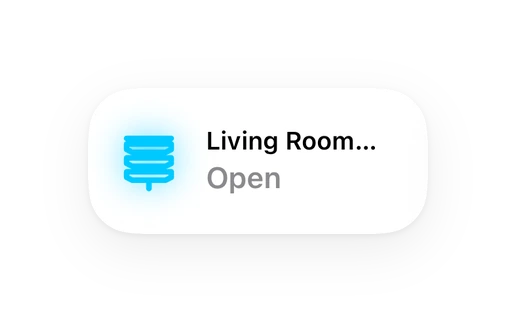
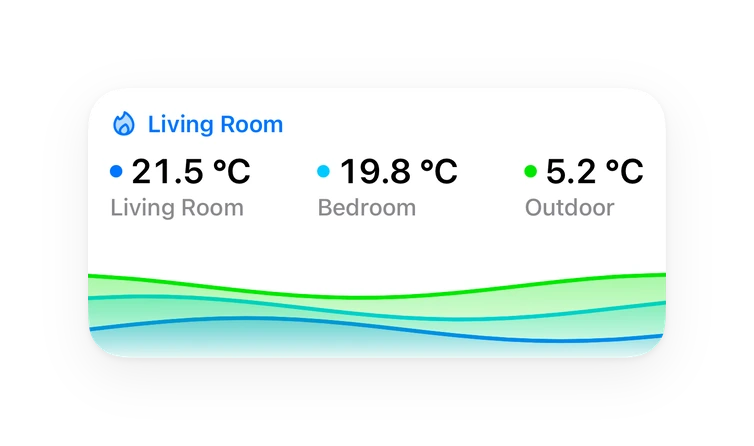
Shows in Vulpo Quick Toggle card, Cover card, Button card, Chart card, Apple Watch, Control Center.
Independent directory, made by the developer of Vulpo. Not affiliated with Home Assistant or the Open Home Foundation.
About
Nice is an integration for controlling compatible Nice gates and garage doors, mainly over the local network. It creates a primary cover that can open, stop and close, plus control and diagnostic entities that depend on what the controller reports. Cover position is supported natively when the controller reports a numeric position. Three connection policies are available: local with cloud fallback, fully local, and fully cloud through the Nice relay. Compatible interfaces are found automatically on the network, and address changes update in place without creating duplicates. Setup happens in the UI, with credentials entered manually or imported once from a MyNice account.
Automatic summary of the README and code of Jordi-14/homeassistant_nice. Something wrong, or are you the maintainer and want your own text here? Get in touch

Shows in Vulpo
Quick Toggle card, Cover card, Button card, Chart card, Apple Watch, Control Center.Installs over time
#1,495 of 1,551 Marketplace integrations. Installs sharing analytics.
Supports
- Works locallyTalks to your devices on your own network. No vendor cloud in between.
- Found by itselfHome Assistant spots it on the network and offers to add it.
- From the MarketplaceInstalled through the Marketplace, formerly HACS.
- Actively maintainedIts author released or pushed a change in the last six months.
Provides
- Covers
- Switches
- Sensors
Setting it up
Install it from the Marketplace and restart Home Assistant, then add it under Settings, Devices and services.
Nice
- Connection modeHow Home Assistant should reach this Nice device. Only modes supported by this version are shown.
- Credential sourceEnter NHK credentials manually or import them during a one-time MyNice session.
Confirm the device
- NameDisplay name for this gate in Home Assistant.
- NHK usernameNHK username from the extracted MyNice credentials.
- NHK password hex64-character hexadecimal NHK password from the extracted MyNice credentials.
- Show advanced settingsConfigure the source/controller ID, port, device ID, or T4 timeout.
Import credentials from MyNice
- MyNice accountEmail address or username for the MyNice account.
- MyNice account passwordUsed only for this import and never stored in the config entry.
- I understand this uses a private MyNice serviceConfirms that you understand the account details leave the LAN and that the MyNice service is private and may change.
Choose Nice interfaces
- InterfacesEach selected interface becomes its own Home Assistant config entry.
Cloud local
- NameDisplay name for this gate in Home Assistant.
- Interface IP address or hostnameAddress that Home Assistant uses to reach the Nice interface on the local network.
- PortLocal Nice interface TLS port. The default is 443.
- Nice relay hostnameInternet relay hostname. TLS encrypts relay traffic, but certificate and hostname verification are disabled because the Nice relay uses a self-signed certificate.
- Nice relay portInternet relay TLS port. The default is 7890.
- Device IDNHK device ID to control. Leave at 1 unless troubleshooting a different device.
- T4 timeout in millisecondsTimeout sent inside local T4 requests, in milliseconds.
Connect Nice
- NameDisplay name for this gate in Home Assistant.
- Interface IP address or hostnameAddress that Home Assistant uses to reach the Nice interface on the local network.
- Nice relay hostnameInternet relay hostname. TLS encrypts relay traffic, but certificate and hostname verification are disabled because the Nice relay uses a self-signed certificate.
- Nice relay portInternet relay TLS port. The default is 7890.
- Interface MAC addressInterface MAC address from the extracted MyNice credentials.
- NHK usernameNHK username from the extracted MyNice credentials.
- NHK password hex64-character hexadecimal NHK password from the extracted MyNice credentials.
- Show advanced settingsConfigure the source/controller ID, port, device ID, or T4 timeout.
Advanced local settings
- Source/controller IDSource/controller ID from the extracted MyNice credentials. Leave empty to use the username.
- PortLocal Nice interface TLS port. The default is 443.
- Device IDNHK device ID to control. Leave at 1 unless troubleshooting a different device.
- T4 timeout in millisecondsTimeout sent inside local T4 requests, in milliseconds.
Reauthenticate Nice
- Connection mode
- NameDisplay name for this gate in Home Assistant.
- Interface IP address or hostnameAddress that Home Assistant uses to reach the Nice interface on the local network.
- PortLocal Nice interface TLS port. The default is 443.
- Nice relay hostnameInternet relay hostname. Required for fallback and fully cloud modes. TLS traffic is encrypted without certificate or hostname verification.
- Nice relay portInternet relay TLS port. The default is 7890.
- Interface MAC addressInterface MAC address from the extracted MyNice credentials.
- NHK usernameNHK username from the extracted MyNice credentials.
- NHK password hex64-character hexadecimal NHK password from the extracted MyNice credentials.
- Source/controller IDSource/controller ID from the extracted MyNice credentials. Leave empty to use the username.
- Device IDNHK device ID to control. Leave at 1 unless troubleshooting a different device.
- T4 timeout in millisecondsTimeout sent inside local T4 requests, in milliseconds.
Texts from the code of Jordi-14/homeassistant_nice.
Troubleshooting
- DiagnosticsDownloads a diagnostics file to attach to a bug report.
From the README
Custom Home Assistant integration for local and optional Nice-relay control of compatible Nice gates and garage doors.
The integration uses the shared Nice NHK/T4 protocol over either a local TLS/TCP connection, the Nice Internet relay, or the recommended local connection with cloud fallback. It creates a primary cover plus capability-driven control and diagnostic entities. Both the tested BiDi-WiFi LAN endpoint and the Nice relay use certificates that cannot be validated against Home Assistant's normal trust store. TLS still encrypts traffic, but certificate and hostname verification are disabled for those NHK connections.
- Open, stop, and close using the NHK DoorAction service.
- Automatic discovery of compatible operational Nice interfaces over zeroconf, including in-place address updates without duplicate devices.
- Three connection policies: recommended local + cloud fallback, fully local, and fully cloud. Relay traffic is TLS-encrypted without certificate or hostname verification because the production Nice…
- Optional one-time MyNice account import retrieves the same per-device NHK credentials used by manual setup through the built-in MyNice client registration. The account password and temporary access…
- Bounded LAN failover and hysteretic recovery avoid route flapping. Commands with an ambiguous outcome are never replayed on a second route.
- Native Home Assistant cover position support when the controller reports a numeric position source.
Information
- Installs
- 54 sharing analytics
- GitHub stars
- 16
- Connection
- Works locally
- Upkeep
- Updated in the last 6 months
- Version
- v0.8.0,
- Category
- Blinds and curtains
- Kind
- Marketplace integration
- Needs
- Needs the Marketplace (HACS on 2026.10 and older)
- Domain
nice_bidiwifi- Issues
- Report an issue