

PyLoxone
JoDehli
Not in the Marketplace catalog. Add https://github.com/JoDehli/PyLoxone as a custom repository in the Marketplace.
- Installs
- 907 sharing analytics
- GitHub stars
- 316
- Connection
- Works locally
- Upkeep
- Updated in the last 6 months
- Version
- 0.10.2,
- Category
- Hubs and protocols, Building automation
- Kind
- Marketplace integration
- Needs
- Added as a custom repository in the Marketplace
- Domain
loxone- Issues
- Report an issue
Independent directory, made by the developer of Vulpo. Not affiliated with Home Assistant or the Open Home Foundation.
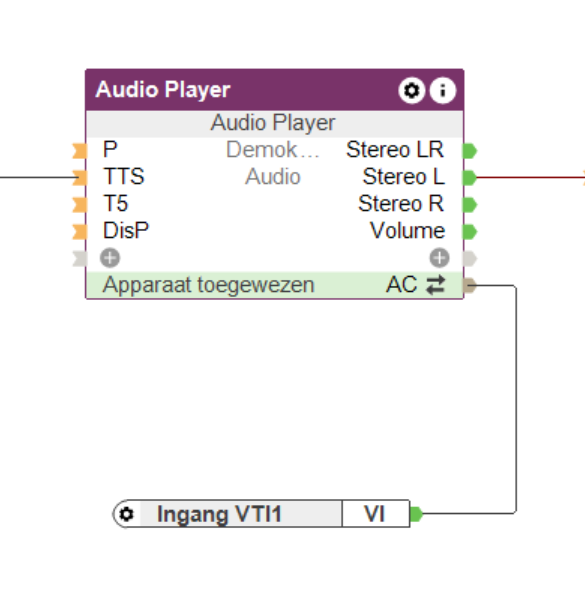
Screenshots From the README of JoDehli/PyLoxone.
About
PyLoxone is a Home Assistant integration that connects to a Loxone Miniserver and maps its controls to Home Assistant entities. It works locally and is set up in the UI after being added as a custom repository in the Marketplace. Supported Loxone controls include switches, blinds, gates, light controllers, alarms, fans, room controllers, audio zones, sliders, text inputs and analog or digital info values. Sensors are given a device class automatically from their unit and Loxone category or name, and this can be overridden through entity customization. Light controller sub-controls are registered but disabled by default, and an option sets whether new ones start enabled. Actions cover reloading the connection, refreshing the token, sending websocket commands, syncing areas from Loxone rooms, and sun automation and quick shade for blinds.
Automatic summary of the README and code of JoDehli/PyLoxone. Something wrong, or are you the maintainer and want your own text here? Get in touch
Supports
Works locally Talks to your devices on your own network. No vendor cloud in between.
From the Marketplace Installed through the Marketplace, formerly HACS.
Actively maintained Its author released or pushed a change in the last six months.
Provides
- Lights
- Climate
- Fans
- Covers
- Alarms
- Media
- Switches
- Sensors
Setting it up
Add its repository to the Marketplace as a custom repository and install it, then restart Home Assistant and add it under Settings, Devices and services.
Set up Loxone
- User
- Port
- Miniserver Ip
- Password
- Verify the Miniserver TLS certificate
- generate scenes
- Enable LightControllerV2 subcontrols by default
- Delay for the scene generation if enabled
Re-authenticate Loxone
- User
- Password
After setup
- User
- Port
- Miniserver Ip
- Password
- Verify the Miniserver TLS certificate
- Generate scenes
- Enable LightControllerV2 subcontrols by default
- Delay for the scene generation if enabled
Texts from the code of JoDehli/PyLoxone.
Actions
- Pyloxone ReloadReloads the Loxone integration by reconnecting to the Miniserver and refreshing all entities. This is useful after making configuration changes in Loxone Config or when connection issues occur. All current entity states will be re\-synchronized from the Miniserver.
- Refresh Miniserver tokenImmediately refreshes the authentication token for the selected Loxone config entry and waits for the Miniserver to confirm the new token.Fields: Loxone config entry
- Send Websocket commandSend websocket commands to the loxone server. You can send a command to the Miniserver using an entity or using a UUID. If you specify both, the command will be sent to the Entity. More info and commands can be found on the Loxone WebsiteFields: UUID, Entity, Command
- Send secured websocket commandSend websocket commands to the loxone server. You can send a command to the Miniserver using an entity or using a UUID. If you specify both, the command will be sent to the Entity. More info and commands can be found on the Loxone WebsiteFields: UUID, Entity, Command, Password
- Sync areasApplies areas to the loxone entites based on the room from loxone. If area not exists entites will not be changedFields: Create areas
- Enable sun automationEnable Sun automation for Loxone Jalousie
- Disable sun automationDisable Sun automation for Loxone Jalousie
- Quick shadeMove Loxone Jalousie to shade position. Position is set by Loxone depends on multiple values.
Troubleshooting
- DiagnosticsDownloads a diagnostics file to attach to a bug report.
- System healthAdds its status to Home Assistant's system information.
From the README
A special thanks to Pawel Pieczul from the great openhab2 house automation software. He really helped me a lot to with the new token based authentication. Thanks Pawel!!!

Shows in Vulpo
Light card, Quick Toggle card, Cover card, Climate card, Apple Watch, Control Center, Climate Live Activity.Information
- Installs
- 907 sharing analytics
- GitHub stars
- 316
- Connection
- Works locally
- Upkeep
- Updated in the last 6 months
- Version
- 0.10.2,
- Category
- Hubs and protocols, Building automation
- Kind
- Marketplace integration
- Needs
- Added as a custom repository in the Marketplace
- Domain
loxone- Issues
- Report an issue










