Meteocat
figorr
On Home Assistant 2026.11 or newer? Open it in the Marketplace
- Installs
- 95 sharing analytics
- GitHub stars
- 16
- Connection
- Uses the vendor's cloud
- Upkeep
- Updated in the last 6 months
- Version
- v4.2.1,
- Category
- Weather and alerts
- Kind
- Marketplace integration
- Needs
- Needs the Marketplace (HACS on 2026.10 and older)
- Domain
meteocat- Issues
- Report an issue
Independent directory, made by the developer of Vulpo. Not affiliated with Home Assistant or the Open Home Foundation.
Screenshots From the README of figorr/meteocat.
About
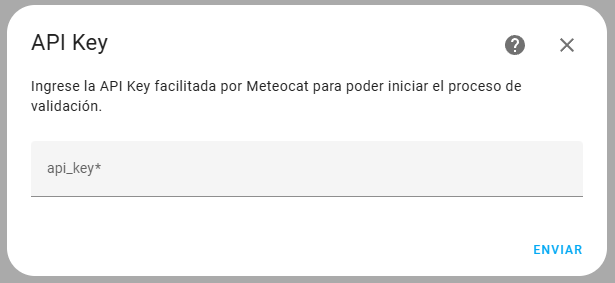
Meteocat is a Marketplace integration that downloads weather data from the Meteocat API into Home Assistant. It provides sensors and a weather entity, with readings such as wind speed and direction, temperature, humidity, pressure, precipitation, solar irradiance and UV index. The data comes from the vendor's cloud and needs an API key, which must cover the station data, lightning data and prediction plans. Setup runs in the UI, where a municipality and stations are chosen and request limits are set for each API plan. The lightning limit can be set to 0 to disable it when that plan is not included. Options allow changing the coordinates and altitude, regenerating assets and forcing a data update.
Automatic summary of the README and code of figorr/meteocat. Something wrong, or are you the maintainer and want your own text here? Get in touch
Supports
Uses the vendor's cloud Needs an internet connection and an account with the vendor.
From the Marketplace Installed through the Marketplace, formerly HACS.
Actively maintained Its author released or pushed a change in the last six months.
Provides
- Sensors
- Weather
Setting it up
Install it from the Marketplace and restart Home Assistant, then add it under Settings, Devices and services.
Municipality Selection
- Municipality
Station Selection
- Stations
API limits
- XEMA Limit (Automatic Meteorological Stations Network)
- Prediction Limit
- XDDE Limit (Lightning Detection Network) (0 to disable)
- Quota Limit
- Basic Limit
After setup
- Options
- XEMA Limit (Automatic Meteorological Stations Network)
- Prediction Limit
- XDDE Limit (Lightning Detection Network) (0 to disable)
- Quota Limit
- Basic Limit
- XEMA Limit (Automatic Meteorological Stations Network)
- Prediction Limit
- XDDE Limit (Lightning Detection Network) (0 to disable)
- Quota Limit
- Basic Limit
- Latitude
- Longitude
- Altitude (meters)
- Confirm
- Confirm
- Data
Texts from the code of figorr/meteocat.
Entities
- SensorsWind Speed, Wind Direction, Wind Direction Cardinal, Temperature, Humidity, Pressure, Precipitation, Precipitation Accumulated, Precipitation Probability, Solar Global Irradiance, UV Index, Max Temperature, and 48 more
From the README
This is a project to obtain meteorological data from the Meteocat API inside the Home Assistant environment.
All the data is property of Meteocat ("Servei Meteorològic de Catalunya"). This project is only a tool to offer an easy and secure access to the meteorological data provided by the "Servei Meteorològic de Catalunya" API, so you can use the data for your personal use.

Shows in Vulpo
Chart card, Lumen sky, Apple Watch.Information
- Installs
- 95 sharing analytics
- GitHub stars
- 16
- Connection
- Uses the vendor's cloud
- Upkeep
- Updated in the last 6 months
- Version
- v4.2.1,
- Category
- Weather and alerts
- Kind
- Marketplace integration
- Needs
- Needs the Marketplace (HACS on 2026.10 and older)
- Domain
meteocat- Issues
- Report an issue