
On Home Assistant 2026.10 or older? Open it in HACS
- Installs
- 218 sharing analytics
- GitHub stars
- 1
- Connection
- Uses the vendor's cloud
- Upkeep
- Updated in the last 6 months
- Version
- v1.0.5,
- Category
- Messaging and notifications, Push notifications
- Kind
- Marketplace integration
- Needs
- Needs the Marketplace (HACS on 2026.10 and older)
- Domain
vk_notify- Issues
- Report an issue


Independent directory, made by the developer of Vulpo. Not affiliated with Home Assistant or the Open Home Foundation.
Screenshots From the README of Eugen417/ha_vk_notify_plus.
About
VK Notify для Home Assistant — отправка текстовых уведомлений, фотографий (напрямую с камер Home Assistant camera.*, снимков Frigate по URL или из локальных файлов, включая альбомы до 10 вложений)...
Description from Eugen417/ha_vk_notify_plus

Shows in Vulpo
Entity card (read-only).Supports
- Uses the vendor's cloudNeeds an internet connection and an account with the vendor.
- From the MarketplaceInstalled through the Marketplace, formerly HACS.
- Actively maintainedIts author released or pushed a change in the last six months.
Setting it up
Install it from the Marketplace and restart Home Assistant, then add it under Settings, Devices and services.
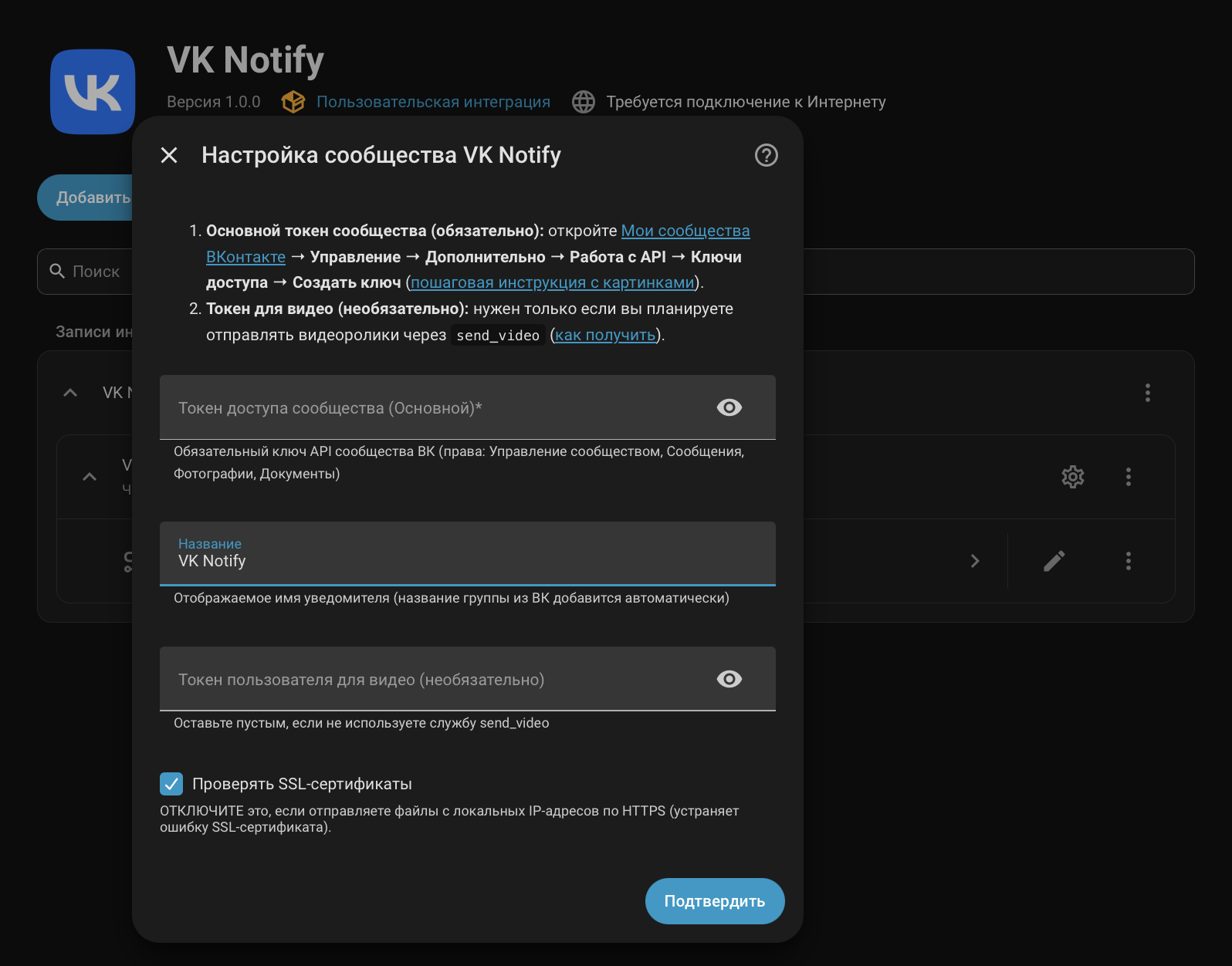
Set up VK Notify Community
- Community Access Token (Main)Required VK community bot token (permissions: Community management, Messages, Photos, Documents)
- NameFriendly name prefix (community name from VK is appended automatically)
- User Token for Video (optional)Leave empty if you do not use the send_video service
- Verify SSL certificatesDISABLE this if you send files from local IP addresses via HTTPS (fixes SSL certificate errors).
Connection mode
- Mode
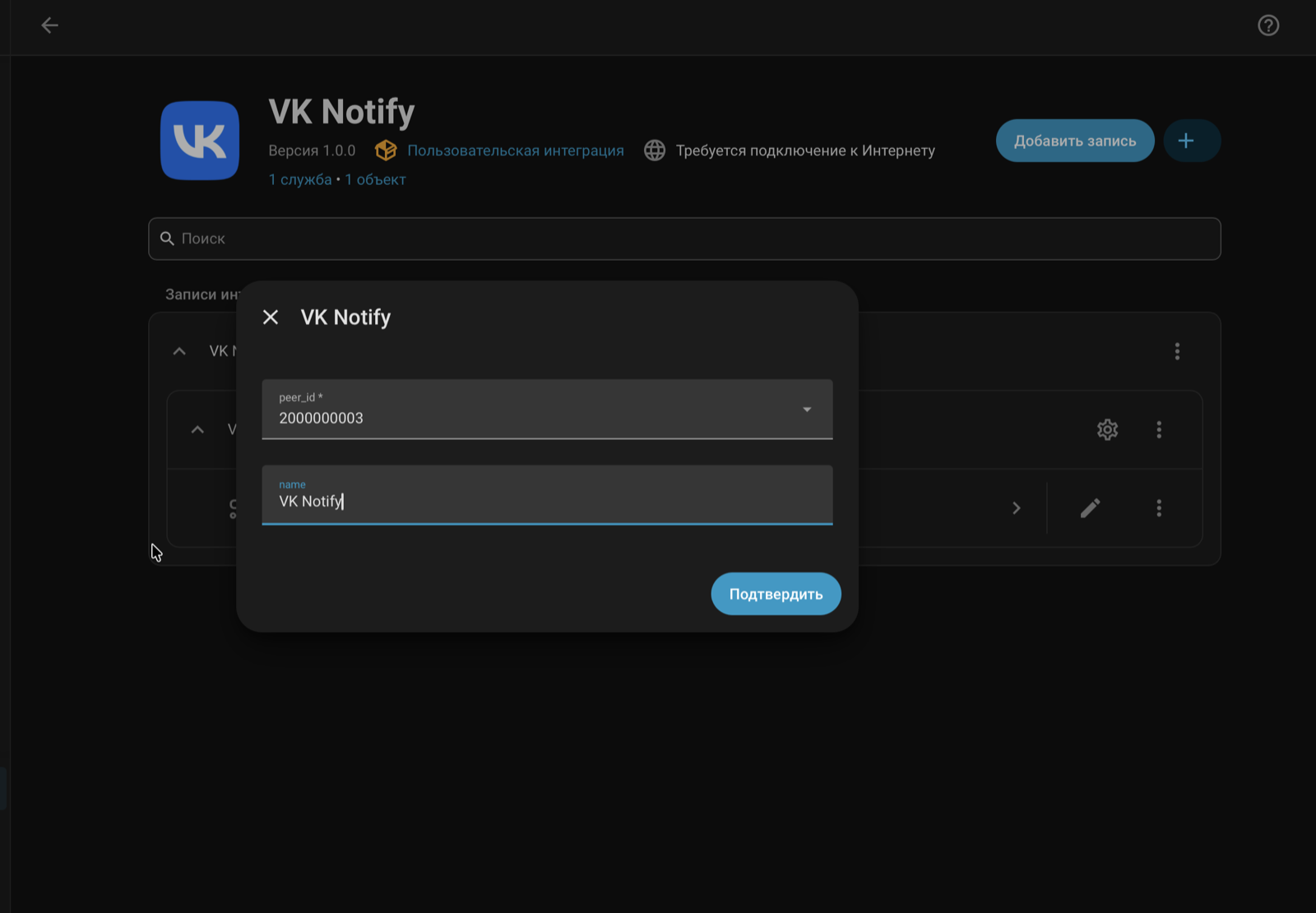
Select community chats
- Chats
Re-authenticate VK Notify Community
- Community Access TokenRequired VK community bot token (permissions: Community management, Messages, Photos, Documents)
VK Community settings
- Community Access Token
- Name
- Mode
- User Token for Video (optional)Optional VK User Token for send_video service
- Verify SSL certificatesDISABLE this if you send files from local IP addresses via HTTPS (fixes SSL certificate errors).
Texts from the code of Eugen417/ha_vk_notify_plus.
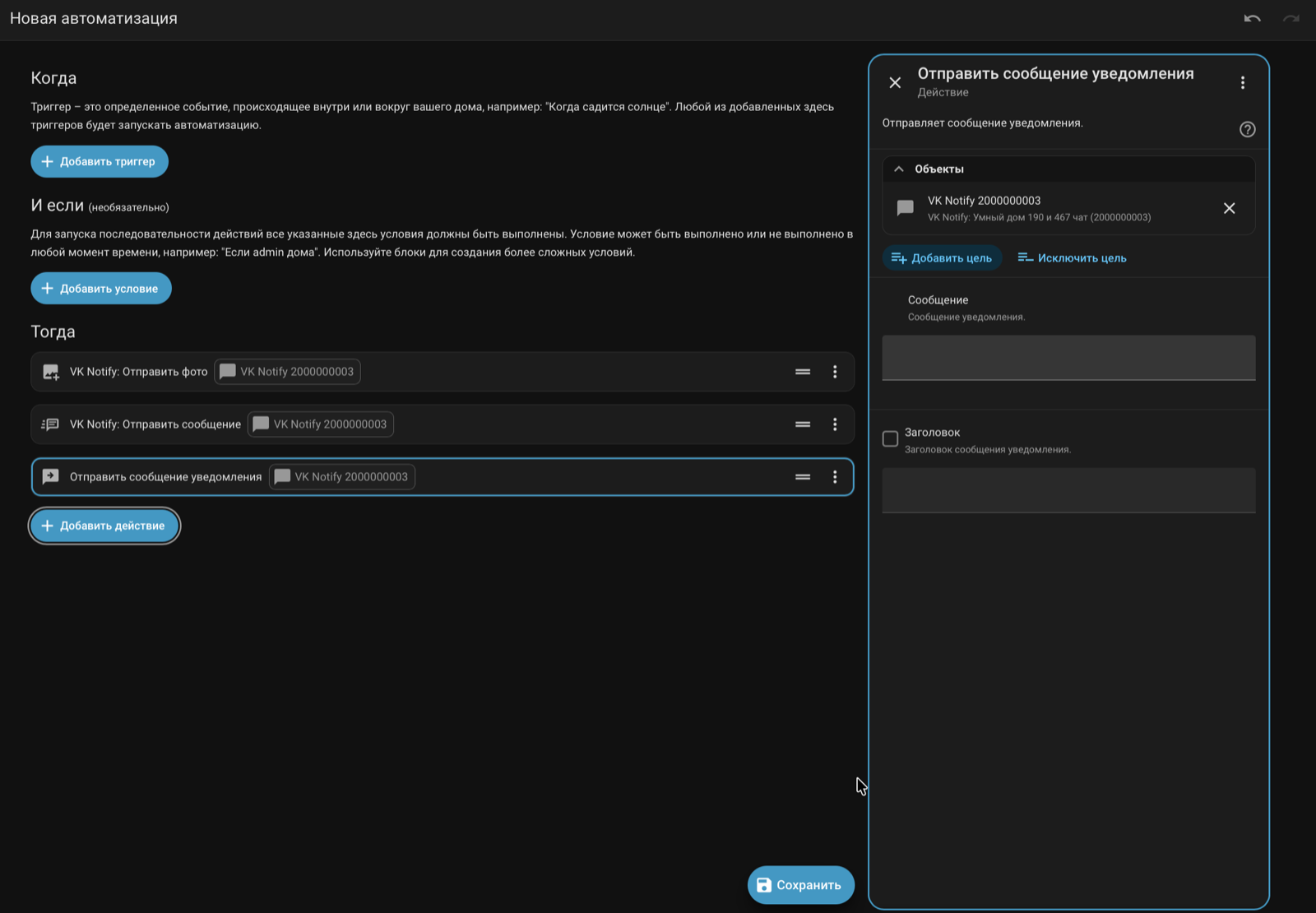
Actions
- Send messageSends a text notification, media, coordinates, or carousel.
- Title
- Message
- Parse Mode
- Attachment (Media)
- Silent mentions
- Inline keyboard / Menu
- Auto-answer callback
- Keyboard
- Template / Carousel
- Hidden data (Payload)
- Send photoSend a photo via VK.
- Caption
- Parse Mode
- Home Assistant Camera
- Local file path or media-source://
- Image URL
- Silent mentions
- Inline keyboard / Menu
- Auto-answer callback
- Hidden data (Payload)
- Keyboard
- Send fileSend a file via VK.
- Local file path or media-source://
- File URL
- Caption
- Parse Mode
- Silent mentions
- Inline keyboard / Menu
- Auto-answer callback
- Hidden data (Payload)
- Keyboard
- Timeout
- Send videoSends a video file (.mp4) as a native VK video. WARNING: Requires a user token!
- User Token
- Local file path
- Video URL
- Caption
- Parse Mode
- Silent mentions
- Inline keyboard / Menu
- Auto-answer callback
- Hidden data (Payload)
- Keyboard
- Send voice messageSends an audio file (.ogg) as a native voice message.
- Local audio path
- Text
- Parse Mode
- Silent mentions
- Inline keyboard / Menu
- Auto-answer callback
- Hidden data (Payload)
- Keyboard
- Timeout
- Reply to message
- Post to wallPublish a post on the VK community wall. Returns post_id.
- Post text
- Local file path
- File URL
- Edit messageEdits the text, keyboard, and attachments of a previously sent message.
- New message text
- Parse Mode
- Message ID (Private)
- Conversation Message ID
- New attachment
- New keyboard
- Silent mentions
- Delete messageDeletes a message for all chat participants.
- Conversation Message ID
- Delete for all
- Set activity statusShows typing or recording audio status in the chat.
- Activity type
- Send reactionSets an emoji reaction to a specific message.
- Conversation Message ID
- Reaction
- Pin messagePins the specified message in the chat.
- Conversation Message ID
- Unpin messageUnpins a message in the chat. If no ID is provided, unpins the currently pinned message.
- Conversation Message ID
- Answer Callback (Snackbar)Stops the loading spinner on an inline button and optionally shows a snackbar notification.
- Event ID
- User ID
- Message (Snackbar)
- Edit chat titleChanges the title of a group chat (Bot must be an admin!).
- New title
- Get user infoRequests user data. Returns First Name, Last Name, and Online status.
- VK User ID
- Send stickerSends a VK sticker by its internal ID.
- Sticker ID
- Reply to message
Troubleshooting
- DiagnosticsDownloads a diagnostics file to attach to a bug report.
From the README
Интеграция VK Notify для Home Assistant — отправка текстовых уведомлений, фотографий (напрямую с камер Home Assistant camera.*, снимков Frigate по URL или из локальных файлов, включая альбомы до 10 вложений), документов, голосовых и нативных видеосообщений, интерактивных клавиатур, каруселей и приём входящих команд, голосовых сообщений (transcript) и нажатий кнопок через VK API (v5.199) и Bots Long Poll API. Совместима с Home Assistant 2025.8+ и 2026.x.
Information
- Installs
- 218 sharing analytics
- GitHub stars
- 1
- Connection
- Uses the vendor's cloud
- Upkeep
- Updated in the last 6 months
- Version
- v1.0.5,
- Category
- Messaging and notifications, Push notifications
- Kind
- Marketplace integration
- Needs
- Needs the Marketplace (HACS on 2026.10 and older)
- Domain
vk_notify- Issues
- Report an issue
You might also like









Try it with your own Home Assistant.
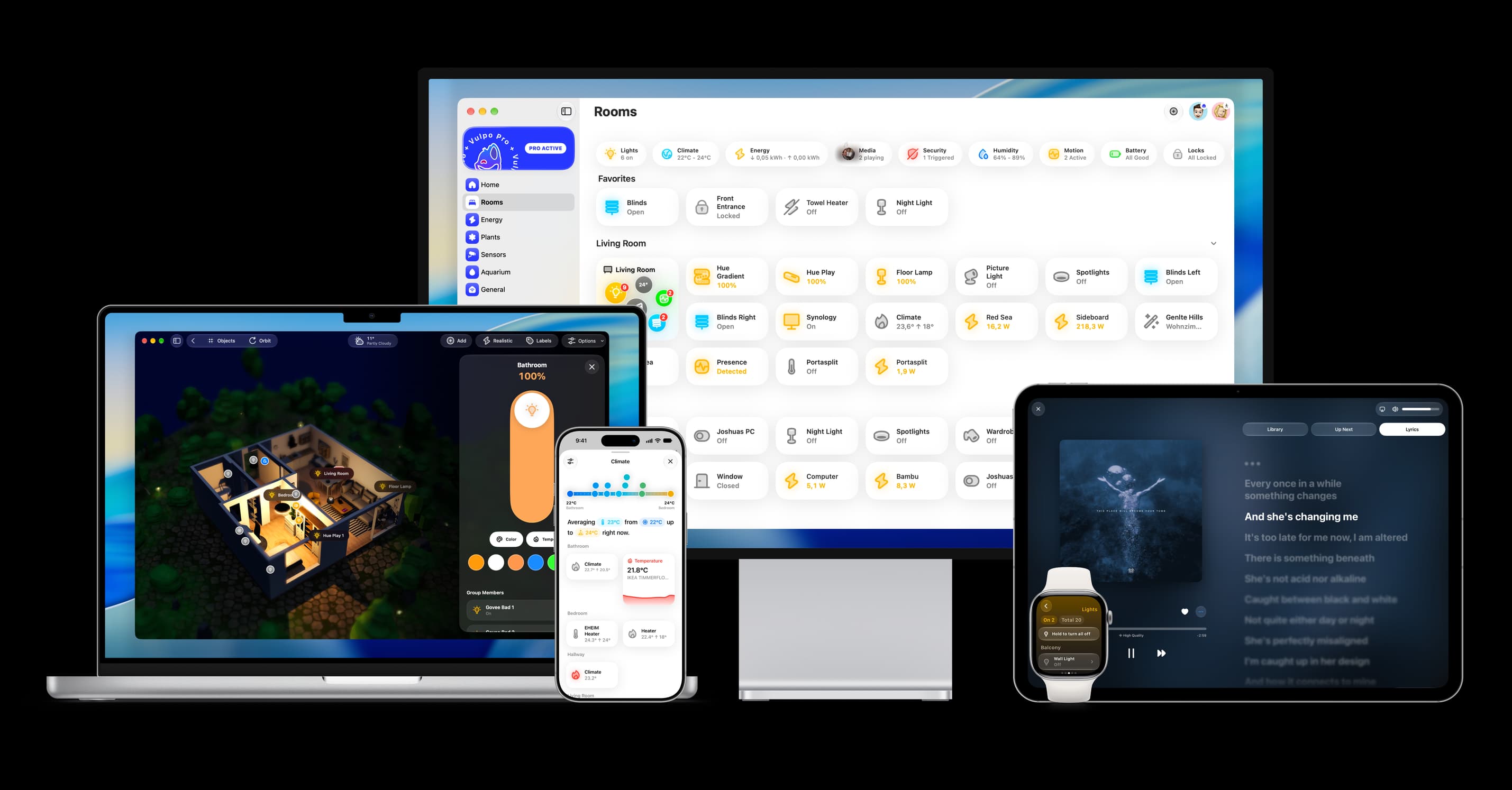
- Free to download
- iPhone, iPad, Mac and Apple Watch
- 40+ native card types
- Connects to your own Home Assistant