Red Sea (ReefBeat devices)
Elwinmage
On Home Assistant 2026.11 or newer? Open it in the Marketplace
- Installs
- 144 sharing analytics
- GitHub stars
- 33
- Connection
- Works locally
- Upkeep
- Updated in the last 6 months
- Version
- v2.7.1,
- Category
- Lighting
- Kind
- Marketplace integration
- Needs
- Needs the Marketplace (HACS on 2026.10 and older)
- Domain
redsea- Issues
- Report an issue
Independent directory, made by the developer of Vulpo. Not affiliated with Home Assistant or the Open Home Foundation.
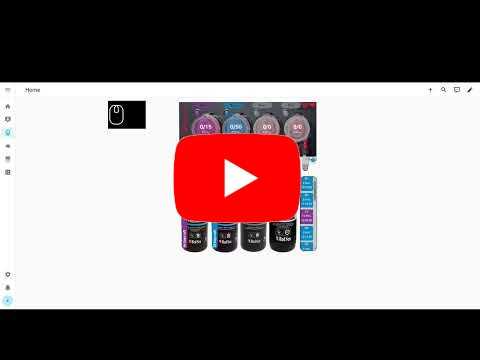
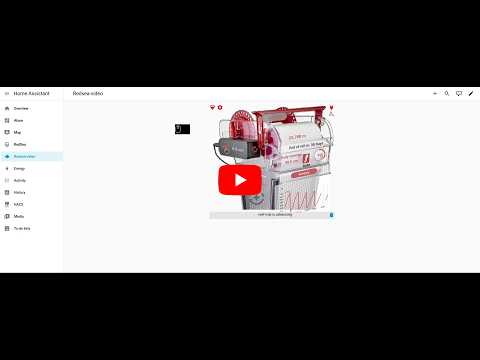
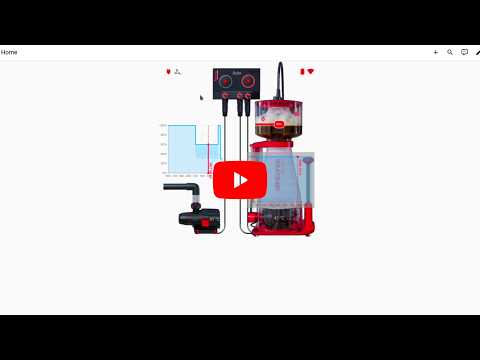
Screenshots From the README of Elwinmage/ha-reefbeat-component.
About
Red Sea (ReefBeat devices) is an integration that manages Red Sea ReefBeat aquarium equipment from Home Assistant. It covers ReefLed, ReefMat, ReefDose, ReefRun, ReefWave and ReefATO+, and talks to the devices locally. Entities include lights, sensors, switches, numbers, selects, buttons and a firmware update. Actions cover ReefLED light programs and weather mode, plus ReefWave wave libraries, day programs, previews and grouping, and probe calibration for a RSCONTROL hub. Devices can be added by auto-detection, by IP address or subnet, or through a cloud account, which is needed to keep a ReefWave synced with the mobile app and to get firmware notices. Device options let the Wi-Fi network be changed from Home Assistant, and cover scan interval and live configuration updates.
Automatic summary of the README and code of Elwinmage/ha-reefbeat-component. Something wrong, or are you the maintainer and want your own text here? Get in touch
Supports
Works locally Talks to your devices on your own network. No vendor cloud in between.
From the Marketplace Installed through the Marketplace, formerly HACS.
Actively maintained Its author released or pushed a change in the last six months.
Provides
- Lights
- Switches
- Sensors
Setting it up
Install it from the Marketplace and restart Home Assistant, then add it under Settings, Devices and services.
Add new Device
- Choose your adding method
- Cloud server (simulator address)
- Disable Supplements
- Hardware Model
- IP or subnet Addr. (ex:10.0.1.0/255.255.255.0)
- Platform
- scan interval
- New virtual LED Controler
Add discovered devices
- Devices to add
Also asked when at the devices of this account step.
After setup
- Live Configuration Update
- Disable Supplements
- Not configurable
- LED
- Live Configuration Update
- Disable Supplements
- Intensity compensation
- Scan interval
- Not configurable
- LED
- When a device changes IPThe cloud reports each device's IP. A device found at a new address (checked to be the same device) can have its entry updated automatically, or through a repair you confirm.
- Wi-Fi network
- Password
- Re-scan networks
- Subnet CIDR
- Probe type
- Probes
- Probe to replace
- LEDs
Texts from the code of Elwinmage/ha-reefbeat-component.
Entities
- Binary sensorsTemperature probe connected, Battery Level, Bundled heads, Buzzer active, Buzzer dismissed, Buzzer sounding, Cable connected, Check sensor, and 26 more
- ButtonsAdvance, Delete emergency alert, Delete Pump, Delete Supplement, Detect and add pump, EC Calibration Full Cup, EC Calibration End, EC Calibration Overskimming, and 45 more
- LightsBlue, Kelvin, Moon, White
- NumbersAcclimation Duration, Acclimation Start Intensity Factor, ATO Tank Volume, ATO Volume Left, Dose of Calibration, Container Volume, Advance Value, Update Daily dose, and 59 more
- SelectsMode, Model, Position, Preview Waves Direction, Preview Waves Type, Supplements, Temperature fusion method, and 3 more
- SensorsAcclimation Current Intensity Factor, Acclimation Duration, Acclimation Remaining Days, Acclimation Start Intensity Factor, Current Program, Linked LEDs, Temperature probe code, and 118 more
- SwitchesAcclimation, Auto advance, Auto fill, Buzzer enabled, Connect to cloud, Device State, Dose compensation, and 41 more
- TextsBrand Name, Supplement display name, Supplement Name, Supplement Short Name, Pump name, Temperature probe name, Weather location
- TimesSchedule Time, Weather sunrise, Weather sunset
- UpdatesFirmware update
Actions
- Reset maintenanceMark a maintenance task as just performed for a device or sub-device.Fields: Device, Task key
- Get control probesReturn a paired RSCONTROL hub's probes (identity and current values) by hardware ID.Fields: Hub hardware ID
- Probe calibrationRun one step of a RSCONTROL pH or EC probe's calibration: enter, point, status or exit.Fields: Device ID, Probe type, Probe uid, Step, Point, Solution value, Solution rated temperature
- Convert ReefLED coloursConvert G1 ReefLED points between white/blue and kelvin/intensity, with the lamp's model table and intensity compensation.Fields: Device ID, Points
- List ReefLED library programsLight programs of the cloud library of the ReefLED's aquarium.Fields: Device ID
- Save a ReefLED program to the libraryAdd a light program to the cloud library of the ReefLED, or update one.Fields: Device ID, Name, Program, Clouds, Program ID
- Delete a ReefLED library programDelete one of the user's programs from the cloud library of the ReefLED.Fields: Device ID, Program ID
- Refresh the ReefLED weatherFetch the weather again and send the week to a ReefLED in GPS weather mode.Fields: Device ID
- Preview the weather weekGenerates the week the weather would make now, and returns it with the lamp's own week, without writing anything.Fields: Device ID, Settings
- Save the weather programSaves the weather settings and mode, and writes the lamp once: the weather week, or the lamp's own week back.Fields: Device ID, Settings, Weather mode, Wait for the lamp
- ReefWave wave libraryWaves a ReefWave can use (cloud library of its aquarium, with its intensities), the pumps using them and its group.Fields: Device ID
- Save a ReefWave wave to the libraryAdd a wave to the cloud library of the ReefWave's aquarium, or update one (not a Red Sea one).Fields: Device ID, Name, Settings, Wave ID
- Delete a ReefWave wave from the libraryDelete one of the user's waves from the cloud library (not a Red Sea one, nor one a program uses).Fields: Device ID, Wave ID
- Save a ReefWave day programWrite the day program of a ReefWave (of its whole group), through the cloud when linked.Fields: Device ID, Slots
- Preview a ReefWave waveRun a wave on the pump for a while, then go back to its program.Fields: Device ID, Settings, Direction, Duration
- Stop a ReefWave previewThe pump goes back to its program.Fields: Device ID
- Set a ReefWave in the current waveDirection and intensities of this pump in the current wave; the other pumps of the group are left as they are.Fields: Device ID, Direction, Forward intensity, Reverse intensity
- Order a ReefWave groupOrder of the pumps of the ReefWave group (cloud).Fields: Device ID, Pumps
- Group or ungroup a ReefWaveGroup the ReefWave with the other ReefWaves of its aquarium, or ungroup it (cloud).Fields: Device ID, Grouped
- Rename a ReefLED library programRename one of the user's programs: in the cloud library, and on every day named after it of the lamp and of the lamps of its group.Fields: Device ID, Program ID, Name

Shows in Vulpo
Light card, Quick Toggle card, Button card, Select card, Apple Watch, Control Center.Information
- Installs
- 144 sharing analytics
- GitHub stars
- 33
- Connection
- Works locally
- Upkeep
- Updated in the last 6 months
- Version
- v2.7.1,
- Category
- Lighting
- Kind
- Marketplace integration
- Needs
- Needs the Marketplace (HACS on 2026.10 and older)
- Domain
redsea- Issues
- Report an issue