
MCP Server for Xiaozhi
c1pher-cn
On Home Assistant 2026.11 or newer? Open it in the Marketplace
- Installs
- 437 sharing analytics
- GitHub stars
- 277
- Connection
- Uses the vendor's cloud
- Upkeep
- Updated in the last 6 months
- Version
- v0.2.0,
- Category
- AI and voice, AI models
- Kind
- Marketplace integration
- Needs
- Needs the Marketplace (HACS on 2026.10 and older)
- Domain
ws_mcp_server- Issues
- Report an issue
Independent directory, made by the developer of Vulpo. Not affiliated with Home Assistant or the Open Home Foundation.
Screenshots From the README of c1pher-cn/ha-mcp-for-xiaozhi.
About
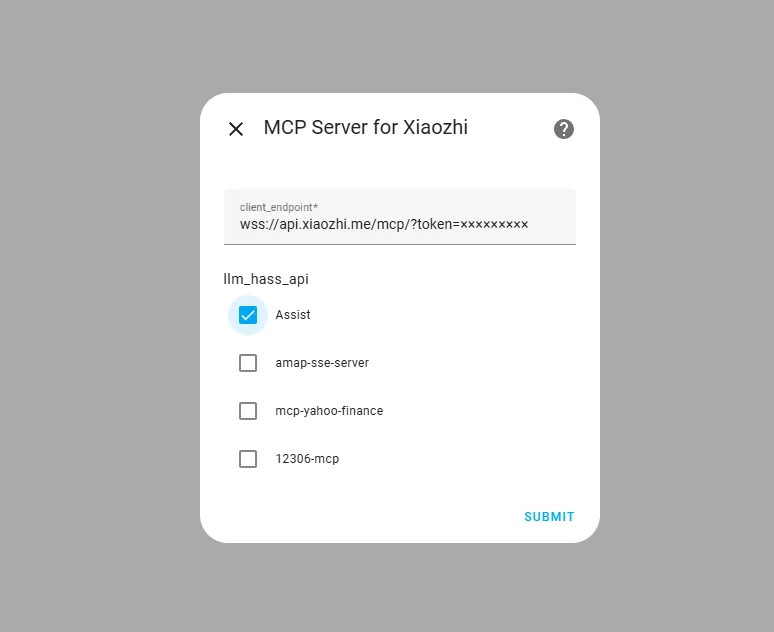
MCP Server for Xiaozhi makes Home Assistant act as an MCP server for the Xiaozhi voice assistant. It connects over a WebSocket to the vendor's cloud server directly, with no relay in between. One configured entry can expose several API groups together, namely the built-in Home Assistant control API and any other MCP servers the user has added, and pass them on to Xiaozhi. Several entries can be configured at the same time. The tools offered depend on which entities are exposed to Home Assistant voice assistants. It is installed through the Marketplace and set up in the UI by entering the Xiaozhi access point address and choosing the control options.
Automatic summary of the README and code of c1pher-cn/ha-mcp-for-xiaozhi. Something wrong, or are you the maintainer and want your own text here? Get in touch
Supports
Uses the vendor's cloud Needs an internet connection and an account with the vendor.
From the Marketplace Installed through the Marketplace, formerly HACS.
Actively maintained Its author released or pushed a change in the last six months.
Setting it up
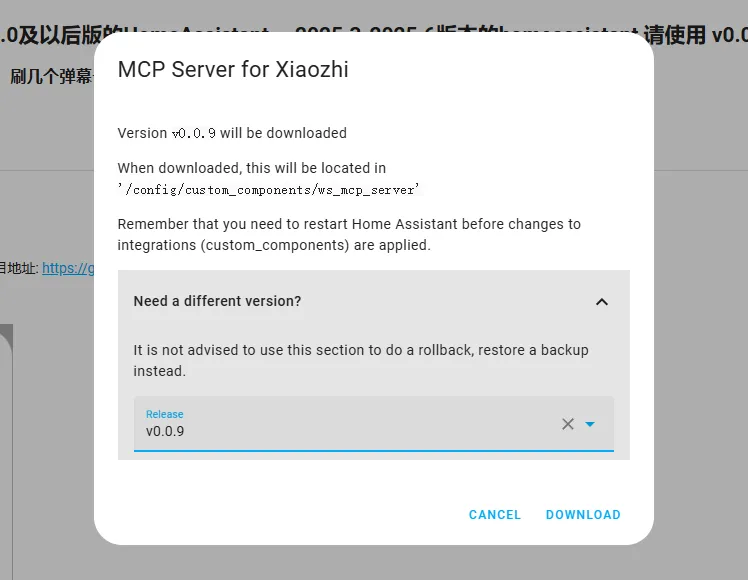
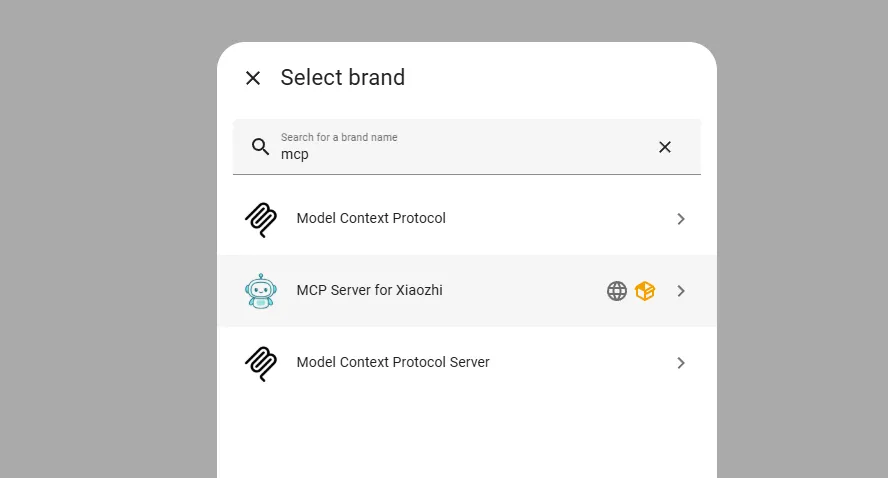
Install it from the Marketplace and restart Home Assistant, then add it under Settings, Devices and services.
Configure Xiaozhi MCP Access Point
- WebSocket Access Point
- name
- Control Home AssistantThe method for controlling Home Assistant to expose with the Model Context Protocol.
Texts from the code of c1pher-cn/ha-mcp-for-xiaozhi.
Information
- Installs
- 437 sharing analytics
- GitHub stars
- 277
- Connection
- Uses the vendor's cloud
- Upkeep
- Updated in the last 6 months
- Version
- v0.2.0,
- Category
- AI and voice, AI models
- Kind
- Marketplace integration
- Needs
- Needs the Marketplace (HACS on 2026.10 and older)
- Domain
ws_mcp_server- Issues
- Report an issue