
Meteo IMGW-PIB
bieniu
On Home Assistant 2026.11 or newer? Open it in the Marketplace
- Installs
- 325 sharing analytics
- GitHub stars
- 42
- Connection
- Uses the vendor's cloud
- Upkeep
- Updated in the last 6 months
- Version
- 1.12.5,
- Category
- Weather and alerts, Forecasts
- Kind
- Marketplace integration
- Needs
- Needs the Marketplace (HACS on 2026.10 and older)
- Domain
meteo_imgw_pib- Issues
- Report an issue
Independent directory, made by the developer of Vulpo. Not affiliated with Home Assistant or the Open Home Foundation.
Screenshots From the README of bieniu/ha-meteo-imgw-pib.
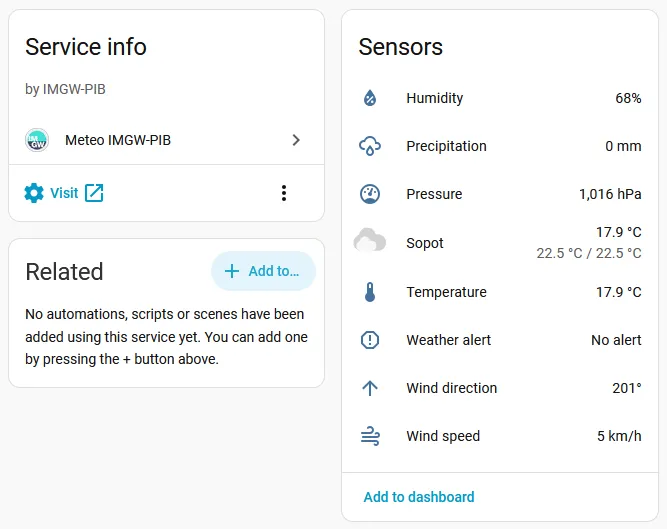
About
Meteo IMGW-PIB is an integration that shows weather conditions in Home Assistant using data from the IMGW-PIB API. The source text states that the API covers Poland only. It adds a weather entity and sensors for apparent temperature, weather alerts, rainfall intensity and snowfall intensity. Data comes from the vendor's cloud, so an internet connection is required. Setup happens in the user interface, where a weather station is chosen from a list. A diagnostics file can be downloaded to attach to a bug report.
Automatic summary of the README and code of bieniu/ha-meteo-imgw-pib. Something wrong, or are you the maintainer and want your own text here? Get in touch
Supports
Uses the vendor's cloud Needs an internet connection and an account with the vendor.
From the Marketplace Installed through the Marketplace, formerly HACS.
Actively maintained Its author released or pushed a change in the last six months.
Provides
- Sensors
- Weather
Setting it up
Install it from the Marketplace and restart Home Assistant, then add it under Settings, Devices and services.
Connect
- Weather stationSelect a weather station from the list.
Texts from the code of bieniu/ha-meteo-imgw-pib.
Entities
- SensorsApparent temperature, Weather alert, Rainfall intensity, Snowfall intensity
Troubleshooting
- DiagnosticsDownloads a diagnostics file to attach to a bug report.
From the README
Meteo IMGW-PIB custom integration uses data from the IMGW-PIB API (Poland only) to present weather condition in Home Assistant.

Shows in Vulpo
Chart card, Lumen sky, Apple Watch.Information
- Installs
- 325 sharing analytics
- GitHub stars
- 42
- Connection
- Uses the vendor's cloud
- Upkeep
- Updated in the last 6 months
- Version
- 1.12.5,
- Category
- Weather and alerts, Forecasts
- Kind
- Marketplace integration
- Needs
- Needs the Marketplace (HACS on 2026.10 and older)
- Domain
meteo_imgw_pib- Issues
- Report an issue