
HA Housekeeper, 2026.11.1 and a read-only way into VW Group cars
A cleanup tool for cluttered Home Assistant setups, the first 2026.11 patch, VW Group car data via the EU Data Act and Samsung appliances kept local.
HA Housekeeper finds the clutter years of Home Assistant leave behind
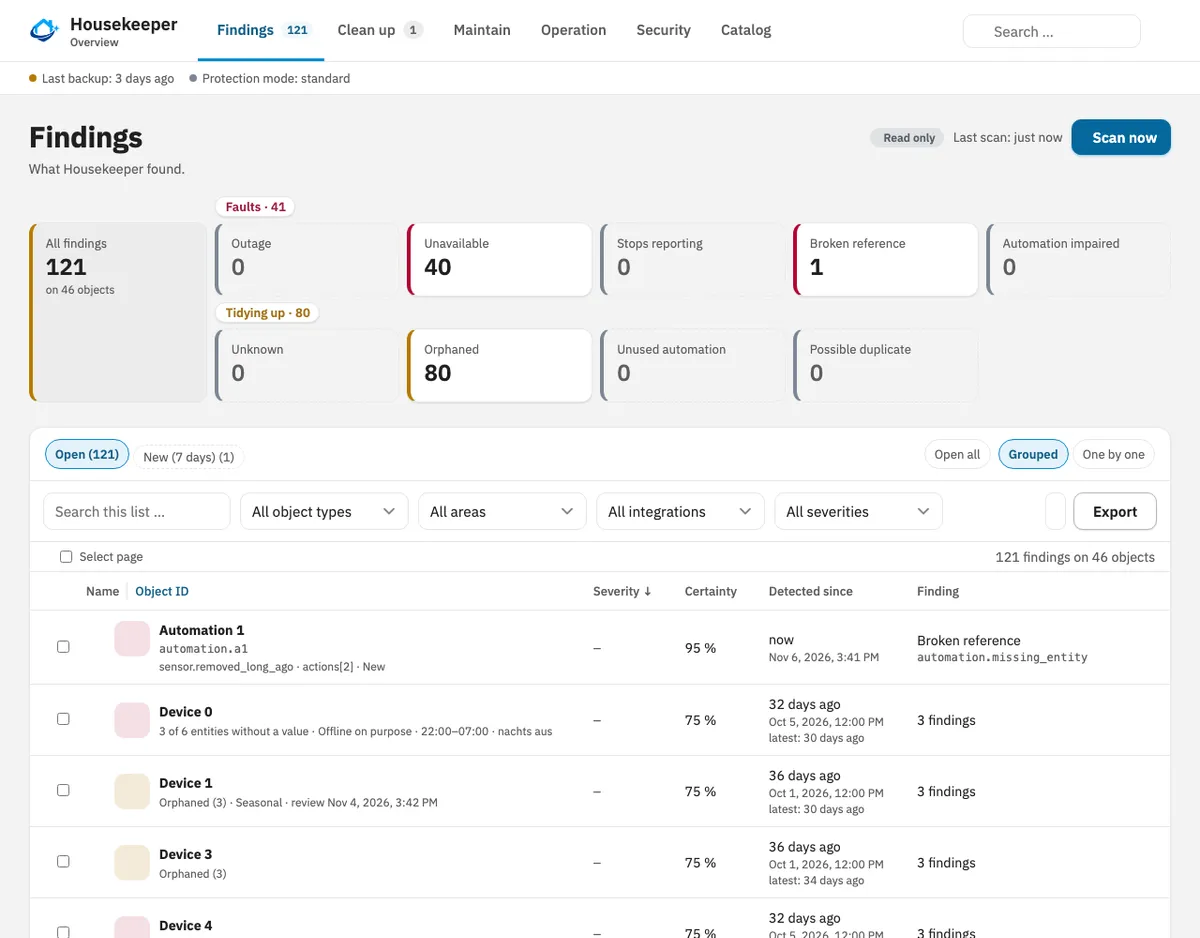
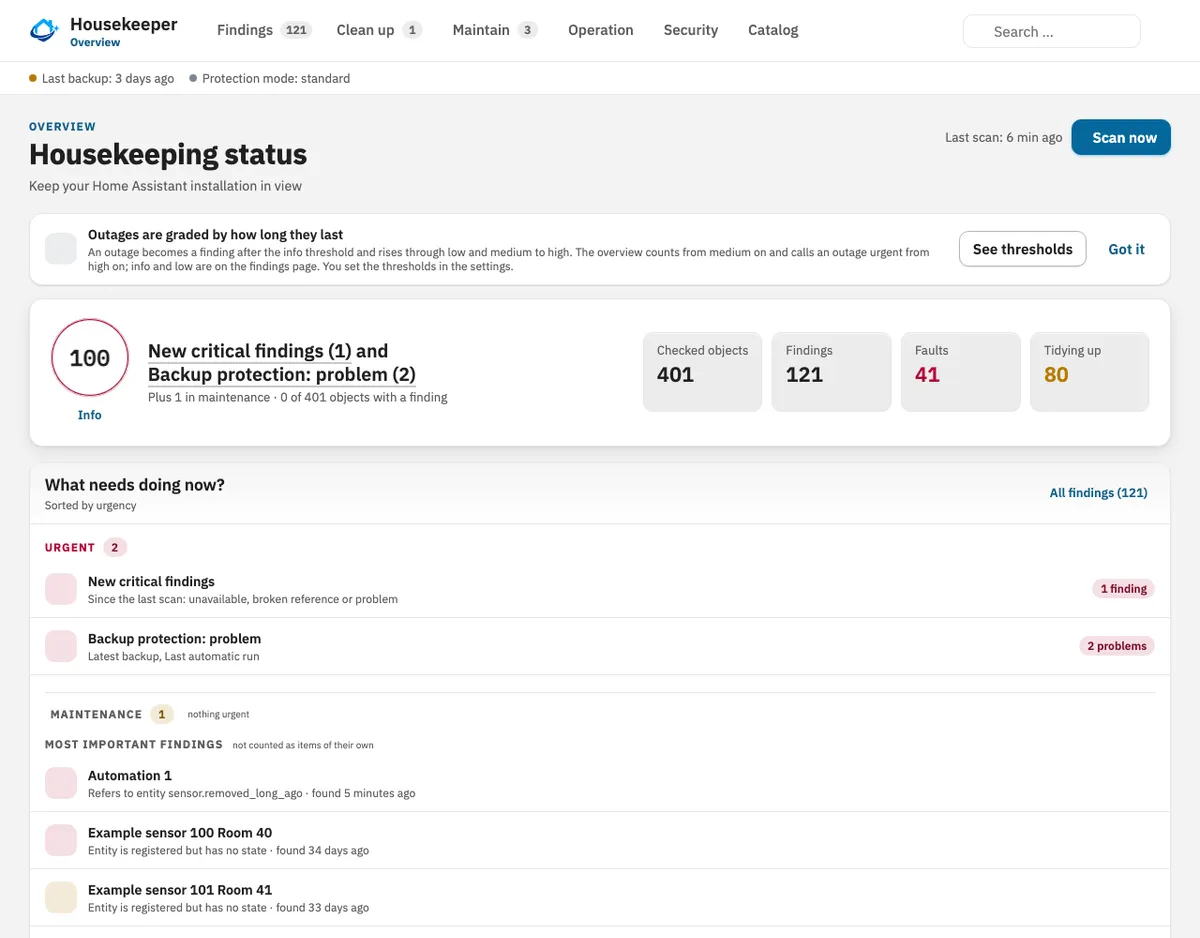
The integration that took off fastest this week doesn't control a single light. HA Housekeeper went from nothing to about 1,150 installs in its first week in the directory, and if your setup has a few years on it, you can probably guess why.
It adds an admin-only Housekeeper panel to the sidebar that takes stock of your entities, devices, integrations, areas and automations, then labels each one active, unavailable, disabled or orphaned, with a reason attached. The Findings page is where it earns its keep: broken references, entities that have been unavailable for ages, likely duplicates, automations nothing uses and low batteries, sorted by how much depends on each. Open one and the dependency view shows what would break if you deleted it, which is exactly the question you can't answer from the entities list.
What makes it safe to try is how little it does on its own. According to the project's README, a fresh install starts in a read-only protection mode, and every change is a plan you confirm first. Depending on the action, Housekeeper wants a quarantine period, a second confirmation and a successful backup before it touches anything, and it leaves integrations, hubs and the .storage files alone. Reversible changes come with an undo; recorder and backup deletions can't be undone, and the panel marks them that way.
There's more tucked in than cleanup. An optional auto-pause backs off from an integration that keeps failing to set up, retrying at longer and longer gaps for up to seven days, and a vacation mode keeps outages you expect from showing up as findings.
What should you do? Install it, add it under Devices and services (skip that step and no sidebar entry appears), and spend a week reading Findings before you raise the protection mode. The developer asks for a backup before every cleanup, and that's a fair ask. A 2.0 beta is available too, but a normal update keeps you on 1.x.
In VulpoVulpo can put Housekeeper's scan button on a Button card and its sensors on a Chart card.
Picks
2026.11.1 fixes HomeKit camera motion and smooths out the Marketplace
If you bridge cameras into Apple Home, the first patch for 2026.11 is the one to install. 2026.11.1 arrived on Monday and fixes HomeKit camera motion events that never reached HomeKit at all. Shelly owners get two fixes: an RPC cover at position 0 finally counts as closed, and sleeping devices pick up new entities when they wake. Tomorrow.io polls again after setup, and SimpliSafe sensors go unavailable when the system reports them offline.
The Marketplace gets small repairs too: it fetches a README again after you install or remove something, and rate-limit errors go to the log without a traceback. The move off HACS hasn't been painless for everyone, though. One Container user reported on GitHub that every Marketplace integration stopped loading after jumping from 2026.10.4 to 2026.11.1, risk notice accepted and all. Making that jump yourself? Take a backup first, then check Devices and services for anything Not loaded after the restart.
VW Group drivers get their car data back, read-only
Lost your Volkswagen, Audi, Škoda, SEAT or Cupra sensors when VW restricted unofficial API access this year? VW Group EU Data Act passed 1,000 installs in its first week, and it gets the data through the portal VW Group runs for owners under the EU Data Act, which also covers Bentley and VW Commercial Vehicles.
Keep your expectations in check. It can't start climate or charging, and data arrives roughly every 15 minutes. You have to be the primary user of the car, and you set up a free, continuous 15-minute request with the All Data preset on the portal before Home Assistant can read anything (renew it about once a year). Right after setup you'll only see around seven diagnostic sensors. The README says charge level, range and mileage appear once the first real data file lands, often within an hour of switching on the request and sometimes days later. It's still marked beta.
LocalThings keeps newer Samsung appliances on your network
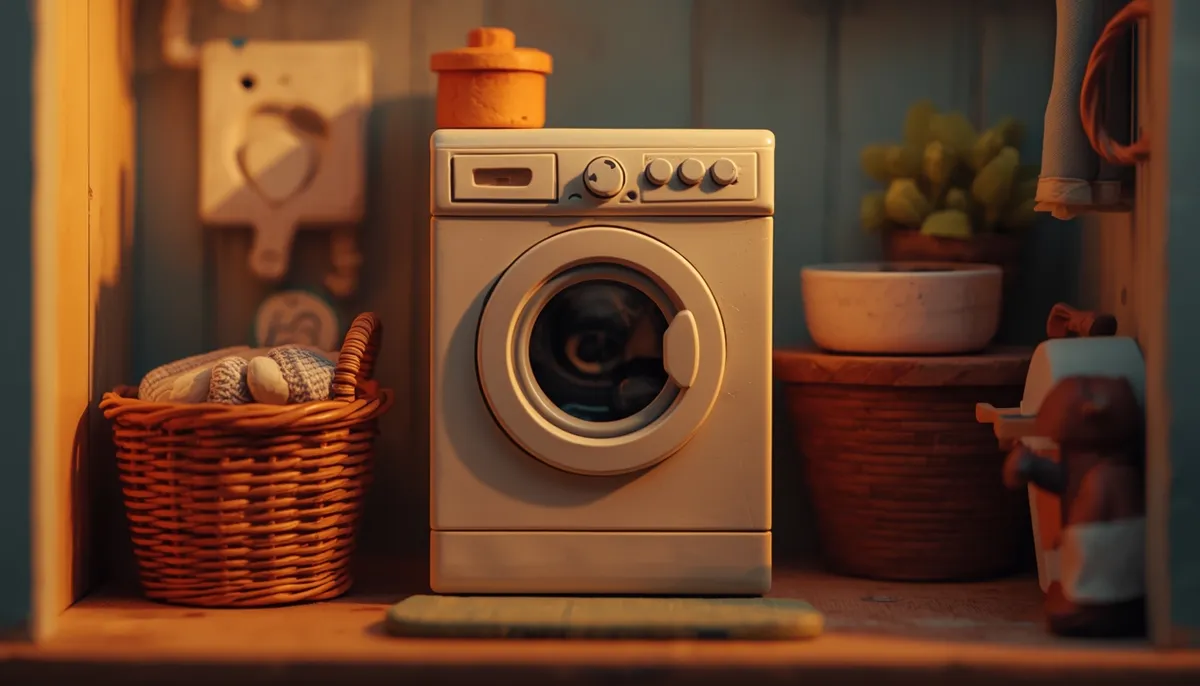
LocalThings picked up 942 installs this week, and the pitch is simple: Home Assistant talks to Samsung appliances directly over your LAN instead of going through Samsung's cloud. Washers, dryers, dishwashers, fridges, ovens, air conditioners, air purifiers and vacuum stations are all on the list.
It only works with firmware from roughly 2022 on, and the setup flow checks for you and says so plainly when an appliance is too old. The awkward part is credentials. Some appliances want a CA certificate and key that the repository deliberately doesn't include, so you'll need to get them yourself, once, before the first device. And the appliance itself keeps its own connection to Samsung; LocalThings just doesn't send anything that way.
Sources
From the community

Beatify 4.8.9 adds a Christmas playlist and stops short games
Beatify 4.8.9
Beatify turns Home Assistant into a music quiz party game: guess the release year, or name the title and artist, with songs from Spotify, Apple Music, Tidal and others. Version 4.8.9 adds Christmas Hits with 89 songs and 100 more for Greatest Hits. When Music Assistant can't find a track, Beatify now swaps in another straight away, so ten rounds stay ten, and the Create with AI window speaks all six languages.

Bambu Lab 2.4.0 gets past Cloudflare again
Bambu Lab 2.4.0
Update this one soon. A bug in an earlier version hammered Bambu's services until Cloudflare blocked the integration; 2.4.0 fixes it and sends a new user agent so connections work again. It also adds H3C support and a new graphical AMS card, which you switch to by hand.
WashData 0.6.0 recognises programs better, with a one-way store
WashData 0.6.0
WashData 0.6.0 recognises washer and dryer programs far more often, gets energy right on plugs that only report changes (it recalculates your history) and keeps a finished load Clean across restarts. The store file gets 2.5 to 3.7 times smaller, but going back to an older version afterwards means restoring a backup, so take one before you update.