
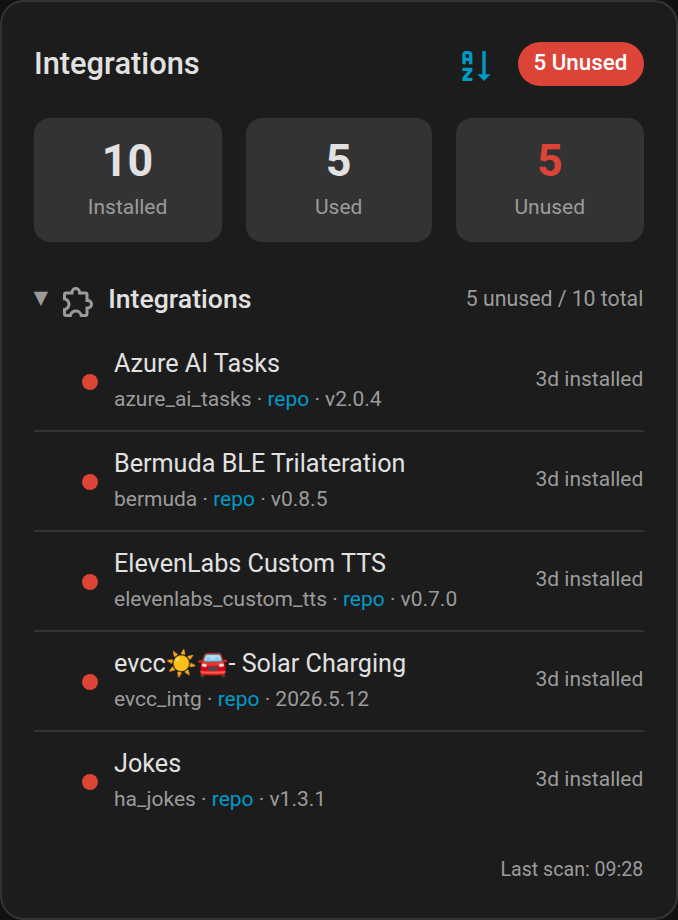
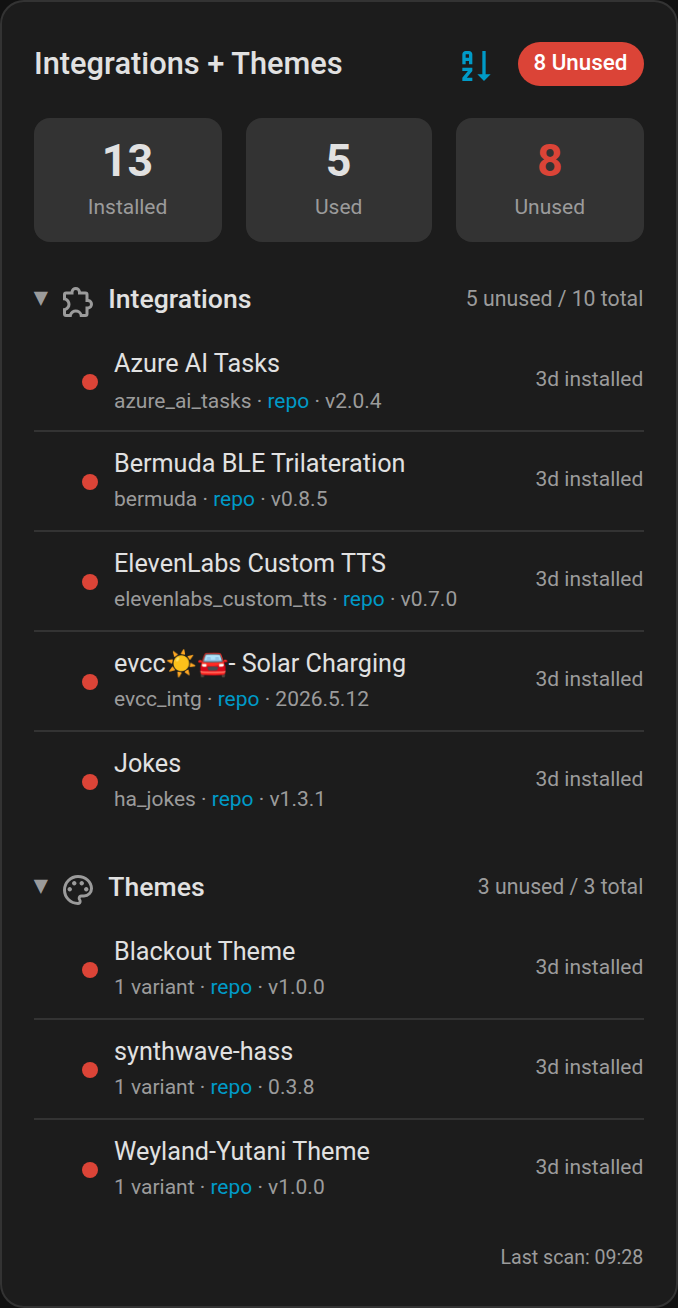
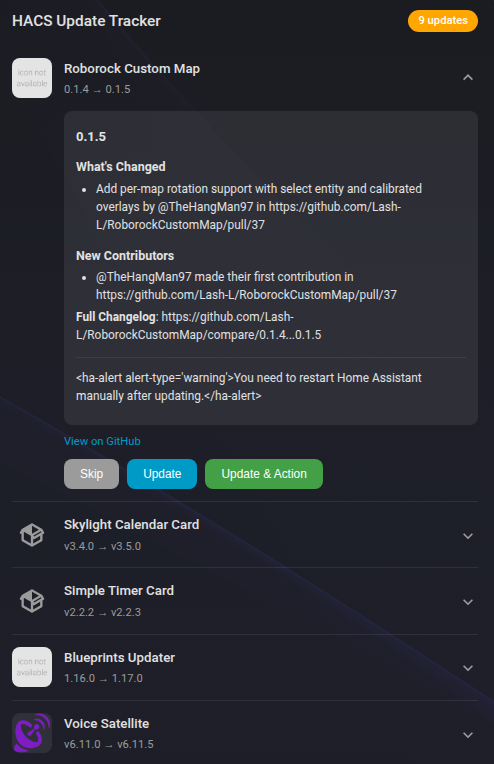
Screenshots From the README of loryanstrant/HA-CustomComponentMonitor.
About
Custom Component Monitor reports which HACS-installed custom components, themes and frontend resources are actually in use. It checks configured integrations, active themes and cards referenced in dashboards, then exposes sensors for installed components and for unused integrations, themes and frontend resources. A to-do list tracks HACS updates that need follow-up, and actions can scan on demand, install one or all updates, and add a to-do item. Optional AI summaries and categories can label each pending update, using either an AI Task entity or a conversation agent. A review card tracks newly indexed HACS repositories, and items made for another country can be hidden based on a home country setting. It runs locally, is set up in the UI, and needs the Marketplace.
Automatic summary of the README and code of loryanstrant/HA-CustomComponentMonitor. Something wrong, or are you the maintainer and want your own text here? Get in touch
Supports
Works locally Talks to your devices on your own network. No vendor cloud in between.
From the Marketplace Installed through the Marketplace, formerly HACS.
Actively maintained Its author released or pushed a change in the last six months.
Provides
- Sensors
Setting it up
Install it from the Marketplace and restart Home Assistant, then add it under Settings, Devices and services.
After setup
- Components to treat as usedComponents that are actually in use but get flagged as unused. Pick from the currently-unused list, or type a name or domain for anything else.
- Summarise & categorise updates with AILabel each pending HACS update with categories and a one-line summary.
- AI entityChoose an AI Task entity (Home Assistant 2025.7+) or a Conversation agent. If one doesn't work for your model, try the other.
- Show the "New in HACS" review cardTrack newly-indexed HACS repositories you haven't installed yet, and show them on a dedicated review card.
- Hide new items made for another countryHide new items made for another country — e.g. a national postal service or a local utility — instead of showing them mixed in with everything else.
- Your home countryYour country code, e.g. AU. Used to tell apart new items made for your own country from ones made for somewhere else.
- Extra "this is my country" wordsExtra words that mean "this is for my country" — one per line. Use this for anything the country code alone wouldn't catch (a state name, a local brand, a utility).
- AI sorting time per passHow long each sorting pass may spend talking to the AI before it pauses and picks up where it left off. Sorting repeats automatically until everything new has been sorted, so this paces the work rather than capping it — the number of items per pass tunes itself to how fast your AI answers.
Texts from the code of loryanstrant/HA-CustomComponentMonitor.
Entities
- SensorsHACS Installed Components, Unused Custom Integrations, Unused Custom Themes, Unused Frontend Resources
- To-do listsHACS Update Actions
Actions
- Custom Component Monitor: manual scanTrigger an immediate scan of all HACS-installed custom components.
- Update and Add ActionInstall the HACS update and add a to-do item to track follow-up actions.Fields: Update Entity, Version
- Update allInstall every available HACS custom-component update at once (integrations, cards and themes that currently show an update).Fields: Create action items, Limit to entities
- Generate AI summariesGenerate the missing AI summaries and categories for pending HACS updates. Only updates that don't already have a summary are sent to the AI, unless "Force" is enabled.Fields: Limit to entities, Force, Maximum updates
- Dismiss new HACS itemsDismiss one or more items from the "New in HACS" review card. Give exactly one of repositories, category or all — it acts on whatever sensor.hacs_new_items is currently showing as new.Fields: Repositories, Category, All
- Restore new HACS itemsBring back items previously dismissed or auto-hidden on the "New in HACS" review card. Give exactly one of repositories, category or all. An item restored from auto-hide is also marked "never hide again", so the country rule can't immediately hide it a second time.Fields: Repositories, Category, All
- Categorise new HACS itemsRun AI categorisation for pending items on the "New in HACS" review card. You should not normally need this: sorting starts by itself after every scan and keeps going until the backlog is clear. Only items without a cached category are processed unless "Force" is enabled. Requires AI summaries to be enabled in the integration options.Fields: Maximum items, Time limit, Force
From the README
A Home Assistant custom integration that monitors your HACS installation for unused custom components, themes, and frontend resources — and now also helps you manage HACS updates that need follow-up action.
- 🔍 HACS Discovery: Scans your HACS repositories for all installed custom components
- 📊 Usage Analysis: Determines which custom components are actually being used
- Integrations: Checks core.config_entries for configured HACS domains
- Themes: Scans Lovelace dashboard configs and HA theme settings for active themes
- Frontend Cards: Matches custom: card types in dashboards against installed HACS plugins
- 🔔 HACS Update Count: sensor.hacs_updates reports how many HACS components have a pending update — ideal for conditional cards and automations
- 📈 Long-term Statistics: from v1.9.0 the count sensors declare state_class: measurement and a unit, so History renders them as proper graphs and Home Assistant keeps long-term statistics
- 🃏 Dashboard Card: Built-in Lovelace card with collapsible sections (optionally collapsed by default), an icon-based sort toggle, and section filtering
- 🧮 Section-aware Summary Totals: Installed, used, and unused counts are calculated from the selected card sections
- 🏷️ Repository Links: Direct links to each component's repository
- 📅 Installation Tracking: Shows how long each component has been installed
- ⚡ Real-time Updates: Hourly scans to reflect configuration changes

Shows in Vulpo
Chart card, Apple Watch.Information
- Installs
- 286 sharing analytics
- GitHub stars
- 37
- Connection
- Works locally
- Upkeep
- Updated in the last 6 months
- Version
- v1.16.0,
- Category
- Productivity and information, Calendars and to-dos
- Kind
- Marketplace integration
- Needs
- Needs the Marketplace (HACS on 2026.10 and older)
- Domain
custom_component_monitor- Issues
- Report an issue










