

Fellow Aiden
kristofferR
On Home Assistant 2026.11 or newer? Open it in the Marketplace
- Installs
- 161 sharing analytics
- GitHub stars
- 66
- Connection
- Uses the vendor's cloud
- Upkeep
- Updated in the last 6 months
- Version
- v2.0.1,
- Category
- Productivity and information, Calendars and to-dos
- Kind
- Marketplace integration
- Needs
- Needs the Marketplace (HACS on 2026.10 and older)
- Domain
fellow- Issues
- Report an issue
Independent directory, made by the developer of Vulpo. Not affiliated with Home Assistant or the Open Home Foundation.
Screenshots From the README of kristofferR/FellowAiden-HomeAssistant.
About
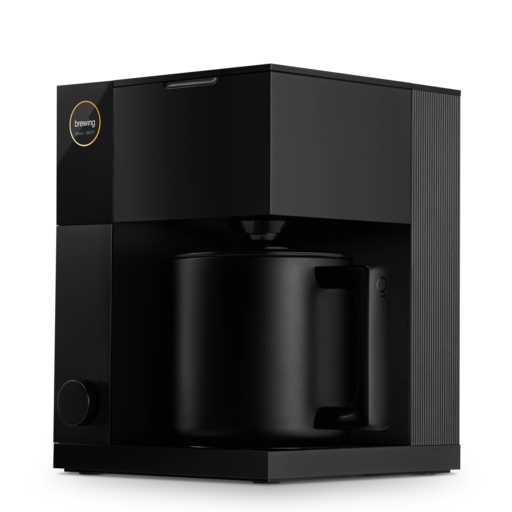
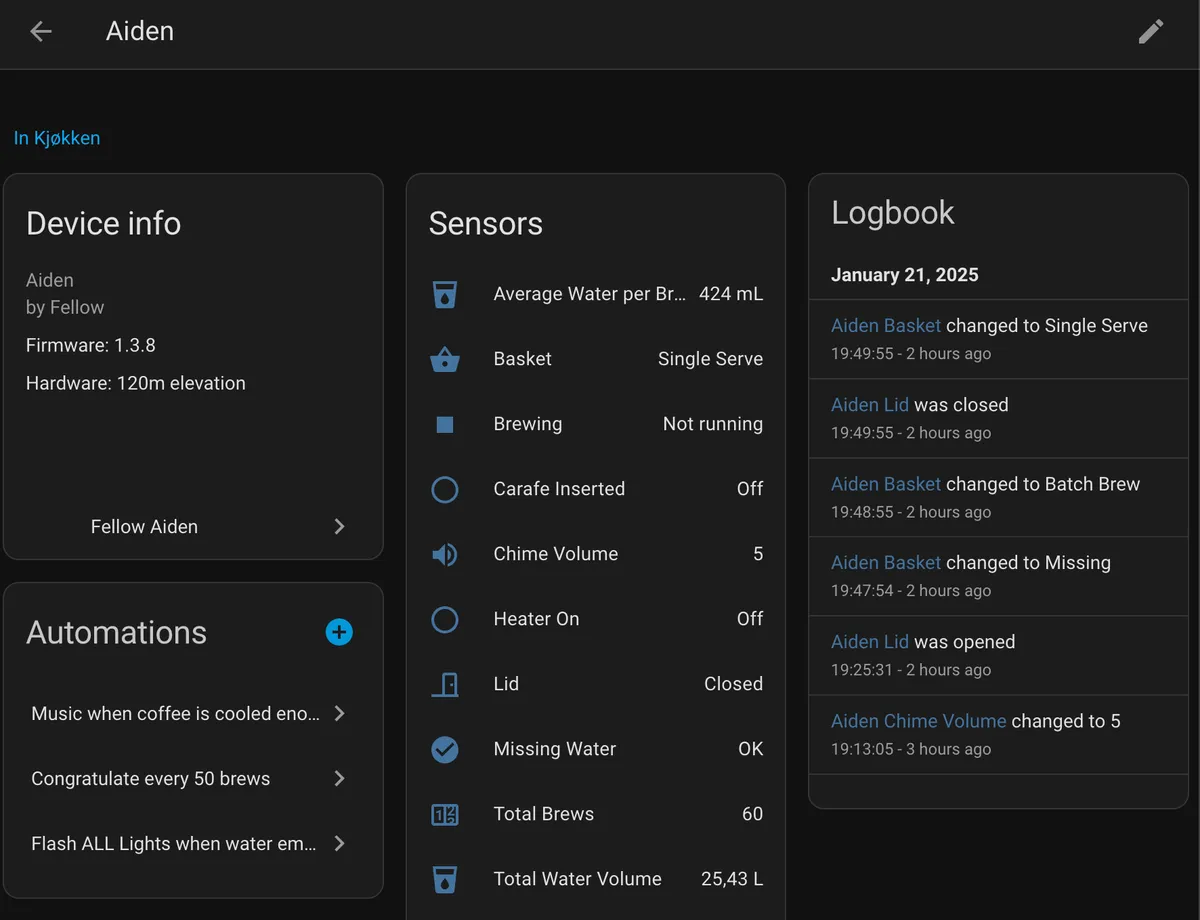
Fellow Aiden is an integration that monitors and manages Fellow Aiden coffee brewers from Home Assistant through the vendor's cloud. It adds binary sensors for brewing, heater, pump, lid, missing water and cleaning, plus sensors for brew totals, water volume and last brew timing. A brew schedule calendar and buttons to start an Instant Brew or refresh data are included. Actions cover creating, listing and deleting brew profiles and schedules, toggling a schedule, and resetting water tracking. Device triggers for brew started, paused, completed, cleaning and rinsing can start automations. Updates can arrive by cloud push, which mirrors the messages the Fellow Android app receives, or by polling at a configurable interval. Setup happens in the UI with the Fellow account email and password, and there is no local brewer connection.
Automatic summary of the README and code of kristofferR/FellowAiden-HomeAssistant. Something wrong, or are you the maintainer and want your own text here? Get in touch
Supports
Uses the vendor's cloud Needs an internet connection and an account with the vendor.
Device triggers Its devices can start automations directly.
From the Marketplace Installed through the Marketplace, formerly HACS.
Actively maintained Its author released or pushed a change in the last six months.
Provides
- Sensors
- Calendars
Setting it up
Install it from the Marketplace and restart Home Assistant, then add it under Settings, Devices and services.
Set up Fellow Aiden
- EmailThe email address you use to sign in to the Fellow app.
- PasswordYour Fellow account password.
Also asked when changing the connection.
Choose a Fellow Aiden
- Brewer
Re-authenticate Fellow Aiden
- PasswordYour current Fellow account password.
After setup
- Update interval (seconds)How often to poll live brewer state when push is unavailable. Minimum 10 seconds, default 30. Connected push uses a 60-second idle poll and 10-second bursts around activity.
- Enable cloud pushReceive the same Firebase data messages as the Fellow Android app for immediate refreshes.
Texts from the code of kristofferR/FellowAiden-HomeAssistant.
Entities
- Binary sensorsBrewing, Carafe, Heater, Pump, Lid, Missing water, Brew error, Cleaning, Rinsing, Cloud connection, Firmware update available, Unsynced changes, and 1 more
- ButtonsStart Instant Brew, Refresh data
- CalendarsBrew schedule
- SensorsChime volume, Total brews, Total water volume, Last brew volume, Instant Brew water, Device timezone, Elevation, Average water per brew, Last brew end time, Last brew duration, Average time between brews, Last brew time, and 10 more
Actions
- Create brew profileCreate a new brew profile on the Fellow Aiden.Fields: Brewer, Profile type, Profile title, Brew ratio, Bloom enabled, Bloom ratio, Bloom duration, Bloom temperature, Overall temperature, Single serve pulses enabled
- Delete brew profileDelete a brew profile by ID.Fields: Brewer, Profile ID
- Create brew scheduleCreate a brewing schedule. Make sure a carafe or cup is in place before the scheduled time.Fields: Brewer, Monday, Tuesday, Wednesday, Thursday, Friday, Saturday, Sunday, Time, Water amount (mL)
- Delete brew scheduleDelete a schedule by ID.Fields: Brewer, Schedule ID
- Toggle brew scheduleEnable or disable a schedule.Fields: Brewer, Schedule ID, Enabled
- List profilesReturns all brew profiles with their names and IDs.Fields: Brewer
- Get profile detailsReturns full details for a profile.Fields: Brewer, Profile name, Profile ID
- Reset water trackingResets the water usage baseline. Period sensors will read 0 until new usage is recorded.Fields: Brewer
- List schedulesReturns all brew schedules.Fields: Brewer
- Debug water usageReturns raw water usage history for troubleshooting.Fields: Brewer
- Refresh and log dataForces a data refresh and returns the full API response.Fields: Brewer
Troubleshooting
- DiagnosticsDownloads a diagnostics file to attach to a bug report.
From the README
“A good brew is like a good friend: reliable, comforting, and occasionally in need of a little maintenance.”
This is a custom integration that brings your coffee brewer into the Home Assistant universe. Because life’s too short for bad coffee and disconnected devices.
- Real-Time Sensors:
- Sensors for brew phase, pump, heater, connectivity, water usage, number of brews, average water per brew and more.
- Analytics: Daily/weekly/monthly water usage tracking, brew patterns, and timing insights.
- Binary sensors for brewing, lid status, missing water, baskets inserted, etc.
- Device Info: Displays firmware, SKU, serial number, elevation, Wi-Fi and Bluetooth inventory, plus cloud connection state.
- Cloud Push: Receives the same Firebase data messages as the Fellow Android app, refreshes state immediately, and exposes connection diagnostics.
- Brew Management:
- Create, list, delete, and manage brew profiles from Home Assistant
- Schedule management
- Services: A collection of services for all brewing operations
- Smart Logging: Detailed API logging for manual operations, quiet polling for regular updates
- Water Usage Tracking: Historical tracking with reset capabilities and period-specific sensors

Shows in Vulpo
Button card, Calendar card, Chart card, Apple Watch.Information
- Installs
- 161 sharing analytics
- GitHub stars
- 66
- Connection
- Uses the vendor's cloud
- Upkeep
- Updated in the last 6 months
- Version
- v2.0.1,
- Category
- Productivity and information, Calendars and to-dos
- Kind
- Marketplace integration
- Needs
- Needs the Marketplace (HACS on 2026.10 and older)
- Domain
fellow- Issues
- Report an issue










