
EyeOnWater
kdeyev
On Home Assistant 2026.11 or newer? Open it in the Marketplace
- Installs
- 298 sharing analytics
- GitHub stars
- 65
- Connection
- Uses the vendor's cloud
- Upkeep
- Updated in the last 6 months
- Version
- v2.7.12,
- Category
- Water, Meters and leak detection
- Kind
- Marketplace integration
- Needs
- Needs the Marketplace (HACS on 2026.10 and older)
- Domain
eyeonwater- Issues
- Report an issue
Independent directory, made by the developer of Vulpo. Not affiliated with Home Assistant or the Open Home Foundation.
Screenshots From the README of kdeyev/eyeonwater.
About
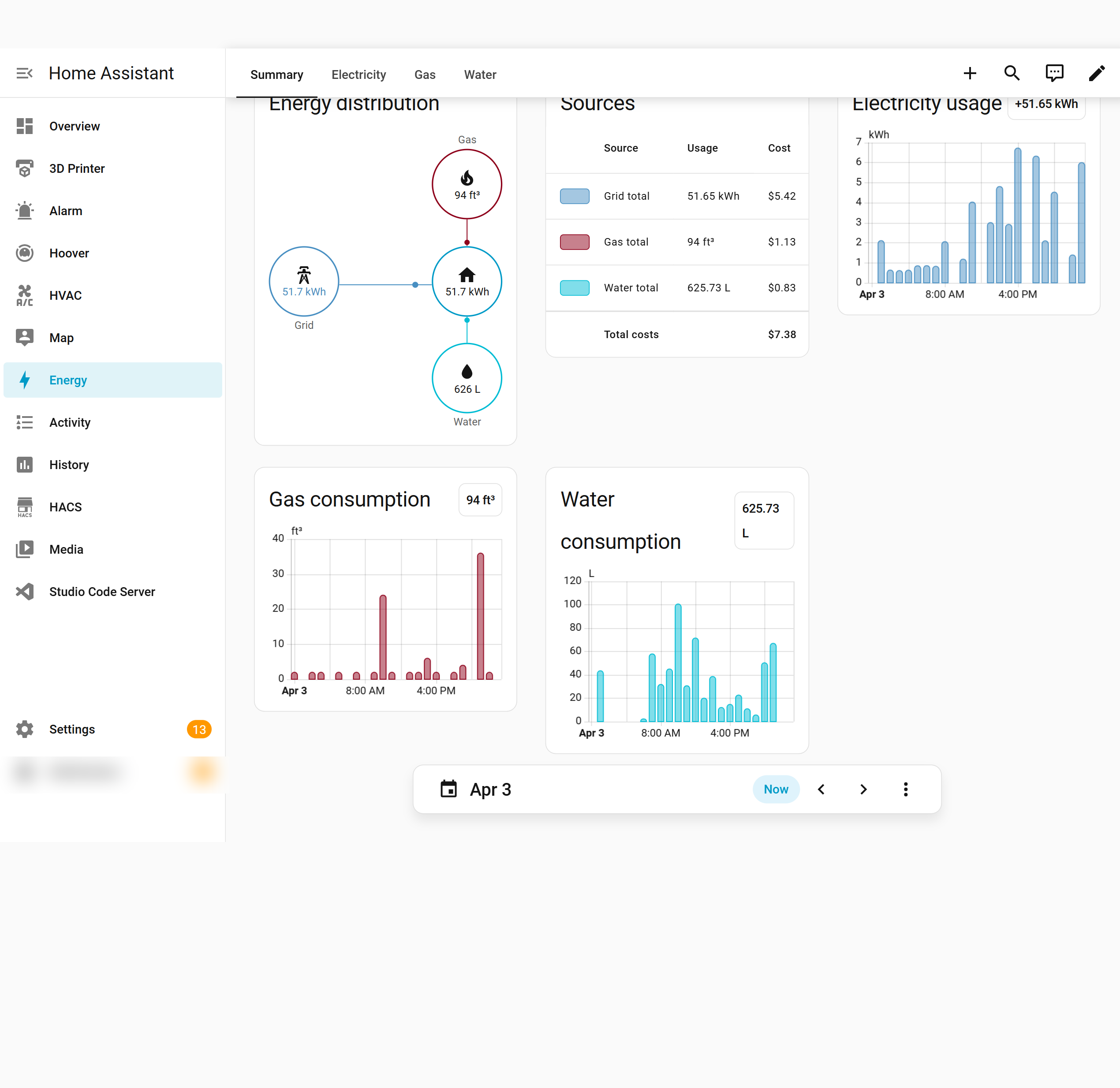
EyeOnWater is an integration that brings water meter readings from the EyeOnWater cloud service into Home Assistant. It imports hourly consumption statistics, including historical data, into the Energy Dashboard through external statistics. An action backfills past readings on demand, and an optional price per unit of water adds cost tracking. Binary sensors cover leak, empty pipe, tamper, cover removed, reverse flow and device alert conditions, and diagnostic sensors report values such as temperature, flow, battery and signal strength. Options also let the statistics display unit be changed and switch meter discovery to a newer API method. It works with eyeonwater.com and eyeonwater.ca, signs in with a username and password in the UI, and adds its status to system information.
Automatic summary of the README and code of kdeyev/eyeonwater. Something wrong, or are you the maintainer and want your own text here? Get in touch
Supports
Uses the vendor's cloud Needs an internet connection and an account with the vendor.
From the Marketplace Installed through the Marketplace, formerly HACS.
Actively maintained Its author released or pushed a change in the last six months.
Provides
- Sensors
Setting it up
Install it from the Marketplace and restart Home Assistant, then add it under Settings, Devices and services.
EyeOnWater Integration
- Password
- Username
Reauthenticate EyeOnWater
- Password
After setup
- Price per unit of waterThe cost per unit of water (e.g., per gallon or per cubic foot). Set to 0 or leave empty to disable cost tracking.
- Statistics display unitUnit of measurement for water statistics in the Energy Dashboard. Leave empty to use the meter's native unit.
- Use API-based meter discoveryUse the newer API endpoint for meter discovery instead of the legacy dashboard. Enable this only if the default method does not find your meters.
Texts from the code of kdeyev/eyeonwater.
Entities
- Binary sensorsLeak Sensor, Encoder Leak, Empty Pipe, Tamper, Cover Removed, Reverse Waterflow, Endpoint Reading Missed, Device Alert
Actions
- Import historical dataImport historical data from eyeonwater.Fields: Days to import
Troubleshooting
- System healthAdds its status to Home Assistant's system information.
From the README
Track your water usage directly in Home Assistant using the EyeOnWater service. This integration imports accurate hourly meter readings into HA's Energy Dashboard — including historical data and optional cost tracking.
- Energy Dashboard integration — hourly water consumption statistics with full history
- Water cost tracking — multiply usage by your unit price for cost statistics
- Historical data import — backfill days/weeks/months of data on demand
- Diagnostic sensors — temperature, flow, battery, and signal strength
- US & Canada support — works with eyeonwater.com and eyeonwater.ca

Shows in Vulpo
Chart card, Apple Watch.Information
- Installs
- 298 sharing analytics
- GitHub stars
- 65
- Connection
- Uses the vendor's cloud
- Upkeep
- Updated in the last 6 months
- Version
- v2.7.12,
- Category
- Water, Meters and leak detection
- Kind
- Marketplace integration
- Needs
- Needs the Marketplace (HACS on 2026.10 and older)
- Domain
eyeonwater- Issues
- Report an issue