

Parcel App
jmdevita
On Home Assistant 2026.11 or newer? Open it in the Marketplace
- Installs
- 338 sharing analytics
- GitHub stars
- 82
- Connection
- Uses the vendor's cloud
- Upkeep
- Updated in the last 6 months
- Version
- v1.8.4,
- Category
- Productivity and information, Shopping and groceries
- Kind
- Marketplace integration
- Needs
- Needs the Marketplace (HACS on 2026.10 and older)
- Domain
parcelapp- Issues
- Report an issue
Independent directory, made by the developer of Vulpo. Not affiliated with Home Assistant or the Open Home Foundation.
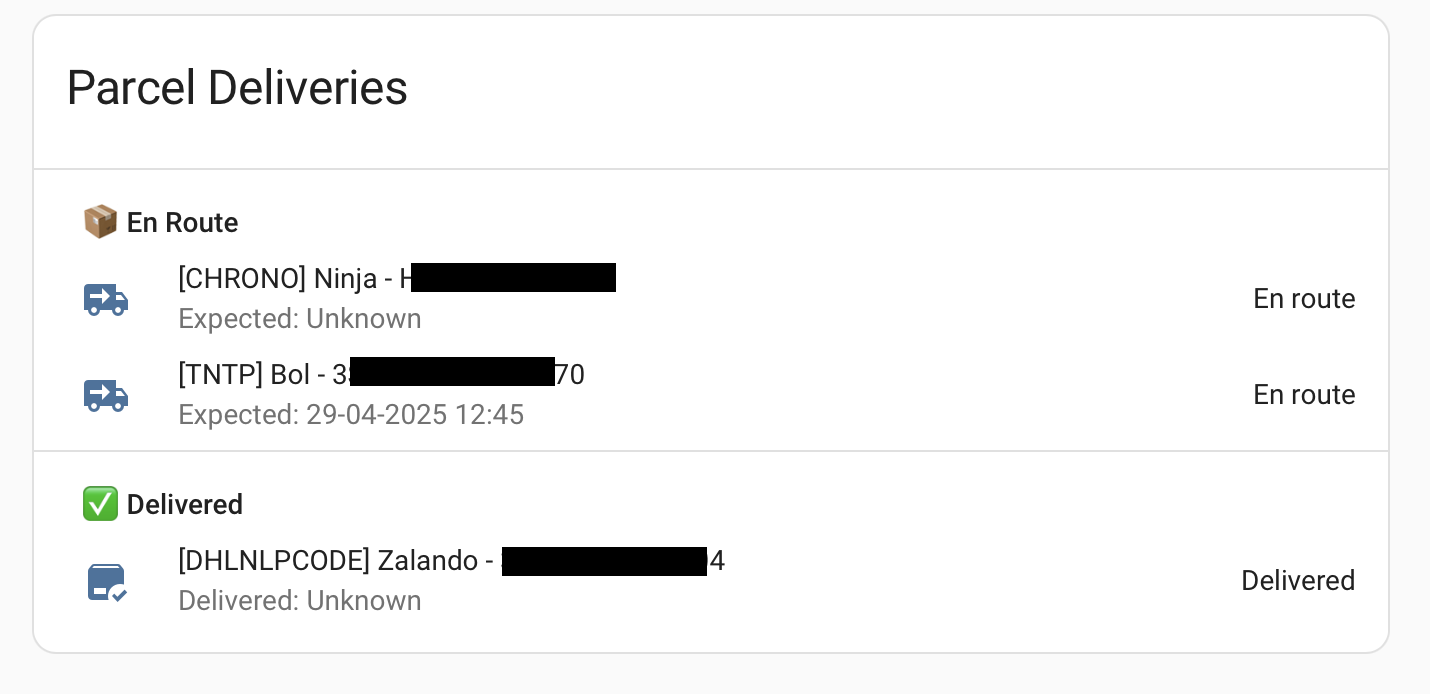
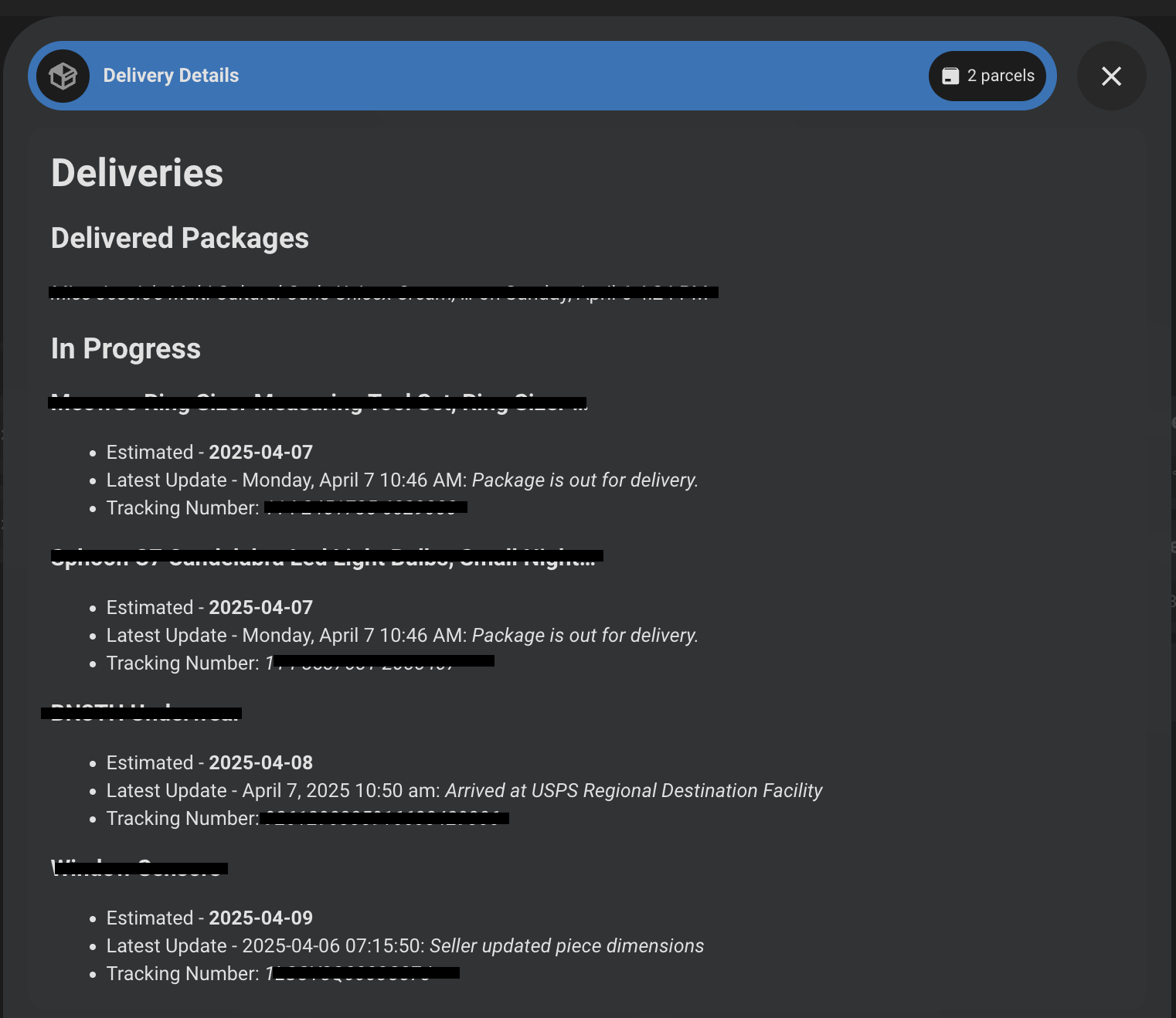
Screenshots From the README of jmdevita/parcel-ha.
About
Parcel App is an unofficial Home Assistant integration that tracks parcels through the ParcelApp cloud service. It adds sensors for the most recent shipment and for active shipments, showing details such as description, tracking number, status, carrier, event date and event location. The active shipment sensor also reports when the next delivery is due and how many parcels are being tracked. A raw data sensor holds the JSON returned by the API for debugging or custom templates, and it is disabled by default. Beta actions can add, edit and delete parcels and detect a carrier from a tracking number. It is set up in the UI with an API key, needs a paid Parcel account, and the update interval is an option, with the API limited to 20 requests per hour.
Automatic summary of the README and code of jmdevita/parcel-ha. Something wrong, or are you the maintainer and want your own text here? Get in touch
Supports
Uses the vendor's cloud Needs an internet connection and an account with the vendor.
From the Marketplace Installed through the Marketplace, formerly HACS.
Actively maintained Its author released or pushed a change in the last six months.
Provides
- Sensors
Setting it up
Install it from the Marketplace and restart Home Assistant, then add it under Settings, Devices and services.
Parcel Configuration
- API Key (Required)
- Account Token (Optional) | BETA
After setup
- API Key (Required)
- Account Token (Optional) | BETA
- Update IntervalHow often to check for parcel updates (in minutes). API rate limit: 20 requests per hour.
Texts from the code of jmdevita/parcel-ha.
Actions
- Add ParcelAdd a new parcel to ParcelApp for trackingFields: Parcel Name, Tracking Number, Courier, Language
- Delete ParcelDelete a parcel from ParcelAppFields: Tracking Number, Courier
- Edit ParcelEdit an existing parcel in ParcelAppFields: Parcel Name, Tracking Number, Courier, Old Tracking Number, Old Type
- Detect CarrierDetect the carrier from a tracking numberFields: Tracking Number
From the README
This is an integration for Home Assistant that allows you to track your parcels using the Parcel REST API. This integration fetches the latest shipment data and displays it as a sensor in Home Assistant. This does require a pro account, but only costs $5/year.
- Track most recent parcel shipments
- Display shipment details such as description, tracking number, status code, carrier code, event date, and event location
- Automatically updates the shipment data at a 5 minute interval.

Shows in Vulpo
Chart card, Apple Watch.Information
- Installs
- 338 sharing analytics
- GitHub stars
- 82
- Connection
- Uses the vendor's cloud
- Upkeep
- Updated in the last 6 months
- Version
- v1.8.4,
- Category
- Productivity and information, Shopping and groceries
- Kind
- Marketplace integration
- Needs
- Needs the Marketplace (HACS on 2026.10 and older)
- Domain
parcelapp- Issues
- Report an issue










